
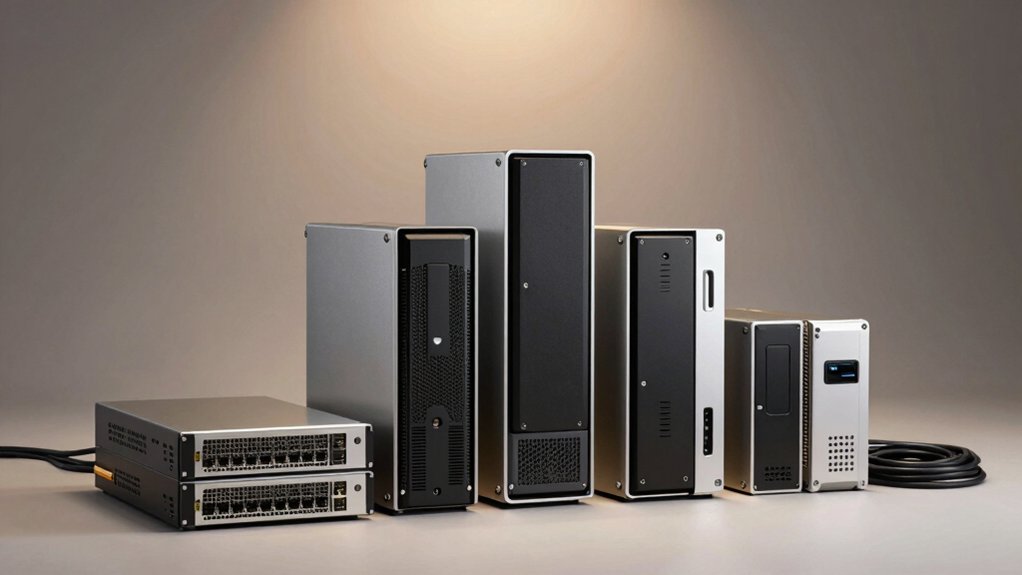

When you’re managing heavy storage demands, you’ll need a 6-bay NAS that delivers reliable performance and scalability. You can choose from systems with powerful processors, abundant RAM, and fast caching to handle intensive workloads. Each model offers distinct advantages—whether you prioritize virtualization support, encryption features, or expansion potential. Understanding your specific requirements will help you select the right unit, but first you should know what separates these top performers.
| TERRAMASTER F6-424 6-Bay NAS Storage System |

| Performance Leader | Processor Type: N95 quad-core CPU 3.4GHz turbo | Maximum Storage Capacity: Up to 144TB (6 bays × 24TB) | Network Connectivity: Dual 2.5GbE ports (up to 5Gb aggregated) | VIEW LATEST PRICE | Read Our Analysis |
| TERRAMASTER F6-424 Max NAS Storage 6-Bay Core i5 |

| Best Overall | Processor Type: Core i5 1235U 10-core, 12-thread (up to 4.4GHz) | Maximum Storage Capacity: Up to 144TB (6 bays × 24TB) | Network Connectivity: Dual 10GbE ports (up to 20Gbps with SMB multichannel) | VIEW LATEST PRICE | Read Our Analysis |
| UGREEN NAS DXP6800 Plus 6-Bay Desktop Storage |

| Enterprise-Grade Value | Processor Type: 12th Gen Intel Core i3 6-core, 8-thread | Maximum Storage Capacity: Up to 208TB (6 SATA + 2 NVMe bays) | Network Connectivity: 1x 10GbE, 1x 2.5GbE (up to 20Gbps aggregated) | VIEW LATEST PRICE | Read Our Analysis |
| Synology 6 bay 2.5″ NAS DS620slim (Diskless) |

| Most Compact | Processor Type: Synology-integrated (unspecified) | Maximum Storage Capacity: Up to 108TB (maximum single volume) | Network Connectivity: Dual-channel networking (speeds not specified) | VIEW LATEST PRICE | Read Our Analysis |
| AOOSTAR WTR MAX AMD R7 Desktop NAS (Barebone) |

| Maximum Expandability | Processor Type: AMD Ryzen 7 8845HS 8-core (base 3.8GHz, max 5.1GHz) | Maximum Storage Capacity: Up to 184TB (6 HDD + 5 NVMe slots) | Network Connectivity: Dual 10Gb SFP+, dual 2.5G LAN (up to 20Gbps) | VIEW LATEST PRICE | Read Our Analysis |
| CENMATE Aluminum 6 Bay Hard Drive Enclosure USB 3.0 |

| Budget-Friendly Pick | Processor Type: No processor (external DAS enclosure) | Maximum Storage Capacity: Up to 120TB (6 bays × 20TB) | Network Connectivity: USB 3.0 external connectivity (5Gbps) | VIEW LATEST PRICE | Read Our Analysis |
| QNAP TS-673A-8G 6 Bay NAS with 2.5GbE Ports |

| Best For Professionals | Processor Type: AMD Ryzen V1500B quad-core (up to 2.2GHz turbo) | Maximum Storage Capacity: Not specified (6 bays with NVMe support) | Network Connectivity: Dual 2.5GbE ports (backwards compatible 1G/100M) | VIEW LATEST PRICE | Read Our Analysis |
More Details on Our Top Picks
TERRAMASTER F6-424 6-Bay NAS Storage System
Looking for a performance leader that handles demanding workloads? The TerraMaster F6-424 delivers 140% faster performance than predecessors with its N95 quad-core CPU running at 3.4GHz. You’ll experience 90% faster application loading, 40% quicker file retrieval, and 60% speedier PHP responses. The system includes 8GB DDR5 memory, upgradeable to 32GB, plus dual 2.5GbE Ethernet ports and dual USB 3.2 10Gbps interfaces for connectivity. Install up to six drives using the Push-Lock design, which automatically secures disks. Configure your RAID setup—choose from RAID 0/1/5/6/10, JBOD, or Single—based on your redundancy needs. Add M.2 NVMe SSDs via the side-sliding cover for caching. Achieve 283 MB/s network throughput and leverage TerraMaster’s Business Backup Suite for enterprise-grade data protection.
- Processor Type:N95 quad-core CPU 3.4GHz turbo
- Maximum Storage Capacity:Up to 144TB (6 bays × 24TB)
- Network Connectivity:Dual 2.5GbE ports (up to 5Gb aggregated)
- NVMe Expansion Slots:Dual M.2 NVMe slots
- RAID Support:RAID 0/1/5/6/10/JBOD/Single, TRAID, TRAID+
- Warranty Period:Not specified
- Additional Feature:283 MB/s network throughput tested
- Additional Feature:Tool-free M.2 SSD installation
- Additional Feature:Push-Lock drive security design
TERRAMASTER F6-424 Max NAS Storage 6-Bay Core i5
The TerraMaster F6-424 Max stands as the top choice for professionals who need serious processing power alongside storage capacity. You’ll get a Core i5 processor with 10 cores and dual 10GbE ports delivering up to 20Gbps bandwidth. The unit handles 4K video workflows and database applications efficiently, with real-world write speeds reaching 2090MB/s. Install the dual M.2 NVMe slots for hyper caching to boost performance further. You can rely on the TerraMaster Business Backup Suite for centralized backup and snapshot management across your operations.
- Processor Type:Core i5 1235U 10-core, 12-thread (up to 4.4GHz)
- Maximum Storage Capacity:Up to 144TB (6 bays × 24TB)
- Network Connectivity:Dual 10GbE ports (up to 20Gbps with SMB multichannel)
- NVMe Expansion Slots:Dual M.2 NVMe slots
- RAID Support:RAID support (specific levels not listed)
- Warranty Period:2 years
- Additional Feature:2090 MB/s linear write speeds
- Additional Feature:50% quieter operation design
- Additional Feature:4K video decoding support
UGREEN NAS DXP6800 Plus 6-Bay Desktop Storage
Want enterprise-grade value without breaking your budget? The UGREEN NAS DXP6800 Plus delivers with a 12th Gen Intel Core i3 processor, 8GB DDR5 RAM, and 128GB built-in SSD. You’ll access six SATA bays plus two M.2 NVMe slots for up to 208TB capacity. Its dual networking—10GbE and 2.5GbE ports with link aggregation—reaches 1250MB/s transfer speeds for large file operations. You get RAID support (RAID0 through RAID10), advanced encryption, and cross-platform compatibility across Windows, macOS, Linux, and mobile devices. The tabletop metal enclosure includes 4K HDMI output, automatic backups, and TRUSTe certification for security assurance.
- Processor Type:12th Gen Intel Core i3 6-core, 8-thread
- Maximum Storage Capacity:Up to 208TB (6 SATA + 2 NVMe bays)
- Network Connectivity:1x 10GbE, 1x 2.5GbE (up to 20Gbps aggregated)
- NVMe Expansion Slots:2x M.2 NVMe slots
- RAID Support:JBOD, Basic, RAID0/1/5/6/10
- Warranty Period:2 years
- Additional Feature:Built-in 128GB SSD included
- Additional Feature:4K HDMI display output
- Additional Feature:One App unified interface
Synology 6 bay 2.5″ NAS DS620slim (Diskless)
Compact design makes this NAS ideal for space-constrained offices and workplaces. The Synology DS620slim features six 2.5″ drive bays in a white metal enclosure measuring just 5.94″ deep by 6.89″ wide by 4.76″ high, weighing only 1.4 kg. You get 2GB expandable DDR3L memory and deliver 220 MB/s read and 190 MB/s write speeds with encrypted transmission. Install drives, configure DSM software, and enable 4K transcoding for video streaming. Set up file synchronization for seamless backups across your network. Create up to 65,000 system-wide snapshots for data protection. Synology backs this unit with a standard two-year manufacturer’s warranty.
- Processor Type:Synology-integrated (unspecified)
- Maximum Storage Capacity:Up to 108TB (maximum single volume)
- Network Connectivity:Dual-channel networking (speeds not specified)
- NVMe Expansion Slots:No NVMe slots
- RAID Support:RAID support via DSM (specific levels not listed)
- Warranty Period:2 years
- Additional Feature:65,000 system-wide snapshots capability
- Additional Feature:4K video transcoding on-the-fly
- Additional Feature:Compact mini-sized design
AOOSTAR WTR MAX AMD R7 Desktop NAS (Barebone)
AOOSTAR’s WTR MAX AMD R7 delivers maximum expandability for users who need enterprise-grade storage without compromise. You’ll configure 6 SATA HDD slots supporting up to 24TB each, plus 5 NVMe M.2 slots for fast data access. The AMD Ryzen 8845HS processor handles intensive tasks while dual 10Gb SFP+ ports provide rapid network transfers. Select your RAID level—RAID 5 or 6 for data protection—based on redundancy needs. Install ECC RAM across two DDR5 5600MHz slots to prevent corruption. Use the OCuLink interface to expand storage externally if required.
- Processor Type:AMD Ryzen 7 8845HS 8-core (base 3.8GHz, max 5.1GHz)
- Maximum Storage Capacity:Up to 184TB (6 HDD + 5 NVMe slots)
- Network Connectivity:Dual 10Gb SFP+, dual 2.5G LAN (up to 20Gbps)
- NVMe Expansion Slots:5x M.2 NVMe slots (PCIe 4.0)
- RAID Support:RAID 0/1/5/6/10 (hybrid HDD strategies)
- Warranty Period:1 year
- Additional Feature:OCuLink PCIe 4.0 expansion
- Additional Feature:Dual cooling system design
- Additional Feature:USB4 interface connectivity
CENMATE Aluminum 6 Bay Hard Drive Enclosure USB 3.0
Looking for affordable external storage that won’t drain your budget? The CENMATE Aluminum 6 Bay Hard Drive Enclosure delivers practical expansion for Windows, Mac, and Linux systems. You’ll get USB 3.0 connectivity with transfer speeds up to 5 Gbps, moving 1GB files in 3–5 seconds. The aluminum enclosure houses six bays supporting 2.5″ or 3.5″ SATA drives up to 20TB each, reaching 120TB total capacity. Built-in fans manage heat effectively, though expect 40–50 dB noise. Hot-swappable trays let you swap drives without powering down. The one-year warranty and 24-hour customer support provide backup assurance for your storage setup.
- Processor Type:No processor (external DAS enclosure)
- Maximum Storage Capacity:Up to 120TB (6 bays × 20TB)
- Network Connectivity:USB 3.0 external connectivity (5Gbps)
- NVMe Expansion Slots:No NVMe slots (DAS enclosure)
- RAID Support:No RAID (external DAS enclosure)
- Warranty Period:1 year
- Additional Feature:Daisy chain expansion to 360TB
- Additional Feature:Hot swappable drive trays
- Additional Feature:Built-in dual cooling fans
QNAP TS-673A-8G 6 Bay NAS with 2.5GbE Ports
The QNAP TS-673A-8G delivers professional-grade storage performance for your demanding workloads. You’ll get a quad-core AMD Ryzen processor running up to 2.2 GHz, paired with dual 2.5GbE ports for fast data transfers. The unit supports six drive bays plus two M.2 NVMe slots for SSD caching through Qtier technology. You can expand capabilities by adding PCIe cards for 10GbE networking, additional USB ports, or GPU support. The metal enclosure supports rack mounting, and you’ll receive a three-year manufacturer warranty covering hardware failures.
- Processor Type:AMD Ryzen V1500B quad-core (up to 2.2GHz turbo)
- Maximum Storage Capacity:Not specified (6 bays with NVMe support)
- Network Connectivity:Dual 2.5GbE ports (backwards compatible 1G/100M)
- NVMe Expansion Slots:2x M.2 PCIe NVMe SSD slots
- RAID Support:RAID support (specific levels not listed)
- Warranty Period:3 years
- Additional Feature:Qtier Technology SSD caching
- Additional Feature:PCIe expansion card support
- Additional Feature:NVIDIA graphics card compatible
Factors to Consider When Choosing a 6 Bay NAS
You’ll need to evaluate five key areas before selecting a 6 bay NAS unit: processing power and performance determine how fast your system handles multiple tasks, storage capacity and expandability let you grow your storage as needs increase, and network speed and connectivity affect how quickly you transfer files. Your choice of backup and data protection features directly impacts how safe your files remain against loss or corruption. Finally, you must compare the total budget against the unit’s price, ongoing maintenance costs, and potential upgrades to ensure you’re getting genuine value for your investment.
Processing Power and Performance
What CPU and RAM specifications actually matter when you’re selecting a 6-bay NAS for heavy workloads? You’ll want at least a quad-core processor for basic performance, though 6- to 10-core configurations handle demanding tasks better. RAM capacity between 8–32 GB directly impacts how many concurrent connections your system supports and how large your cache can grow. More RAM means faster throughput and smoother virtualization workloads. Additionally, prioritize M.2 NVMe slots for PCIe-based caching, which significantly reduces latency and boosts read/write speeds on frequently accessed files. Pair these specs with dual 10GbE network interfaces to eliminate bandwidth bottlenecks. Together, these components enable sustained throughput from 200 MB/s to 2+ GB/s, depending on your configuration and usage patterns.
Storage Capacity and Expandability
Six critical decisions shape how much data your NAS can actually store and grow. First, determine your drive capacity needs—most 6-bay units accept 3.5″ drives up to 20TB each, giving you a potential 120TB base capacity. Second, choose your RAID configuration: RAID 5 or 6 provide redundancy but reduce usable space, while RAID 0 maximizes capacity at the cost of protection. Third, evaluate M.2 NVMe slots for caching, which boosts performance without adding storage. Fourth, check for built-in SSD options. Fifth, explore external expansion ports that let you daisy-chain additional drives. Sixth, verify compatibility with both 2.5″ and 3.5″ SATA drives to match your budget and speed requirements. These six factors directly control your total usable capacity and future scalability.
Network Speed and Connectivity
When selecting a 6-bay NAS, network connectivity determines how fast data moves between your unit and connected devices. Most units offer dual Ethernet ports ranging from 2.5GbE to 10GbE speeds. You can combine multiple ports through link aggregation to increase sustained throughput beyond what a single connection provides. Real-world performance spans from hundreds of MB/s to over 2,000 MB/s depending on your setup. Built-in 10GbE ports paired with SMB multichannel support deliver higher concurrent network performance for demanding workloads. Check if your NAS includes PCIe slots for upgrading networking cards or caching accelerators. Match your network speed to your storage needs—faster connections justify higher-capacity drives and larger bay counts.
Backup and Data Protection
Beyond network speed, your 6-bay NAS needs robust backup and data protection features to safeguard against data loss, ransomware, and system failures. Look for units offering enterprise-grade options like centralized backup, TerraSync, and Snapshot functionality. These features capture point-in-time data states, letting you recover quickly from threats. CloudSync enables off-site data restoration and multi-site backups, protecting against localized disasters. Choose a NAS supporting both local and off-site backup strategies suitable for small to medium businesses. Verify compatibility with your devices—Windows, macOS, Linux, iOS, and Android—ensuring unified backup workflows across your infrastructure. Prioritize solutions combining on-site snapshots with cloud-based recovery for comprehensive protection and business continuity.
Budget and Total Cost
How much you’ll actually spend on a 6-bay NAS extends far beyond the initial sticker price. You’ll need to calculate the total cost of ownership by adding drive expenses, potential RAM upgrades, and expansion costs. Compare barebone models against pre-installed configurations to determine which option fits your budget. Check warranty lengths—consumer units typically offer 2 years while enterprise options provide extended coverage and support bundles. Factor in electricity bills, since high-performance units with advanced cooling systems consume more power monthly. Review software packages included with your purchase, as some models bundle backup suites with licenses while others require separate subscriptions. Examine PCIe slots and bay expansion capabilities to assess future upgrade costs. This comprehensive approach prevents unexpected expenses and ensures you select a NAS that aligns with your financial planning.
Final Thoughts
You’ll choose your 6-bay NAS by matching your needs to each unit’s strengths. First, assess your storage capacity and speed requirements. Next, compare processor power, memory, and expansion options. Then, evaluate software ecosystems like DSM or TOS. Finally, check your budget and whether you need a complete system or barebone unit. These steps’ll help you select the right model for your workload.

Meet Ry, “TechGuru,” a 36-year-old technology enthusiast with a deep passion for tech innovations. With extensive experience, he specializes in gaming hardware and software, and has expertise in gadgets, custom PCs, and audio.
Besides writing about tech and reviewing new products, he enjoys traveling, hiking, and photography. Committed to keeping up with the latest industry trends, he aims to guide readers in making informed tech decisions.