
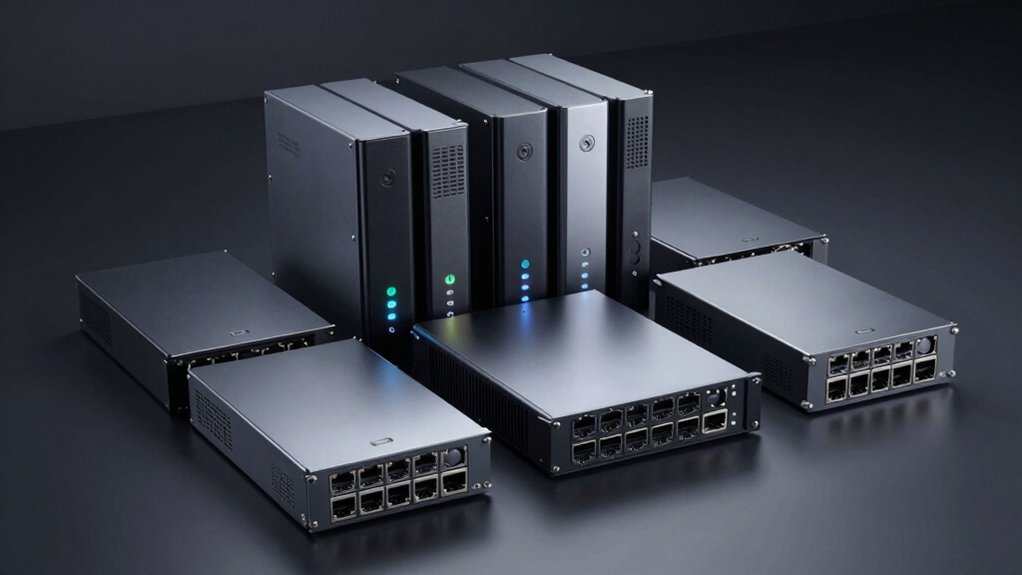

When you’re selecting an 8-bay NAS for your network, you’ll evaluate processor power, RAM capacity, network speed, and expansion options. You can choose systems like the QNAP TS-873A-8G with 2.5GbE connectivity, the Synology DS1825+ for scalability, or the Asustor Lockerstor 8 Gen3 for dual 10GbE performance. Each unit serves different requirements. Understanding what distinguishes these units will help you identify which one matches your specific infrastructure needs.
| UGREEN NAS DXP8800 Plus 8-Bay Desktop Storage |

| Best Overall Performance | Primary Use Case: Enterprise-grade multimedia/large library storage | Storage Bays: 8 SATA + 2 M.2 NVMe | Networking: 2 × 10 GbE ports (aggregatable to 20 GbE) | VIEW LATEST PRICE | Read Our Analysis |
| QNAP TS-873A-8G 8 Bay NAS with 2.5GbE Ports |

| Best Value | Primary Use Case: Desktop/server network storage with expansion | Storage Bays: 8 SATA + 2 M.2 NVMe | Networking: 2 × 2.5 GbE + PCIe expansion slots | VIEW LATEST PRICE | Read Our Analysis |
| QNAP TS-832PX-4G 8 Bay High-Capacity NAS with 10GbE SFP+ and 2.5GbE |

| Enterprise-Grade | Primary Use Case: Bandwidth-demanding applications and file sharing | Storage Bays: 8 × 3.5-inch SATA | Networking: 2 × 10 GbE SFP+ + 2 × 2.5 GbE | VIEW LATEST PRICE | Read Our Analysis |
| Thdeukoty Desktop NAS 8-Bay Network Attached Storage |

| Most Powerful CPU | Primary Use Case: Video editing, media libraries, AI computing | Storage Bays: 8 SATA + 2 M.2 NVMe | Networking: 2 × 10 GbE with LACP/SLB aggregation | VIEW LATEST PRICE | Read Our Analysis |
| Synology 8 Bay DiskStation DS1825+ (Diskless) |

| Most Expandable | Primary Use Case: Office-wide applications with expansion capability | Storage Bays: 8 bays (expandable to 18 with DX525 units) | Networking: 2.5 GbE with 10GbE/25GbE adapter support | VIEW LATEST PRICE | Read Our Analysis |
| K7 8 Bay NAS Case Network Attached Storage Server |

| Budget DIY Pick | Primary Use Case: NAS enclosure chassis (barebone/DIY) | Storage Bays: 8 bays (3.5″ or 2.5″ drives) | Networking: Not specified (barebone chassis) | VIEW LATEST PRICE | Read Our Analysis |
| QNAP TL-D800C 8 Bay Desktop JBOD Storage Enclosure |
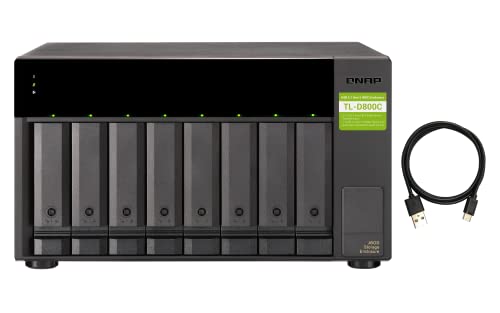
| Best Expansion Option | Primary Use Case: JBOD expansion/backup for existing NAS | Storage Bays: 8 × 3.5-inch SATA | Networking: USB 3.2 Gen 2 Type-C (10 Gbps) | VIEW LATEST PRICE | Read Our Analysis |
| 8 Bay NAS Case MATX/ITX Computer Chassis |
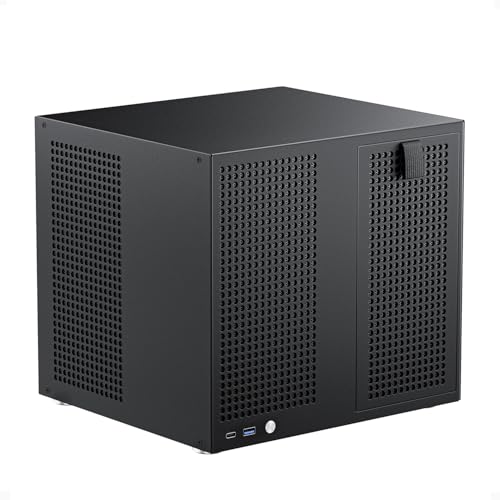
| Most Compact Build | Primary Use Case: NAS enclosure chassis (MATX/ITX barebone) | Storage Bays: 8 × 3.5-inch + 2 × 2.5-inch SSD | Networking: Not specified (barebone chassis) | VIEW LATEST PRICE | Read Our Analysis |
| IO CREST 8-Bay Hard Drive Enclosure USB |

| Best External Storage | Primary Use Case: External storage expansion (non-RAID/DAS) | Storage Bays: 8 bays (2.5″ or 3.5″ SATA) | Networking: USB 3.0 (5 Gbps) | VIEW LATEST PRICE | Read Our Analysis |
| CENMATE Aluminum 8 Bay Hard Drive Enclosure |
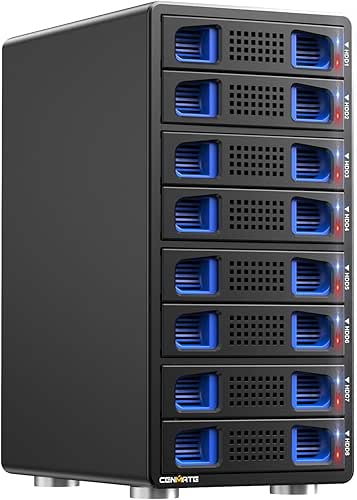
| Most Affordable | Primary Use Case: External storage expansion (non-RAID/DAS) | Storage Bays: 8 bays (2.5″ or 3.5″ SATA/SSD) | Networking: USB A/C 3.0 (5 Gbps) | VIEW LATEST PRICE | Read Our Analysis |
| AOOSTAR WTR MAX AMD R7 Desktop NAS (Barebone) |

| Best For AI Computing | Primary Use Case: AI DIY NAS, Docker, virtualization, home lab | Storage Bays: 6 × 3.5-inch SATA + 5 M.2 NVMe | Networking: 2 × 10 GbE SFP+ + 2 × 2.5 GbE | VIEW LATEST PRICE | Read Our Analysis |
| Asustor Lockerstor 8 Gen3 NAS Network Storage (AS6808T) |

| Best For Professionals | Primary Use Case: General network storage with high-speed networking | Storage Bays: 8 bays (3.5″ or 2.5″ drives) | Networking: 2 × 10 GbE + 2 × 5 GbE + 2 × USB4 (40 Gbps) | VIEW LATEST PRICE | Read Our Analysis |
| TERRAMASTER F8 SSD Plus 8-Bay NAS Storage |

| Best SSD-Native NAS | Primary Use Case: All-SSD NAS for virtualization and post-production | Storage Bays: 8 × M.2 2280 NVMe slots | Networking: 1 × 10 GbE port | VIEW LATEST PRICE | Read Our Analysis |
More Details on Our Top Picks
UGREEN NAS DXP8800 Plus 8-Bay Desktop Storage
Why should you consider the UGREEN NAS DXP8800 Plus if you’re managing large media libraries or enterprise workloads? This 8-bay unit combines an Intel Core i5 processor with 8GB DDR5 RAM to handle demanding tasks efficiently. You’ll get dual 10 GbE ports that aggregate to 20 GbE, delivering up to 2500 MB/s transfer speeds. The system supports RAID0 through RAID10 configurations, protecting your data across 272TB maximum capacity. Install compatible drives from Western Digital or Seagate, then configure your preferred RAID level. The built-in encryption and multi-factor authentication secure your files locally, eliminating cloud leakage risks.
- Primary Use Case:Enterprise-grade multimedia/large library storage
- Storage Bays:8 SATA + 2 M.2 NVMe
- Networking:2 × 10 GbE ports (aggregatable to 20 GbE)
- Max Storage Capacity:Up to 272 TB
- RAID Support:JBOD, Basic, RAID 0/1/5/6/10
- Form Factor:Desktop (12.87″ × 11.42″ × 9.06″)
- Additional Feature:Dual 10GbE aggregation (20Gbps)
- Additional Feature:8K HDMI output
- Additional Feature:Thunderbolt 4 expansion ports
QNAP TS-873A-8G 8 Bay NAS with 2.5GbE Ports
Looking for an 8-bay NAS that delivers solid performance without overextending your budget? The QNAP TS-873A-8G gives you a quad-core AMD Ryzen processor and 8GB of RAM expandable to 64GB. You’ll get dual 2.5G Ethernet ports for reliable networking, plus two PCIe Gen 3 slots if you need faster connectivity later. The unit includes two M.2 NVMe slots for caching and storage optimization. You can choose between QTS or QuTS hero operating systems based on your needs. Its metal construction supports rack mounting, and QNAP backs it with a 3-year warranty.
- Primary Use Case:Desktop/server network storage with expansion
- Storage Bays:8 SATA + 2 M.2 NVMe
- Networking:2 × 2.5 GbE + PCIe expansion slots
- Max Storage Capacity:Up to 128 TB (with 64GB max RAM)
- RAID Support:Not specified (NAS OS handles RAID)
- Form Factor:Desktop/tower
- Additional Feature:Expandable RAM to 64GB
- Additional Feature:Qtier auto-tiering technology
- Additional Feature:Flexible OS selection (QTS/QuTS)
QNAP TS-832PX-4G 8 Bay High-Capacity NAS with 10GbE SFP+ and 2.5GbE
The QNAP TS-832PX-4G delivers enterprise-grade storage for organizations that demand high-speed data transfer. You’ll benefit from two 10 GbE SFP+ ports for ultra-fast networking alongside two 2.5 GbE ports for flexible connectivity. The system supports eight 3.5-inch SATA drives, allowing you to configure storage based on your capacity needs. An AnnapurnaLabs Alpine processor with 4 GB RAM (expandable to 16 GB) handles bandwidth-intensive applications smoothly. The rack-mount 4U design fits standard server environments. You can add PCIe expansion cards like the QM2 for M.2 SSD caching and auto-tiering, optimizing performance for mixed workloads. This configuration suits teams managing large file transfers and shared access requirements efficiently.
- Primary Use Case:Bandwidth-demanding applications and file sharing
- Storage Bays:8 × 3.5-inch SATA
- Networking:2 × 10 GbE SFP+ + 2 × 2.5 GbE
- Max Storage Capacity:Up to 96 TB (8 × 12TB drives)
- RAID Support:Not specified (NAS OS handles RAID)
- Form Factor:Rack-mount 4U (17.5″ × 19″)
- Additional Feature:Dual 10GbE SFP+ ports
- Additional Feature:Rack-mount 4U form factor
- Additional Feature:M.2 NVMe caching support
Thdeukoty Desktop NAS 8-Bay Network Attached Storage
If you’re running resource-intensive workflows—video editing, AI computing, or large-scale data management—you’ll want Thdeukoty’s most powerful CPU option: the Ultra 9 285H with 16 cores running up to 5.4 GHz. Pair this with 32GB of 8400MHz LPDDR5X RAM to handle simultaneous tasks without lag. You’ll configure eight SATA bays and two M.2 NVMe slots using RAID 5 or 6 for reliability and speed. Connect via dual 10 GbE Ethernet ports with LACP aggregation for consistent network performance. Insert a GPU or enterprise NIC into the PCIe 4.0 ×8 slot based on your workload needs. The unit measures 327 × 290 × 230 mm, fitting standard office spaces. You’ll receive a 24-month warranty and support responses within 24 hours.
- Primary Use Case:Video editing, media libraries, AI computing
- Storage Bays:8 SATA + 2 M.2 NVMe
- Networking:2 × 10 GbE with LACP/SLB aggregation
- Max Storage Capacity:Up to 144 TB (8 SATA + 2 NVMe)
- RAID Support:RAID 0/1/5/6/10
- Form Factor:Desktop (12.87″ × 11.42″ × 9.06″)
- Additional Feature:Ultra 9 285H 16-core CPU
- Additional Feature:PCIe 4.0 expansion slot
- Additional Feature:GPU/edge computing capable
Synology 8 Bay DiskStation DS1825+ (Diskless)
Synology’s most expandable 8-bay NAS, the DS1825+, suits organizations needing substantial storage growth without replacing their entire system. You’ll get sequential read/write speeds up to 2,239/1,573 MB/s for office applications. The unit includes built-in 2.5GbE ports and supports 10GbE and 25GbE adapter cards for faster networking. You can scale capacity by connecting two DX525 expansion units, reaching 18 drive bays and 360 TB raw storage. The system’s backed by Synology’s 3-year limited hardware warranty, protecting your investment long-term.
- Primary Use Case:Office-wide applications with expansion capability
- Storage Bays:8 bays (expandable to 18 with DX525 units)
- Networking:2.5 GbE with 10GbE/25GbE adapter support
- Max Storage Capacity:Up to 360 TB (with DX525 expansion)
- RAID Support:Not specified (NAS OS handles RAID)
- Form Factor:Desktop/tower (expandable)
- Additional Feature:Expandable to 18 bays
- Additional Feature:Up to 360TB raw storage
- Additional Feature:3-year limited hardware warranty
K7 8 Bay NAS Case Network Attached Storage Server
Looking for a budget DIY pick that won’t drain your wallet? The AUDHEID K7 offers an alloy steel enclosure supporting Micro-ATX or Mini-ITX motherboards. You’ll install up to eight 2.5″ or 3.5″ drives with included HDD stands and hot-swap capability. The chassis comes preset with two 90mm fans and one 60mm fan for efficient cooling. You’ll need a standard 1U power supply and compatible FLEX power supply. Assembly’s required, but you’re getting a compact unit (12.2″ × 12″ × 8.7″) suitable for home, office, or enterprise storage. This case handles faster processing and enhanced data security compared to older NAS models.
- Primary Use Case:NAS enclosure chassis (barebone/DIY)
- Storage Bays:8 bays (3.5″ or 2.5″ drives)
- Networking:Not specified (barebone chassis)
- Max Storage Capacity:Up to 192 TB (8 × 24TB drives)
- RAID Support:Not specified (barebone chassis)
- Form Factor:Rack-mount capable (12.2″ × 12″ × 8.7″)
- Additional Feature:Supports ITX/Micro-ATX boards
- Additional Feature:3 cooling fans included
- Additional Feature:Hot-swappable drive capability
QNAP TL-D800C 8 Bay Desktop JBOD Storage Enclosure
Need expandable storage that connects directly to your existing QNAP NAS, Windows, or Mac setup? The QNAP TL-D800C offers eight 3.5-inch SATA drive bays with USB 3.2 Gen 2 Type-C connectivity delivering 10 Gbps speeds. You’ll install up to eight drives, then connect the enclosure via the included USB-C cable to expand your storage capacity. This JBOD unit operates as a separate storage pool, so you can’t merge it with existing volumes. You’re getting a 250W power supply, compact 8.7-inch dimensions, and two-year manufacturer warranty backing your investment in additional backup and expansion capabilities.
- Primary Use Case:JBOD expansion/backup for existing NAS
- Storage Bays:8 × 3.5-inch SATA
- Networking:USB 3.2 Gen 2 Type-C (10 Gbps)
- Max Storage Capacity:Up to 192 TB (8 × 24TB drives)
- RAID Support:JBOD only (no RAID)
- Form Factor:Desktop (8.7″ D × 5.9″ W × 8.7″ H)
- Additional Feature:USB 3.2 Gen 2 Type-C
- Additional Feature:10Gbps connectivity standard
- Additional Feature:Quick expansion storage pool
8 Bay NAS Case MATX/ITX Computer Chassis
This most compact build measures just 300x270x270 mm, making it ideal for network professionals who need 8-bay NAS storage without consuming significant desk or rack space. You’ll get 8 hot-swap 3.5″ drive bays for HDDs plus 2 dedicated 2.5″ SSD mounts. The magnetic front panel grants quick drive access when you need to swap hardware. Install a Micro-ATX or Mini-ITX motherboard, then connect your 170 mm ATX power supply. Four full-height PCIe slots let you add network cards, SAS HBAs, or a GPU. Two 120×25 mm fans with independent air channels keep temperatures managed across HDD and motherboard compartments. The included accessory kit provides everything: rubber nails, screws, cable ties, and film.
- Primary Use Case:NAS enclosure chassis (MATX/ITX barebone)
- Storage Bays:8 × 3.5-inch + 2 × 2.5-inch SSD
- Networking:Not specified (barebone chassis)
- Max Storage Capacity:Up to 160+ TB (8 × 3.5″ drives)
- RAID Support:Not specified (barebone chassis)
- Form Factor:Compact desktop (300 × 270 × 270 mm)
- Additional Feature:Magnetic front panel access
- Additional Feature:Compact 300x270x270mm size
- Additional Feature:4 full-height PCIe slots
IO CREST 8-Bay Hard Drive Enclosure USB
The IO Crest Syba 8-Bay USB 3.0 enclosure works for you if you need expandable external storage without RAID complexity. You install up to eight 2.5″ or 3.5″ SATA drives, each supporting up to 24 TB, for a maximum 192 TB capacity. The USB 3.0 interface transfers data at 5 Gbps, ten times faster than USB 2.0. You control each bay independently with individual power switches, extending drive life when drives aren’t needed. The enclosure includes three fan modes—auto and manual settings—with a built-in thermal sensor for heat management. Setup requires no drivers; you simply connect the USB cable and power cord, then plug in your drives.
- Primary Use Case:External storage expansion (non-RAID/DAS)
- Storage Bays:8 bays (2.5″ or 3.5″ SATA)
- Networking:USB 3.0 (5 Gbps)
- Max Storage Capacity:Up to 192 TB (8 × 24TB drives)
- RAID Support:No RAID (DAS only)
- Form Factor:Desktop enclosure (10 lbs)
- Additional Feature:Individual per-bay power switches
- Additional Feature:Three-level manual fan control
- Additional Feature:24TB per drive capacity
CENMATE Aluminum 8 Bay Hard Drive Enclosure
CENMATE’s aluminum enclosure offers the most affordable direct-attached storage (DAS) option for users who need reliable expandable capacity without NAS complexity. You’ll connect via USB 3.0 and achieve transfer speeds up to 5Gbps, moving about 1GB in three to five seconds. The unit supports eight 2.5″ or 3.5″ drives up to 20TB each, totaling 160TB maximum. Two built-in fans maintain temperatures at 40–50 decibels. Test each drive individually during setup to pinpoint any failures. For Windows, Mac OS, and Linux systems, installation requires no drivers—just plug in and start using your storage immediately.
- Primary Use Case:External storage expansion (non-RAID/DAS)
- Storage Bays:8 bays (2.5″ or 3.5″ SATA/SSD)
- Networking:USB A/C 3.0 (5 Gbps)
- Max Storage Capacity:Up to 160 TB (8 × 20TB drives)
- RAID Support:No RAID (DAS only)
- Form Factor:Desktop (7.87″ L × 5.12″ W × 10.83″ H)
- Additional Feature:Tool-free hot-swap design
- Additional Feature:USB-A/USB-C dual ports
- Additional Feature:40-50dB silent fan noise
AOOSTAR WTR MAX AMD R7 Desktop NAS (Barebone)
Professionals running AI workloads and machine learning models on local infrastructure will find substantial computing power here. The WTR MAX pairs an AMD R7 8845HS processor with Radeon 780M graphics, delivering dual 10Gb networking ports for fast data transfers. You’ll configure storage across six 3.5″ SATA bays and five M.2 NVMe slots, reaching 184TB capacity. Select your RAID level—RAID 5 or RAID 6 protect against drive failures. The barebone includes DDR5 slots supporting ECC RAM, ensuring data reliability during extended operations. OCuLink and USB4 interfaces enable external GPU docking or storage expansion as your workload demands grow.
- Primary Use Case:AI DIY NAS, Docker, virtualization, home lab
- Storage Bays:6 × 3.5-inch SATA + 5 M.2 NVMe
- Networking:2 × 10 GbE SFP+ + 2 × 2.5 GbE
- Max Storage Capacity:Up to 184 TB
- RAID Support:RAID 0/1/5/6/10
- Form Factor:Compact desktop (25 × 24.5 × 20 cm)
- Additional Feature:Dual Intel X710 10Gb
- Additional Feature:OCuLink PCIe 4.0 interface
- Additional Feature:AOOSTAR NAS screen software
Asustor Lockerstor 8 Gen3 NAS Network Storage (AS6808T)
Looking to handle demanding network storage tasks across your enterprise? The Asustor Lockerstor 8 Gen3 delivers robust performance with its quad-core AMD Ryzen processor running at 2.3 GHz, turbo-boosting to 3.8 GHz. You’ll get 16GB ECC DDR5 RAM support for reliability. Connect four M.2 NVMe SSDs via PCIe 4.0 slots for speed. Network connectivity includes two 10-gigabit ethernet ports, two 5-gigabit ports, dual USB4 Type-C connections at 40 Gbps, and three USB3.2 Gen 2 ports at 10 Gbps. USB4 supports external storage and direct connections between compatible Asustor NAS units. Wake on LAN and WAN features enable remote access control.
- Primary Use Case:General network storage with high-speed networking
- Storage Bays:8 bays (3.5″ or 2.5″ drives)
- Networking:2 × 10 GbE + 2 × 5 GbE + 2 × USB4 (40 Gbps)
- Max Storage Capacity:Not specified (8 bays without drive count limit)
- RAID Support:Not specified (NAS OS handles RAID)
- Form Factor:Desktop/tower
- Additional Feature:Dual USB4 ports (40Gbps)
- Additional Feature:Four M.2 NVMe slots
- Additional Feature:16GB ECC DDR5 RAM
TERRAMASTER F8 SSD Plus 8-Bay NAS Storage
The TerraMaster F8 SSD Plus delivers an all-SSD NAS architecture built around an 8-core Intel processor and DDR5 RAM that you’ll find purpose-built for solid-state storage workflows. You’ll install up to eight M.2 NVMe SSDs (each up to 8TB) for a maximum 64TB capacity using tool-free installation completed in minutes. The 10GbE Ethernet port transfers data at 1024MB/s, making it suitable for virtualization, database management, and post-production work. You’ll benefit from convection cooling with individual heat sinks and quiet operation below 19dB during standby. The TerraMaster Business Backup Suite provides centralized backup, TerraSync, CloudSync, and snapshot capabilities for enterprise-grade protection across small business and home networks.
- Primary Use Case:All-SSD NAS for virtualization and post-production
- Storage Bays:8 × M.2 2280 NVMe slots
- Networking:1 × 10 GbE port
- Max Storage Capacity:Up to 64 TB (8 × 8TB NVMe)
- RAID Support:Not specified (all-SSD NAS)
- Form Factor:Compact palm-sized desktop
- Additional Feature:Eight M.2 NVMe SSD slots
- Additional Feature:Sub-19dB standby noise level
- Additional Feature:TerraMaster Business Backup Suite
Factors to Consider When Choosing an 8 Bay NAS
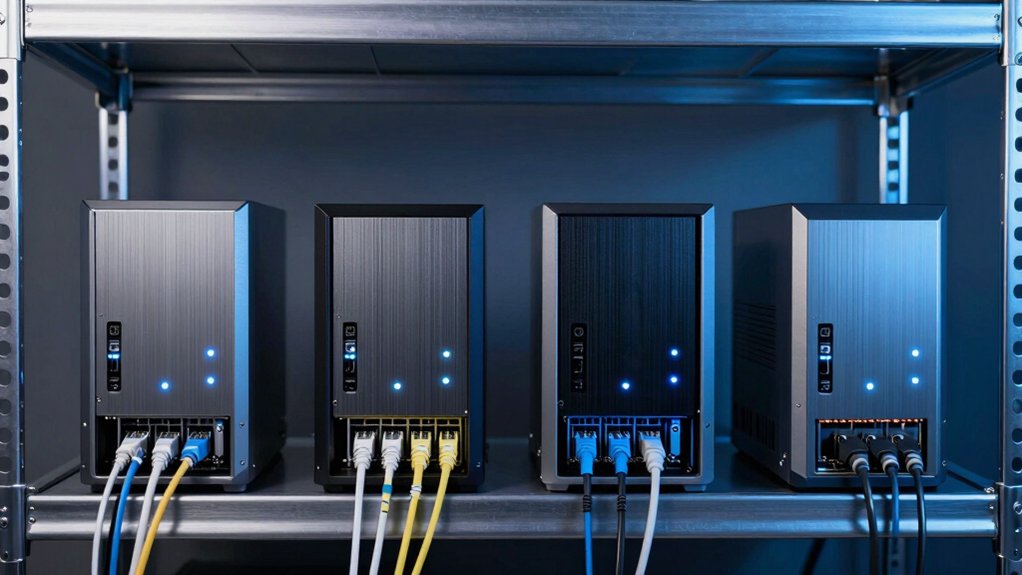
When selecting an 8-bay NAS unit, you’ll need to evaluate five key factors that directly impact your system’s performance and reliability. Start by assessing the processor power and network speed you require, then determine your total storage capacity needs and whether you’ll expand later. Finally, confirm the RAID options available for data protection, and review the cooling system to ensure it operates within your noise tolerance for your workspace.
Performance and Processing Power
What CPU specifications should you prioritize when selecting an 8-bay NAS? Look for processors with eight cores or more, such as 12th Gen Intel or AMD Ryzen architectures, which handle multi-user workloads and virtualization efficiently. Check the RAM capacity and type—DDR4 or DDR5—since larger memory improves caching and concurrent access performance. Verify raw processing throughput benchmarks and maximum data transfer speeds, typically measured in GB/s, to confirm the device sustains peak loads during media editing or large file transfers. Prioritize NAS models featuring hardware acceleration for RAID computation and encryption, which boost sustained performance under heavy I/O demands. Finally, confirm support for hardware-accelerated NVMe SSD caching and tiering, maintaining responsive performance for frequently accessed data.
Network Speed and Connectivity
Network connectivity determines how quickly you can transfer files to and from your 8-bay NAS, so you’ll want to evaluate several key specifications before purchasing. Check the available Ethernet options: 2.5GbE, 10GbE, or dual-port configurations that support link aggregation for up to 20GbE throughput. Look for models with dual 10GbE ports, which you can combine to increase bandwidth and balance network loads. Verify whether the unit supports NVMe SSD caching or tiering features, as these optimize data access and sustain faster transfer speeds. Finally, confirm PCIe expansion capabilities that allow you to upgrade network interfaces or add additional NICs. Peak sequential throughput in high-end units reaches approximately 2.5 GB/s, so matching your connectivity needs to your workload ensures efficient daily operations.
Storage Capacity and Expansion
Storage capacity and expansion options directly impact how much data you can store and whether you’ll need to upgrade your NAS as your needs grow. You’ll find raw capacities ranging from 64 TB with eight 8 TB drives up to over 272 TB when combining SATA bays with NVMe slots. Check if your model supports external expansion units or additional enclosures to exceed the base 8-bay limit. Consider your RAID configuration—RAID 5 or 6 provides data protection but reduces usable capacity compared to RAID 0. Evaluate whether NVMe slots serve as cache for performance or as additional storage. If purchasing a diskless unit, verify that compatible drives and expansion kits are available to reach your planned capacity goals.
RAID Support and Data Protection
Most 8-bay NAS units support multiple RAID configurations—including RAID 0, RAID 1, RAID 5, RAID 6, and RAID 10—each offering different trade-offs between capacity, performance, and fault tolerance. You’ll want to evaluate your priorities: RAID 0 maximizes capacity but offers no redundancy, while RAID 1 mirrors data for protection at reduced capacity. RAID 5 and RAID 6 balance both factors, tolerating one or two drive failures respectively. Some units also offer JBOD or basic modes, letting you present drives individually without RAID protection. Before implementing any configuration, check drive integrity on diskless or pre-populated units. Enterprise models may include encryption and multi-factor authentication, adding security layers beyond RAID’s fault tolerance capabilities alone.
Cooling and Noise Levels
How does heat management affect your NAS’s performance and longevity? Effective cooling directly extends hardware lifespan and ensures reliable 24/7 operation, especially during intensive workloads like virtualization or media editing.
Most 8-bay units employ front-to-back airflow combined with heat sinks on drives to maintain stable temperatures. Some models feature dual cooling zones with separate fans for the CPU, RAM, and storage, optimizing heat dissipation across components.
Consider your noise tolerance. Compact desktop enclosures prioritize quiet operation, while rack-mount or high-performance units run louder due to faster fan speeds. For all-SSD or hybrid setups, dedicated SSD heat dissipation becomes critical.
Evaluate whether your workload demands convection cooling alone or active fan assistance. Match the cooling strategy to your usage patterns and environmental constraints to achieve optimal performance and durability.
Budget and Total Cost of Ownership
Beyond ensuring your NAS stays cool and runs quietly, you’ll need to calculate what the device actually costs to own over its lifetime. Start by comparing upfront prices across models, noting that higher-end 8-bay units with more RAM, faster CPUs, and dual 10GbE ports cost more initially. Next, factor in ongoing expenses: replacement drives, software licenses, and support plans. Consider power consumption and cooling costs for 24/7 operation. If you choose a diskless model, budget separately for compatible drives. Finally, evaluate expandability options like PCIe cards or expansion enclosures, which let you grow capacity without replacing the entire unit. This thorough approach prevents unexpected expenses and ensures you select a NAS that fits your actual budget constraints.
Final Thoughts
You’ll select the right unit by matching your needs to three key factors: network speed requirements, storage capacity, and budget. If you need fast speeds, pick units with 10GbE ports like the QNAP TS-832PX-4G. For SSD-only setups, choose the TerraMaster F8 SSD Plus. Budget-conscious users should consider barebone options like the AOOSTAR WTR MAX. Evaluate redundancy features and expansion options before purchasing.

Meet Ry, “TechGuru,” a 36-year-old technology enthusiast with a deep passion for tech innovations. With extensive experience, he specializes in gaming hardware and software, and has expertise in gadgets, custom PCs, and audio.
Besides writing about tech and reviewing new products, he enjoys traveling, hiking, and photography. Committed to keeping up with the latest industry trends, he aims to guide readers in making informed tech decisions.