
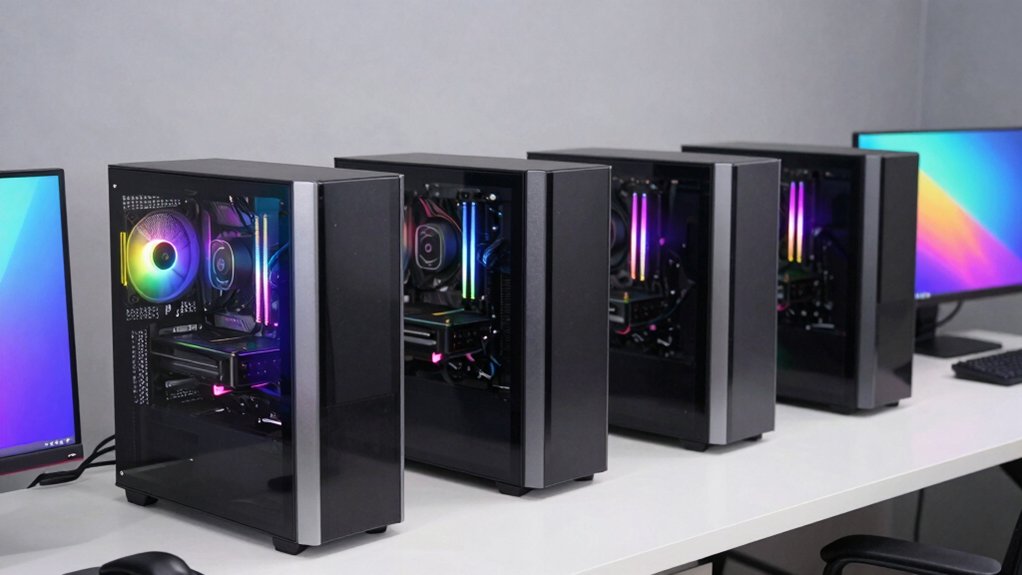

You’re evaluating AI workstations to accelerate your creative projects, but choosing between processors, GPUs, and memory configurations requires understanding what each system delivers. The five desktops outlined here—from compact Corsair units to expandable Dell towers—offer different strengths for your workflow demands. Before you commit to one, you’ll need to know the specific performance metrics that matter most.
| Corsair AI Workstation 300 Desktop PC AMD Ryzen |

| Compact AI Powerhouse | AI Processing Power: Up to 50 TOPS with XDNA 2 NPU | RAM Configuration: 64GB LPDDR5X unified memory | Storage Capacity: 1TB M.2 NVMe SSD | VIEW LATEST PRICE | Read Our Analysis |
| Dell Tower Plus EBT2250 Desktop Computer (RTX 5070) |
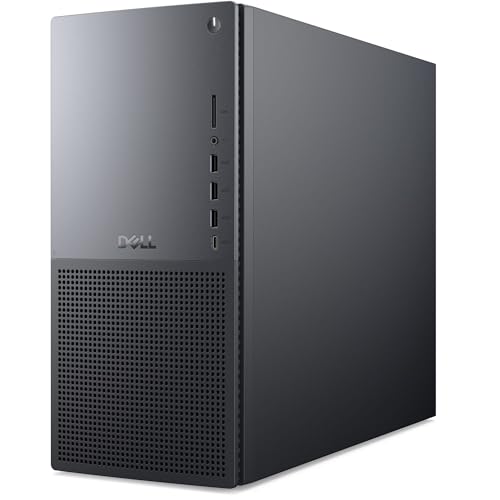
| Best for Gaming & Creativity | AI Processing Power: DLSS 4 AI frame generation via RTX 5070 | RAM Configuration: 64GB DDR5 | Storage Capacity: 4TB NVMe SSD | VIEW LATEST PRICE | Read Our Analysis |
| GEEKOM A9 Mega AI Workstation Desktop PC |

| Premium AI Workstation | AI Processing Power: 126 TOPS total compute with 50 TOPS NPU | RAM Configuration: 128GB LPDDR5X (96GB reserved for GPU) | Storage Capacity: 2TB PCIe Gen4 NVMe SSD (expandable to 8TB) | VIEW LATEST PRICE | Read Our Analysis |
| Dell Pro Tower Plus QCT1250 Business Desktop |
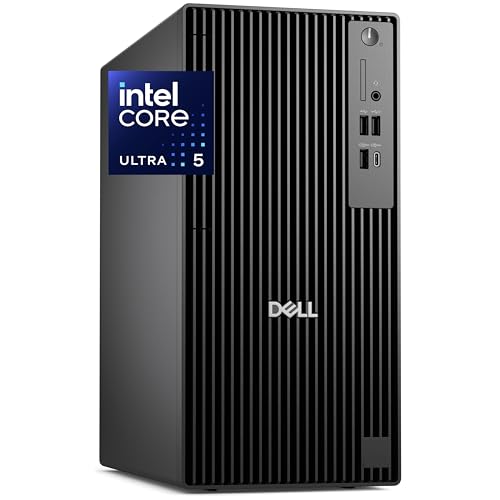
| Business AI Essential | AI Processing Power: Dedicated NPU for real-time AI tasks | RAM Configuration: 32GB DDR5 | Storage Capacity: 1TB PCIe NVMe SSD | VIEW LATEST PRICE | Read Our Analysis |
| HP OmniDesk M03 AI Desktop Computer Intel Core Ultra 7 |

| Balanced AI Performer | AI Processing Power: Integrated NPU with hardware-accelerated AI | RAM Configuration: 16GB DDR5 (configurable up to 64GB) | Storage Capacity: 256GB PCIe NVMe SSD + 1TB HDD | VIEW LATEST PRICE | Read Our Analysis |
More Details on Our Top Picks
Corsair AI Workstation 300 Desktop PC AMD Ryzen
If you’re running local AI models and creative projects simultaneously without sacrificing performance, the Corsair AI Workstation 300 delivers what you need in a remarkably compact package. This 4.4L desktop houses an AMD Ryzen AI Max+ 395 processor paired with a Radeon 8050S iGPU featuring up to 48GB vRAM. You’ll get 64GB unified LPDDR5X memory and 1TB SSD storage for seamless multitasking. The XDNA 2 NPU architecture provides 50 TOPS AI acceleration, enabling you to run demanding LLMs locally. You access professional tools through the CORSAIR AI Software Suite, ensuring your workflows stay current and secure with integrated chip-to-cloud protection layers.
- AI Processing Power:Up to 50 TOPS with XDNA 2 NPU
- RAM Configuration:64GB LPDDR5X unified memory
- Storage Capacity:1TB M.2 NVMe SSD
- Operating System:Windows (via CORSAIR AI Software Suite)
- Display Support:Single display via compact form factor
- Form Factor:Compact 4.4L chassis
- Additional Feature:Compact 4.4L chassis design
- Additional Feature:XDNA 2 NPU architecture
- Additional Feature:Unified memory flexible workflows
Dell Tower Plus EBT2250 Desktop Computer (RTX 5070)
The Dell Tower Plus EBT2250 delivers the processing power and graphics performance that creative professionals need to handle demanding workloads without compromise. The 24-core Intel Core Ultra 9 285K processor reaches 5.7 GHz, enabling faster rendering and processing of complex projects. Its RTX 5070 GPU with 12GB GDDR7 supports ray tracing and DLSS 4 AI frame generation, accelerating video editing and 3D modeling tasks. You’ll get 64GB DDR5 RAM and 4TB NVMe SSD storage for managing large files efficiently. Windows 11 Pro and Intel Wi-Fi 7 connectivity ensure reliable performance for collaborative workflows.
- AI Processing Power:DLSS 4 AI frame generation via RTX 5070
- RAM Configuration:64GB DDR5
- Storage Capacity:4TB NVMe SSD
- Operating System:Windows 11 Pro
- Display Support:Single monitor via HDMI
- Form Factor:Modern desk tower
- Additional Feature:DLSS 4 AI frame generation
- Additional Feature:Intel Wi-Fi 7 BE200
- Additional Feature:4TB NVMe SSD storage
GEEKOM A9 Mega AI Workstation Desktop PC
Want a compact workstation that doesn’t sacrifice processing power for creative work? The GEEKOM A9 Mega delivers. You’ll get an AMD Ryzen AI Max+ 395 processor with 126 TOPS AI capability and a Radeon 8060S GPU featuring 96GB dedicated VRAM. The unit includes 128GB LPDDR5X RAM and supports up to 8TB storage across dual NVMe slots. You can connect up to four 8K displays simultaneously via dual HDMI 2.1 and USB4 ports. Dual 2.5G LAN and Wi-Fi 7 ensure fast networking. The compact 2L aluminum design uses advanced cooling technology. Windows 11 Pro comes preinstalled. This workstation handles local LLM development, 3D design, video rendering, and data science tasks efficiently while occupying minimal desk space.
- AI Processing Power:126 TOPS total compute with 50 TOPS NPU
- RAM Configuration:128GB LPDDR5X (96GB reserved for GPU)
- Storage Capacity:2TB PCIe Gen4 NVMe SSD (expandable to 8TB)
- Operating System:Windows 11 Pro
- Display Support:Up to 4 displays (8K capable)
- Form Factor:2L compact mini PC
- Additional Feature:8K quad display support
- Additional Feature:IceBlast 5.0 cooling system
- Additional Feature:3-year limited warranty included
Dell Pro Tower Plus QCT1250 Business Desktop
Who needs a desktop that handles both demanding AI applications and traditional business software without breaking a sweat? The Dell Pro Tower Plus QCT1250 delivers exactly that. You get an Intel Core Ultra 5-235 processor with a dedicated NPU for real-time AI tasks like video conference blur and Excel analysis. The system includes 32GB DDR5 RAM and a 1TB NVMe SSD for rapid multitasking and boot times under ten seconds. You can connect three independent 4K monitors simultaneously without a splitter. Windows 11 Pro for Workstation comes pre-installed with TPM 2.0 security, remote desktop access, and domain integration. The chassis design allows you to service and upgrade components easily, reducing downtime and total cost of ownership.
- AI Processing Power:Dedicated NPU for real-time AI tasks
- RAM Configuration:32GB DDR5
- Storage Capacity:1TB PCIe NVMe SSD
- Operating System:Windows 11 Pro for Workstation
- Display Support:Triple 4K independent displays via DisplayPort
- Form Factor:Tower form factor (OptiPlex lineage)
- Additional Feature:Native triple 4K output
- Additional Feature:TPM 2.0 security chip
- Additional Feature:Built-in DVDRW drive included
HP OmniDesk M03 AI Desktop Computer Intel Core Ultra 7
HP’s 2025 OmniDesk M03 serves creative professionals who need reliable AI acceleration without sacrificing processing power or connectivity options. This desktop features a 20-core Intel Core Ultra 7 processor with speeds up to 5.3 GHz and an integrated NPU for hardware-accelerated AI tasks. You get 16 GB DDR5 memory, expandable to 64 GB, plus 256 GB NVMe storage plus 1 TB HDD. The aerospace-grade aluminum chassis includes hybrid cooling and supports dual 4K monitors via HDMI and DisplayPort outputs. With Wi-Fi 6, Bluetooth 5.3, and multiple USB ports, you’ll connect peripherals and networks efficiently.
- AI Processing Power:Integrated NPU with hardware-accelerated AI
- RAM Configuration:16GB DDR5 (configurable up to 64GB)
- Storage Capacity:256GB PCIe NVMe SSD + 1TB HDD
- Operating System:Windows 11 Home
- Display Support:Dual 4K displays via HDMI/DisplayPort
- Form Factor:Desktop tower (14.5″ x 6.5″ x 13.8″)
- Additional Feature:HP SilentFlow AI cooling
- Additional Feature:Aerospace-grade aluminum chassis
- Additional Feature:Up to 64GB memory configurable
Factors to Consider When Choosing an AI Workstation Desktop
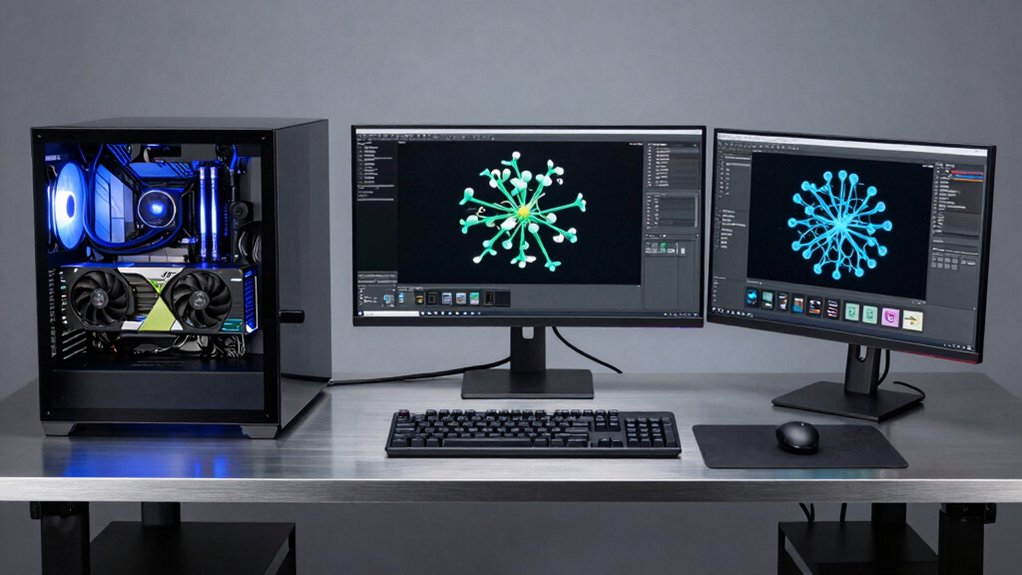
When selecting an AI workstation desktop, you’ll need to evaluate five critical factors: AI processing power determines how quickly your system handles machine learning tasks, memory and storage capacity affect how many projects you can work on simultaneously, and GPU graphics performance accelerates rendering and data processing. You should also consider the form factor and portability of your setup—whether you need a compact unit for multiple locations or a full-size tower for permanent placement—along with the thermal management solutions that keep your hardware cool during intensive workloads. Balancing these factors against your specific workflow demands and budget constraints will guide you toward the workstation that best fits your professional needs.
AI Processing Power
The foundation of any effective AI workstation starts with understanding how to measure and evaluate processing capability. You’ll need to check the total TOPS (tera-operations per second) your system delivers, which comes from dedicated NPUs, integrated AI accelerators, GPUs, and CPUs combined. Look for specialized hardware like XDNA 2 NPUs that provide tens to hundreds of TOPS, dramatically improving local LLM performance versus CPU-only machines. Verify your system has sufficient high-bandwidth memory—large VRAM and fast LPDDR5X—to eliminate data transfer bottlenecks between memory and AI compute units. Finally, examine thermal design and power delivery specifications. Sustained performance matters more than peak ratings, since throttling during extended workloads reduces actual TOPS and undermines your workstation’s value.
Memory and Storage Capacity
How much memory and storage capacity do you actually need for your AI workstation? Start by assessing your workload. For running larger AI models locally, you’ll want 32 GB to 128 GB of RAM. DDR5 in desktops offers better bandwidth than LPDDR5X in compact systems, which matters when processing multiple datasets simultaneously. Next, evaluate GPU VRAM. Cards with 48 GB to 96 GB handle dense computations without relying solely on system memory. Finally, determine storage needs. Plan for 1 TB to 4 TB of NVMe SSD capacity to store models and datasets while maintaining fast access speeds. Multiple NVMe slots with PCIe Gen4 or Gen5 support let you expand storage without sacrificing performance. Match these specs to your specific AI projects.
GPU Graphics Performance
Why does GPU selection matter more for AI workstations than traditional desktops? You’ll need substantial VRAM—96GB to 128GB—to handle large models and high-resolution rendering simultaneously. Check your GPU’s architecture, whether RDNA 3.5 or similar, paired with dedicated AI accelerators that deliver tens to hundreds of TOPS for processing speed.
Memory bandwidth directly affects inference and training performance. You’ll want high-speed GDDR6 or GDDR7 memory with wide bus interfaces to maximize throughput. Consider multi-GPU setups if you’re running local LLMs or 8K projects, but verify your system has adequate cooling and power delivery.
Finally, evaluate display outputs and video encoding. Multiple HDMI and DisplayPort connections supporting 8K enable seamless visualization and streaming alongside AI workloads.
Form Factor and Portability
Choosing between compact and full-size designs fundamentally shapes how you’ll transport and upgrade your AI workstation. Compact models like 4.4L or 2L mini PCs maximize desk space and weigh under 2 kg, making them ideal for on-site work across locations. Standard tower desktops offer easier upgrades—more RAM slots, storage bays, and PCIe expansion—but demand substantial desk real estate. Evaluate your cooling system next: integrated designs with 360° intake reduce padding needs during transport. Consider expansion limits; compact units restrict future upgrades, potentially affecting long-term portability when you need hardware changes. Match your choice to your workflow: choose mini PCs for frequent relocation, towers for stationary setups requiring regular component upgrades.
Thermal Management Solutions
Managing heat effectively keeps your AI workstation running at peak performance during intensive compute tasks. Look for systems featuring dual-channel thermal piping and 360° radial intake designs that distribute heat away from CPUs, GPUs, and NPUs efficiently. Check whether the workstation uses liquid-assisted cooling combined with high-airflow fans to maintain stable turbo frequencies under sustained loads. Verify the TDP specifications match your planned workloads, then stress-test the system yourself to confirm it won’t throttle during long training or inference sessions. Advanced 4nm process nodes enable more efficient cooling in compact 2L–4.4L chassis designs. Prioritize workstations with multiple turbo fans and active-passive cooling combinations, as these prevent thermal bottlenecks when running demanding AI applications continuously.
Software Ecosystem Integration**
How well does your AI workstation’s software suite align with your development workflow? You’ll want to verify that your system bundles integrated AI toolchains, model hosting, and developer tools in a single suite. Check compatibility with local LLM frameworks and accelerator APIs like XDNA and RDNA-based AI cores. This guarantees seamless model loading, quantization, and inference without switching between separate applications. Next, confirm that your software supports unified memory architectures—shared LPDDR5X pools reduce data transfer bottlenecks between CPU, GPU, and NPU components. Finally, evaluate security layers spanning chip-to-cloud protection and software-level safeguards. Consider native virtualization support, multi-display capabilities, and enterprise management tools for professional collaboration. A cohesive ecosystem streamlines your entire AI pipeline from experimentation through deployment.
Final Thoughts
You’ll want to evaluate your specific needs before purchasing an AI workstation desktop. Consider your budget, required processing power, and software requirements. Compare the five options by their GPU performance, RAM capacity, and storage. If you need portability, choose the GEEKOM A9 Mega. For enterprise use, select the Dell Pro Tower Plus. Match your choice to your actual workload demands rather than maximum specifications.

Meet Ry, “TechGuru,” a 36-year-old technology enthusiast with a deep passion for tech innovations. With extensive experience, he specializes in gaming hardware and software, and has expertise in gadgets, custom PCs, and audio.
Besides writing about tech and reviewing new products, he enjoys traveling, hiking, and photography. Committed to keeping up with the latest industry trends, he aims to guide readers in making informed tech decisions.