
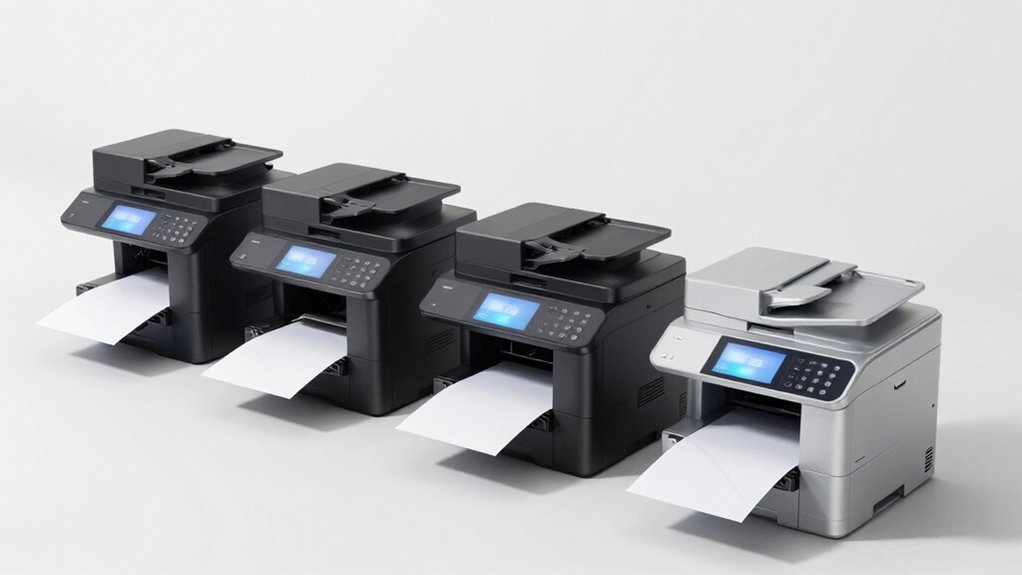

You’re juggling printing, scanning, copying, and faxing tasks, but a mediocre all-in-one won’t cut it. You need a device that handles everything efficiently without draining your budget or cluttering your workspace. The right model combines robust features, reliable performance, and smart connectivity. But which printer actually delivers on all these fronts? We’ve identified five standout options that deserve your attention.
| HP OfficeJet Pro 8139e Wireless All-in-One Printer |

| Best for Home Office | Print Speed (Black): 20 ppm | Maximum Print Resolution: 4800 x 1200 dpi (black & white) | Connectivity Options: Wireless dual-band Wi-Fi, Ethernet, USB | VIEW LATEST PRICE | Read Our Analysis |
| Canon PIXMA TR4720 All-in-One Wireless Printer |

| Most Compact | Print Speed (Black): 8.8 ipm | Maximum Print Resolution: 4800 x 1200 dpi | Connectivity Options: Wireless, USB | VIEW LATEST PRICE | Read Our Analysis |
| Brother MFC-J4355DW Wireless Color Inkjet All-in-One Printer |
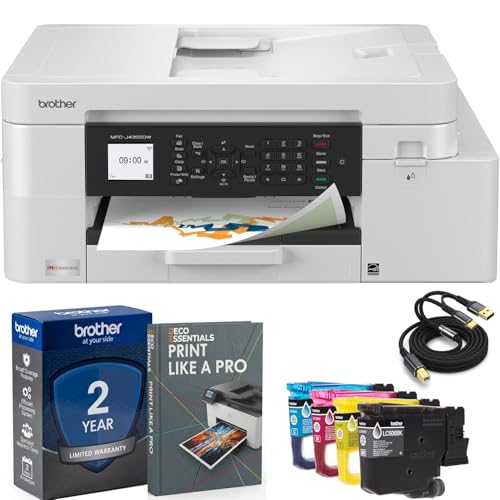
| Best Value | Print Speed (Black): 20 ppm | Maximum Print Resolution: 1200 x 4800 dpi | Connectivity Options: Wireless, Wi-Fi Direct, USB | VIEW LATEST PRICE | Read Our Analysis |
| Epson EcoTank ET-4800 Wireless All-in-One Printer |

| Most Economical | Print Speed (Black): 10 ppm | Maximum Print Resolution: 5760 x 1440 dpi | Connectivity Options: Wi-Fi, Ethernet, USB | VIEW LATEST PRICE | Read Our Analysis |
| Brother MFC-L2820DW Wireless All-in-One Laser Printer |

| Best for High Volume | Print Speed (Black): 36 ppm | Maximum Print Resolution: N/A (monochrome laser) | Connectivity Options: Dual-band wireless, Ethernet, USB | VIEW LATEST PRICE | Read Our Analysis |
More Details on Our Top Picks
HP OfficeJet Pro 8139e Wireless All-in-One Printer
Do you need a single device that handles all your office tasks? The HP OfficeJet Pro 8139e delivers printing, scanning, copying, and faxing in one compact unit. It prints black pages at 20 pages per minute and color pages at 10 ppm. The 225-sheet input tray reduces frequent paper loading. Connect via Wi-Fi, Ethernet, or USB to print from your smartphone or computer using the HP App. The automatic duplex feature prints on both sides, saving paper. A 2.7-inch touchscreen lets you control functions directly. The one-year warranty covers hardware defects, with optional extension through HP+.
- Print Speed (Black):20 ppm
- Maximum Print Resolution:4800 x 1200 dpi (black & white)
- Connectivity Options:Wireless dual-band Wi-Fi, Ethernet, USB
- Paper Input Capacity:225-sheet tray
- Auto Document Feeder:60-sheet ADF
- Warranty:1-year limited hardware warranty (extendable with HP+)
- Additional Feature:HP+ security and VPN printing
- Additional Feature:45% recycled plastic construction
- Additional Feature:2.7-inch color touchscreen
Canon PIXMA TR4720 All-in-One Wireless Printer
Looking for a compact all-in-one printer that handles fax, print, copy, and scan tasks? The Canon PIXMA TR4720 delivers these functions in a 12.7-pound device measuring 17.2″ wide. You’ll get wireless and USB connectivity, plus Android control via the Canon app. Print speeds reach 8.8 ipm for black and 4.4 ipm for color at 4800 x 1200 dpi resolution. The 100-sheet paper tray accommodates standard sizes up to 8.5 x 11 inches. Auto 2-sided printing saves paper automatically. Built-in Alexa integration monitors ink levels and manages reorders when you enroll. This ENERGY STAR certified model consumes minimal power: 7W active and 0.3W off. The manufacturer provides a 1-year limited warranty.
- Print Speed (Black):8.8 ipm
- Maximum Print Resolution:4800 x 1200 dpi
- Connectivity Options:Wireless, USB
- Paper Input Capacity:100-sheet tray
- Auto Document Feeder:Auto Document Feeder (capacity not specified)
- Warranty:1-year limited warranty
- Additional Feature:Built-in Alexa integration
- Additional Feature:Hybrid ink system
- Additional Feature:ENERGY STAR certified
Brother MFC-J4355DW Wireless Color Inkjet All-in-One Printer
The Brother MFC-J4355DW offers outstanding value for home offices and small businesses that need reliable scanning, copying, and faxing without breaking the budget. This 4-in-1 machine prints at 20 ppm black and 19 ppm color with 1200 x 4800 dpi resolution. You’ll appreciate the INKvestment Tank system, which delivers approximately 1,800 black pages and 750 color pages per cartridge, substantially reducing per-page costs. The 150-sheet input tray and automatic document feeder handle most jobs efficiently. Connect via Wi-Fi, Wi-Fi Direct, or USB for flexible printing from laptops, smartphones, and tablets using Brother Mobile Connect, AirPrint, or Mopria. Its compact 17.1″ width fits snugly in tight spaces.
- Print Speed (Black):20 ppm
- Maximum Print Resolution:1200 x 4800 dpi
- Connectivity Options:Wireless, Wi-Fi Direct, USB
- Paper Input Capacity:150-sheet tray
- Auto Document Feeder:20-sheet auto document feeder
- Warranty:Full USA warranty (Brother authorized)
- Additional Feature:INKvestment Tank system
- Additional Feature:Wi-Fi Direct connectivity
- Additional Feature:EPEAT Silver rated
Epson EcoTank ET-4800 Wireless All-in-One Printer
If you’re running a home office on a budget, Epson’s EcoTank ET-4800 offers the most economical path to all-in-one printing, scanning, copying, and faxing without the recurring expense of ink cartridges. You’ll fill high-capacity ink tanks using EcoFit bottles instead of replacing cartridges repeatedly. The printer delivers sharp text at 10 ppm black and white or 5 ppm color, with maximum resolution of 5760 x 1440 DPI. You can connect via Wi-Fi, Ethernet, or USB, and you’ll access the auto document feeder and flatbed scanner for efficient document handling. The color display guides you through operations, while the Smart Panel app lets you manage tasks remotely from Android devices.
- Print Speed (Black):10 ppm
- Maximum Print Resolution:5760 x 1440 dpi
- Connectivity Options:Wi-Fi, Ethernet, USB
- Paper Input Capacity:100-sheet capacity
- Auto Document Feeder:Auto document feeder
- Warranty:1-year limited warranty
- Additional Feature:Cartridge-free supertank design
- Additional Feature:Micro Piezo Heat-Free Technology
- Additional Feature:5760 x 1440 DPI resolution
Brother MFC-L2820DW Wireless All-in-One Laser Printer
Need high-volume monochrome output without sacrificing desk space? The Brother MFC-L2820DW delivers print, copy, scan, and fax functions in a compact wireless laser printer. It prints at 36 ppm and scans at 23.6 ipm, equipped with a 50-page auto document feeder for efficient batch processing. Connect via dual-band wireless, Ethernet, or USB. The 2.7″ touchscreen provides straightforward navigation. Use the Brother Mobile Connect app to print and scan remotely while tracking toner levels. Subscribe to Refresh EZ Print to automatically replenish toner and save up to 50%. This setup works well for small offices needing reliable monochrome performance.
- Print Speed (Black):36 ppm
- Maximum Print Resolution:N/A (monochrome laser)
- Connectivity Options:Dual-band wireless, Ethernet, USB
- Paper Input Capacity:250-sheet capacity
- Auto Document Feeder:50-page auto document feeder
- Warranty:Not specified in details
- Additional Feature:Refresh EZ Print subscription
- Additional Feature:2.7-inch touchscreen display
- Additional Feature:Cloud app integration (Google/Dropbox)
Factors to Consider When Choosing an All in One Printer With Fax
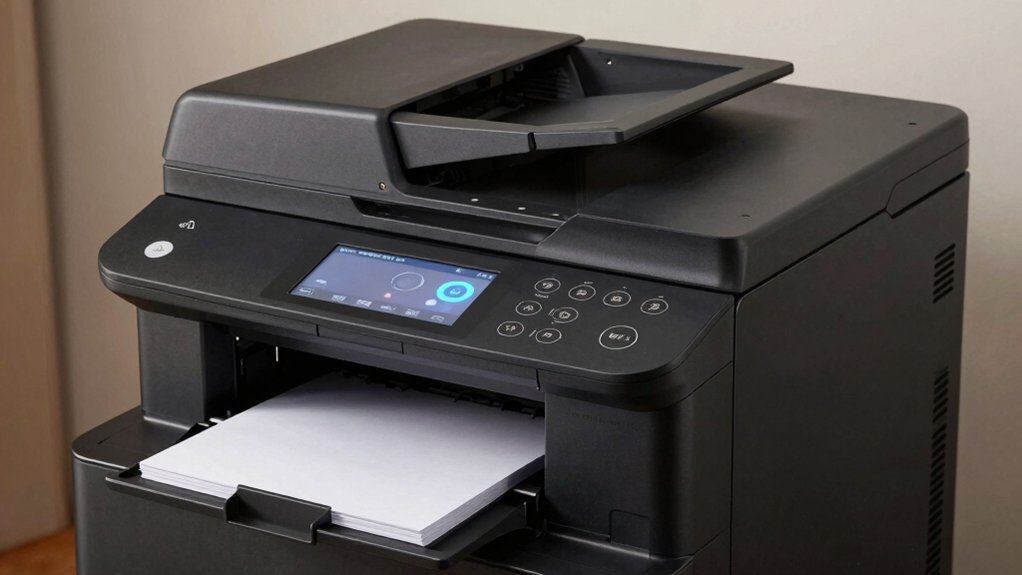
When you’re choosing an all-in-one printer with fax, you’ll need to evaluate five key factors that directly affect how well the device performs your daily tasks. First, check the print speed (measured in pages per minute) and resolution (measured in dots per inch) to ensure the quality and efficiency match your needs, then assess whether wireless connectivity options like Wi-Fi and mobile printing fit your office setup. Second, examine the paper handling capacity to confirm the input tray holds enough sheets for your volume, review the ink or toner system to understand per-page costs over time, and finally test the display and user interface to verify you can navigate functions like faxing without difficulty.
Print Speed And Resolution
How quickly can you get your documents printed, and how sharp will they look? Print speed, measured in pages per minute (ppm), determines your output efficiency. Most quality models deliver up to 36 ppm in monochrome. You’ll find color print resolution expressed in dpi, such as 4800 x 1200 optimized, indicating detail and sharpness levels.
Understand that maximum resolution often differs between color and black-and-white printing, affecting photo quality versus text documents differently. Check whether your unit supports auto duplex printing, which effectively halves single-sided speeds when printing double-sided documents. Some all-in-one machines provide separate copy speeds or initial page-out times, impacting perceived performance when alternating between printing, copying, scanning, and faxing tasks successively. Compare these specifications directly against your document workflow needs.
Wireless Connectivity Options
Beyond print speed and resolution, you’ll want to examine the connectivity options that determine how you send documents to your printer from different devices. Most modern all-in-one printers with fax include dual-band Wi-Fi operating on both 2.4 GHz and 5 GHz frequencies, improving network compatibility and performance. You can also connect via Ethernet ports for stable, wired access with minimal dropouts. USB connections enable direct computer-to-printer linking without network involvement. Mobile app control lets you print from smartphones and tablets using Bluetooth or cloud services. Wi-Fi Direct functionality allows you to print directly from devices without requiring a router, making it convenient for guests or temporary setups. Evaluate which connectivity methods match your workflow needs.
Paper Handling Capacity
Paper handling capacity determines how many sheets your printer can store and process without requiring you to refill trays or manually reload paper. You’ll want to evaluate input tray capacity first—higher capacities reduce refilling frequency during large jobs, boosting office efficiency. Check if your model offers multiple trays with combined capacities, allowing you to support different paper sizes and weights simultaneously. Next, examine Auto Document Feeder (ADF) capacity for scanning and copying tasks. A larger ADF lets you process more pages in one pass without manual reloading. Finally, consider duplex printing capabilities, which enable two-sided output and effectively double your usable capacity while reducing paper consumption. Combining these features directly impacts your workflow productivity and operational costs.
Ink System And Costs
When you’re choosing an all-in-one printer with fax, you’ll need to understand the two main ink systems available and calculate which one fits your budget. Cartridge-based models use replaceable ink cartridges, while tank-based systems like EcoTank hold larger ink volumes in refillable bottles, reducing per-page costs significantly. Check the page yield for each cartridge or tank fill to determine long-term expenses. Compare starter ink amounts included with your purchase—some models bundle cartridges that deplete quickly under heavy use. Consider subscription programs like Instant Ink, which lower costs and downtime through automatic replenishment. Factor in warranty coverage and firmware updates affecting ink compatibility. Calculate total cost of ownership by combining cartridge or tank prices, page yields, and any service fees to identify your most cost-effective option.
Display And User Interface
How much does your printer’s display actually matter to your daily workflow? A larger color touchscreen—2.7 inches or more—makes navigating fax functions, scanning, and menus significantly easier. You’ll spend less time hunting through options when you need to send a fax or scan to email.
Look for models with simple, clear menus and intuitive layouts. These reduce the steps required for routine tasks. Check that the display is responsive and shows status updates and error notifications clearly during operations.
On-device controls—physical buttons combined with a display—let you handle everyday tasks without relying on a mobile app. Some models also offer app-based control for remote printing, scanning, and faxing via smartphone or tablet, providing flexibility when you’re away from the device.
Warranty And Support Coverage
You’ll want to start by checking the manufacturer’s warranty length—typically one year for most models—and determining whether extended coverage options like HP+ are available or necessary for your needs. Next, verify what the warranty actually covers: hardware only, or also printheads, ink tanks, and non-wearable components. Review the service details carefully, including whether repairs happen on-site or through mail-in service and expected turnaround times. Confirm whether the warranty includes security features like HP Wolf Essential Security. Finally, check how firmware and software updates affect your coverage eligibility and whether grace periods exist for fleet management tools. Understanding these specifics prevents unexpected costs and service gaps.
Energy Efficiency Standards
What’s the real cost of running an all-in-one printer with fax over its lifetime? Check for ENERGY STAR certification, which guarantees the model meets EPA efficiency standards. Review the power consumption specs: compare active operation watts and standby wattage across models you’re considering. Lower numbers mean reduced electricity bills annually. Look for printers with automatic duplex printing—this feature cuts paper usage and operating time considerably. Verify the device supports power-saving modes that activate during idle periods. Consider models with high-capacity ink tanks or cartridge-free systems; they reduce energy spent per printed page. Examine paper-handling capacity: dual trays or larger hoppers minimize reprinting and mechanical stress, lowering overall energy cycles. These factors combine to substantially decrease your operational expenses while reducing environmental impact.
Final Thoughts
You’ll want to select an all-in-one printer based on your specific needs: choose HP or Brother for reliability, evaluate ink costs versus toner expenses, confirm Wi-Fi and mobile printing compatibility, check paper capacity for your volume, and verify fax functionality. Compare warranty lengths and energy ratings. Test the display’s usability before buying. Match the printer’s speed and features to your home or small-office demands for optimal performance and cost savings.

Meet Ry, “TechGuru,” a 36-year-old technology enthusiast with a deep passion for tech innovations. With extensive experience, he specializes in gaming hardware and software, and has expertise in gadgets, custom PCs, and audio.
Besides writing about tech and reviewing new products, he enjoys traveling, hiking, and photography. Committed to keeping up with the latest industry trends, he aims to guide readers in making informed tech decisions.