
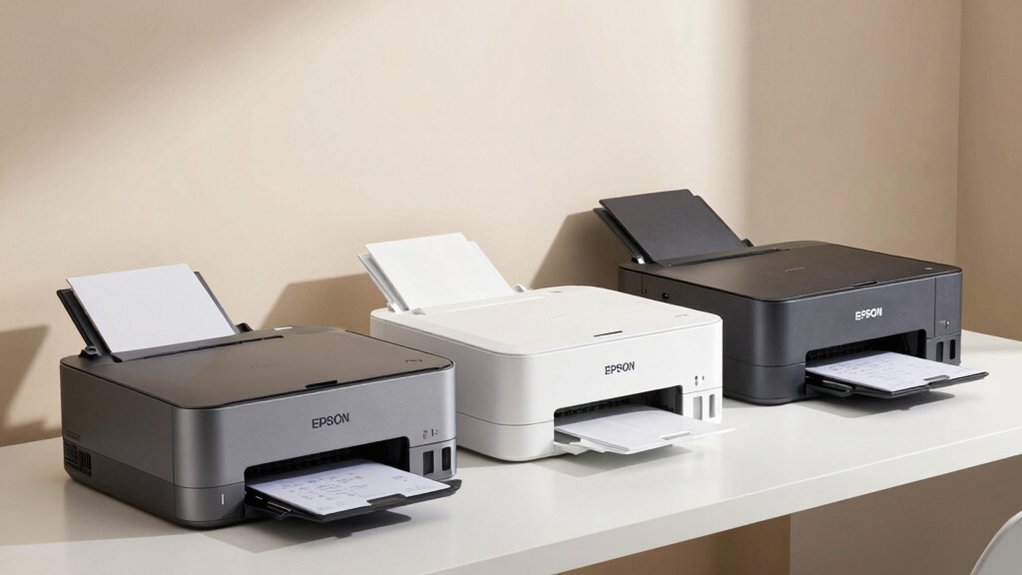

You’re looking to cut printing costs without sacrificing quality. Epson’s EcoTank line offers refillable ink tanks that markedly reduce your ongoing expenses compared to traditional cartridge systems. Each model ranges from compact home printers to feature-rich multifunction machines. To find your ideal match, you’ll need to evaluate specific features, capabilities, and your actual printing needs. Here’s what separates each option—and which one fits your situation.
| Epson EcoTank ET-2800 Wireless All-in-One Printer |

| Compact & Affordable | Cartridge-Free Ink System: High-capacity refillable ink tanks; ~80 cartridge equivalent per set | Wireless Connectivity: Wi-Fi and USB connectivity; Epson Smart Panel app support | All-in-One Functions: Print, scan, copy | VIEW LATEST PRICE | Read Our Analysis |
| Epson EcoTank ET-2803 Wireless All-in-One Printer |

| Best Overall | Cartridge-Free Ink System: High-capacity refillable ink tanks; ~80 cartridge equivalent per set | Wireless Connectivity: Wireless with voice-activated printing; AirPrint and Epson Smart Panel app | All-in-One Functions: Print, scan, copy | VIEW LATEST PRICE | Read Our Analysis |
| Epson EcoTank ET-2400 Wireless All-in-One Printer |

| Budget-Friendly Pick | Cartridge-Free Ink System: High-capacity refillable ink tanks; ~80 cartridge equivalent per set | Wireless Connectivity: Wired and wireless connectivity; no specific app mentioned | All-in-One Functions: Print, scan, copy | VIEW LATEST PRICE | Read Our Analysis |
| Epson EcoTank ET-4800 Wireless All-in-One Printer |

| Best for Home Office | Cartridge-Free Ink System: High-capacity refillable ink tanks; EcoFit bottles | Wireless Connectivity: Wi-Fi and Ethernet connectivity; voice activation and Smart Panel app support | All-in-One Functions: Print, scan, copy, fax; includes auto document feeder | VIEW LATEST PRICE | Read Our Analysis |
| Epson EcoTank ET-3950 Wireless All-in-One Printer |
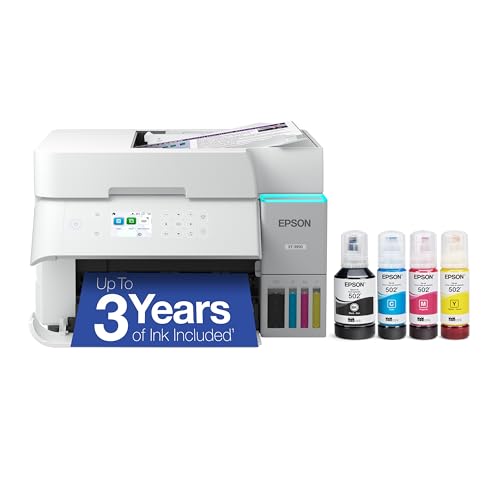
| Most Ink Included | Cartridge-Free Ink System: Refillable ink tanks with EcoFit bottles; ~90 cartridge equivalent per set | Wireless Connectivity: Wireless connectivity; simple refilling design | All-in-One Functions: Print, scan, copy; includes auto document feeder | VIEW LATEST PRICE | Read Our Analysis |
| Epson EcoTank ET-8550 Wireless All-in-One Printer |

| Professional Photo Printing | Cartridge-Free Ink System: Six-color Claria ET Premium refillable ink system; ~100 cartridge equivalent per set | Wireless Connectivity: Wireless and Ethernet connectivity; Epson Smart Panel app; voice-activated printing | All-in-One Functions: Print, scan, copy; includes auto document feeder | VIEW LATEST PRICE | Read Our Analysis |
| Epson EcoTank ET-4950 Wireless All-in-One Printer |
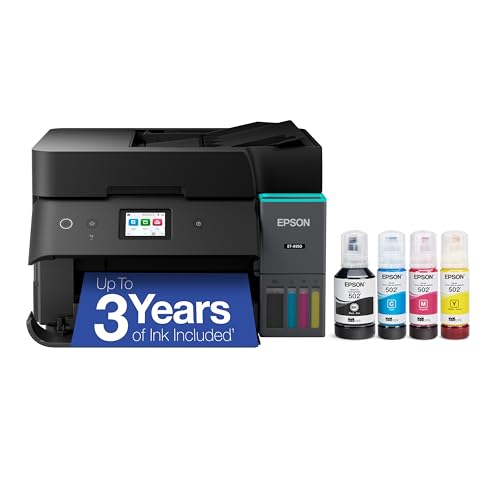
| High-Volume Printing | Cartridge-Free Ink System: Four individual refillable ink bottles; cartridge-free system | Wireless Connectivity: Wi-Fi 5 (802.11ac) and Wi-Fi Direct | All-in-One Functions: Print, scan, copy; 30-sheet auto document feeder | VIEW LATEST PRICE | Read Our Analysis |
More Details on Our Top Picks
Epson EcoTank ET-2800 Wireless All-in-One Printer
Looking for a compact and affordable all-in-one printer? The Epson EcoTank ET-2800 delivers wireless printing, scanning, and copying in a space-saving design. You’ll benefit from high-capacity refillable ink tanks that yield up to 4,500 black pages and 7,500 color pages, reducing costs by 90% compared to traditional cartridges. Print speeds reach 10 pages per minute for black and 5 ppm for color at 5760 x 1440 dpi resolution. The 10-inch LCD display simplifies setup and operation. This 8.8-pound printer accepts media up to 8.5 x 14 inches and includes a flatbed scanner. You’re covered by a one-year limited warranty and can use the Epson Smart Panel app for wireless connectivity.
- Cartridge-Free Ink System:High-capacity refillable ink tanks; ~80 cartridge equivalent per set
- Wireless Connectivity:Wi-Fi and USB connectivity; Epson Smart Panel app support
- All-in-One Functions:Print, scan, copy
- Print Speed:10 ppm black; 5 ppm color
- Page Yield (Replacement Ink):4,500 black pages; 7,500 color pages
- Ink Savings vs. Cartridges:Up to 90% savings on replacement ink vs. cartridges
- Additional Feature:10-inch color LCD display
- Additional Feature:5760 x 1440 dpi resolution
- Additional Feature:Micro Piezo Heat-Free Technology
Epson EcoTank ET-2803 Wireless All-in-One Printer
Tired of replacing expensive ink cartridges? The Epson EcoTank ET-2803 eliminates that problem through cartridge-free printing. Each ink bottle set replaces roughly eighty cartridges, and you’ll print up to 4,500 black pages or 7,500 color pages per set. The printer arrives with two years’ worth of ink included. Beyond savings, you’ll get sharp text and vibrant photos using Micro Piezo Heat Free technology. The built-in scanner and copier handle document tasks efficiently. Wireless connectivity enables printing from your smartphone via AirPrint or the Epson Smart Panel app. Use genuine Epson ink to maintain your warranty and ensure optimal performance.
- Cartridge-Free Ink System:High-capacity refillable ink tanks; ~80 cartridge equivalent per set
- Wireless Connectivity:Wireless with voice-activated printing; AirPrint and Epson Smart Panel app
- All-in-One Functions:Print, scan, copy
- Print Speed:Speed not specified
- Page Yield (Replacement Ink):4,500 black pages; 7,500 color pages
- Ink Savings vs. Cartridges:Replacement ink bottles cheaper than cartridges (percentage not specified)
- Additional Feature:Voice-activated printing capability
- Additional Feature:AirPrint and app support
- Additional Feature:Stress-free 2-year ink supply
Epson EcoTank ET-2400 Wireless All-in-One Printer
Need a budget-friendly pick that handles everyday printing without breaking your wallet? The ET-2400 delivers print, copy, and scan functions with wired and wireless connectivity options. You’ll receive enough ink in the box for up to two years of printing, eliminating frequent cartridge purchases. The cartridge-free design uses ink bottles that each equal roughly 80 individual cartridges, reducing your ink costs by up to 90%. With page yields reaching 4,500 pages in black and 7,500 in color, you’ll maximize each replacement ink set. The rear-feed input tray accommodates 100 sheets, supporting standard daily printing tasks. This printer eliminates cartridge waste, supporting environmentally conscious printing practices while maintaining affordability.
- Cartridge-Free Ink System:High-capacity refillable ink tanks; ~80 cartridge equivalent per set
- Wireless Connectivity:Wired and wireless connectivity; no specific app mentioned
- All-in-One Functions:Print, scan, copy
- Print Speed:Speed not specified
- Page Yield (Replacement Ink):4,500 black pages; 7,500 color pages
- Ink Savings vs. Cartridges:Up to 90% savings on replacement ink vs. cartridges
- Additional Feature:Rear-feed input tray design
- Additional Feature:Wired and wireless connectivity
- Additional Feature:Up to 2 years ink included
Epson EcoTank ET-4800 Wireless All-in-One Printer
The Epson EcoTank ET-4800 works well for home office setups that need printing, scanning, copying, and faxing in one device. This printer uses high-capacity ink tanks instead of cartridges, reducing waste and refill costs. It delivers sharp text at 10 pages per minute in black and white, plus quality color output at 5 pages per minute. The automatic document feeder handles multiple pages, while the flatbed scanner captures detailed images at 5760 x 1440 DPI. You can connect via Wi-Fi, Ethernet, or USB. A color display lets you navigate functions easily. Two paper trays hold up to 100 sheets total, supporting documents up to 8.5 by 14 inches. The one-year limited warranty covers defects.
- Cartridge-Free Ink System:High-capacity refillable ink tanks; EcoFit bottles
- Wireless Connectivity:Wi-Fi and Ethernet connectivity; voice activation and Smart Panel app support
- All-in-One Functions:Print, scan, copy, fax; includes auto document feeder
- Print Speed:10 ppm black; 5 ppm color
- Page Yield (Replacement Ink):Page yield not specified
- Ink Savings vs. Cartridges:High-capacity system emphasizes long runs between refills
- Additional Feature:Auto document feeder (ADF)
- Additional Feature:Built-in fax functionality
- Additional Feature:Ethernet and Wi-Fi connectivity
Epson EcoTank ET-3950 Wireless All-in-One Printer
If you’re juggling multiple printing tasks at home or in a small office, the Epson EcoTank ET-3950 delivers the most ink included with any standard printer purchase—up to 3 years’ worth right in the box. You’ll refill the supersized tanks using uniquely keyed EcoFit bottles, eliminating mess and frustration. The printer produces up to 6,600 black pages and 5,500 color pages per ink set, equivalent to roughly 90 cartridges. Its 2.4″ color touchscreen and auto document feeder streamline your workflow. The Heat-Free PrecisionCore technology ensures consistent print quality for documents and AI-generated content. Wireless connectivity lets you print from multiple devices throughout your space without setup complications.
- Cartridge-Free Ink System:Refillable ink tanks with EcoFit bottles; ~90 cartridge equivalent per set
- Wireless Connectivity:Wireless connectivity; simple refilling design
- All-in-One Functions:Print, scan, copy; includes auto document feeder
- Print Speed:Speed not specified
- Page Yield (Replacement Ink):6,600 black pages; 5,500 color pages
- Ink Savings vs. Cartridges:Incredible value from cartridge-free design (percentage not specified)
- Additional Feature:2.4-inch color touchscreen
- Additional Feature:Up to 3 years ink
- Additional Feature:PrecisionCore Heat-Free technology
Epson EcoTank ET-8550 Wireless All-in-One Printer
Looking for professional photo printing without the ongoing ink costs? The ET-8550 delivers lab-quality photos up to 13 x 19 inches using refillable ink bottles instead of cartridges. You’ll print a 4 x 6 photo in 15 seconds and save up to 80% compared to traditional cartridges. Each bottle set prints approximately two years of content, eliminating cartridge waste. The wireless all-in-one handles scanning, copying, and borderless printing on cardstock and specialty media. Connect via WiFi or Ethernet, then use the Epson Smart Panel app to print from your phone or tablet. The 4.3-inch touchscreen provides straightforward navigation for all functions.
- Cartridge-Free Ink System:Six-color Claria ET Premium refillable ink system; ~100 cartridge equivalent per set
- Wireless Connectivity:Wireless and Ethernet connectivity; Epson Smart Panel app; voice-activated printing
- All-in-One Functions:Print, scan, copy; includes auto document feeder
- Print Speed:16 ppm black; 12 ppm color
- Page Yield (Replacement Ink):Up to 2 years of printing per bottle set (specific page count not stated)
- Ink Savings vs. Cartridges:Up to 80% savings vs. cartridges
- Additional Feature:Wide-format 13 x 19 printing
- Additional Feature:Six-color Claria ET ink system
- Additional Feature:4.3-inch color touchscreen display
Epson EcoTank ET-4950 Wireless All-in-One Printer
Need a printer that handles high-volume printing without draining your budget? The ET-4950 delivers practical functionality for small offices and home users. You’ll get up to 8,500 black pages and 6,500 color pages per ink set, reducing replacement costs substantially. The printer prints at 18 PPM with 4800 x 1200 resolution, ensuring sharp documents and images. Its 30-sheet auto document feeder streamlines scanning and copying tasks. The automatic 2-sided printing feature cuts paper usage in half. Wi-Fi 5 connectivity and Wi-Fi Direct enable wireless printing from multiple devices. Compatible with Windows, Mac OS, and ChromeOS, this EcoTank model provides reliable, economical printing for regular use.
- Cartridge-Free Ink System:Four individual refillable ink bottles; cartridge-free system
- Wireless Connectivity:Wi-Fi 5 (802.11ac) and Wi-Fi Direct
- All-in-One Functions:Print, scan, copy; 30-sheet auto document feeder
- Print Speed:18 ppm; 7 ISO ppm black (auto 2-sided); 5 ISO ppm color (auto 2-sided)
- Page Yield (Replacement Ink):8,500 black pages; 6,500 color pages
- Ink Savings vs. Cartridges:Ink efficiency with high page yields (percentage not specified)
- Additional Feature:30-sheet auto document feeder
- Additional Feature:Wi-Fi 5 (802.11ac) connectivity
- Additional Feature:Up to 8,500 black pages
Factors to Consider When Choosing an Epson Ecotank Printer
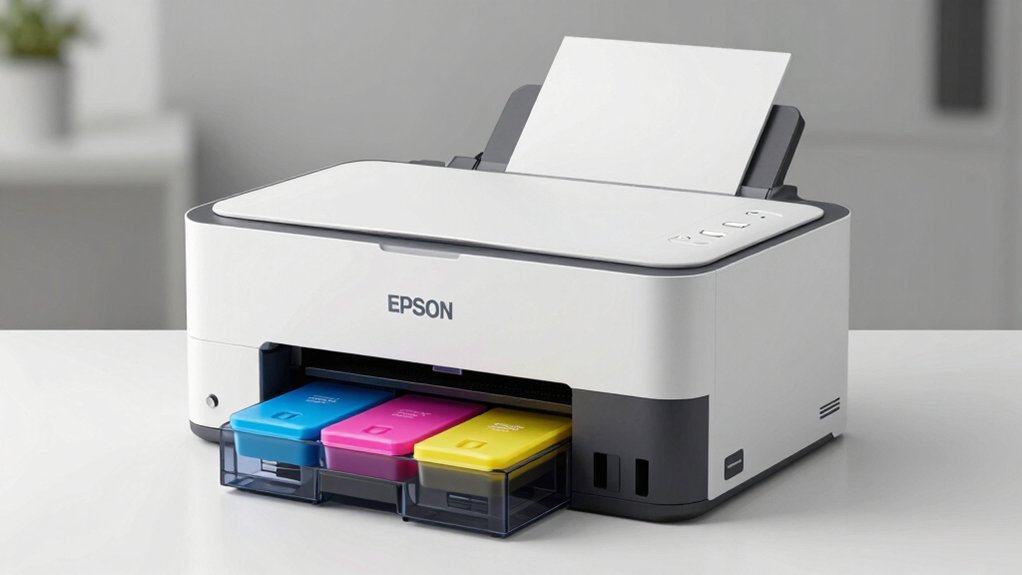
When selecting an EcoTank printer, you’ll need to evaluate five key factors: print speed and performance to match your workflow demands, ink capacity and cost savings to determine your long-term expenses, connectivity and mobile features for flexibility in how you send documents to print, scanner and copying capabilities based on your document handling needs, and physical size and space requirements to ensure the printer fits your workspace. Each factor directly impacts how well the printer will serve your specific situation, so you should list your priorities before comparing models. By examining these elements systematically, you can identify which EcoTank printer delivers the best combination of features and value for your requirements.
Print Speed and Performance
How fast do you need your printer to work? Black-and-white printing typically reaches 5 to 16 pages per minute, while color printing ranges from 5 to 12 pages per minute depending on your model. Wide-format models cap out around 5–7 ppm for color, whereas some reach 12 ppm. For photos, select EcoTank models print 4×6 photos in as fast as 15 seconds and support borderless 13×19 inch prints. Beyond raw speed, consider scanner and copier capabilities, which reduce overall job time through faster copying and duplexing. If you handle multi-page documents regularly, prioritize models with an Auto Document Feeder. This feature automatically scans or copies multiple pages without manual feeding, significantly improving efficiency for larger jobs.
Ink Capacity and Cost Savings
While print speed determines how quickly you’ll complete jobs, ink capacity and cost-effectiveness determine how much you’ll spend over time. EcoTank systems hold vastly more ink than traditional cartridges—each bottle set equals roughly 80 cartridges. You’ll achieve approximately 4,500 black pages and 7,500 color pages per set, dramatically reducing how often you refill. Replacement bottles cost up to 90% less than standard cartridges, substantially lowering your per-page printing expenses. The in-box ink supply lasts two years or longer, minimizing interruptions from empty tanks. Additionally, refillable tanks eliminate cartridge waste entirely, supporting environmental sustainability. When evaluating EcoTank printers, compare total cost of ownership across several years rather than initial purchase price alone. This approach reveals genuine savings potential.
Connectivity and Mobile Features
Do you need to print from your smartphone while away from your desk, or would you prefer printing directly from your computer at home? Most Epson EcoTank models offer Wi-Fi connectivity that supports mobile printing through the Epson Smart Panel app. You’ll download the app on your iOS or Android device, connect it to your printer’s network, and manage print jobs remotely. Some models also support AirPrint for direct printing without the app. If you want wired options, select models include Ethernet or USB connections for stationary setups. Additionally, certain printers feature voice-activated printing for hands-free operation. Check your device’s operating system—Windows, Mac, or ChromeOS—to ensure full compatibility before purchasing your EcoTank printer.
Scanner and Copying Capabilities
What scanning and copying features matter most for your workflow? All EcoTank models include a built-in flatbed scanner with resolution up to 720 x 720 dpi for color scans, enabling high-quality digital documents. Several models feature an Auto Document Feeder (ADF) that scans multiple pages automatically, eliminating manual page-by-page loading. Copy resolution matches scanner specifications, providing sharp color and monochrome copies directly from the device. Select models offer duplex copying and scanning, printing or scanning both sides automatically to reduce paper usage and improve efficiency. Use your printer’s color touchscreen to select scan destinations, adjust resolution settings, and choose between color and black-and-white options before starting your task.
Physical Size and Space Requirements
Once you’ve identified the scanning and copying features that fit your workflow, you’ll need to contemplate where you’ll actually place your printer. The ET-2400 and ET-2800 models measure 10–14 inches tall and 14.8–22.8 inches wide, fitting compact desk spaces. Larger models like the ET-4800 and ET-4950 require additional depth due to their ADF and dual tray systems. Consider weight too—units range from 8.8 pounds to 24.5 pounds, affecting portability and stability on your chosen surface. You’ll also need to account for paper handling space, especially if your model includes rear-feed or dual trays. Finally, verify media support: standard models handle up to 8.5 x 14 inches, while the ET-8550 accommodates wide formats up to 13 x 19 inches, determining your print capability area needs.
Warranty and Support Options
How you’ll protect your investment depends on understanding what Epson’s standard coverage includes and what conditions you’ll need to meet. Most EcoTank models come with a 1-year limited warranty covering manufacturer defects. You’ll maintain warranty eligibility by using only genuine Epson ink—non-genuine cartridges can void coverage and degrade performance. Check your specific model’s compatibility requirements, including necessary apps like Epson Smart Panel, since improper use may affect warranty claims. Amazon’s 30-day return window provides an additional safety net on eligible purchases, though policies vary by seller. Some models include multi-year ink supplies in the box, extending your cost savings beyond the warranty period. Review your product listing and warranty documentation carefully before purchase to understand exact coverage terms and your support options.
Final Thoughts
You’ll save considerably on ink costs by choosing an Epson EcoTank printer. Review your specific needs—compact models like the ET-2800 work for basic home printing, while the ET-4800 suits small offices requiring scanning and copying. Check page yields and included ink supplies before purchasing. Compare wireless features and tank capacity to match your printing volume. Select the model that fits your budget and usage requirements.

Meet Ry, “TechGuru,” a 36-year-old technology enthusiast with a deep passion for tech innovations. With extensive experience, he specializes in gaming hardware and software, and has expertise in gadgets, custom PCs, and audio.
Besides writing about tech and reviewing new products, he enjoys traveling, hiking, and photography. Committed to keeping up with the latest industry trends, he aims to guide readers in making informed tech decisions.