
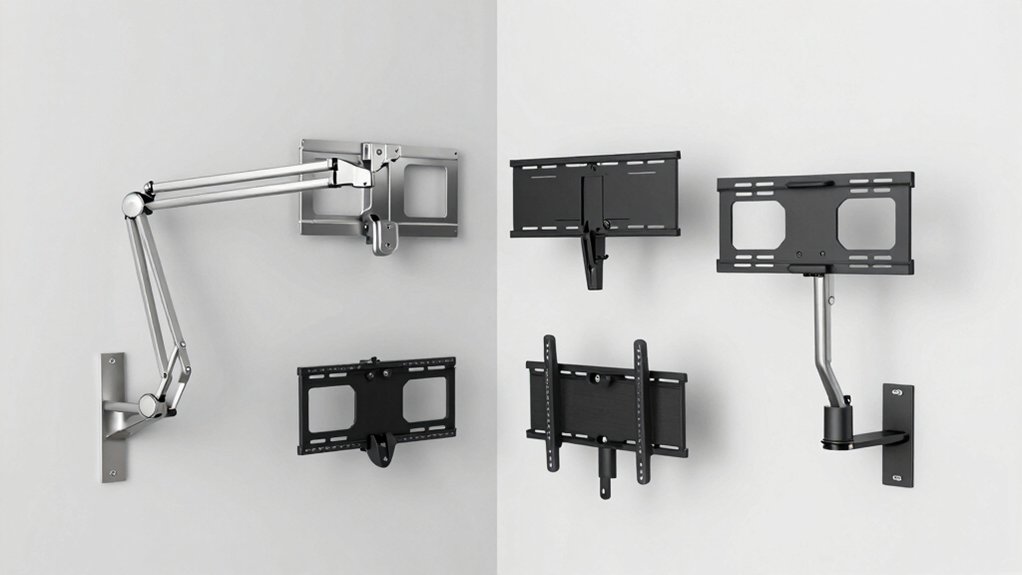

When you’re installing a TV in a corner, you’ll want a mount that maximizes your space while keeping your wall clean and organized. Corner TV mounts extend from the wall to give you better viewing angles, then retract neatly when you’re done. You’ll find options ranging from 26 inches up to 75 inches, with weight capacities that handle most modern screens. But choosing the right one depends on several key factors.
| Perlegear Corner TV Wall Mount 32-75 Inch Full Motion |

| Best for Large Screens | Screen Size Compatibility: 32-75 inches | Weight Capacity: 100 lbs | Extension/Reach Distance: 32.37 inches extended / 3.12 inches retracted | VIEW LATEST PRICE | Read Our Analysis |
| USX MOUNT Swivel TV Wall Mount for 26-60 Inch TVs |

| Best Value Pick | Screen Size Compatibility: 26-60 inches | Weight Capacity: 80 lbs | Extension/Reach Distance: 19.37 inches extended / 2.52 inches retracted | VIEW LATEST PRICE | Read Our Analysis |
| VIVO Corner TV Wall Mount 37-70 Inch (MOUNT-CR70C) |

| Most Versatile Motion | Screen Size Compatibility: 37-70 inches | Weight Capacity: 99 lbs | Extension/Reach Distance: Adjustable arms for flexible placement | VIEW LATEST PRICE | Read Our Analysis |
| MOUNTUP 37.9″ Long Arm TV Wall Mount (MU0047-L) |

| Maximum Reach Design | Screen Size Compatibility: 42-75 inches | Weight Capacity: 99 lbs | Extension/Reach Distance: 37.9 inches extended / 3 inches retracted | VIEW LATEST PRICE | Read Our Analysis |
| PERLESMITH Corner TV Wall Mount Full Motion (37-70 Inch) |

| Best Warranty Coverage | Screen Size Compatibility: 37-70 inches | Weight Capacity: 99 lbs | Extension/Reach Distance: Swings out to preferred angle / retracts flush | VIEW LATEST PRICE | Read Our Analysis |
More Details on Our Top Picks
Perlegear Corner TV Wall Mount 32-75 Inch Full Motion
If you’re looking to mount a TV in a corner without sacrificing screen visibility or wall space, the Perlegear Corner TV Wall Mount delivers the flexibility you need. This mount accommodates 32–75 inch screens with VESA patterns from 200 x 100 mm to 600 x 400 mm. It extends 32.37 inches from the wall and retracts to 3.12 inches, allowing you to adjust viewing angles with ±90° swivel and -15° to +5° tilt. The mount supports up to 100 lbs and requires installation on concrete, brick, or wood studs—never drywall alone. Installation includes all labeled hardware and a user-friendly manual for single-stud mounting.
- Screen Size Compatibility:32-75 inches
- Weight Capacity:100 lbs
- Extension/Reach Distance:32.37 inches extended / 3.12 inches retracted
- Swivel Range:±90°
- Tilt Range:-15° to +5°
- VESA Pattern Support:200×100 mm to 600×400 mm
- Additional Feature:Tool-free tilt adjustment
- Additional Feature:Single-stud mounting design
- Additional Feature:Solid hinge pin swivel
USX MOUNT Swivel TV Wall Mount for 26-60 Inch TVs
The USX MOUNT Swivel TV Wall Mount works best for anyone who needs flexibility in viewing angles without sacrificing floor space. This universal mount accommodates 26–60 inch TVs weighing up to 80 lbs and supports VESA patterns from 75×75 mm to 400×400 mm. You’ll extend the arm up to 19.37 inches for optimal viewing or retract it to 2.52 inches to save space. The mount tilts +5°/−12° and swivels up to ±90° depending on your TV size. Heavy-duty steel construction with security lock screws keeps your TV stable and secure. Installation includes clear instructions, pre-labeled hardware, and a paper template. You can make fine adjustments of ±4° after installation for perfect leveling.
- Screen Size Compatibility:26-60 inches
- Weight Capacity:80 lbs
- Extension/Reach Distance:19.37 inches extended / 2.52 inches retracted
- Swivel Range:±90° (varies by TV size)
- Tilt Range:+5° to -12°
- VESA Pattern Support:75×75 mm to 400×400 mm
- Additional Feature:Security lock screws included
- Additional Feature:Paper template aids installation
- Additional Feature:Post-installation leveling adjustment
VIVO Corner TV Wall Mount 37-70 Inch (MOUNT-CR70C)
Looking to mount a larger television in a corner without sacrificing wall space or clean aesthetics? The VIVO Corner TV Wall Mount accommodates 37 to 70 inch screens with full motion articulation. This bracket supports up to 99 pounds and features a solid steel frame tested at triple weight capacity. You’ll get 180-degree swivel rotation, adjustable tilt from +5 to -15 degrees, and compatibility with multiple VESA patterns up to 600x400mm. Installation requires attaching detachable VESA plates to your TV, then securing the wall mount with included hardware. Separate wall plates fit angled corner walls for custom positioning. You receive a three-year warranty and access to technical support throughout installation.
- Screen Size Compatibility:37-70 inches
- Weight Capacity:99 lbs
- Extension/Reach Distance:Adjustable arms for flexible placement
- Swivel Range:180°
- Tilt Range:+5° to -15°
- VESA Pattern Support:Up to 600×400 mm
- Additional Feature:Angled corner wall plates
- Additional Feature:Tested at 3x capacity
- Additional Feature:3-year manufacturer warranty
MOUNTUP 37.9″ Long Arm TV Wall Mount (MU0047-L)
Need a mount that reaches across your entire room for viewing flexibility? The MOUNTUP 37.9″ Long Arm TV Wall Mount extends 37.9 inches from your wall and retracts to just 3 inches, giving you complete control over TV placement. This mount fits 42-75 inch TVs with VESA patterns from 150×100 mm to 600×400 mm and supports up to 99 lbs. The triple-folding arm design allows full motion articulation with swivel capability of ±90°, tilt of +5°/-10°, and leveling of ±3°. Before installing, verify your TV’s weight, size, VESA compatibility, and input accessibility. The mount includes installation instructions, bubble level, mounting template, and standard hardware. Avoid installing into drywall alone; use proper anchors instead.
- Screen Size Compatibility:42-75 inches
- Weight Capacity:99 lbs
- Extension/Reach Distance:37.9 inches extended / 3 inches retracted
- Swivel Range:±90°
- Tilt Range:+5° to -10°
- VESA Pattern Support:150×100 mm to 600×400 mm
- Additional Feature:Triple folding arm design
- Additional Feature:Bubble level included
- Additional Feature:Concrete anchors available
PERLESMITH Corner TV Wall Mount Full Motion (37-70 Inch)
If you’re mounting a TV between 37 and 70 inches in a corner space, PERLESMITH’s corner mount delivers the flexibility you need with its full-motion design and 45-degree swivel capability. The mount supports VESA patterns up to 600×400 and holds TVs weighing up to 99 pounds. You’ll install it on wood studs spaced 16 inches apart, concrete, or block walls using included hardware. The full-motion mechanism tilts up to 5 degrees forward or 10 degrees backward, reducing glare from windows and overhead lights. You can also adjust the level by ±3 degrees and swing the arm out when watching, then retract it flush against the wall when not in use. A 10-year warranty and 30-day return guarantee back your purchase.
- Screen Size Compatibility:37-70 inches
- Weight Capacity:99 lbs
- Extension/Reach Distance:Swings out to preferred angle / retracts flush
- Swivel Range:Up to 45° (depends on TV size)
- Tilt Range:+5° to -10°
- VESA Pattern Support:Up to 600×400 mm
- Additional Feature:10-year warranty coverage
- Additional Feature:Powder-coated steel construction
- Additional Feature:30-day return guarantee
Factors to Consider When Choosing Corner TV Mounts
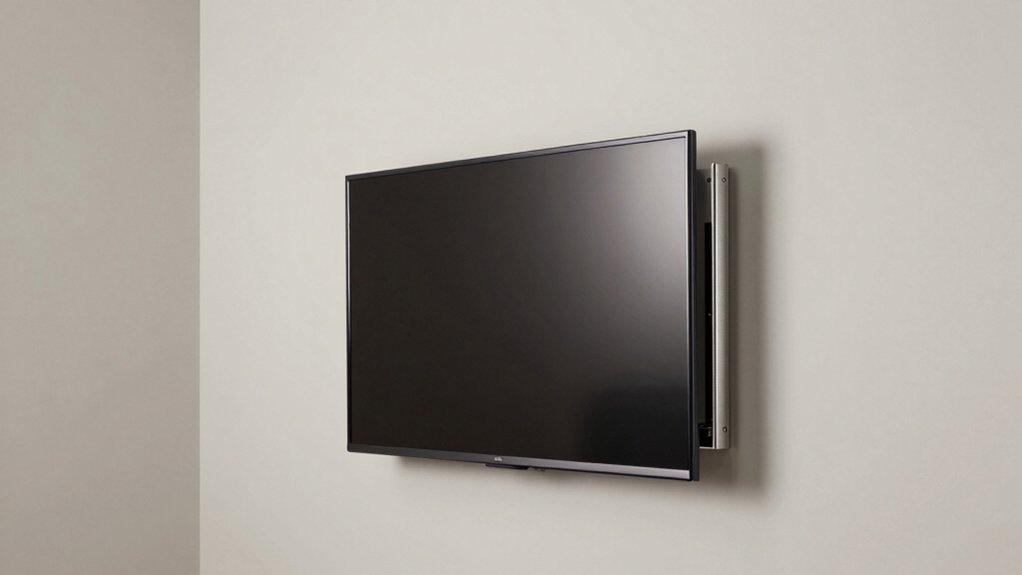
You’ll need to verify your TV’s screen size and weight against the mount’s specifications to guarantee compatibility and safe installation. Check your wall type—drywall, concrete, or brick—because each surface requires different anchors and installation methods that affect the mount’s stability. Finally, decide whether you want a fixed mount, tilting mount, or full-motion mount based on your viewing angles and how much adjustment flexibility you need in your corner space.
Screen Size Compatibility
Before you purchase a corner TV mount, confirm that it’ll support your specific television’s screen size, VESA pattern, and weight. First, inspect the mount’s size range against your TV’s screen dimensions. Common ranges include 37–70 inches, 32–75 inches, and 26–60 inches. Next, verify your TV’s VESA mounting pattern matches the mount’s available options, which typically span from 75×75 mm to 600×400 mm. Then, confirm the weight capacity—most mounts support 99–100 lbs—and ensure your TV doesn’t exceed this limit. Finally, measure your TV’s width and height to guarantee proper balance and clearance within the corner space. Review any minimum or maximum size deratings the manufacturer lists. Completing these checks prevents installation problems and ensures safe, stable mounting.
Weight Capacity Requirements
Once you’ve confirmed your TV’s screen size and VESA pattern match the mount, verify that the mount’s weight capacity accommodates your television’s actual weight. Most corner mounts range from 80 to 100 lbs capacity. Check your TV’s specifications for its exact weight, then compare it against the mount’s rated limit. Never install a TV that exceeds the mount’s capacity, as this creates safety hazards and structural failure risks. If your TV weighs 85 lbs, select a mount rated for at least 85 lbs—preferably higher for safety margin. Some premium models offer 100+ lbs capacity for larger screens. Document both weights before purchase to ensure compatibility and prevent installation problems later.
Wall Surface Suitability
What’s holding up your corner mount—drywall alone or solid structural material? You need to identify your wall type before installation. Concrete, brick, and wood studs provide the anchoring strength corner mounts demand. Drywall by itself cannot support the weight and stress that corner placements create. Inspect your wall carefully to locate studs behind drywall, or choose a concrete or brick wall instead. Once you’ve confirmed solid material, ensure your mounting hardware matches that surface. Use concrete anchors for concrete walls, lag bolts for wood studs, and masonry fasteners for brick. Check that your chosen mount includes appropriate fasteners for your wall type. This verification step prevents installation failure and protects your TV investment.
Motion And Flexibility
Since corner placements restrict your viewing angles naturally, you’ll want a mount that offers multiple motion capabilities to compensate. Look for mounts featuring tilt, swivel, and extend/retract functions. Tilt ranges typically span +5° to -10°, though premium models reach -15° to +5° for greater flexibility. Swivel capability usually maxes out at ±90°, with some designs extending to 180° depending on arm design and TV size. Extendable arms range from 19″ to 37.9″, letting you pull your TV away from the wall for optimal viewing from different seating positions. After installation, use post-install leveling adjustments (typically ±3° to ±4°) to fine-tune your screen’s level and achieve perfect alignment for your space.
Installation Complexity Level
How difficult is your corner mount installation? Complexity depends on your wall type and mount design. If you’re installing on wood studs or concrete, you’ll follow standard fastening procedures with included hardware. Drywall-only installations require additional concrete anchors for secure mounting. Many mounts include pre-labeled hardware and paper templates that simplify alignment and stud placement, reducing setup time significantly. Some models offer detachable VESA plates and post-install leveling adjustments (±3° to ±4°), allowing you to correct alignment after mounting. Before starting, check your room layout and wall depth against the mount’s extended arm reach (up to 37.9″) and swivel range (up to ±90°). Gather your tools, locate studs or concrete anchor points, and follow your specific installation guide step-by-step for proper positioning.
Reach And Extension Range
Once you’ve confirmed your wall type and installation method, you’ll want to examine the reach and extension range of your corner mount, as this directly affects how far your TV can pull away from the wall and how well it’ll serve your viewing setup. Most corner mounts extend between 20 and 37 inches from the wall, allowing you to position your TV strategically across adjacent seating areas. When retracted, they collapse to 2–4 inches, preserving your space-saving benefits. Longer arm designs reach farther but require adequate clearance behind your TV for cables and wall space. Measure your room’s dimensions and seating distances first. Then compare these measurements against each mount’s extension specs to ensure optimal viewing angles without obstruction.
Warranty And Support
What’s your protection plan if something goes wrong after purchase? Most corner TV mounts come with manufacturer warranties ranging from 3 to 10 years, covering manufacturing defects. Before buying, check whether your chosen mount includes US-based technical support, as this speeds up troubleshooting. Review the warranty terms carefully—they typically require proper installation and adherence to load limits to stay valid. Examine the return policy separately, as many retailers offer 30-day return windows distinct from warranty coverage. Document your purchase and installation process to validate claims if needed. Confirm whether replacement parts and mounting hardware are readily available. Contact the manufacturer’s support team with questions before committing to a purchase, ensuring you understand exactly what protection you’re getting.
Final Thoughts
You’ll want to choose a corner TV mount based on your screen size, weight capacity, and desired features. Measure your TV’s VESA pattern and wall space first. Compare the five options listed for swivel range, tilt adjustability, and warranty length. Check that your chosen mount supports your TV’s weight—most handle 99–100 lbs. Install using the included hardware and template, following manufacturer instructions carefully.

Meet Ry, “TechGuru,” a 36-year-old technology enthusiast with a deep passion for tech innovations. With extensive experience, he specializes in gaming hardware and software, and has expertise in gadgets, custom PCs, and audio.
Besides writing about tech and reviewing new products, he enjoys traveling, hiking, and photography. Committed to keeping up with the latest industry trends, he aims to guide readers in making informed tech decisions.