
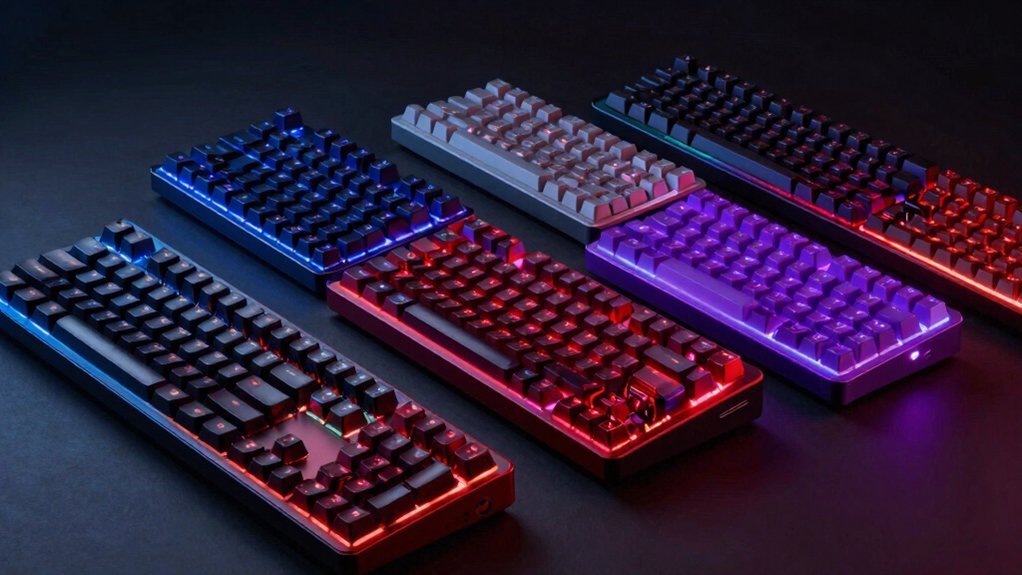

If you play CS2 competitively, your keyboard directly affects your response time and accuracy. Pro gamers prioritize Hall Effect switches, ultra-fast polling rates, and customizable key layouts to gain an edge. You’ll find options ranging from compact one-handed keypads to full 60% boards, each offering distinct advantages. Understanding what features matter most to your playstyle will help you make the right choice—but which keyboard actually delivers the performance you need?
| Keychron C0 HE 8K One-Handed Gaming Keypad |

| Best One-Handed Control | Polling Rate: 8K Hz | Switch Type: Hall Effect magnetic (Rapid Trigger) | Form Factor: 35-key one-handed compact | VIEW LATEST PRICE | Read Our Analysis |
| Rapid Trigger Gaming Keyboard with Hall Effect Switches |

| Most Customizable | Polling Rate: 8K Hz | Switch Type: Hall Effect magnetic (adjustable actuation) | Form Factor: 75% compact (80 keys) | VIEW LATEST PRICE | Read Our Analysis |
| Redragon K753 HE Rapid Trigger Gaming Keyboard 60 |

| Best Compact Design | Polling Rate: 8K Hz | Switch Type: UltraMag Hall Effect magnetic | Form Factor: 60% layout (61 keys) | VIEW LATEST PRICE | Read Our Analysis |
| Keychron K2 HE Wireless Custom Keyboard with Hall Effect |

| Best Wireless Option | Polling Rate: 1K Hz | Switch Type: Gateron Double-Rail magnetic | Form Factor: 75% layout (84 keys) | VIEW LATEST PRICE | Read Our Analysis |
| Hyekit Mad Lions RGB 60% Mechanical Gaming Keyboard |
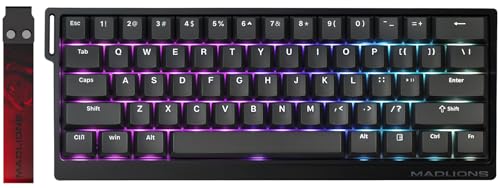
| Best Value Pick | Polling Rate: 8K Hz | Switch Type: Hall Effect magnetic (0.02 mm step) | Form Factor: 60% compact (61 keys) | VIEW LATEST PRICE | Read Our Analysis |
| GravaStar Mercury V60 Pro Gaming Keyboard with Magnetic Switches |

| Best Build Quality | Polling Rate: 8K Hz | Switch Type: UFO Hall Effect magnetic | Form Factor: 60% layout (61 keys) | VIEW LATEST PRICE | Read Our Analysis |
| ZIYOULANG K3 Mechanical Gaming Keyboard and Mouse Combo |

| Best Bundle Deal | Polling Rate: 0.1 ms response time | Switch Type: Pro-grade linear blue mechanical | Form Factor: TKL compact (98 keys) | VIEW LATEST PRICE | Read Our Analysis |
More Details on Our Top Picks
Keychron C0 HE 8K One-Handed Gaming Keypad
Why settle for a full-size keyboard when you’re playing CS2? The Keychron C0 HE 8K One-Handed Gaming Keypad delivers competitive performance in a compact 35-key layout. Its Hall Effect magnetic switches offer 8K polling rates and adjustable actuation down to 0.01mm, giving you instant key reset and ultra-low latency. You’ll access essential commands without excessive hand movement, critical for maintaining aim during intense matches. The web-based configurator lets you remap keys and adjust settings without installing software. Use it on Windows or macOS for consistent performance across systems. This keypad suits pro-level play in CS2 and other competitive shooters.
- Polling Rate:8K Hz
- Switch Type:Hall Effect magnetic (Rapid Trigger)
- Form Factor:35-key one-handed compact
- Actuation Adjustability:0.01 mm adjustable
- Connectivity:Wired USB
- Customization Method:Web-based configurator
- Additional Feature:35-key one-handed layout
- Additional Feature:Web-based configurator included
- Additional Feature:Cross-platform Windows/macOS support
Rapid Trigger Gaming Keyboard with Hall Effect Switches
Looking for competitive precision in CS2? The Rapid Trigger Gaming Keyboard with Hall Effect Switches delivers adjustable actuation from 0.1mm to 4.0mm, letting you customize activation points per key. Its 8kHz polling rate minimizes input lag during fast-paced matches. The 75% compact layout fits most setups, while PBT keycaps ensure durability. Download the included software to configure macros, create mode profiles, and adjust RGB lighting. Use the volume knob for quick audio adjustments mid-game. Compatible with PC, Mac, and laptops via USB connection, this keyboard supports the rapid keystroke resets and dynamic control that CS2 demands.
- Polling Rate:8K Hz
- Switch Type:Hall Effect magnetic (adjustable actuation)
- Form Factor:75% compact (80 keys)
- Actuation Adjustability:0.1–4.0 mm (40 levels)
- Connectivity:Wired USB-A/USB-C
- Customization Method:Software drivers (download-based)
- Additional Feature:Built-in volume knob/roller
- Additional Feature:40 levels per-key actuation
- Additional Feature:PBT keycaps with RGB backlight
Redragon K753 HE Rapid Trigger Gaming Keyboard 60
The Redragon K753 HE delivers exceptional compact design in a 60% layout that fits tight desk spaces without sacrificing performance for competitive players. You’ll benefit from Hall Effect magnetic switches with adjustable rapid trigger actuation between 0.1–3.4mm, letting you customize responsiveness for CS2 gameplay. The 8K Hz polling rate ensures minimal input lag during fast-paced matches. Its aluminum base with hollow-out design keeps weight manageable while maintaining durability. The UltraMag switches feature full-POM construction for smooth, consistent keystrokes. You can assign two actions per key using software customization, which streamlines your control setup. The wired USB-C connection provides stable connectivity without wireless interference concerns.
- Polling Rate:8K Hz
- Switch Type:UltraMag Hall Effect magnetic
- Form Factor:60% layout (61 keys)
- Actuation Adjustability:0.1–3.4 mm adjustable
- Connectivity:Wired USB-C
- Customization Method:Software profiles
- Additional Feature:Aluminum hollow-out base design
- Additional Feature:UltraMag 100% POM construction
- Additional Feature:PRCS 4-mode technology included
Keychron K2 HE Wireless Custom Keyboard with Hall Effect
Keychron’s K2 HE Rapid Trigger stands out for competitive CS2 players who demand wireless performance without latency compromises. The 75% layout features Gateron Double-Rail Magnetic switches with 0.1 mm sensitivity and adjustable actuation from 0.2–3.8 mm. Use the Launcher Web Configurator to customize your actuation point and enable Rapid Trigger for travel-dependent responses. Connect via 2.4 GHz wireless at 1000 Hz polling rate, Bluetooth 5.2, or USB-C across Mac, Windows, and Linux. The aluminum and wood frame with PBT keycaps delivers durability for extended competitive play.
- Polling Rate:1K Hz
- Switch Type:Gateron Double-Rail magnetic
- Form Factor:75% layout (84 keys)
- Actuation Adjustability:0.2–3.8 mm adjustable
- Connectivity:Wireless (2.4 GHz, Bluetooth 5.2) + USB-C
- Customization Method:Web Configurator (QMK support)
- Additional Feature:Hot-swappable Gateron magnetic switches
- Additional Feature:Multimode connectivity (wireless/Bluetooth/USB)
- Additional Feature:Rosewood siding accent design
Hyekit Mad Lions RGB 60% Mechanical Gaming Keyboard
Want a compact keyboard that doesn’t compromise on competitive performance? The Hyekit Mad Lions RGB 60% delivers e-sports level capability in a travel-friendly package. Its Hall effect magnetic switches feature adjustable actuation and rapid trigger technology, enabling faster shots and complex combos in CS2. The 8000 Hz polling rate and 0.125 ms latency give you the responsiveness pro gamers demand. Configure your setup using the web-based driver to remap keys and customize 16 million RGB colors. The 60% design saves desk space while maintaining full functionality, making it ideal for competitive play across different environments.
- Polling Rate:8K Hz
- Switch Type:Hall Effect magnetic (0.02 mm step)
- Form Factor:60% compact (61 keys)
- Actuation Adjustability:0.02 mm step adjustable
- Connectivity:Wired USB-C
- Customization Method:Web-based driver
- Additional Feature:0.02mm actuation step precision
- Additional Feature:32K ultra-high scan rate
- Additional Feature:Water-resistant keyboard design
GravaStar Mercury V60 Pro Gaming Keyboard with Magnetic Switches
GravaStar’s Mercury V60 Pro delivers superior build quality through its CNC-machined 6063 aluminum construction, making it ideal for competitive CS2 players who demand durability alongside performance. The keyboard features Hall Effect magnetic switches with adjustable actuation from 0.1mm to 4.0mm, letting you customize sensitivity for precise movement control. Its 8000Hz polling rate ensures 0.125ms latency, critical for competitive play. You’ll access per-key RGB customization and macro mapping through a web-based driver requiring no software installation. The 60% layout fits compact gaming setups, while hot-swappable switches allow easy replacements. Included accessories—cleaning brush, cloth, dust cover, and keycap puller—support long-term maintenance.
- Polling Rate:8K Hz
- Switch Type:UFO Hall Effect magnetic
- Form Factor:60% layout (61 keys)
- Actuation Adjustability:0.1–4.0 mm (0.005 mm precision)
- Connectivity:Wired USB-C
- Customization Method:Web-based driver (no install required)
- Additional Feature:CNC-machined 6063 aluminum body
- Additional Feature:SOCD/LKP keystroke handling technology
- Additional Feature:Includes cleaning brush/dust cover
ZIYOULANG K3 Mechanical Gaming Keyboard and Mouse Combo
Looking for a complete gaming setup without purchasing peripherals separately? The ZIYOULANG K3 delivers both keyboard and mouse in one package. You’ll get a 98-key compact mechanical keyboard with pro-grade linear blue switches offering 50g actuation and 50-million-click durability. The keyboard features 0.1ms response time, anti-ghosting, and waterproof construction. Pair this with the 69g ultra-light honeycomb mouse featuring six DPI presets ranging from 800–6400 and optical tracking for precision. Both devices connect via braided Type-C cable with gold-plated connectors. Dynamic RGB lighting syncs across 10 modes with 16.8 million colors. You’ll enjoy multi-platform compatibility with Windows, Mac, and PS5.
- Polling Rate:0.1 ms response time
- Switch Type:Pro-grade linear blue mechanical
- Form Factor:TKL compact (98 keys)
- Actuation Adjustability:Fixed 50g actuation
- Connectivity:Wired USB Type-C
- Customization Method:Dedicated multimedia/FN hotkeys
- Additional Feature:Includes 69g ultra-light mouse
- Additional Feature:50 million click durability switches
- Additional Feature:16.8M color dynamic RGB lighting
Factors to Consider When Choosing a Keyboard for CS2
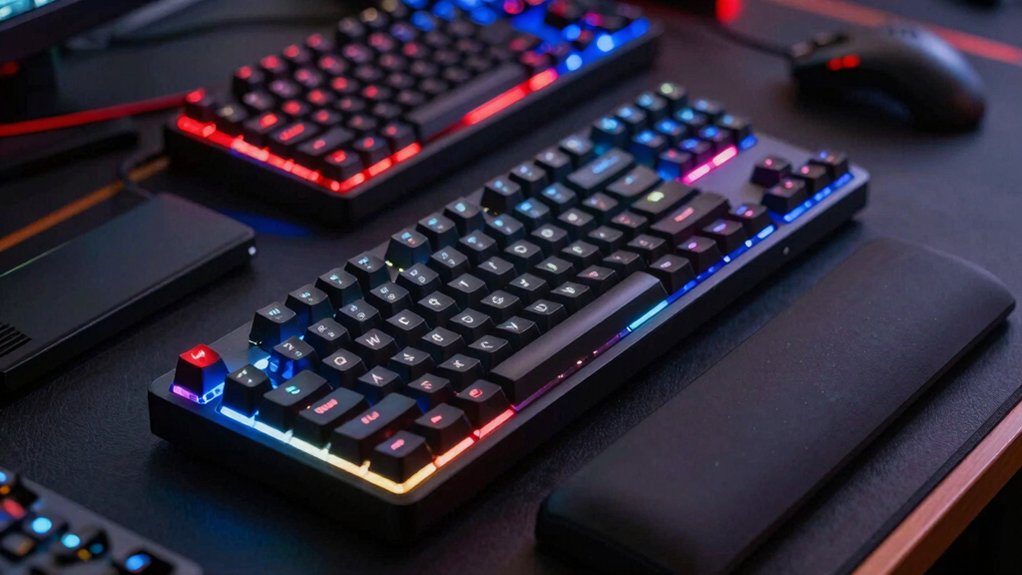
When you’re selecting a keyboard for CS2, you’ll need to evaluate five critical factors: polling rate and latency (which determine how quickly your inputs register), actuation point adjustability (which lets you customize how far down you must press a key), switch type and responsiveness (which affect speed and feedback), form factor and ergonomics (which influence comfort during extended play sessions), and cross-platform compatibility (which ensures the keyboard works with your setup). Each factor directly impacts your in-game performance and comfort, so you should test keyboards with different specifications to find what suits your playstyle best. Start by checking the polling rate (measured in hertz), then assess the switch type, and finally confirm the keyboard fits your desk space and gaming preferences.
Polling Rate and Latency
Why does polling rate matter for CS2? A higher polling rate reduces the delay between pressing a key and seeing the action on-screen. Gaming keyboards typically offer 8,000 Hz polling, meaning they send up to 8,000 reports per second to your computer. This minimizes latency during fast-paced matches.
To maximize performance, pair high polling rates with compatible USB interfaces and updated drivers. Look for keyboards featuring Rapid Trigger or Hall Effect magnetic switches, which use adjustable actuation points to reduce response time. These switches minimize debounce issues during rapid keystrokes.
Per-key actuation and travel-based input tracking further decrease latency by enabling real-time response as you press keys. Ensure your keyboard supports these features alongside 8K Hz polling for optimal CS2 performance.
Actuation Point Adjustability
How much distance should your key travel before it registers a press? Actuation point adjustability lets you control this distance, typically ranging from 0.1 mm to 4.0 mm in small increments. For CS2, shorter actuation points—around 0.1 to 1.5 mm—reduce input latency and improve reaction times during rapid flicks and sprays. Longer actuation points, between 2.0 and 4.0 mm, help prevent accidental presses during high-speed movement. Consider real-time travel-based actuation (rapid trigger) keyboards, which tie the actuation point to your pressing speed, delivering instant response as you press quicker. Test different settings in practice matches to find your optimal distance. Most pro players adjust their actuation based on playstyle: aggressive players prefer shorter points, while others choose longer settings for stability.
Switch Type and Responsiveness
Once you’ve dialed in your actuation point distance, the actual switch mechanism inside your keyboard becomes your next priority. Hall Effect magnetic switches deliver the responsiveness you need for CS2 because they reset instantly without physical contact wear. You’ll find actuation ranges from 0.01 mm to 0.125 mm depending on your model choice. Pair this with an 8K Hz polling rate to reduce input latency during high-speed sequences. Many pro-level keyboards offer per-key actuation customization across 40 levels, letting you adjust trigger sensitivity for aiming and shooting independently. Dynamic actuation travel adjusts sensitivity based on how far you press each key, enabling faster responses when you need them most. These combined features minimize misfires during complex CS2 macros and multi-step actions.
Form Factor and Ergonomics
Finding the right keyboard size directly impacts how quickly you’ll react during CS2 matches. A 60% or 75% form factor reduces your desk footprint, allowing closer hand positioning for rapid actions. However, you’ll need to learn macro keys for full control. Consider a one-handed 35-key keypad layout instead, which keeps essential commands within reach and minimizes finger travel during fast-paced exchanges. For extended sessions, choose an ambidextrous design that supports comfortable hand alternation. Pair your layout choice with an aluminum or reinforced chassis to improve stability and reduce wrist strain. These structural elements work together to optimize your ergonomic setup, enabling precise finger movements that match CS2’s demanding input speed requirements.
Cross-Platform Compatibility
What separates a versatile CS2 keyboard from a limited one? Cross-platform compatibility. You’ll want keyboards that explicitly support Windows, macOS, and Linux simultaneously, allowing you to maintain consistent bindings across all your devices.
Look for multi-mode connectivity options: wired USB-C and wireless Bluetooth or 2.4 GHz. This flexibility lets you switch between PCs, laptops, and consoles without compatibility issues.
Check whether the keyboard operates driverless on Windows and macOS. Verify per-key customization and macro support function on all platforms, not just one OS. Confirm the configurator is software-free or web-based to avoid OS-specific installer problems.
Review Linux compatibility details if you use that system. These specifications ensure your CS2 settings remain identical regardless of which device you’re using.
Final Thoughts
You’ll want to prioritize Hall Effect switches, 8K Hz polling, and low latency when selecting your CS2 keyboard. Choose between compact one-handed keypads for ability binds or 60%–75% layouts for faster key access. Verify the keyboard offers driverless operation or web-based configuration to avoid setup delays. Test wireless models with 0.125 ms latency for competitive play. Match your keyboard choice to your playstyle and budget requirements.

Meet Ry, “TechGuru,” a 36-year-old technology enthusiast with a deep passion for tech innovations. With extensive experience, he specializes in gaming hardware and software, and has expertise in gadgets, custom PCs, and audio.
Besides writing about tech and reviewing new products, he enjoys traveling, hiking, and photography. Committed to keeping up with the latest industry trends, he aims to guide readers in making informed tech decisions.