
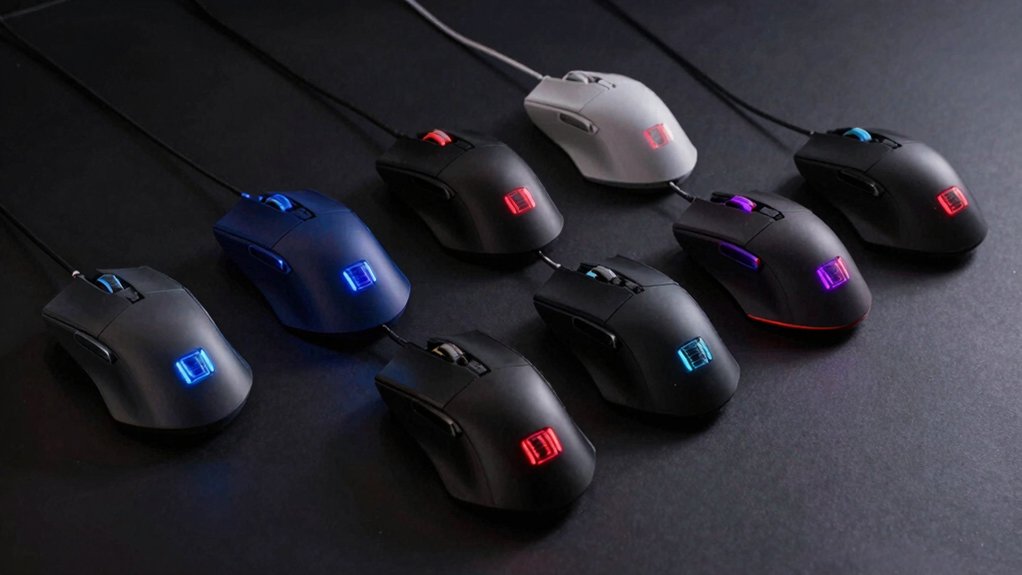

If you’re serious about CS2, you need to understand what separates pro-level mice from standard options. You’ll find that professional players prioritize three core features: sensor precision for accurate tracking, lightweight design for quick movements, and reliable wireless connectivity for lag-free performance. You can choose from established brands like SteelSeries and Razer, or explore budget alternatives that deliver comparable results. Each option you consider offers distinct advantages—but which one matches your specific playstyle?
| SteelSeries Wireless Gaming Mouse CS2 Dragon Lore Edition |
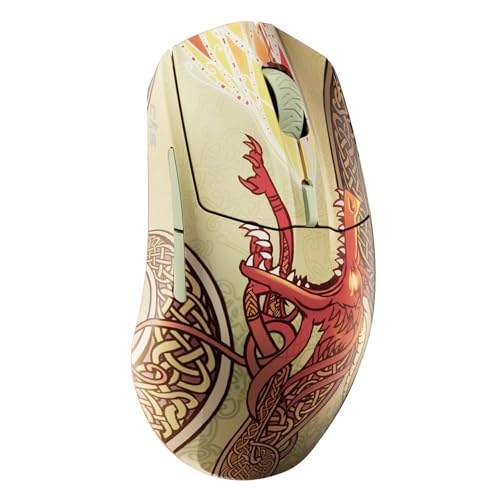
| Best Overall | DPI Range: Up to 18,000 DPI | Connectivity Type: 2.4GHz Wireless + Bluetooth | Weight: 0.32 kg (320g) | VIEW LATEST PRICE | Read Our Analysis |
| SteelSeries QcK Gaming Mousepad CS2 Dragon Lore XXL |

| Best Mousepad | DPI Range: N/A (Mousepad) | Connectivity Type: N/A (Mousepad) | Weight: 1.2 pounds (544g) | VIEW LATEST PRICE | Read Our Analysis |
| Redragon M612 Predator RGB Gaming Mouse 8000 DPI |

| Budget Gaming Pick | DPI Range: Up to 8,000 DPI | Connectivity Type: Wired | Weight: Not specified | VIEW LATEST PRICE | Read Our Analysis |
| Razer Gigantus V2 Soft Gaming Mouse Pad (Large) |

| Premium Mousepad | DPI Range: N/A (Mousepad) | Connectivity Type: N/A (Mousepad) | Weight: Not specified | VIEW LATEST PRICE | Read Our Analysis |
| SteelSeries Wireless Gaming Mouse CS2 Dragon Lore Edition |
| Best Renewed Deal | DPI Range: Up to 18,000 DPI | Connectivity Type: 2.4GHz Wireless + Bluetooth | Weight: 0.32 kg (320g) | VIEW LATEST PRICE | Read Our Analysis |
| MCHOSE A7 V2 Ultra Wireless Gaming Mouse |

| Most Advanced Sensor | DPI Range: Up to 42,000 DPI | Connectivity Type: 2.4GHz Wireless + Bluetooth + USB | Weight: 59g | VIEW LATEST PRICE | Read Our Analysis |
| Razer DeathAdder V4 Pro Wireless Gaming Mouse |

| Lightest Pro Mouse | DPI Range: Up to 45,000 DPI | Connectivity Type: 2.4GHz Wireless | Weight: 56g | VIEW LATEST PRICE | Read Our Analysis |
More Details on Our Top Picks
SteelSeries Wireless Gaming Mouse CS2 Dragon Lore Edition
Why settle for a standard gaming mouse when you’re competing in CS2? The SteelSeries Wireless Gaming Mouse CS2 Dragon Lore Edition combines essential performance specs with iconic design. You’ll get an 18K DPI TrueMove Air optical sensor for pixel-perfect tracking and 1-to-1 responsiveness. The mouse features 2.4GHz wireless connectivity with a 10-meter range, ensuring lag-free gameplay. You can switch to Bluetooth when needed for other devices. With 200 hours of battery life and 80 million guaranteed clicks, you’re investing in durability. The right-handed design includes six buttons for customizable controls. This mouse works on Windows and macOS systems.
- DPI Range:Up to 18,000 DPI
- Connectivity Type:2.4GHz Wireless + Bluetooth
- Weight:0.32 kg (320g)
- Programmable Buttons:6 buttons
- Battery Life:Up to 200 hours
- Warranty:1 year
- Additional Feature:18K DPI TrueMove Air sensor
- Additional Feature:200 hours battery life
- Additional Feature:80 million clicks durability
SteelSeries QcK Gaming Mousepad CS2 Dragon Lore XXL
Looking to pair your competitive CS2 setup with superior tracking performance? The SteelSeries QcK Gaming Mousepad CS2 Dragon Lore XXL delivers the surface you need for consistent aim. Its micro woven cloth top provides precise tracking across low and high DPI settings, making it suitable for FPS gameplay. The large 900mm x 400mm dimensions cover your entire desk workspace, eliminating repositioning during matches. The rubber base prevents sliding, keeping your pad stable during intense sessions. The non-slip design works with optical and laser sensors from major manufacturers. You’ll get one year of warranty coverage. This limited edition combines functionality with CS2-inspired aesthetics, making it both a practical peripheral and a display piece for your gaming setup.
- DPI Range:N/A (Mousepad)
- Connectivity Type:N/A (Mousepad)
- Weight:1.2 pounds (544g)
- Programmable Buttons:N/A (Mousepad)
- Battery Life:N/A (Mousepad)
- Warranty:1 year
- Additional Feature:900x400mm XXL coverage
- Additional Feature:Micro woven cloth surface
- Additional Feature:Non-slip rubber base
Redragon M612 Predator RGB Gaming Mouse 8000 DPI
The Redragon M612 Predator stands out as a budget gaming pick for competitive players who need precise control without breaking the bank. You’ll access 8000 DPI through five preset levels or customize your own using the included software. The 11 programmable buttons let you assign specific commands for CS2 gameplay, while the two side macro buttons execute complex actions instantly. The comfort grip with frosted coating prevents fingerprints, and rubber texturing on the left side increases friction for better mouse control during intense matches. Five RGB lighting modes complement your setup while you maintain focus on competitive performance.
- DPI Range:Up to 8,000 DPI
- Connectivity Type:Wired
- Weight:Not specified
- Programmable Buttons:11 programmable buttons
- Battery Life:N/A (Wired)
- Warranty:Not specified
- Additional Feature:11 programmable buttons
- Additional Feature:5 dynamic RGB backlit modes
- Additional Feature:Rubber-textured ergonomic grip
Razer Gigantus V2 Soft Gaming Mouse Pad (Large)
Competitive CS2 players who demand consistent tracking performance should consider this premium mousepad designed specifically for high-intensity matches. The Razer Gigantus V2 features a textured micro-weave cloth surface that optimizes pixel-precise accuracy across all mouse sensors. Its 3mm thick, high-density rubber foam foundation keeps the pad flat on uneven desks while supporting rapid movements. The anti-slip base prevents shifting during clutch plays, ensuring stable positioning throughout matches. You’ll experience smooth gliding and responsive tracking that pro gamers rely on during competitive rounds.
- DPI Range:N/A (Mousepad)
- Connectivity Type:N/A (Mousepad)
- Weight:Not specified
- Programmable Buttons:N/A (Mousepad)
- Battery Life:N/A (Mousepad)
- Warranty:Not specified
- Additional Feature:3mm thick high-density foam
- Additional Feature:Textured micro-weave cloth surface
- Additional Feature:Anti-slip base stability
SteelSeries Wireless Gaming Mouse CS2 Dragon Lore Edition
Want a competitive-grade mouse without the premium price tag? The SteelSeries Wireless Gaming Mouse CS2 Dragon Lore Edition delivers professional performance at a renewed price point. You’ll get an 18K DPI TrueMove Air optical sensor for pixel-perfect tracking, developed with PixArt for precise aim control. The 2.4GHz Quantum 2.0 wireless connection provides lag-free gameplay across competitive matches. You can also connect via Bluetooth to other devices. Battery life reaches 200 hours per charge, and the switches are rated for 80 million clicks. The five-button right-handed design suits FPS gameplay. Works across PC, laptops, tablets, and smartphones within a 10-meter range.
- DPI Range:Up to 18,000 DPI
- Connectivity Type:2.4GHz Wireless + Bluetooth
- Weight:0.32 kg (320g)
- Programmable Buttons:5 buttons
- Battery Life:Up to 200 hours
- Warranty:90 days (Renewed unit)
- Additional Feature:18K DPI TrueMove Air sensor
- Additional Feature:200 hours battery life
- Additional Feature:80 million clicks durability
MCHOSE A7 V2 Ultra Wireless Gaming Mouse
For competitive CS2 players seeking a mouse with the most advanced sensor technology, MCHOSE’s A7 V2 Ultra delivers precision tracking through its PAW3950 TI custom sensor, which reaches up to 42,000 DPI and processes data at speeds exceeding 20,000 FPS. The mouse weighs just 59 grams and features 50G acceleration with 750 IPS maximum speed, ensuring responsive performance during intense matches. Its TOPSPEED Wireless Technology minimizes latency, while larger PTFE feet provide stable control across any surface. The 130-hour battery life means you’ll rarely need recharging. Customize settings through the M HUB driver, which enables sensor rotation and angle snapping adjustments tailored to your playstyle.
- DPI Range:Up to 42,000 DPI
- Connectivity Type:2.4GHz Wireless + Bluetooth + USB
- Weight:59g
- Programmable Buttons:7 programmable buttons
- Battery Life:130 hours
- Warranty:1 year
- Additional Feature:PAW3950 TI custom sensor
- Additional Feature:42,000 DPI capability
- Additional Feature:20,000 FPS polling rate
Razer DeathAdder V4 Pro Wireless Gaming Mouse
The Razer DeathAdder V4 Pro’s 56-gram ultralight design makes it the lightest pro mouse for CS2 players who demand speed without sacrificing control. Its HyperSpeed Wireless Gen-2 delivers an 8000 Hz polling rate with 37% lower latency than previous versions, ensuring responsive gameplay. The Focus Pro 45K optical sensor provides 45,000 DPI and 99.8% accuracy across surfaces. Gen-4 optical switches handle over 100 million clicks, while the optical scroll wheel offers precise, durable performance. Battery life reaches 150 hours at 1000 Hz or 22 hours at maximum speed, supporting extended play sessions without frequent charging.
- DPI Range:Up to 45,000 DPI
- Connectivity Type:2.4GHz Wireless
- Weight:56g
- Programmable Buttons:Not specified
- Battery Life:Up to 150 hours
- Warranty:Not specified
- Additional Feature:45K DPI Focus Pro sensor
- Additional Feature:Optical scroll wheel design
- Additional Feature:100+ million click lifecycle
Factors to Consider When Choosing a Mouse for CS2
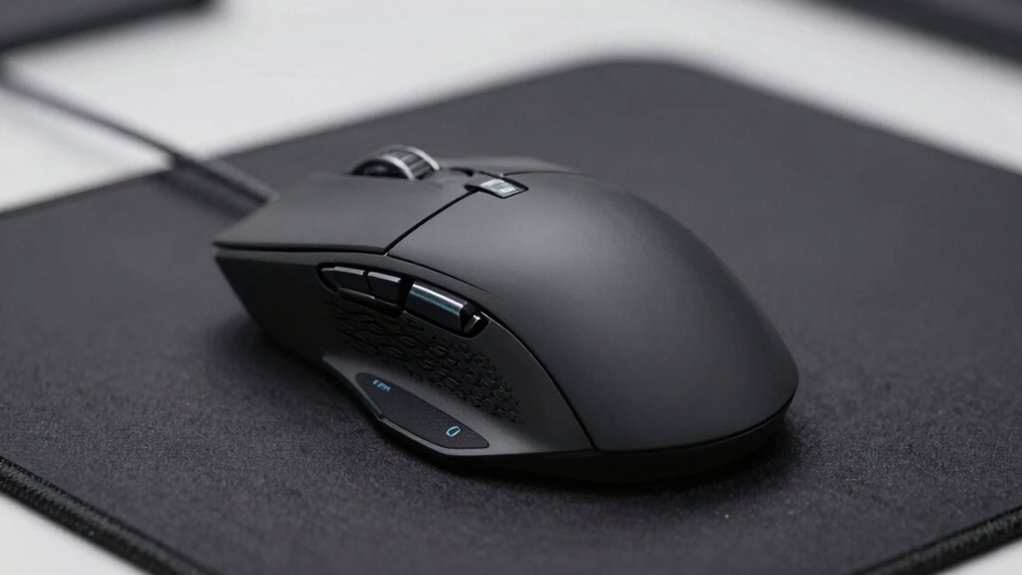
When you’re selecting a mouse for CS2, you’ll want to evaluate sensor precision and DPI settings to ensure your aim matches your playstyle, then decide between a wireless connection for mobility or a wired connection for guaranteed stability. Next, test the ergonomic grip and comfort level by holding the mouse to confirm it supports your hand size and grip style, since you’ll use it for extended gaming sessions. Finally, check the battery life expectations if you choose wireless, and verify the durability ratings and click longevity specifications so your investment lasts through competitive play.
Sensor Precision And DPI
Why does your mouse’s sensor matter so much in CS2? Your sensor determines how accurately your mouse translates physical movement into on-screen cursor positioning. Higher DPI values enable faster aim adjustments, while sensor precision ensures pixel-perfect tracking during intense engagements.
Optical sensors typically operate within the 18K–45K DPI range, offering reliable tracking at both low and high speeds. You’ll want 1-to-1 movement accuracy to maintain consistent crosshair placement across rounds. Low-latency reporting reduces timing discrepancies during aim duels by providing immediate feedback on micro-movements.
Consider your mousepad and desk surface compatibility. Different textures affect stability and accuracy, so test your mouse on your actual playing surface. Select a sensor that performs consistently across varying conditions you’ll encounter in competitive matches.
Wireless Versus Wired Connection
How you connect your mouse to your PC directly impacts your competitive performance in CS2. Wired mice eliminate battery concerns entirely, delivering consistent power and lower latency essential for high-precision aiming. You’ll experience no connection drops or recharge delays during extended tournaments. Wireless mice offer flexibility through 2.4GHz and Bluetooth connections, allowing you to move freely within a 10-meter range without cables. Battery life reaches up to 200 hours per charge on quality models, though you’ll need to manage recharging schedules. Consider your play style: if you prioritize stability and zero latency, choose wired. If you value cable-free movement and can maintain charging discipline, wireless works. Most pro players favor wired for competitive matches due to superior reliability.
Ergonomic Grip And Comfort
Your mouse’s ergonomic design directly affects your performance and endurance in CS2 matches. Choose a grip style that matches your hand technique: palm grip requires larger, unified shapes that distribute pressure evenly, while claw grip benefits from contoured sides supporting finger positioning. Select textured surfaces—rubber sides or frosted coatings—to prevent slipping during rapid strafes and aiming. Confirm the mouse weight ranges between 56–59 grams for improved maneuverability and micro-adjustments. Verify button placement suits your hand orientation; right-handed designs position buttons for quick access without reaching. Test the mouse during extended practice sessions to identify fatigue points. Consistent button layouts build muscle memory for repeated scenarios, enabling faster reaction times when executing CS2 strategies.
Battery Life Expectations
When you’re selecting a wireless mouse for CS2, battery longevity directly impacts your competitive readiness and practice consistency. Look for models advertising 150–200 hours per charge to minimize interruptions during extended sessions. If you play at 1000 Hz polling, prioritize mice using energy-efficient 2.4GHz wireless technology, which maximizes battery efficiency while maintaining low latency. Check the manufacturer’s specifications for stated hours per charge under actual gaming conditions, not ideal scenarios. For portable play on laptops, ensure your mouse has a reliable 10-meter range that sustains performance throughout full battery cycles. Avoid renewed or refurbished units, as their battery longevity remains uncertain. Calculate your weekly gaming hours and select a mouse whose advertised battery life exceeds that requirement by a comfortable margin, preventing unexpected power loss during competitive matches.
Durability And Click Longevity
Why does click longevity matter for CS2? You’ll perform hundreds of clicks during competitive matches, so your mouse must withstand this intensity without degradation.
Look for mice rated for 80 million clicks or higher. This durability threshold ensures your mouse won’t fail mid-session. Check the switch specifications and manufacturer claims for proof of these ratings.
Examine the build quality next. Metal or reinforced plastic enclosures resist wear better than standard plastic. Inspect the cable and wireless components for robustness, as these areas commonly fail first.
Review warranty length carefully. A 1-year warranty indicates the manufacturer’s confidence in their product’s durability. Longer warranties suggest greater reliability.
Verify the mouse has proven switches with reliable actuation. Consistent performance over months matters more than initial feel. Research customer reviews focusing on long-term usage before purchasing.
Polling Rate Performance
Polling rate measures how often your mouse reports its position to your computer, and this metric directly impacts your responsiveness in CS2. Higher polling rates—such as 8000 Hz—reduce input latency, making your aim feel snappier during fast flicks and headshots.
Check your mouse’s default polling rate first. Some mice cap at 1000 Hz and require enabling higher rates through software. Wireless mice with Gen 2 technology deliver true 8000 Hz polling with consistent latency, though interference or low battery levels can introduce slight variability.
Balance polling rate with sensor performance and wireless stability. A high polling rate won’t improve your aim if your sensor tracking or connection drops during rapid movements. Verify your mouse supports stable, interference-free performance at your chosen polling rate before competitive play.
Aesthetic Theme Compatibility
Visual cohesion between your mouse and CS2’s in-game aesthetic can reinforce immersion and create a unified desk setup. Consider these alignment options: First, match your mouse to CS2-inspired color schemes like the Dragon Lore design’s gold and blue tones. Second, select peripherals featuring Counter-Strike branding or weapon skin artwork that mirror in-game visuals. Third, coordinate your mouse with a themed mousepad to establish thematic consistency across your desk space. Fourth, prioritize limited edition CS2 collaborations that directly reflect current weapon skin trends. These aesthetic choices won’t improve your gameplay performance, but they’ll strengthen the visual connection between your peripheral setup and the game’s design language, creating a cohesive gaming environment that enhances your overall experience.
Final Thoughts
You’ll want to select a mouse that matches your grip style and sensitivity preference. Pick between lightweight options like the Razer DeathAdder V4 Pro for speed or ergonomic choices like the MCHOSE A7 V2 for comfort. Pair your mouse with a quality mousepad—QcK or Gigantus V2—to ensure consistent tracking. Test your final setup during practice sessions before competitive play to confirm it meets your performance needs.

Meet Ry, “TechGuru,” a 36-year-old technology enthusiast with a deep passion for tech innovations. With extensive experience, he specializes in gaming hardware and software, and has expertise in gadgets, custom PCs, and audio.
Besides writing about tech and reviewing new products, he enjoys traveling, hiking, and photography. Committed to keeping up with the latest industry trends, he aims to guide readers in making informed tech decisions.