
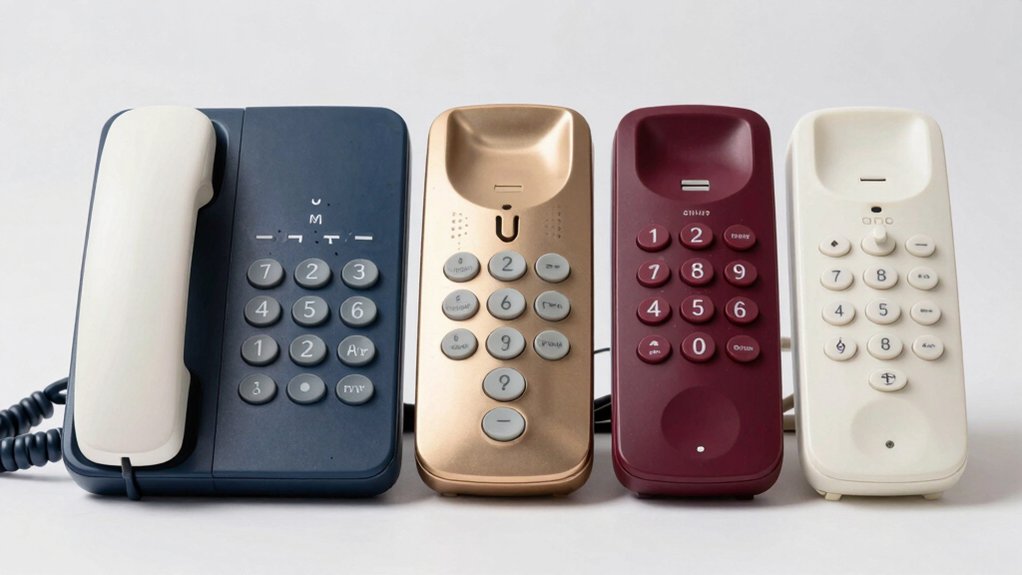

When you’re shopping for a phone that’s easier to use, you’ll want to focus on specific features that matter most. Large buttons reduce dialing errors and eye strain. Speaker functions let you hear calls clearly. Memory buttons store frequently called numbers. You can choose between corded desk models, wall-mounted units, or portable options—each offers different advantages depending on where you’ll use it most. Understanding these choices helps you narrow down which model fits your needs best. Let’s explore the top options available.
| Large Button Landline Phone for Seniors & Hearing Impaired |

| Most Amplified | Button Size: 1.06″ x 1.18″ large buttons | Ringer Volume & Alert: 110dB+ amplified ringer with flashing indicator light | Handset/Earpiece Volume: 80dB+ handset volume, adjustable | VIEW LATEST PRICE | Read Our Analysis |
| Big Button Phone for Wall or Desk with Speaker and Memory |

| Best for Wall Mounting | Button Size: Extra-large numbers | Ringer Volume & Alert: Loud ring tone with Hi-LO switchable setting and LED indicator | Handset/Earpiece Volume: Hands-free speaker with adjustable volume | VIEW LATEST PRICE | Read Our Analysis |
| Large Key Wired Telephone with Adjustable Volume |

| Most Durable Build | Button Size: 1.0″ x 0.7″ oversized buttons | Ringer Volume & Alert: Adjustable ring tone with large bottom warning light | Handset/Earpiece Volume: Adjustable earpiece volume with ultra-high option | VIEW LATEST PRICE | Read Our Analysis |
| AT&T CD4930 Corded Phone with Answering System |
| Best with Answering System | Button Size: Extra-large, easy-to-read LCD | Ringer Volume & Alert: Standard call alert with Caller ID display | Handset/Earpiece Volume: Speakerphone for hands-free communication | VIEW LATEST PRICE | Read Our Analysis |
| Landline Phone for Seniors with Big Buttons (EX-LD-265) |

| Best Budget Option | Button Size: Large oversized keypad | Ringer Volume & Alert: Amplified ringer with flashing light alert | Handset/Earpiece Volume: Adjustable handset volume | VIEW LATEST PRICE | Read Our Analysis |
More Details on Our Top Picks
Large Button Landline Phone for Seniors & Hearing Impaired
Are you or a loved one struggling to see phone buttons or hear incoming calls? This corded landline phone solves both problems. The buttons measure 1.06 by 1.18 inches, making them simple to locate and press accurately. You’ll reduce dialing errors dramatically. The ringer amplifies to 110 decibels, and the handset volume reaches 80 decibels, accommodating hearing impairment. A flashing light signals incoming calls for added notification. You can store three frequently-called numbers using memory buttons M1, M2, and SOS for one-touch dialing. The phone requires no batteries since it operates through your landline connection alone. During power outages, you can still make calls. The nine-foot handset cord provides mobility throughout your home.
- Button Size:1.06″ x 1.18″ large buttons
- Ringer Volume & Alert:110dB+ amplified ringer with flashing indicator light
- Handset/Earpiece Volume:80dB+ handset volume, adjustable
- Memory/Quick Dialing:Memory buttons M1/M2/SOS for one-button calls
- Power Source & Outage Reliability:Landline-powered, no batteries required
- Construction Material:Plastic enclosure
- Additional Feature:One-button SOS memory dialing
- Additional Feature:Flashing indicator light signals
- Additional Feature:9-foot handset cord mobility
Big Button Phone for Wall or Desk with Speaker and Memory
If you’re searching for a phone that won’t strain your eyesight or your fingers, a big button phone with speaker and memory functions delivers the accessibility you need. This corded landline requires no external power supply and stores numbers during outages. The extra-large buttons and simple layout let you dial quickly without errors. You’ll access ten preset memory slots for family and emergency contacts, reducing reliance on recall. The adjustable speaker volume and switchable Hi-LO ring tone accommodate hearing differences. An LED indicator alerts you to incoming calls, while the hands-free speaker enables conversation without lifting the handset. Wall or desk placement keeps frequently used numbers within immediate reach.
- Button Size:Extra-large numbers
- Ringer Volume & Alert:Loud ring tone with Hi-LO switchable setting and LED indicator
- Handset/Earpiece Volume:Hands-free speaker with adjustable volume
- Memory/Quick Dialing:10 two-touch memory options for contacts
- Power Source & Outage Reliability:Landline-powered, numbers stored during outages
- Construction Material:Not specified
- Additional Feature:Hands-free speakerphone capability
- Additional Feature:Ten contact memory options
- Additional Feature:Wall or desk placement
Large Key Wired Telephone with Adjustable Volume
You’ll want to choose this wired telephone model if you’re managing hearing difficulties or vision challenges that make standard phones frustrating to use. The oversized buttons measure 1.0 inches wide and 0.7 inches long, requiring minimal pressure to dial. Adjust the ring tone volume and earpiece volume independently using the controls on the handset. The large bottom warning light alerts you to incoming calls visually. During power outages, the telephone line power supply keeps the phone operational, ensuring you can contact loved ones. The durable ABS body resists drops and damage from regular handling and accidental falls.
- Button Size:1.0″ x 0.7″ oversized buttons
- Ringer Volume & Alert:Adjustable ring tone with large bottom warning light
- Handset/Earpiece Volume:Adjustable earpiece volume with ultra-high option
- Memory/Quick Dialing:No memory feature specified
- Power Source & Outage Reliability:Telephone line powered, operates during power failures
- Construction Material:ABS body for durability
- Additional Feature:Ultra-high volume hearing option
- Additional Feature:Bottom warning light indicator
- Additional Feature:Fall-resistant ABS body
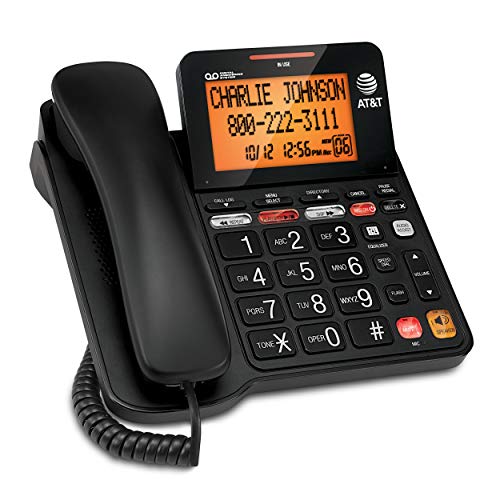
AT&T CD4930 Corded Phone with Answering System
The AT&T CD4930 works well for seniors who need straightforward call management without complicated buttons or confusing menus. You’ll see incoming calls displayed on the extra-large backlit LCD screen showing the caller’s name, number, time, and date. The base unit tilts for better viewing angles, and you can access call history from either the handset or base. The answering system digitally records up to 25 minutes of messages, announcements, and memos. You can play back, save, delete, skip, or repeat messages using either device. The speakerphone enables hands-free conversations for multiple listeners, making group calls simpler.
- Button Size:Extra-large, easy-to-read LCD
- Ringer Volume & Alert:Standard call alert with Caller ID display
- Handset/Earpiece Volume:Speakerphone for hands-free communication
- Memory/Quick Dialing:Caller ID with call history
- Power Source & Outage Reliability:Requires power supply (corded, no battery backup specified)
- Construction Material:Black plastic housing
- Additional Feature:Digital answering system records
- Additional Feature:Backlit tilting LCD display
- Additional Feature:Caller ID and history
Landline Phone for Seniors with Big Buttons (EX-LD-265)
For seniors who struggle with small keypads or need a phone that works during power outages, the EX-LD-265 offers a corded landline solution with oversized buttons designed specifically for easy dialing. The large keypad reduces missed digits and accidental misdials. You can adjust both the handset volume and ringer volume to match your hearing needs, then customize the ring tone to your preference. A flashing light alert accompanies the loud ringer, providing visual notification when calls arrive. One-touch dialing and redial functions minimize the steps required to reach frequently called contacts. The ABS plastic body resists daily wear while remaining comfortable to hold. Since this corded phone connects directly to your wall jack, it maintains full functionality during power outages when cordless alternatives fail.
- Button Size:Large oversized keypad
- Ringer Volume & Alert:Amplified ringer with flashing light alert
- Handset/Earpiece Volume:Adjustable handset volume
- Memory/Quick Dialing:One-touch dialing and redial function
- Power Source & Outage Reliability:Landline-powered corded design
- Construction Material:ABS body for comfort and durability
- Additional Feature:One-touch redial function
- Additional Feature:Flashing light alert system
- Additional Feature:Classic retro design aesthetic
Factors to Consider When Choosing Large Button Phones for Seniors
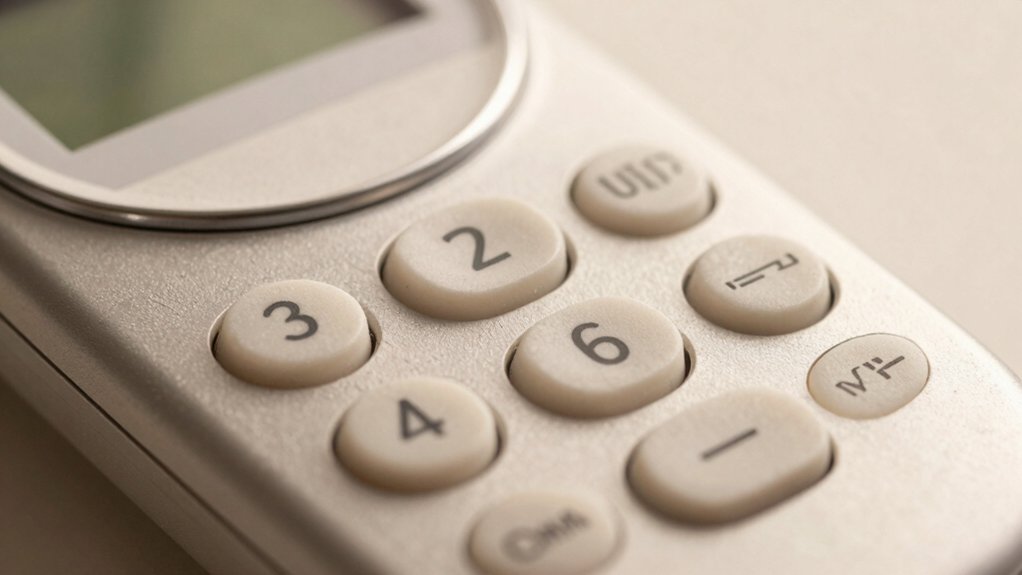
When you’re selecting a large button phone for seniors, you’ll want to evaluate five key features: button size and spacing that allow comfortable dialing without accidental key presses, ringer volume and clarity loud enough to hear from another room, memory and speed dial functions that store frequently called numbers, power outage reliability so the phone works during electrical failures, and handset volume adjustment that lets you control how loud incoming calls sound. Each of these factors directly affects how easily a senior can use the phone in daily situations, from making routine calls to receiving emergency contacts. Review each feature against the user’s specific needs, such as hearing ability, dexterity level, and how often they’ll need to dial numbers independently.
Button Size And Spacing
Why does button size matter so much when you’re shopping for a large button phone? Larger buttons—typically 1.0 to 1.18 inches per key—reduce dialing errors and improve finger accuracy, especially if you have limited dexterity. You’ll want adequate spacing between buttons to prevent mispresses and accidental key contact. Check that the keypad layout maintains the familiar phone arrangement while keeping buttons distinct and easy to identify visually. Many models include memory or speed-dial keys (M1, M2, SOS) positioned separately from main digits for quick access without confusion. Test the phone in-store if possible, pressing keys to ensure comfortable finger placement. Verify that button separation is sufficient for your hand size and comfort level before purchasing.
Ringer Volume And Clarity
How loud does a phone’s ringer need to be for you to hear it reliably? You need a ringer volume of at least 110 dB to cut through typical household noise. Test the phone’s loudest setting from different rooms to confirm you’ll hear calls consistently. Look for models with adjustable volume controls so you can customize the sound to your hearing needs and room acoustics. Consider phones pairing loud ringers with amplified handsets—80 dB+ handset volume adds another detection layer. If you have hearing difficulty, choose a model with a high-contrast flashing indicator light that supplements the audio ringer. This visual alert works especially well in noisy environments or when you’re away from the phone. Check product specifications for decibel ratings before purchasing.
Memory And Speed Dial
Memory and speed-dial functions let you store frequently called numbers so you can reach contacts with just one or two button presses instead of dialing manually each time. Most large-button phones include 2 to 10 quick-dial slots labeled M1, M2, or similar designations. To use this feature, you’ll press a designated memory button, enter the phone number, then assign it to a specific slot. During emergencies, you can quickly reach doctors, family members, or neighbors without searching for contact information. Speed-dial also reduces dialing errors since you’re not manually entering long numbers repeatedly. Since landline phones don’t depend on batteries, your stored contacts remain accessible even during power outages, making memory functions reliable for consistent access to important numbers.
Power Outage Reliability
While speed-dial functions help you reach contacts quickly under normal conditions, you’ll want to contemplate what happens when the power goes out in your area. All five large button phones reviewed here operate on landline power alone, requiring no external batteries or outlets. This means your phone continues working during blackouts, keeping you connected to family and emergency services.
Corded designs are essential for this reliability. The telephone line itself powers these units, eliminating dependence on household electricity. When choosing a model, verify the cord length reaches your preferred phone location. Check that the phone includes features like loud ringers and adjustable volume, which help you hear incoming calls even without electronic amplification during extended outages.
Handset Volume Adjustment
Most large button phones for seniors include a dedicated handset volume control that lets you raise the earpiece loudness to match your hearing needs. You’ll find this feature accessible through a dedicated button or menu option on the phone’s base or handset itself. Simply locate the volume control, then adjust it upward until you hear conversations clearly without straining. Many models offer multiple volume levels, including ultra-high settings for significant hearing impairment. This independent control works separately from your ringer volume, so you can customize each feature individually. The handset volume adjustment remains functional during power outages since corded phones don’t depend on external power. This capability ensures you maintain clear communication when you need it most, reducing call repetition and improving your overall phone experience.
Visual Alert Indicators
Beyond adjusting your handset volume, you’ll want to contemplate visual alert indicators if you or the senior user you’re shopping for has hearing loss or simply can’t always hear the phone ring. Many large button phones include flashing LED lights that activate when calls arrive, providing a visible notification system. These indicators work best when placed where you typically sit or spend time. Some models combine flashing lights with amplified ringers for dual-sensory alerts, ensuring you don’t miss important calls. Check that the brightness level is sufficient for your lighting conditions—dimmer environments require brighter flashes. Look for phones that synchronize visual alerts with caller ID displays so you receive reinforced notification. Verify indicator placement on the phone’s body before purchasing to confirm visibility from your usual location.
Corded Versus Cordless
When you’re selecting a large button phone for a senior, deciding between a corded and cordless model is one of your first choices. Corded phones operate without battery power, so they’ll continue working during outages. They stay permanently positioned, which benefits seniors who prefer stable setups. Cordless models offer mobility but require charging and batteries.
Consider your needs. If the senior has hearing aids or visual impairments, corded phones reduce wireless interference. If mobility matters, cordless phones provide flexibility around the home.
Both options feature amplified ringers and loud volumes. Many include memory buttons for quick emergency calls. For seniors who need reliability without maintenance, corded models deliver consistent performance. For those valuing movement freedom, cordless designs work better. Evaluate which priority fits your situation best.
Final Thoughts
You’ve now reviewed five reliable large button phones designed for seniors. To choose the right one, identify your specific needs: corded or cordless, wall or desk placement, and whether you want an answering system. Compare the button size, volume controls, and memory features across models. Test each phone’s dial tone clarity and button responsiveness before purchasing. Select the model that best matches your accessibility requirements and budget.

Meet Ry, “TechGuru,” a 36-year-old technology enthusiast with a deep passion for tech innovations. With extensive experience, he specializes in gaming hardware and software, and has expertise in gadgets, custom PCs, and audio.
Besides writing about tech and reviewing new products, he enjoys traveling, hiking, and photography. Committed to keeping up with the latest industry trends, he aims to guide readers in making informed tech decisions.