
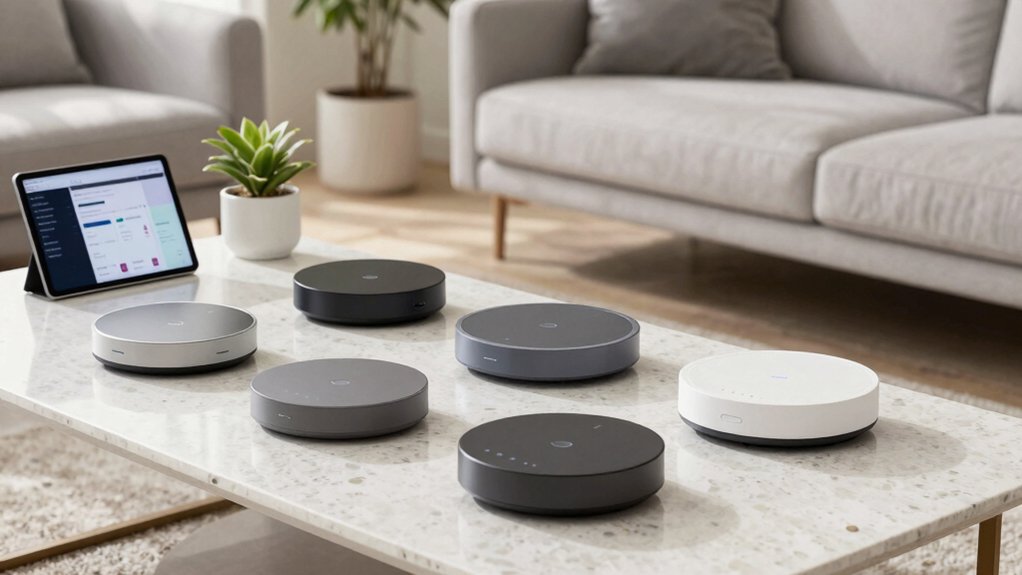

Choose a Matter-compatible hub that fits your setup and border routing needs. Start with Aqara M100 or Homey Pro 2026 for broad ecosystems and offline reliability, or Hubitat Elevation C-8 Pro for strong local control with Matter 1.5. For multi‑protocol needs, consider Aeotec Hubs or the M6 Hub, which support Zigbee, Thread, and Matter with border routing. Pair devices by protocol, ensure OTA updates, and verify cross‑ecosystem bridges. If you want more options, you’ll get additional guidance later.
Aeotec Smart Home Hub: Zigbee, Z-Wave, Matter Gateway
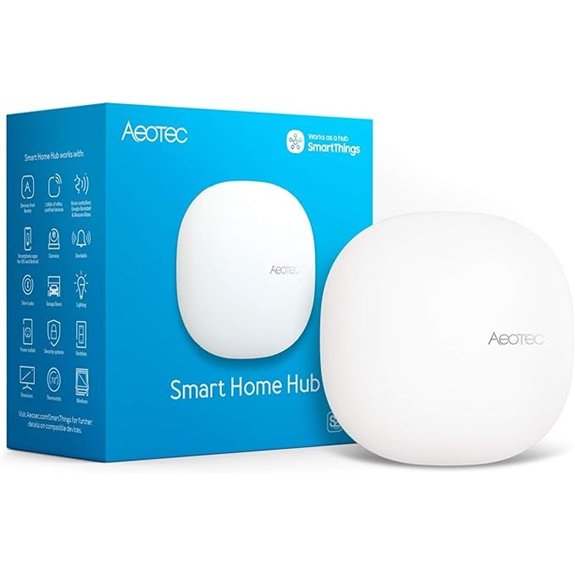
The Aeotec Smart Home Hub is ideal if you want one device that handles Zigbee, Z-Wave, and Matter in a single interface. You connect the hub to your network and open the SmartThings app. The hub acts as a gateway, linking thousands of compatible devices. Use it to control lighting, comfort, and energy use, and set automations that coordinate lights, sensors, and switches. Create routines and scenes across brands, then run them locally for speed. Manage devices via Android, iOS, or iPadOS. It supports Ethernet or Wi‑Fi, Matter certification, and Z-Wave Plus compatibility for future devices.
Aeotec Smart Home Hub2 — Zigbee, Matter, SmartThings Gateway
https://m.media-amazon.com/images/I/61-iyJorvrL._AC_SX679_.jpg
If you want a Matter-compatible hub that integrates with a large Samsung-driven ecosystem, the Aeotec Smart Home Hub2 is your best option. You’ll use SmartThings to connect, monitor, and automate from the app. It supports Matter and Zigbee, enabling lighting, sensors, plugs, and more with thousands of devices. Note that Z-Wave isn’t supported. Set up via Wi‑Fi or Ethernet in minutes, suitable for apartments or houses. Use automations for security, lighting, and energy savings, with many local routines working offline. It’s compatible with Alexa and Google Assistant, and it functions as a SmartThings hub and gateway.
Matter M6 Hub: Zigbee & Matter Gateway with Antenna
https://m.media-amazon.com/images/I/61KVJo7UExL._AC_SX679_.jpg
For a reliable, future-proof hub that combines Zigbee compatibility with Matter support, the Matter M6 Hub stands out by acting as both a Zigbee bridge and a Matter gateway with an antenna. You can connect 125+ devices, including lights, sensors, and plugs, in large or multi-story homes. Set up in minutes using the app, then enable OTA updates for performance improvements. Use dual-protocol mode to run Zigbee and Matter concurrently, with border router functionality when needed. Note: Alexa isn’t supported. Check compatibility with Matter, Tuya, Google Home, and SmartThings before pairing.
Kasa Matter Smart Switch 3-Pack with Voice Control
https://m.media-amazon.com/images/I/61dv14P8bqL._SX522_.jpg
Kasa Matter Smart Switch 3-Pack with Voice Control stands out for unified Matter compatibility plus reliable offline operation. You install this switch with the Kasa app, wiring a neutral conductor and a standard wall plate. Connect to 2.4GHz Wi‑Fi, then use LAN control for offline operation. Use Voice Control with Siri, Alexa, or Google Assistant to turn lights on or off hands-free. Schedule timers and countdowns to automate lighting patterns, and enable Away Mode to randomize on/off behavior. Manage controls from multiple ecosystems via Multi-Admin, and monitor light status in the Kasa app from anywhere.
Aqara Smart Hub M100: Matter Controller & Thread Router
https://m.media-amazon.com/images/I/51iz6liRfQL._AC_SX679_.jpg
The Aqara Smart Hub M100 stands out as the best pick if you want a single, versatile hub that handles both Matter and Thread without extra hardware. You set it up as a Matter Controller and Thread Router, then connect Aqara Zigbee and Thread devices. It supports up to 20 Zigbee and 20 Thread devices, with a Matter Bridge to Apple Home, Alexa, and Home Assistant. Use 2.4GHz Wi‑Fi 6 with WPA3, and keep the hub powered with a 5V⎓0.5A adapter (not included). Place it with the 210-degree adjustable shaft for optimal coverage. Add lights, sensors, and thermostats as supported.
Homey Pro 2026: Smart Hub with Matter, Thread, Z-Wave
https://m.media-amazon.com/images/I/51MbbCMVMgL._SX522_.jpg
Homey Pro 2026 stands out for its local-first processing and broad device support, making it a top pick if you want a truly private, multi-brand hub that can run complex automations without relying on cloud services. You setup the hub by connecting power and network, then add Matter, Thread, and Z-Wave devices in the Homey app. Configure Flows to automate scenes, like turning lights off when you leave, or start music on arrival. Use the real-time controls for monitoring, and review energy data to optimize schedules. Expand capacity with additional RAM and new devices from supported brands daily.
Hubitat Elevation C-8 Pro: Local Control, Matter 1.5
https://m.media-amazon.com/images/I/513nFISy0jL._AC_SX679_.jpg
Hubitat Elevation C-8 Pro stands out if you want true local control with Matter 1.5 support, so your automations run even when the internet is down. You set up the hub to operate offline by default, then enable Matter 1.5 for device compatibility. Next, verify supported devices in the compatibility list and add them directly to the hub. Use the built-in rules engine to create schedules and AI-assisted automations without cloud access. Expect fast responses and enhanced privacy, with no subscriptions needed. Keep firmware updated via regular platform updates, which add features without new hardware.
Factors to Consider When Choosing Matter-Compatible Smart Home Hubs
First, assess ecosystem compatibility to ensure your existing devices will work smoothly; then compare local processing advantages to reduce cloud reliance and improve responsiveness. Next, evaluate device support range, future-proofing features, and setup/interoperability steps, using concrete examples like setup wizards and supported protocols. Finally, outline a practical decision path: identify must-have features, test interoperability, and confirm ongoing updates and customer support options.
Ecosystem Compatibility Scope
When evaluating Matter-compatible hubs, start by assessing your ecosystem goals and device mix. Identify how many protocols you need beyond Matter, from Zigbee or Thread to Z-Wave, and decide whether you want a single-protocol hub or a multi-protocol ecosystem. Consider whether you need a gateway or border router that bridges Matter devices with other ecosystems, and confirm cross-compatibility for your existing devices. Check which assistants are supported, such as Alexa, Google Assistant, Siri, or SmartThings, since some hubs omit certain options. Look at local-first processing as a reliability factor during outages, and verify if on-device automation supports your routines. Compare models based on these criteria, then select one that meets your current setup and future expansion plans.
Local Processing Advantage
Local processing improves reliability and privacy right away. You should look for a hub that runs automations on-device, not in the cloud. This keeps routines working during internet outages and speeds up responses. Check how data stays local: verify that sensor data, camera events, and scene commands aren’t sent off-site by default. Favor hubs that advertise on-device processing for core automations, like security triggers and lighting scenes. Test stability by simulating connection drops to see if core functions continue. Consider a model with independent local backups so essential automations remain active even if cloud services fail. Compare two hubs: one prioritizing local control with offline mode, another relying on remote processing; choose the former for reliability and privacy.
Device Support Range
To choose a Matter-compatible hub that covers your devices, start by evaluating the range of supported protocols and device types. Check whether the hub supports Zigbee and Thread, and see if it includes Z-Wave or Bluetooth for older devices. Determine how many device types are officially listed, such as lights, sensors, plugs, switches, thermostats, and cameras. Note any caps on compatible devices, like 125+ devices, which affect scale. Consider cross-ecosystem support, including bridging to Apple HomeKit, Alexa, Google Assistant, or Home Assistant, to expand practical range beyond native Matter devices. Review how border router capabilities and software updates influence future compatibility. Use this data to map your existing and planned devices to the hub’s documented support. Confirm there are no omissions before purchase.
Future-Proofing Features
Future-proofing hinges on choosing a hub that stays useful as standards evolve. Start by confirming Matter support with border router capability, which enables seamless cross-ecosystem interoperability as new devices adopt Matter. Consider a dual- or multi-protocol hub that handles Zigbee, Matter, and Thread, reducing the need for extra hubs and maintaining compatibility as standards converge. Look for local processing and offline operation to keep automations running without cloud changes, preserving functionality when ecosystems shift. Check that the hub receives regular OTA updates that add Matter-related features, ensuring ongoing support for new devices and revisions. Favor a hub with flexible expansion, capable of supporting multiple devices, threads, and ecosystems to minimize obsolescence over time.
Setup And Interoperability
When choosing a Matter-compatible hub, start by confirming it can border-route to connect Thread and Zigbee devices within one network. Then check setup options, typically Wi‑Fi or Ethernet, and note if a specific power adapter or supply is required for stable operation. Plan for local automations, since offline operation improves reliability when internet access is intermittent or unavailable. Verify cross-ecosystem interoperability through Matter bridges or multi‑protocol support, so devices from different ecosystems communicate. Review compatibility details that list supported protocols, such as Matter, Zigbee, and Thread, and note exclusions like no Z‑Wave. Consider practical steps: confirm your router supports border routing, install the hub, and add devices one protocol at a time. Test during setup to ensure seamless device pairing and ongoing operation.
Final Thoughts
To choose a Matter-compatible hub, compare their core roles and steps. Start by listing must-haves: Matter support, Thread, Zigbee, Z-Wave, or local control. Next, match hubs to your devices: Aeotec for broader protocol coverage, Matter M6 for antenna range, Aqara for controllers, Homey or Hubitat for local-only or advanced rules. Then verify compatibility with your devices, and plan setup steps: reset, connect to Matter, add automations. Finally, pick one and begin with a basic scene, then expand rules.

Meet Ry, “TechGuru,” a 36-year-old technology enthusiast with a deep passion for tech innovations. With extensive experience, he specializes in gaming hardware and software, and has expertise in gadgets, custom PCs, and audio.
Besides writing about tech and reviewing new products, he enjoys traveling, hiking, and photography. Committed to keeping up with the latest industry trends, he aims to guide readers in making informed tech decisions.