
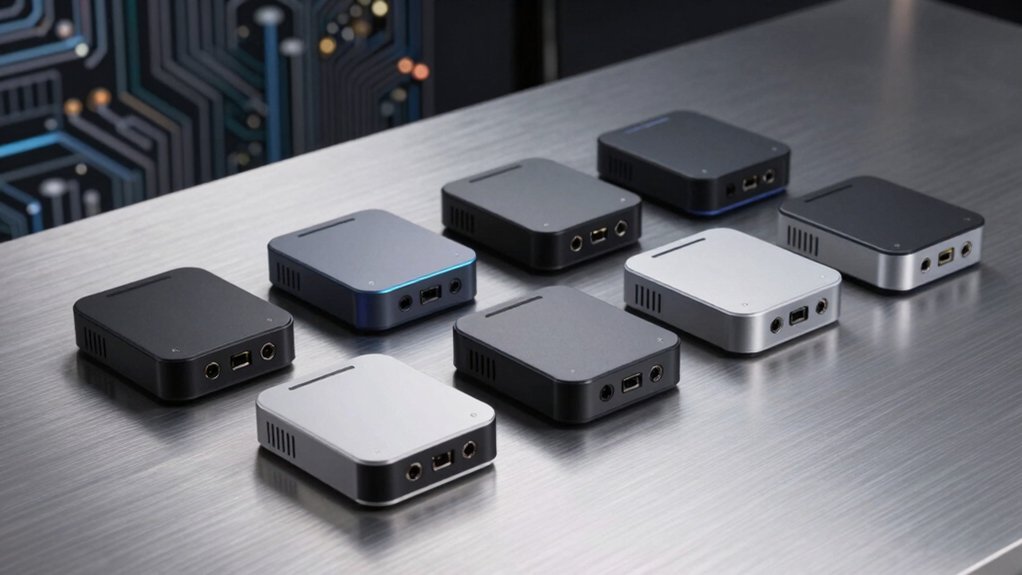

If you’re running AI models locally on your machine, you need the right hardware. Mini PCs designed for local LLMs offer compact size with serious processing power—think NPUs delivering 50+ TOPS, expandable RAM up to 128 GB, and efficient cooling systems. You’ll find options from GMKtec and MINISFORUM that balance performance, thermal management, and connectivity. But choosing the right one depends on specific factors you should understand before investing.
| GMKtec AI Mini PC Ryzen AI Max+ 395 |

| Best Overall | AI Acceleration: XDNA 2 NPU, 50+ peak AI TOPS | Processor: AMD Ryzen AI Max+ 395 (16 cores, 32 threads, 5.1 GHz) | Base Memory Configuration: 128 GB LPDDR5X | VIEW LATEST PRICE | Read Our Analysis |
| GMKtec EVO-X2 AI Mini PC Ryzen Max |

| Best for AI Performance | AI Acceleration: XDNA 2 NPU, 50+ peak AI TOPS | Processor: AMD Ryzen AI Max+ 395 (16 cores, 32 threads, 5.1 GHz) | Base Memory Configuration: 128 GB LPDDR5X | VIEW LATEST PRICE | Read Our Analysis |
| MINISFORUM MS-02 Ultra Workstation Mini PC Barebone |
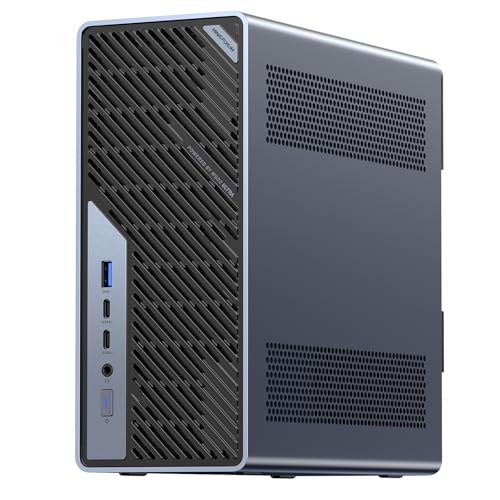
| Most Expandable | AI Acceleration: Intel NPU, 13 TOPS | Processor: Intel Core Ultra 5 235HX (14 cores, 14 threads, 5.1 GHz) | Base Memory Configuration: Barebone (up to 256 GB DDR5 SODIMM) | VIEW LATEST PRICE | Read Our Analysis |
| GMKtec AI Mini PC Ryzen AI Max+ 395 |

| Best Integrated Solution | AI Acceleration: XDNA 2 NPU, 50+ peak AI TOPS | Processor: AMD Ryzen AI Max+ 395 (16 cores, 32 threads, 5.1 GHz) | Base Memory Configuration: 64 GB LPDDR5X | VIEW LATEST PRICE | Read Our Analysis |
| MINISFORUM MS-02 Ultra Workstation Mini PC Intel Core Ultra 9 |
| Professional Grade | AI Acceleration: Intel NPU, 13 TOPS | Processor: Intel Core Ultra 9 285HX (24 cores, 24 threads, 5.5 GHz) | Base Memory Configuration: Barebone (up to 256 GB DDR5 SODIMM) | VIEW LATEST PRICE | Read Our Analysis |
| Compact AI Server with Pre-Installed LLM Models |
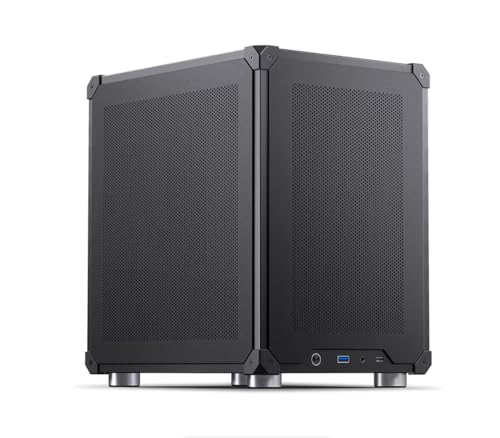
| Ready-to-Use Pick | AI Acceleration: Pre-installed 14B parameter LLMs with RAG framework | Processor: Not specified | Base Memory Configuration: Not specified | VIEW LATEST PRICE | Read Our Analysis |
More Details on Our Top Picks
GMKtec AI Mini PC Ryzen AI Max+ 395
If you’re running local language models and need a compact desktop that doesn’t sacrifice processing power, the GMKtec EVO-X2 with Ryzen AI Max+ 395 delivers the performance you’re looking for. The system features 16 CPU cores, 32 threads, and an XDNA 2 NPU capable of 50+ peak AI TOPS—essential for handling LLMs locally. You get up to 128 GB of eight-channel LPDDR5X memory, supporting VRAM allocation up to 96 GB for AI workloads. The integrated Radeon 8060S GPU with 40 compute units handles gaming and content creation alongside model inference. Storage scales to 4 TB per M.2 slot via PCIe 4.0 NVMe drives. Connectivity includes dual USB4 ports, 2.5 GbE Ethernet, Wi-Fi 7, and multi-display support up to 8K. Power consumption ranges from 54W in Quiet Mode to 140W in Performance Mode, making it adaptable to your workload demands.
- AI Acceleration:XDNA 2 NPU, 50+ peak AI TOPS
- Processor:AMD Ryzen AI Max+ 395 (16 cores, 32 threads, 5.1 GHz)
- Base Memory Configuration:128 GB LPDDR5X
- Storage:Up to 4 TB PCIe 4.0 M.2 per slot
- Display Support:Quad screen 8K/4K (HDMI 2.1, DisplayPort 1.4)
- Networking:2.5 GbE Ethernet, Wi-Fi 7 (46 Gbps), Bluetooth 5.4
- Additional Feature:Quad 8K display support
- Additional Feature:96GB VRAM allocation software
- Additional Feature:13 RGB lighting modes
GMKtec EVO-X2 AI Mini PC Ryzen Max
You’ll want the GMKtec EVO-X2 if you’re running demanding local LLM workloads that require both substantial processing power and dedicated AI acceleration. The Ryzen AI Max+ 395 processor delivers 16 cores running up to 5.1 GHz, while the XDNA 2 NPU provides 50+ peak AI TOPS for efficient model inference. You get 128 GB of LPDDR5X memory, expandable to 96 GB VRAM through software allocation. The triple-fan cooling system maintains ~35 dB noise in Quiet mode at 54W power consumption. WiFi 7 and 2.5 GbE Ethernet ensure reliable connectivity. Three power modes—Quiet, Balanced (85W), and Performance (140W)—let you adjust performance based on your workload demands and thermal preferences.
- AI Acceleration:XDNA 2 NPU, 50+ peak AI TOPS
- Processor:AMD Ryzen AI Max+ 395 (16 cores, 32 threads, 5.1 GHz)
- Base Memory Configuration:128 GB LPDDR5X
- Storage:2 TB PCIe 4.0 SSD
- Display Support:Quad screen 8K/4K (HDMI 2.1, DisplayPort 1.4)
- Networking:2.5 GbE Ethernet, Wi-Fi 7 (46 Gbps), Bluetooth 5.4
- Additional Feature:Eight-channel LPDDR5X memory
- Additional Feature:Triple fan 360° airflow
- Additional Feature:Wake-on-LAN capability
MINISFORUM MS-02 Ultra Workstation Mini PC Barebone
The MINISFORUM MS-02 Ultra is designed for professionals and developers who need a compact yet powerful workstation for AI model inference, algorithm development, and intensive computational tasks. You’ll configure this barebone system by adding DDR5 RAM (up to 256GB across four slots) and an SSD to match your workload demands. The Intel Core Ultra 5 235HX processor delivers 14 cores and a dedicated 13 TOPS NPU for accelerated AI operations. You can install desktop-class GPUs via the PCIe x16 slot for enhanced computing power. Industrial-grade cooling with dual fans sustains high-load operations reliably. Dual 10GbE networking ports ensure fast data transfer, while USB4 V2 connectivity supports three external displays simultaneously, enabling efficient multitasking for development work.
- AI Acceleration:Intel NPU, 13 TOPS
- Processor:Intel Core Ultra 5 235HX (14 cores, 14 threads, 5.1 GHz)
- Base Memory Configuration:Barebone (up to 256 GB DDR5 SODIMM)
- Storage:Barebone (up to 4 TB per slot)
- Display Support:Up to three displays (HDMI 2.1, USB4 V2, 8K@60Hz)
- Networking:10GbE + 2.5GbE Ethernet, Wi-Fi 7, Bluetooth 5.4
- Additional Feature:256GB maximum memory capacity
- Additional Feature:Industrial-grade 6-heatpipe radiator
- Additional Feature:PCIe x16 GPU expansion
GMKtec AI Mini PC Ryzen AI Max+ 395
For users who need to run large language models locally without relying on cloud services, the GMKtec EVO-X2 Ryzen AI Max+ 395 Mini PC delivers the processing power required to handle demanding AI workloads efficiently. The system features a 16-core Ryzen AI Max+ 395 processor with 32 threads and an XDNA 2 NPU providing 50+ peak AI TOPS. You’ll get 64 GB LPDDR5X memory and 2 TB storage to manage large models simultaneously. The integrated Radeon 8090S GPU with 40 RDNA 3.5 compute units supports multi-display setups. Dual USB 4 ports and Wi-Fi 7 connectivity enable fast data transfers. This configuration handles local LLM inference through LM Studio runtime without cloud dependency.
- AI Acceleration:XDNA 2 NPU, 50+ peak AI TOPS
- Processor:AMD Ryzen AI Max+ 395 (16 cores, 32 threads, 5.1 GHz)
- Base Memory Configuration:64 GB LPDDR5X
- Storage:2 TB PCIe 4.0 SSD
- Display Support:Quad screen 8K/4K (HDMI 2.1, DisplayPort 1.4)
- Networking:2.5 GbE Ethernet, Wi-Fi 7 (46 Gbps), Bluetooth 5.4
- Additional Feature:Dual USB4 40Gbps ports
- Additional Feature:Oculink high-speed external connection
- Additional Feature:SSD/DDR5 dedicated cooling fan
MINISFORUM MS-02 Ultra Workstation Mini PC Intel Core Ultra 9
Need a compact system that doesn’t compromise on processing power for AI workloads? The MS-02 delivers with its Intel Core Ultra 9 285HX processor featuring 24 cores and a 13 TOPS NPU for efficient AI inference. You’ll access four DDR5 SODIMM slots supporting up to 256GB memory and four PCIe 4.0 M.2 slots for 24TB storage with RAID capabilities. The system includes a PCIe 5.0 x16 slot for desktop-class GPU upgrades, dual 25GbE ports for rapid data transfer, and USB 4.0 v2 connectivity. Its server-grade thermal architecture maintains performance during intensive workloads while operating as quietly as 36dB. You’re getting enterprise-grade security through Intel vPro and ECC memory protection, ideal for mission-critical AI development and deployment.
- AI Acceleration:Intel NPU, 13 TOPS
- Processor:Intel Core Ultra 9 285HX (24 cores, 24 threads, 5.5 GHz)
- Base Memory Configuration:Barebone (up to 256 GB DDR5 SODIMM)
- Storage:Up to 24 TB (4× PCIe 4.0 M.2 slots with RAID)
- Display Support:Up to three displays (HDMI 2.1, USB4 2.0, 8K@60Hz or 4K@120Hz)
- Networking:Dual 25GbE + 10GbE + 2.5GbE ports, Wi-Fi 7, Bluetooth 5.4
- Additional Feature:Dual 25GbE network ports
- Additional Feature:Intel vPro remote management
- Additional Feature:ECC memory error correction
Compact AI Server with Pre-Installed LLM Models
Want to run sophisticated AI locally without relying on cloud services or sacrificing your data privacy? A compact AI server with pre-installed LLM models gives you everything needed immediately. You get multiple 14-billion-parameter language models ready to use, plus RAG frameworks and embedding models for document processing. Switch between different models with one click or download new ones as they become available. The Mini ITX case design fits anywhere while mesh panels ensure proper cooling. You process all data locally, eliminate monthly cloud fees, and keep information completely private. This setup handles personal AI workloads efficiently without external dependencies.
- AI Acceleration:Pre-installed 14B parameter LLMs with RAG framework
- Processor:Not specified
- Base Memory Configuration:Not specified
- Storage:Not specified
- Display Support:Not specified
- Networking:Not specified
- Additional Feature:Pre-installed 14B LLM models
- Additional Feature:RAG framework ready-to-use
- Additional Feature:One-click model switching
Factors to Consider When Choosing a Mini PC for Local LLM
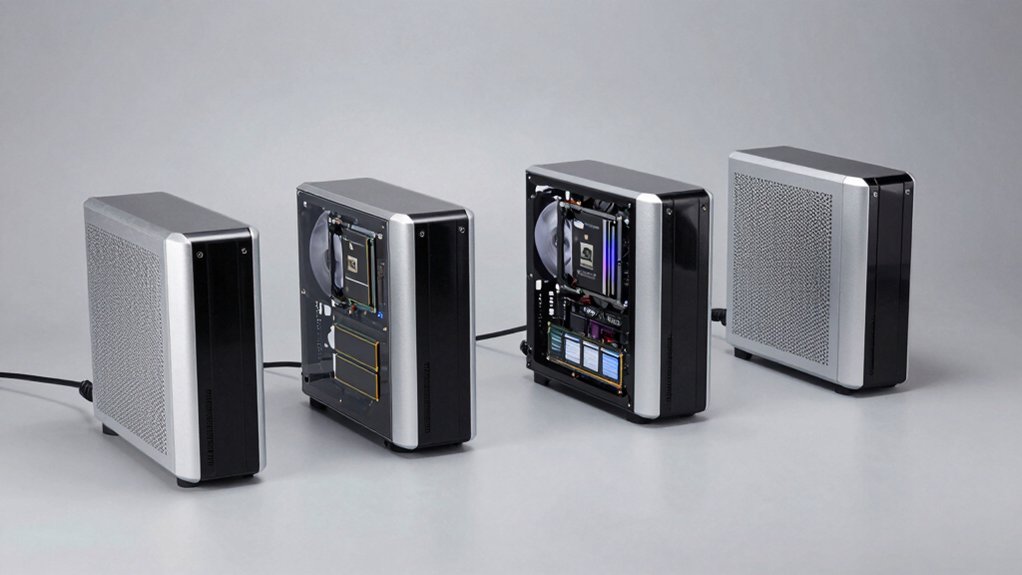
When you’re selecting a mini PC for local LLM deployment, you’ll need to evaluate five critical factors: the processing power required to run your chosen models at acceptable speeds, the RAM and storage capacity needed to load and operate those models simultaneously, the thermal management systems that prevent overheating during sustained use, the connectivity and ports available for peripherals and networks, and the presence of specialized NPU or AI acceleration hardware that speeds up inference tasks. Each factor directly impacts whether your mini PC can handle your specific LLM workload efficiently, so you should match these specifications against your model’s requirements before purchasing. Start by identifying your target model’s minimum specs, then cross-reference those demands against each mini PC candidate to find your best fit.
Processing Power Requirements
How do you match a mini PC’s hardware to your local LLM needs? Start by evaluating CPU requirements. You’ll want 16-core/32-thread processors that handle parallel inference tasks and data preprocessing effectively. Next, assess your AI accelerator options. An integrated NPU delivering 50+ peak AI TOPS significantly speeds transformer inference and reduces CPU workload. Then determine your VRAM needs. Allocate 32–96 GB based on model size and whether you’re running multiple models simultaneously. Check memory bandwidth specifications. Look for LPDDR5X at 8000 MT/s across eight channels to sustain throughput during matrix computations. Finally, verify storage capacity. Ensure dual M.2 slots with PCIe 4.0 NVMe support fast model loading and rapid dataset access critical for low-latency inference operations.
Memory and Storage Capacity
What’s the right memory and storage setup for your local LLM mini PC? Start by determining your model size. Models requiring 128 GB RAM demand systems with eight-channel LPDDR5X memory running at 8000 MT/s to handle large parameters without bottlenecks. Configure software-allocated VRAM up to 96 GB for larger context windows and batch processing during inference.
For storage, prioritize dual or multiple M.2 PCIe 4.0 SSD slots supporting up to 4 TB per slot. This setup enables fast model loading and accommodates datasets for local deployment. Consider barebone or upgradeable designs, which let you customize RAM and SSD capacity to match your specific workload needs rather than accepting fixed configurations.
Thermal Management Systems
Keeping your mini PC cool during sustained local LLM workloads is essential because heat directly impacts performance and component longevity. Look for systems with multi-heatpipe cooling and triple or more fans that circulate 360-degree airflow around the CPU, GPU, and AI accelerators. Dual cooling zones—one for the CPU and another for the GPU and SSD—help maintain lower temperatures across components. Choose aluminum or metal chassis designs, which dissipate heat more effectively than plastic alternatives. Verify that your mini PC operates in Performance mode without thermal throttling by checking sustained power specifications. Test noise levels during inference; systems running around 35 dB in Quiet Mode balance cooling effectiveness with acoustic comfort. These features combine to prevent overheating during extended AI processing sessions.
Connectivity and Ports
While thermal management keeps your hardware running smoothly during intensive processing, your mini PC’s connectivity and ports determine how efficiently you can move data, connect peripherals, and scale your local LLM setup. USB4 ports deliver 40 Gbps speeds for external GPUs and accelerators, eliminating bottlenecks during model inference. Multiple display outputs—HDMI 2.1 and DisplayPort 1.4—let you monitor dashboards and visualization tools across several screens simultaneously. PCIe 4.0 M.2 slots support up to 4 TB NVMe storage per slot, essential for storing large datasets and model checkpoints locally. 2.5 GbE Ethernet or Wi-Fi 7 connections ensure low-latency network access for model updates and dataset transfers. Evaluate your specific connectivity needs before purchasing to match your workflow requirements.
NPU and AI Acceleration
How much inference speed you’ll actually achieve depends largely on your mini PC’s Neural Processing Unit, or NPU—a dedicated chip that handles AI workloads independently from your CPU and GPU. Look for NPUs offering tens to hundreds of AI TOPS, which directly correlate with faster token generation and lower latency when running transformer models. Verify that your mini PC integrates NPU support with specialized runtimes like LM Studio to optimize model loading and execution. Check thermal and power specifications, since sustained AI throughput depends on efficient heat management and power budgets. NPU performance complements GPU compute, enabling you to run larger models smoothly on edge hardware without relying on cloud services. Prioritize mini PCs with proven NPU architectures, such as XDNA 2, for reliable on-device inference.
Power Consumption Efficiency
Most mini PCs designed for local LLM deployment will consume anywhere from 15 to 65 watts during sustained inference, so you’ll want to prioritize efficiency at every hardware level. Start by selecting CPUs with low thermal design power (TDP) ratings and efficient architectures that deliver strong performance per watt. Next, verify the system includes advanced cooling solutions like multi-heatpipe designs and multiple fans to maintain efficiency under continuous operation. Then check memory specifications—high-speed LPDDR5X with ample capacity reduces swapping and improves energy efficiency. Finally, examine power mode options such as Quiet, Balanced, and Performance settings that let you adjust energy consumption based on your specific workload requirements. Always compare total system power draw under actual LLM tasks rather than relying solely on peak specifications.
Expandability and Upgradability
After you’ve optimized your mini PC for efficient power consumption, you’ll want to guarantee it can grow alongside your AI workload demands. Check how many PCIe slots and M.2 NVMe ports the system offers for adding GPUs and storage. Count available RAM slots—more DIMM or SO-DIMM slots mean you can expand memory for larger models. Verify PCIe 4.0 or 5.0 support to avoid bandwidth bottlenecks during upgrades. Review cooling and power supply headroom to handle higher-performance components without thermal throttling. Finally, confirm whether the case design allows easy component swaps to minimize downtime. These upgradability factors ensure your mini PC won’t become obsolete as your AI requirements increase.
Final Thoughts
You’ll want to evaluate mini PCs based on your specific needs. Compare NPU performance (50+ TOPS is standard), RAM capacity (64–128 GB), and storage options. Check thermal management and cooling systems for sustained operation. Verify expandability through PCIe slots and RAM upgrades. Confirm connectivity with USB4 and DisplayPort outputs. Review power efficiency ratings. Test noise levels before purchasing. Select the model matching your AI workload requirements and budget constraints.

Meet Ry, “TechGuru,” a 36-year-old technology enthusiast with a deep passion for tech innovations. With extensive experience, he specializes in gaming hardware and software, and has expertise in gadgets, custom PCs, and audio.
Besides writing about tech and reviewing new products, he enjoys traveling, hiking, and photography. Committed to keeping up with the latest industry trends, he aims to guide readers in making informed tech decisions.