
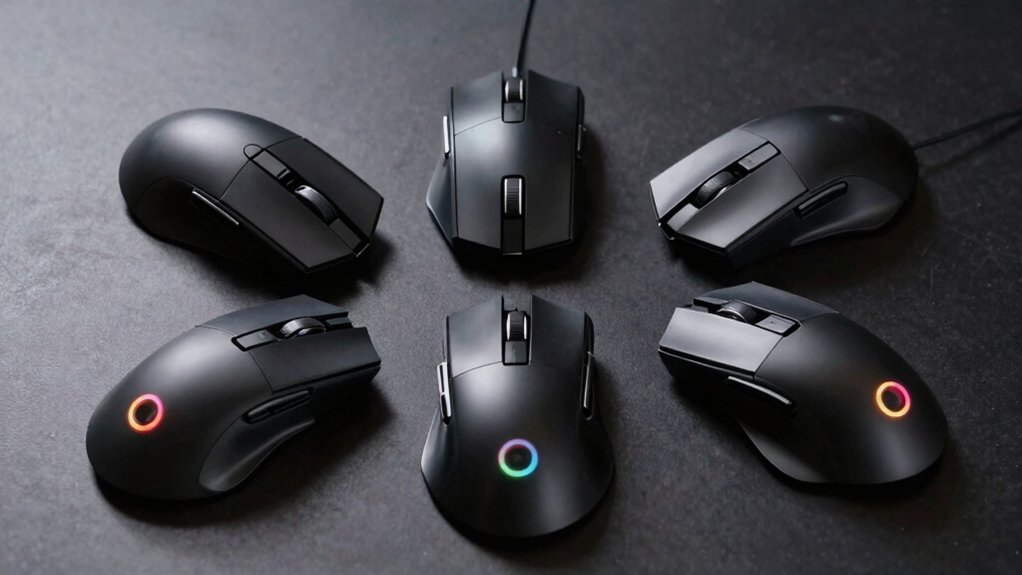

If you spend hours gaming and need quick access to multiple commands, you’re probably frustrated with standard mice that only offer two or three buttons. Power users—especially those playing MMOs, RTS games, or competitive shooters—rely on mice with 9 to 19 programmable buttons to execute complex sequences without breaking focus. The five mice we’re about to explore each deliver distinct advantages in sensor quality, wireless capability, and button layout. Finding your ideal match requires understanding what each option brings to your setup.
| Redragon M908 Impact RGB MMO Gaming Mouse |

| Best Wired Option | Programmable Buttons: 18 programmable buttons | Maximum DPI: 12,400 DPI | Connectivity Type: USB wired | VIEW LATEST PRICE | Read Our Analysis |
| Razer Naga V2 HyperSpeed Wireless MMO Gaming Mouse |

| Best Overall | Programmable Buttons: 19 programmable buttons | Maximum DPI: 30,000 DPI | Connectivity Type: Bluetooth and 2.4GHz wireless | VIEW LATEST PRICE | Read Our Analysis |
| Logitech G502 Hero Wired Gaming Mouse 25K Sensor |

| Best Precision | Programmable Buttons: 11 programmable buttons | Maximum DPI: 25,600 DPI | Connectivity Type: USB wired | VIEW LATEST PRICE | Read Our Analysis |
| SOLAKAKA SM809 Pro Gaming Mouse with 9 Side Buttons |
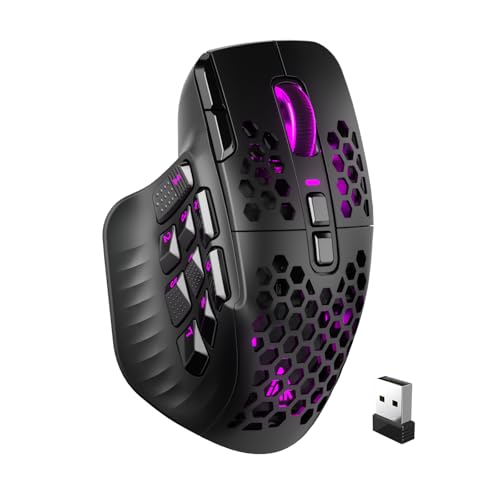
| Best Multi-Device | Programmable Buttons: 16 programmable macros | Maximum DPI: 24,000 DPI | Connectivity Type: 2.4GHz wireless, Bluetooth 5.0, USB Type-C | VIEW LATEST PRICE | Read Our Analysis |
| Redragon M901K MMO Gaming Mouse 12400 DPI |

| Best Value | Programmable Buttons: 19 programmable buttons | Maximum DPI: 12,400 DPI | Connectivity Type: USB wired | VIEW LATEST PRICE | Read Our Analysis |
More Details on Our Top Picks
Redragon M908 Impact RGB MMO Gaming Mouse
Why should you consider the Redragon M908 Impact if you’re a power user who demands extensive customization? You’ll access 18 programmable buttons, including 12 dedicated MMO side buttons, letting you assign macros and shortcuts directly through software. The mouse offers five memory profiles, each with customizable RGB lighting from 16.8 million colors. Adjust DPI between 200 and 12400 in increments of ±100 using the included software on Windows. The 8-piece weight tuning set lets you modify feel by adding 2.4g weights. With a 1000 Hz polling rate and Pixart PAW3327 sensor, you’ll experience responsive, precise tracking for competitive gaming and productivity tasks.
- Programmable Buttons:18 programmable buttons
- Maximum DPI:12,400 DPI
- Connectivity Type:USB wired
- Memory Profiles:5 memory profiles
- Weight Tuning:8-piece weight tuning set (2.4g each)
- RGB Lighting:16.8 million colors (disableable)
- Additional Feature:12 MMO side buttons
- Additional Feature:Pixart PAW3327 optical sensor
- Additional Feature:Gold-plated USB connector
Razer Naga V2 HyperSpeed Wireless MMO Gaming Mouse
If you’re juggling complex gaming commands or managing repetitive tasks across multiple applications, the Razer Naga V2 HyperSpeed delivers the button count you need. Its 19 programmable buttons let you assign macros and commands directly to the mouse, reducing keyboard reliance. The Focus Pro 30K optical sensor tracks accurately on any surface, while mechanical switches rated for 60 million clicks ensure durability. HyperScroll technology enables fast repeated actions or precision navigation depending on your mode. Battery life reaches 250 hours on HyperSpeed Wireless or 400 hours on Bluetooth. Use the Razer Synapse app to customize button functions and optimize performance for your workflow.
- Programmable Buttons:19 programmable buttons
- Maximum DPI:30,000 DPI
- Connectivity Type:Bluetooth and 2.4GHz wireless
- Memory Profiles:Customizable via Razer Synapse App
- Weight Tuning:Not included
- RGB Lighting:Not specified
- Additional Feature:HyperScroll technology dual mode
- Additional Feature:Mechanical switches Gen-2
- Additional Feature:400 hr Bluetooth battery
Logitech G502 Hero Wired Gaming Mouse 25K Sensor
The Logitech G502 Hero delivers 11 programmable buttons—more input options than most competitors—making it the ideal choice for power users who need extensive customization without sacrificing precision. You’ll adjust the HERO 25K sensor from 200 to 16,000 DPI, accommodating any play style. The on-board memory stores your profiles directly on the mouse, eliminating software dependency during gameplay. You can fine-tune weight distribution using up to five 3.6g weights for your preferred balance. The dual-mode scroll wheel switches between fast scrolling and click-by-click control. Connect via wired USB to PC or Mac, and customize lighting through Logitech Gaming Software to synchronize with other compatible products.
- Programmable Buttons:11 programmable buttons
- Maximum DPI:25,600 DPI
- Connectivity Type:USB wired
- Memory Profiles:On-board memory for profiles
- Weight Tuning:Up to five 3.6g adjustable weights
- RGB Lighting:LIGHTSYNC RGB lighting
- Additional Feature:HERO 25K sensor technology
- Additional Feature:Dual-mode hyper-fast scroll
- Additional Feature:Five 3.6g weight adjustments
SOLAKAKA SM809 Pro Gaming Mouse with 9 Side Buttons
For gamers who need extensive button customization across multiple devices, the SOLAKAKA SM809 Pro delivers flexibility through its triple-mode connectivity and 16 programmable macros. Connect via 2.4GHz wireless, Bluetooth 5.0, or USB Type-C wired connection depending on your setup needs. The PAW3311 sensor tracks movement up to 24000 DPI, providing precision control for competitive play. Customize your experience using four interchangeable magnetic side panels and fully programmable buttons. Access the online driver at solakakadriver.com to set macros and adjust RGB lighting without downloading software. Reset buttons and macro files directly through the web interface for quick adjustments during gaming sessions.
- Programmable Buttons:16 programmable macros
- Maximum DPI:24,000 DPI
- Connectivity Type:2.4GHz wireless, Bluetooth 5.0, USB Type-C
- Memory Profiles:Web-based driver customization
- Weight Tuning:Not specified
- RGB Lighting:RGB lighting customizable
- Additional Feature:Interchangeable magnetic side plates
- Additional Feature:PAW3311 high-precision sensor
- Additional Feature:Triple mode connection support
Redragon M901K MMO Gaming Mouse 12400 DPI
Need a mouse that’ll keep up with complex gaming sequences and productivity workflows? The Redragon M901K delivers 19 programmable buttons—12 positioned on the side—letting you execute commands without moving your hand. You’ll adjust DPI from 100 to 12400 and customize settings across 5 memory profiles. The mouse features eight removable 2.4-gram weights for balanced control during extended sessions. Its ergonomic design with skin-friendly material reduces fatigue, while optical sensor technology ensures precise tracking. You can remap buttons via macro editing and switch between two working modes instantly. RGB backlighting with 16.8 million colors personalizes your setup, and Redragon Zone software manages all customization options seamlessly.
- Programmable Buttons:19 programmable buttons
- Maximum DPI:12,400 DPI
- Connectivity Type:USB wired
- Memory Profiles:5 memory profiles
- Weight Tuning:Eight removable 2.4g weights
- RGB Lighting:16.8 million colors with 4 lighting modes
- Additional Feature:40G acceleration performance
- Additional Feature:5 memory profiles saved
- Additional Feature:Two working modes switchable
Factors to Consider When Choosing a Mouse With Lots of Buttons
When you’re selecting a multi-button mouse, you’ll want to evaluate button layout and ergonomics first to ensure your hand fits comfortably during extended use, then assess programmability and macro support so you can customize each button for your specific tasks. Next, check the sensor performance and accuracy specifications, review the connectivity options available—whether you need wireless, wired, or both—and finally consider weight tuning capabilities if you want to adjust the mouse to your preference. Each of these factors directly affects how well the mouse will perform for your particular workflow.
Button Layout And Ergonomics
Three primary factors determine whether a mouse with lots of buttons will actually work for you: side button count and spacing, customizable panel options, and weight distribution.
First, examine the side button arrangement. MMO mice typically feature 12–19 buttons along the thumb region. Test whether you can reach each button without stretching your fingers uncomfortably. Proper spacing prevents accidental clicks during rapid gameplay.
Second, look for interchangeable side panels. These let you adjust button placement to match your hand size and grip style, reducing finger strain during extended sessions.
Third, check weight distribution and removable weights. A well-balanced mouse prevents hand fatigue when reaching multiple side buttons. Lighter mice reduce wrist stress, while adjustable weights let you customize feel for your preferences.
Programmability And Macro Support
You’ll want to prioritize programmability features when selecting a mouse with numerous buttons, since the ability to customize and automate commands directly impacts your gaming performance and productivity. Look for mice offering 12 to 19 programmable buttons to maximize macro deployment. Verify that on-board memory supports at least 5–7 profiles, allowing you to save different macro sets without requiring software access. Check the software’s macro recording and editing capabilities to assign complex keystrokes or sequences to individual buttons. Confirm the mouse includes side panels or additional switches for expanded macro potential. Finally, verify macro performance specs including debounce time, latency, and whether macros support single or double-click triggering for reliable execution across your workloads.
Sensor Performance And Accuracy
While programmable buttons let you execute complex commands, your mouse’s sensor determines how accurately those commands register and how precisely your cursor tracks across the screen. Look for sensors rated 12,000–16,000 DPI or higher for finer tracking granularity. Advanced sensors like “Focus Pro 30K” or “25K HERO” offer low latency and improved accuracy across various surfaces, including glass. Optical sensors with minimal smoothing and filtering provide faithful cursor movement without prediction lag. High-resolution sensors detect sub-micron movements, enabling precise micro-adjustments during gameplay. Verify factory calibration quality and disable operating system acceleration settings like Enhance Pointer Precision to ensure consistent accuracy across all DPI profiles. These adjustments guarantee your button inputs translate into predictable, accurate cursor positioning.
Connectivity Options Available
How you connect your multi-button mouse affects both performance and convenience across your devices. You’ll typically choose between three main options: Bluetooth, 2.4 GHz wireless dongle, or wired USB-C. Bluetooth works well for multi-device switching, letting you connect to laptops, tablets, and phones seamlessly. A 2.4 GHz dongle provides lower latency, making it ideal for competitive gaming or precision work. Wired USB-C eliminates wireless concerns entirely, delivering peak performance when latency matters most. Multi-mode mice support all three, giving you flexibility. When setting up wireless connections, position your dongle away from USB 3.0 hubs and routers to minimize interference. Battery life ranges from 250–400 hours depending on your wireless mode and lighting features.
Weight Tuning Capabilities
Weight tuning lets you customize your mouse’s heft and balance by adding or removing small weights—typically in 2.4 g increments—to match your grip style and performance needs. Many multi-button mice include weight kits with eight weights or similar sets, allowing you to adjust your mouse’s total weight from around 150 g to 190 g. Heavier configurations improve stability during rapid aiming movements, while lighter setups reduce hand fatigue and boost maneuverability. You’ll adjust weights using included screws or plates without affecting button layout or sensor performance. Check your mouse’s documentation for its weight range and adjustment method. Select your starting configuration based on your typical gaming session length and aiming style, then test and refine from there.
Battery Life Considerations
Battery life matters when you’re choosing a multi-button mouse, especially if you use your setup wirelessly across long gaming sessions or work days. Check the manufacturer’s specifications for Bluetooth mode (typically 400 hours) versus HyperSpeed Wireless mode (around 250 hours). Understand that higher DPI settings, RGB lighting, and frequent macro usage drain batteries faster by increasing power draw. Review whether the mouse supports swappable batteries or USB charging to maintain operation during extended use without interruption. Optimize battery performance by adjusting polling rates through firmware updates and disabling unnecessary RGB features. For multi-device setups, select mice with efficient wireless protocols and ensure stable dongle positioning to reduce wasted energy on connection retries.
Customization Software Features
Most multi-button mice ship with dedicated software that lets you bind functions to each programmable button—whether you’re working with 18, 19, or more buttons—and store your configurations directly on the mouse’s onboard memory so your settings travel with you across devices without requiring the software to run.
Beyond basic button mapping, look for macro editing capabilities. You’ll want to create multi-key sequences with timing adjustments tailored to specific games or productivity tasks. Check if the software supports per-button macros across different contexts, allowing you to switch profiles instantly.
Verify OS compatibility before purchasing. Some software runs only on Windows, while others offer limited Mac support. Additionally, confirm whether the mouse includes DPI and lighting profile configuration within the software, enabling color-coding or rapid profile switching based on your workflow.
Final Thoughts
You’ve reviewed five high-performance mice with extensive button layouts. To choose yours, match the mouse to your primary use: select the Redragon M908 or M901K for MMO gaming, pick the Razer Naga V2 HyperSpeed if you need wireless capability, or go with the Logitech G502 Hero for versatility across game types. Verify the sensor meets your sensitivity needs and confirm the button layout fits your hand size before purchasing.

Meet Ry, “TechGuru,” a 36-year-old technology enthusiast with a deep passion for tech innovations. With extensive experience, he specializes in gaming hardware and software, and has expertise in gadgets, custom PCs, and audio.
Besides writing about tech and reviewing new products, he enjoys traveling, hiking, and photography. Committed to keeping up with the latest industry trends, he aims to guide readers in making informed tech decisions.