
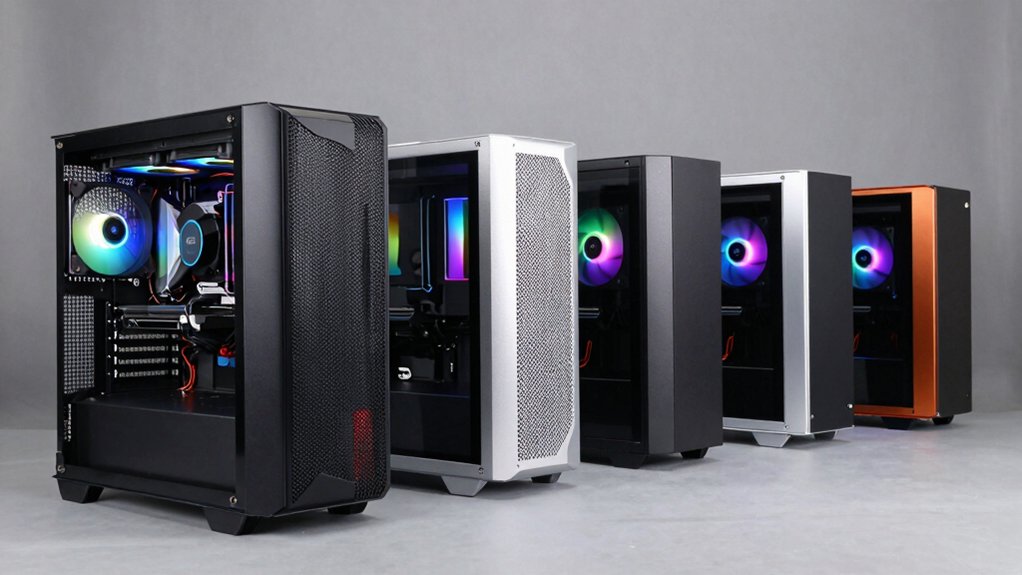

When you’re building a PC, managing heat matters. A case with built-in fans handles airflow without requiring separate purchases. You’ll find options ranging from compact designs to full-size towers, each with different fan configurations and filtration systems. The right choice depends on your component layout, budget, and cooling demands. Here’s what you need to know about five standout cases that deliver reliable cooling performance.
| MUSETEX ATX Mid Tower PC Case with ARGB Fans (K2) |

| Best Overall | Pre-Installed ARGB Fans: 6 PWM ARGB fans | Motherboard Compatibility: ATX, Micro ATX, Mini ITX | GPU Support Length: Up to 420mm | VIEW LATEST PRICE | Read Our Analysis |
| Lian Li V100 ATX Mid-Tower PC Case (V100RX) |

| Premium Build Quality | Pre-Installed ARGB Fans: 4 PWM ARGB fans | Motherboard Compatibility: ATX, Micro-ATX | GPU Support Length: Up to 420mm | VIEW LATEST PRICE | Read Our Analysis |
| MUSETEX ATX PC Gaming Case with ARGB Fans (NN8) |

| Best Cooling Performance | Pre-Installed ARGB Fans: 6 PWM ARGB fans | Motherboard Compatibility: ATX, Micro-ATX, Mini-ITX | GPU Support Length: Supports vertical GPU installation | VIEW LATEST PRICE | Read Our Analysis |
| MONTECH XR-B ATX Mid-Tower Gaming Case |

| Most Versatile | Pre-Installed ARGB Fans: 3 ARGB fans | Motherboard Compatibility: ATX, Micro-ATX, Mini-ITX | GPU Support Length: Up to 40 series (high-end) | VIEW LATEST PRICE | Read Our Analysis |
| MOROVOL ATX Gaming PC Case with RGB Fans (621) |
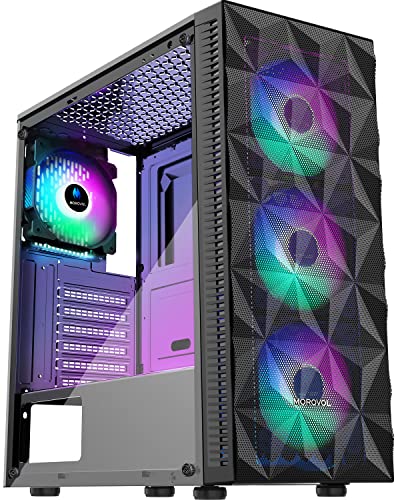
| Budget-Friendly Pick | Pre-Installed ARGB Fans: 4 RGB fans (fixed lighting) | Motherboard Compatibility: ATX, Micro-ATX, Mini-ITX | GPU Support Length: Up to 300mm | VIEW LATEST PRICE | Read Our Analysis |
More Details on Our Top Picks
MUSETEX ATX Mid Tower PC Case with ARGB Fans (K2)
If you’re building a high-performance system that generates significant heat and you want cooling components already installed, the MUSETEX K2 delivers practical value right out of the box. This mid-tower case comes with six pre-installed PWM ARGB fans featuring anti-vortex blades that optimize airflow. The dual tempered glass panels let you monitor your system’s operation. You’ll find side panel intakes, top liquid radiator mounts up to 360mm, and magnetic dust filters on top and bottom. The front panel includes USB 3.0 ports and a Type-C connection. This configuration supports ATX, Micro ATX, and Mini ITX motherboards with GPUs up to 420mm and CPU coolers reaching 178mm height.
- Pre-Installed ARGB Fans:6 PWM ARGB fans
- Motherboard Compatibility:ATX, Micro ATX, Mini ITX
- GPU Support Length:Up to 420mm
- Tempered Glass Display:Dual tempered glass (270°)
- Front I/O Ports:2 USB 3.0, Type-C, Reset, Audio
- Case Weight:8 kg
- Additional Feature:Type-C front panel connectivity
- Additional Feature:270° dual tempered glass view
- Additional Feature:Magnetic dust filters included
Lian Li V100 ATX Mid-Tower PC Case (V100RX)
Looking for a mid-tower case that balances cooling performance with aesthetic features? The Lian Li V100RX delivers both. You’ll get four pre-installed 120mm ARGB fans running at 1800 RPM, providing airflow up to 61.47 CFM. The case supports ATX and Micro-ATX motherboards, accommodates GPUs up to 420mm, and fits CPU coolers reaching 178mm tall. A 360mm radiator fits comfortably inside. The tempered glass display platform showcases your components while tool-less side panels grant quick access for maintenance and upgrades. Synchronize the 26-LED ARGB strip with your motherboard software for unified lighting control.
- Pre-Installed ARGB Fans:4 PWM ARGB fans
- Motherboard Compatibility:ATX, Micro-ATX
- GPU Support Length:Up to 420mm
- Tempered Glass Display:Single tempered glass panel
- Front I/O Ports:Not specified
- Case Weight:8.2 kg
- Additional Feature:Display platform for collectibles
- Additional Feature:Tool-less side panels
- Additional Feature:Slanted front PSU shroud
MUSETEX ATX PC Gaming Case with ARGB Fans (NN8)
The MUSETEX NN8 serves builders who want extensive cooling capacity without purchasing fans separately. You’ll receive six pre-installed 120mm PWM ARGB fans that work immediately upon setup. The tempered glass side panel provides 76% better cooling than non-opening mid-tower cases. You can adjust fan speeds to balance noise levels with thermal performance. The case supports ATX, Micro-ATX, and Mini-ITX motherboards, accommodating most standard configurations. Inside, you’ll find space for a 280mm radiator at the top and storage for up to five SSDs plus one HDD. The polygonal mesh front panel directs airflow efficiently through your components while filtering dust.
- Pre-Installed ARGB Fans:6 PWM ARGB fans
- Motherboard Compatibility:ATX, Micro-ATX, Mini-ITX
- GPU Support Length:Supports vertical GPU installation
- Tempered Glass Display:Opening tempered glass side panel
- Front I/O Ports:2 USB 3.0, Multi-function panel
- Case Weight:5.7 kg
- Additional Feature:Vertical GPU mounting option
- Additional Feature:76% cooling benefit upgrade
- Additional Feature:Supports 280mm top radiator
MONTECH XR-B ATX Mid-Tower Gaming Case
Want a mid-tower case that balances compact dimensions with serious cooling capacity and GPU support? The MONTECH XR-B delivers exactly that. You get three pre-installed ARGB fans running at maximum 1500 RPM—two reverse-blade fans on the side and one regular-blade fan at the rear. This configuration handles airflow efficiently while supporting up to nine total fans. You can mount a 360mm radiator on top for additional cooling. The case accommodates high-end GPUs up to the 40 series, ATX motherboards, and features dust filters on top, bottom, and side panels. Its compact footprint measures 17.1″ deep by 9″ wide by 17.7″ high, making it suitable for most gaming setups without consuming excessive desk space.
- Pre-Installed ARGB Fans:3 ARGB fans
- Motherboard Compatibility:ATX, Micro-ATX, Mini-ITX
- GPU Support Length:Up to 40 series (high-end)
- Tempered Glass Display:Dual tempered glass panel
- Front I/O Ports:2 USB 2.0, 2 USB 3.0
- Case Weight:14.46 pounds (6.56 kg)
- Additional Feature:Reverse-blade fan configuration
- Additional Feature:Supports up to 9 fans
- Additional Feature:Wood-grain design I/O interface
MOROVOL ATX Gaming PC Case with RGB Fans (621)
If you’re building a mid-tower system on a budget and want cooling performance without the hassle of purchasing and installing additional fans, the MOROVOL 621 delivers pre-installed airflow right out of the box. The case comes equipped with four 120mm RGB fans that work together with the diamond mesh front panel to maximize cooling efficiency. You’ll support ATX, Micro-ATX, or Mini-ITX motherboards, and you can fit GPUs up to 300mm and CPU coolers up to 155mm tall. The tempered glass side panel lets you monitor your components while the fixed RGB lighting provides visual appeal. Inside, you’ll manage two 2.5″ SSDs, two 3.5″ HDDs, and seven expansion slots. This case weighs 4.33kg and measures 14.57″ deep by 7.28″ wide by 16.73″ high, making it a practical choice for efficient cooling setups.
- Pre-Installed ARGB Fans:4 RGB fans (fixed lighting)
- Motherboard Compatibility:ATX, Micro-ATX, Mini-ITX
- GPU Support Length:Up to 300mm
- Tempered Glass Display:Tempered glass side panel
- Front I/O Ports:1 USB 3.0, 2 USB 2.0, HD audio
- Case Weight:4.33 kg
- Additional Feature:Diamond mesh front panel
- Additional Feature:Fixed RGB lighting (non-addressable)
- Additional Feature:Compact budget-friendly design
Factors to Consider When Choosing a PC Case With Built-In Fans
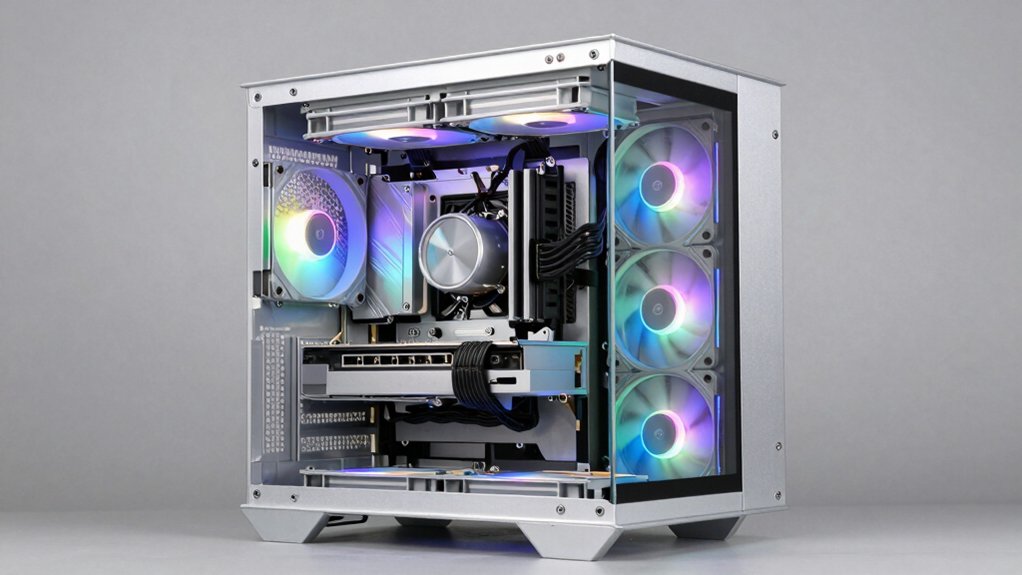
When you’re selecting a PC case with built-in fans, you’ll need to evaluate airflow and cooling performance first, since proper ventilation directly affects your system’s temperature stability and component longevity. Next, examine the fan count and configuration, noise level specifications, and RGB lighting control options to determine whether the case meets your performance needs and personal preferences. Finally, confirm that the case supports your motherboard size and accommodates your graphics card, power supply, and other components without clearance issues.
Airflow And Cooling Performance
Evaluate your PC case’s airflow capacity by examining its built-in fan configuration, as these fans directly determine how effectively heat moves away from your components. Check the number of fans and their sizes—larger fans like 120mm or 140mm models deliver superior airflow at lower noise levels compared to smaller alternatives. Verify that your case features front-oriented mesh panels to maximize intake efficiency. Look for PWM fan support, which allows you to adjust fan speeds based on temperature needs. Confirm radiator compatibility for top or front mounting if you plan liquid cooling upgrades. Finally, inspect for anti-vortex blade designs and dust filters that maintain airflow efficiency by preventing obstructions and buildup over time.
Fan Count And Configuration
You’ll want to start by determining how many pre-installed fans come with your case, since this number directly impacts your system’s initial cooling capability. Cases like the MUSETEX K2 and NN8 offer six ARGB fans, while the Lian Li V100RX includes four. Next, examine the fan configuration and blade design. The MONTECH XR-B uses reverse-blade side fans paired with a rear fan to optimize airflow paths. Check whether your case supports expandable fan capacity for future upgrades—the MONTECH XR-B accommodates up to nine fans total. Finally, consider noise levels. More fans generally improve cooling but may increase noise if they run at higher speeds. Integrated ARGB control through motherboard software allows you to balance cooling performance with acoustic output effectively.
Noise Level Specifications
While fan count and configuration determine your cooling capacity, noise output becomes equally important once you’ve selected a case with adequate airflow potential. Check the decibel (dBA) ratings listed by manufacturers at multiple fan speeds to understand idle versus load performance. Pre-installed ARGB fans typically range from 26.5–30.8 dBA, helping you predict everyday noise levels. Cases with larger fan counts and higher RPMs cool better but generate more sound unless equipped with sound-damping features or anti-vortex blade designs. Magnetic or easily removable dust filters reduce noise by preventing airflow restriction that forces fans to spin faster. Use your motherboard’s software to adjust fan speeds, balancing cooling performance with acceptable noise. This approach ensures your system stays cool without excessive sound during normal operation.
RGB Lighting Control Options
The RGB lighting on your case’s built-in fans requires specific control methods depending on whether the fans use addressable (ARGB) or non-addressable RGB technology. ARGB fans connect to 3-pin 5V headers on your motherboard, allowing you to customize colors and effects through compatible software. Non-addressable RGB fans use a standard 2-pin connector and only support fixed colors that can’t be changed. Some cases include a smart I/O panel or built-in controller that manages lighting independently without motherboard software. Before purchasing, verify your case’s lighting type and check if it supports motherboard synchronization or requires an external controller. This determines whether you can coordinate your fan lights with other RGB components in your system.
Motherboard And Component Compatibility
Beyond coordinating your RGB lighting, you’ll want to verify that your case actually fits your hardware. First, confirm your motherboard’s form factor—ATX, Micro-ATX, or Mini-ITX—matches the case’s supported sizes for proper mounting and I/O alignment. Next, check GPU length clearance and CPU cooler height limits against your specific components to prevent interference. Verify the number and placement of internal drive bays and expansion slots to ensure your storage and PCIe cards fit properly. Finally, confirm radiator compatibility if you’re using liquid cooling; check whether your case supports 360mm radiators at the rear or top. Measure your memory modules’ height as well, since tall RAM can sometimes conflict with top-mounted radiators. These compatibility checks prevent costly assembly issues and ensure optimal component performance.
Dust Filtration System Quality
Dust filtration systems in PC cases with built-in fans work by blocking airborne particles before they reach your components, and you’ll want to evaluate several key aspects when selecting a case. First, check filter placement across multiple intake points—top, bottom, and side panels provide comprehensive protection. Second, examine filter material quality and fitment precision, as these directly determine how effectively dust gets trapped. Third, look for magnetic dust filters that you can remove and clean without tools, enabling regular maintenance without hassle. Fourth, assess easy-access cleaning paths for fans and radiators behind filters. Finally, verify that filter coverage maintains adequate airflow while protecting internal components. These factors combined indicate overall filtration effectiveness and long-term system cleanliness.
Final Thoughts
You’ve reviewed five cases that deliver reliable cooling through built-in fans and smart airflow design. Choose the MUSETEX K2 or NN8 if you prioritize dust filtration and multiple RGB fans. Pick the Lian Li V100RX or MONTECH XR-B for superior front-to-top airflow and radiator support. Select the MOROVOL 621 if you need compact size with four RGB fans. Match your choice to your cooling needs and case size requirements.

Meet Ry, “TechGuru,” a 36-year-old technology enthusiast with a deep passion for tech innovations. With extensive experience, he specializes in gaming hardware and software, and has expertise in gadgets, custom PCs, and audio.
Besides writing about tech and reviewing new products, he enjoys traveling, hiking, and photography. Committed to keeping up with the latest industry trends, he aims to guide readers in making informed tech decisions.