
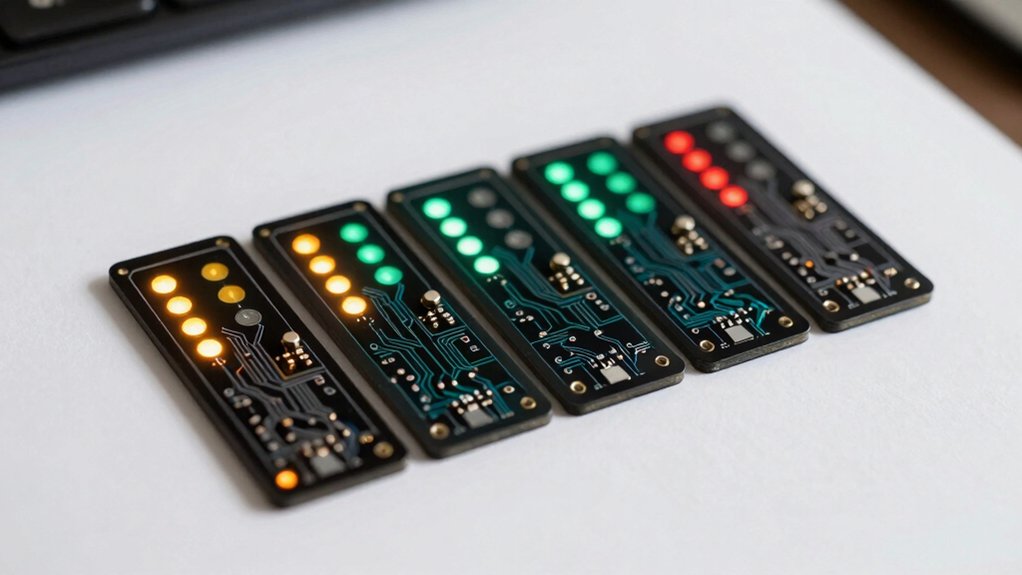

When your computer won’t start, you’re facing hours of trial-and-error diagnostics—unless you’ve got the right tool. POST debug cards pinpoint exactly where boot failures occur by analyzing power, CPU, memory, graphics, and PCIe systems. They display diagnostic codes instantly, cutting through guesswork to reveal faulty components. But not all debug cards offer the same features or compatibility. Here’s what you need to know to pick the one that works.
| TL611 Pro Mainboard Debug Card with LED Indicators |

| Most Versatile | Primary Function: Mainboard diagnostic & analyzer with LED indicators | Interface Type: PCIe, LPC, mini PCIe, PCI slots | Display Type: 4-digit LED indicators | VIEW LATEST PRICE | Read Our Analysis |
| LCD Tablet PC Motherboard Diagnostic Analyzer Tester Card |

| Professional Standard | Primary Function: Motherboard diagnostic analyzer & tester card | Interface Type: Desktop motherboard slots (unspecified) | Display Type: LCD display | VIEW LATEST PRICE | Read Our Analysis |
| Desktop Diagnostic Card PCI/PCIe Motherboard Analyzer |

| Most User-Friendly | Primary Function: Multi-channel motherboard analyzer with LED indicators | Interface Type: PCI, PCI-E, LPC | Display Type: Multi-function LED indicators | VIEW LATEST PRICE | Read Our Analysis |
| PC Diagnostic 4 Digit Card Motherboard Tester |

| Best Display | Primary Function: POST code display & motherboard tester | Interface Type: PCI and ISA bus slots | Display Type: 4-digit hexadecimal display with dual POST code readout | VIEW LATEST PRICE | Read Our Analysis |
| PCI Motherboard Debug Repair LCD Test Post Card Red for PC Desktop |

| Compact Essential | Primary Function: PCI motherboard debug & POST card with LCD display | Interface Type: PCI bus | Display Type: LCD display | VIEW LATEST PRICE | Read Our Analysis |
More Details on Our Top Picks
TL611 Pro Mainboard Debug Card with LED Indicators
The TL611 Pro is your best choice if you’re troubleshooting motherboards across multiple computer types—laptops, desktops, and various PCI configurations—because it supports PCIe, mini PCIe, and LPC connections simultaneously. This diagnostic card includes ten LED indicators that display the status of critical components: power supply, CPU, memory, graphics card, and southbridge. You’ll connect the card to your motherboard’s debug port using the included cables and adapter, then read the LED lights to identify which component’s failing. The compact 84 × 56 mm design fits easily into tight spaces. You get automatic component recognition with high accuracy, eliminating guesswork during repairs. The card’s compatibility with all major brands and PCI slot types makes it adaptable to nearly any system you encounter.
- Primary Function:Mainboard diagnostic & analyzer with LED indicators
- Interface Type:PCIe, LPC, mini PCIe, PCI slots
- Display Type:4-digit LED indicators
- Key Diagnostic Indicators:Power, CPU, memory, graphics card, southbridge, mainboard
- Compatibility Scope:Multiple brands including Gigabyte; PCIe, mini PCIe, LPC
- Target User:General computer diagnostic users
- Additional Feature:Automatic power module identification
- Additional Feature:Multiple connection cable adapters
- Additional Feature:Supports laptop and mini-PCIe
LCD Tablet PC Motherboard Diagnostic Analyzer Tester Card
How’d you like a POST debug card that works on your desktop motherboards without requiring complex setup? The PTI8 model delivers straightforward diagnostic capabilities for repair professionals. You insert the card directly into your motherboard’s slot to initiate testing sequences. The LCD display shows diagnostic codes that identify hardware failures. This tester performs self-diagnostics, meaning it checks its own functionality first. You’ll read the displayed codes against the included reference guide to pinpoint problem components. The card supports most popular motherboard types, making it versatile for different repair scenarios. Its design eliminates unnecessary complexity, letting you move quickly from diagnosis to repair action.
- Primary Function:Motherboard diagnostic analyzer & tester card
- Interface Type:Desktop motherboard slots (unspecified)
- Display Type:LCD display
- Key Diagnostic Indicators:General motherboard failure diagnosis
- Compatibility Scope:Most popular motherboards
- Target User:Professional computer repair personnel
- Additional Feature:Self-test capability built-in
- Additional Feature:Professional repair personnel tool
- Additional Feature:Tablet PC compatibility included
Desktop Diagnostic Card PCI/PCIe Motherboard Analyzer
Are you spending hours tracking down power supply failures, CPU issues, or memory problems on desktop systems? The Desktop Diagnostic Card PCI/PCIe Motherboard Analyzer streamlines this process. Insert the card into any PCI slot on your motherboard, and it automatically analyzes your system. Multi-function LEDs display the status of your power supply, motherboard, CPU, memory, graphics card, and hard disk simultaneously. This card works with PCI, PCI-E, and LPC motherboards, making it compatible with most systems. The high recognition rate ensures accurate detection of power modules quickly. No complex setup is required—simply plug it in and let the diagnostic begin. You’ll receive immediate visual feedback about problem areas, eliminating guesswork and reducing troubleshooting time significantly.
- Primary Function:Multi-channel motherboard analyzer with LED indicators
- Interface Type:PCI, PCI-E, LPC
- Display Type:Multi-function LED indicators
- Key Diagnostic Indicators:Power supply, motherboard, CPU, memory, graphics card, hard disk
- Compatibility Scope:All PCI slot motherboards
- Target User:Professionals and DIY computer enthusiasts
- Additional Feature:Six-component LED status display
- Additional Feature:Automatic motherboard issue analysis
- Additional Feature:No complex setup required
PC Diagnostic 4 Digit Card Motherboard Tester
If you’re troubleshooting desktop computers with PCI or ISA motherboards, you’ll find the PC Diagnostic 4 Digit Card invaluable for identifying POST code errors quickly. This debug analyzer plugs directly into your motherboard’s PCI or ISA slot, then displays real-time Power On Self Test status codes on its dual 4-digit display. The first two digits show your current error code while the last two reveal the previous code, enabling you to track troubleshooting progress. Its dual dot matrix hexadecimal readout ensures you’re reading POST information accurately. Because this card works with virtually any motherboard featuring PCI or ISA bus slots, you’ll maintain one reliable tool across multiple desktop systems.
- Primary Function:POST code display & motherboard tester
- Interface Type:PCI and ISA bus slots
- Display Type:4-digit hexadecimal display with dual POST code readout
- Key Diagnostic Indicators:POST status codes via 4-digit display
- Compatibility Scope:Any motherboard with PCI or ISA bus slots
- Target User:Desktop PC troubleshooters
- Additional Feature:Dual POST code display
- Additional Feature:Hexadecimal readout format
- Additional Feature:Previous error code retention
PCI Motherboard Debug Repair LCD Test Post Card Red for PC Desktop
When you’re facing a motherboard that won’t boot and you need to pinpoint the exact failure point—whether it’s the CPU, memory, or display card—the PCI Motherboard Debug Repair LCD Test Post Card Red becomes your diagnostic essential. You insert this card into your desktop’s PCI slot, then power on the system. The LCD display immediately shows motherboard signals and POST codes, revealing where the boot process stalls. You read the diagnostic codes to identify whether the problem originates from processor initialization, RAM detection, or graphics output. This targeted feedback eliminates guesswork, letting you focus repairs on the actual faulty component instead of replacing parts unnecessarily.
- Primary Function:PCI motherboard debug & POST card with LCD display
- Interface Type:PCI bus
- Display Type:LCD display
- Key Diagnostic Indicators:CPU, memory, display card, motherboard signals
- Compatibility Scope:PC desktops with PCI slots
- Target User:Desktop PC repair technicians
- Additional Feature:Red color identification design
- Additional Feature:Compact 7.4 x 6.4cm size
- Additional Feature:30-day return guarantee
Factors to Consider When Choosing POST Debug Cards
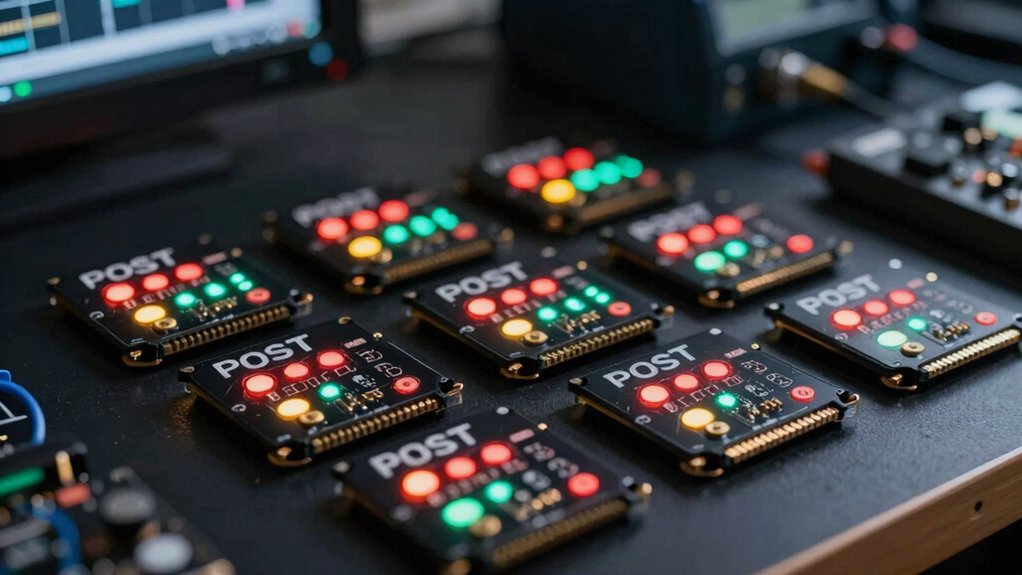
When you’re selecting a POST debug card, you’ll want to verify motherboard interface compatibility first—check whether your system uses PCI, PCI-X, or PCI Express slots and match the card accordingly. Next, examine the LED indicator functionality to confirm it displays error codes clearly enough for you to diagnose problems quickly, and consider whether you need multi-channel detection capability to test multiple system components simultaneously rather than one at a time.
Best POST Debug Cards
Selecting the right POST debug card requires you to evaluate several key specifications that directly impact its usefulness across your systems. First, confirm multi-channel detection supporting PCI, PCIe, and LPC slots to ensure compatibility with your motherboards. Next, examine the display type—LED indicators or POST code displays—to quickly identify power, CPU, memory, VGA, and PCH failures. Verify compatibility with your form factors, whether desktop, laptop, or mini PCIe systems. Then check for self-test capabilities that validate card functionality before deployment. Finally, review included accessories like cables, adapters, and documentation to confirm you’ll have everything needed for straightforward setup and troubleshooting. These specifications determine how effectively the card diagnoses problems across your hardware inventory.
Factors to Consider When Choosing POST Debug Cards
How do you know which POST debug card will work with your specific motherboards and systems? Start by checking your motherboard’s available interfaces—PCI, PCIe, LPC, mPCIe, or ISA slots—and match them to the card’s compatibility. Next, verify the card detects multiple subsystems: power, CPU, memory, VGA, and PCH. Choose one with clear feedback through LED indicators or 4-digit displays so you’ll quickly identify which component fails. Confirm the card automatically recognizes your power module type to avoid manual configuration. Finally, ensure the manufacturer provides supporting cables, adapters, and detailed manuals. Consider whether you need coverage for desktop, laptop, or embedded boards across different brands. These steps guarantee you’ll select a card that integrates seamlessly and diagnoses POST problems efficiently.
Motherboard Interface Compatibility
To diagnose POST problems effectively, you’ll need a debug card that physically and electrically matches your motherboard’s available slots. First, identify which interface your system uses: PCI, PCIe, LPC, mPCIe, or ISA. Check your motherboard manual to confirm which slots accept POST cards. Next, verify the card’s form factor fits your test bench layout without obstruction. If you’re using multiple motherboards, ensure the card works across different slot types and brands, including Gigabilt-specific boards. Finally, confirm connector compatibility with your available cables and adapters. Mismatched interfaces prevent proper installation and accurate diagnostics, wasting troubleshooting time.
LED Indicator Functionality
What’re you actually looking at when a POST card’s LEDs light up during troubleshooting? You’re viewing real-time status signals from your motherboard’s power, CPU, memory, and VGA subsystems. Each LED corresponds to a specific component, letting you identify which part’s failing without guesswork. Multi-channel schemes display feedback simultaneously across power supply, PCH, and DRAM modules, pinpointing the exact problem area. Distinct LED codes—color changes or numbered sequences—correlate directly to diagnostic stages, accelerating your troubleshooting process. Standardized LED layouts across different debug cards mean you’ll recognize indicators immediately without relearning configurations. High-contrast, clearly labeled LEDs cut through low-light environments and complex motherboard problems. When selecting a debug card, prioritize models offering comprehensive LED coverage and legible labeling for efficient diagnosis.
Multi-Channel Detection Capability
When you’re selecting a POST debug card, you’ll want to prioritize its ability to monitor multiple subsystems at once—power supply, CPU, memory, graphics, and PCIe/LPC channels simultaneously. Multi-channel detection lets you test different components in parallel, which cuts diagnosis time significantly. Look for cards supporting PCI, PCIe, LPC, and mini PCIe channels, as this compatibility covers desktops, laptops, and OEM boards with varying slot configurations. Each subsystem gets its own distinct indicator, so you can quickly identify which component’s failing—whether it’s the motherboard, CPU, DRAM, or graphics card. High recognition rates for power modules improve accuracy when identifying power-related failures. This parallel testing approach transforms troubleshooting from a lengthy process into a streamlined diagnostic operation.
Display Type And Resolution
Once you’ve confirmed that a POST debug card supports multi-channel detection across your system’s components, you’ll need to evaluate its display capabilities—because even the most thorough monitoring means nothing if you can’t read the codes it’s showing you. LED dot or segment displays provide quick numeric codes, while LCD panels offer detailed text across multiple lines. Higher digit counts give you more granular diagnostic information simultaneously. Dual-display models show current and previous codes side-by-side, accelerating your troubleshooting process. Verify that the display’s contrast and brightness suit your workspace lighting. Match the display type to your motherboard’s bus compatibility—PCI, PCIe, or LPC—to ensure accurate code mapping. Select based on readability first; clearer displays prevent misreadings that waste diagnostic time.
Physical Size And Form Factor
How’ll you know if a POST debug card actually fits in your system? First, measure your available expansion slot space and internal clearance. Most compact handheld variants use 84 × 56 mm dimensions, fitting standard PCIe or mini PCIe slots on desktop and laptop motherboards. Check whether adjacent slots have components that’ll obstruct the card. For older systems, consider larger PCI or ISA retro-style cards that accommodate dual POST displays. Verify your motherboard supports the interface type—PCIe, LPC, or mini PCIe. Next, review your case’s internal layout to confirm the card won’t block cooling airflow or other components. Finally, confirm the card’s connector type matches your available slots before purchasing.
Brand And Chipset Support
Which POST debug card‘ll actually work with your motherboard’s specific chipset and interface type? Start by identifying your motherboard’s chipset family and supported bus type—PCIe, PCI, mPCIe, or LPC. Next, cross-reference the debug card’s compatibility list against your chipset. Many cards perform better with specific chipsets due to auto-identification features. Verify that the card supports multi-channel detection covering power, CPU, memory, VGA, and PCH diagnostics. Check whether the manufacturer lists support for your motherboard brand, such as Gigabyte or ASUS. Finally, confirm the LED indicator set matches your troubleshooting priorities. A card compatible with multiple ecosystems provides broader diagnostic coverage than single-brand options, reducing future upgrade costs.
Final Thoughts
You’ll save substantial troubleshooting time by selecting a POST debug card that matches your motherboard type—PCI, PCIe, or LPC. Evaluate your specific needs: choose LED-only cards for basic diagnostics, or LCD models for detailed error codes. Verify compatibility with your system before purchasing. Once installed, you’ll rapidly identify failed components in power, CPU, memory, and graphics subsystems, eliminating hours of guesswork.

Meet Ry, “TechGuru,” a 36-year-old technology enthusiast with a deep passion for tech innovations. With extensive experience, he specializes in gaming hardware and software, and has expertise in gadgets, custom PCs, and audio.
Besides writing about tech and reviewing new products, he enjoys traveling, hiking, and photography. Committed to keeping up with the latest industry trends, he aims to guide readers in making informed tech decisions.