
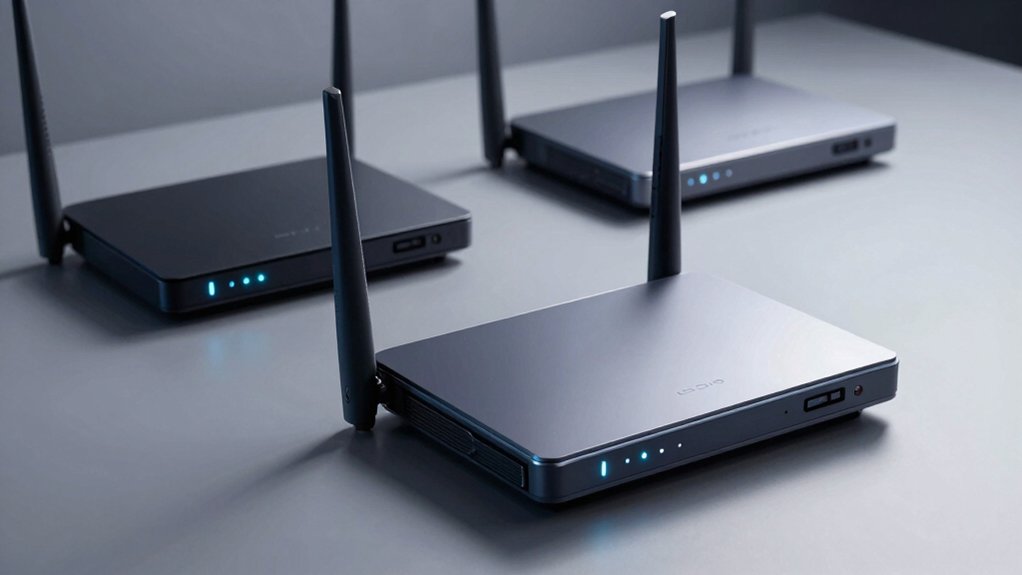

When you’re setting up a home network, you’ll want a router that protects your devices while letting guests connect safely. A guest network keeps visitors off your main system, but not all routers handle this equally well. You need to know which models offer strong encryption, easy management, and reliable security features. Here’s what separates the best options from the rest—and how to pick one that fits your needs.
| TP-Link AX1800 WiFi 6 Router (Archer AX21 V5) |

| Best Overall | WiFi Standard: WiFi 6 (802.11ax) | Maximum Wireless Speed: 1.8 Gbps (AX1800) | Guest Network Support: Yes (supported) | VIEW LATEST PRICE | Read Our Analysis |
| TP-Link Archer A8 AC1900 Smart WiFi Router |

| Budget-Friendly Pick | WiFi Standard: WiFi 5 (AC1900) | Maximum Wireless Speed: 1.9 Gbps (AC1900) | Guest Network Support: Yes (Guest Mode) | VIEW LATEST PRICE | Read Our Analysis |
| TP-Link BE6500 WiFi 7 Router (BE400) |

| Future-Ready Premium | WiFi Standard: WiFi 7 | Maximum Wireless Speed: 6.45 Gbps (BE6500) | Guest Network Support: Yes (supported) | VIEW LATEST PRICE | Read Our Analysis |
| ASUS RT-AX1800S WiFi 6 Dual Band Router |

| Best Value | WiFi Standard: WiFi 6 (802.11ax) | Maximum Wireless Speed: 1.8 Gbps (AX1800) | Guest Network Support: Yes (supported) | VIEW LATEST PRICE | Read Our Analysis |
| TP-Link AXE5400 WiFi 6E Router (Archer AXE75) |

| Editor’s Choice | WiFi Standard: WiFi 6E (Tri-Band with 6GHz) | Maximum Wireless Speed: 5.4 Gbps (AXE5400) | Guest Network Support: Yes (supported) | VIEW LATEST PRICE | Read Our Analysis |
| DBIT N300 2.4GHz WiFi Router with WISP (T1 Pro) |

| Basic Essential | WiFi Standard: WiFi 4 (2.4GHz only) | Maximum Wireless Speed: 300 Mbps (N300) | Guest Network Support: Yes (Guest Network) | VIEW LATEST PRICE | Read Our Analysis |
| TP-Link Archer AX55 Wi-Fi 6 Router Dual-Band |

| Best Mid-Range | WiFi Standard: WiFi 6 (802.11ax) | Maximum Wireless Speed: 3 Gbps (AX3000) | Guest Network Support: Yes (Guest Mode) | VIEW LATEST PRICE | Read Our Analysis |
| TP-Link Archer AX72 Pro WiFi 6 Router |

| Most Versatile | WiFi Standard: WiFi 6 (802.11ax) | Maximum Wireless Speed: 5.4 Gbps (AX5400) | Guest Network Support: Yes (Alexa voice control for guest network) | VIEW LATEST PRICE | Read Our Analysis |
| NETGEAR Nighthawk WiFi 7 Router (BE9300) |

| High-Performance Gaming | WiFi Standard: WiFi 7 (Tri-Band) | Maximum Wireless Speed: 9.3 Gbps (BE9300) | Guest Network Support: Yes (supported) | VIEW LATEST PRICE | Read Our Analysis |
| NETGEAR Nighthawk WiFi 7 Router (RS90) |

| Best Compact | WiFi Standard: WiFi 7 (Dual-Band) | Maximum Wireless Speed: 3.6 Gbps (BE3600) | Guest Network Support: Yes (supported) | VIEW LATEST PRICE | Read Our Analysis |
More Details on Our Top Picks
TP-Link AX1800 WiFi 6 Router (Archer AX21 V5)
Are you looking for a router that balances performance with affordability while keeping your network secure? The TP-Link Archer AX21 V5 delivers Wi-Fi 6 speeds up to 1.8 Gbps across dual bands, protecting your devices with WPA3 encryption and advanced security protocols. You’ll set up guest networks through the Tether app to isolate visitor traffic from your primary network. The router’s four antennas provide extended coverage, while OFDMA technology handles multiple devices simultaneously. With VPN server support and TP-Link’s CISA-pledged security standards, you maintain network integrity. Gigabit Ethernet ports accommodate wired connections for streaming and gaming. Twenty-four-hour technical support ensures you resolve any configuration issues quickly.
- WiFi Standard:WiFi 6 (802.11ax)
- Maximum Wireless Speed:1.8 Gbps (AX1800)
- Guest Network Support:Yes (supported)
- Parental Controls:Yes (included)
- VPN Support:Yes (OpenVPN & PPTP Server)
- Coverage Area:Extended range with beamforming (specific sq ft not stated)
- Additional Feature:OFDMA multi-device communication
- Additional Feature:Beamforming with 4 antennas
- Additional Feature:Signed CISA Secure-by-Design pledge
TP-Link Archer A8 AC1900 Smart WiFi Router
The TP-Link Archer A8 AC1900 Smart WiFi Router serves as a budget-friendly pick for households seeking reliable dual-band performance without premium pricing. It delivers 600 Mbps on 2.4 GHz and 1300 Mbps on 5 GHz, covering up to 1,200 square feet. You’ll access Guest WiFi directly through the Tether app to isolate visitor traffic from your main network. The router includes Parental Controls for blocking content and setting daily limits. MU-MIMO technology streams data to three devices simultaneously. Four Gigabit LAN ports and one WAN port support wired connections. Note that this model lacks USB and VPN support, distinguishing it from the Archer A9.
- WiFi Standard:WiFi 5 (AC1900)
- Maximum Wireless Speed:1.9 Gbps (AC1900)
- Guest Network Support:Yes (Guest Mode)
- Parental Controls:Yes (block content, set daily limits)
- VPN Support:No (lacks VPN support)
- Coverage Area:Up to 1,200 sq ft
- Additional Feature:MU-MIMO 3 simultaneous streams
- Additional Feature:OneMesh compatible mesh setup
- Additional Feature:1,200 sq ft coverage area
TP-Link BE6500 WiFi 7 Router (BE400)
Looking for a future-ready premium router that handles multiple demanding users simultaneously? The BE6500 delivers Wi-Fi 7 technology with speeds up to 5764 Mbps on 5GHz and supports 90 devices at once. You’ll get extensive security through TP-Link HomeShield, which includes parental controls and real-time IoT protection. Set it up using the Tether app or web interface. The router covers 2,400 square feet and features 2.5 Gbps wired ports for fast connections. Use EasyMesh compatibility to expand coverage by pairing with compatible extenders. Enable the guest network feature to isolate visitor traffic from your primary network, protecting your personal devices and data while maintaining secure access control.
- WiFi Standard:WiFi 7
- Maximum Wireless Speed:6.45 Gbps (BE6500)
- Guest Network Support:Yes (supported)
- Parental Controls:Yes (HomeShield with parental controls)
- VPN Support:Yes (VPN Client/Server)
- Coverage Area:Up to 2,400 sq ft
- Additional Feature:Multi-Link Operation (MLO) technology
- Additional Feature:Supports 90 devices simultaneously
- Additional Feature:2.5 Gbps wired ultra-fast
ASUS RT-AX1800S WiFi 6 Dual Band Router
Want to protect your network without paying subscription fees for security? The ASUS RT-AX1800S offers AiProtection Classic powered by Trend Micro at no cost. You’ll get parental controls to manage device access and ASUS Instant Guard, a one-click VPN for secure browsing. The router supports WiFi 6 with dual-band connectivity across five Gigabit ports, covering multiple devices simultaneously. Its 1800 Mbps total data rate handles gaming and streaming reliably. Set up a guest network through the admin panel to isolate visitor devices from your main network, preventing unauthorized access to personal files and connected smart home devices. The included quick-start guide walks you through initial configuration steps.
- WiFi Standard:WiFi 6 (802.11ax)
- Maximum Wireless Speed:1.8 Gbps (AX1800)
- Guest Network Support:Yes (supported)
- Parental Controls:Yes (included)
- VPN Support:Yes (Built-in VPN)
- Coverage Area:Coverage varies by conditions (specific sq ft not stated)
- Additional Feature:AiProtection powered by Trend Micro
- Additional Feature:ASUS Instant Guard one-click VPN
- Additional Feature:3-year manufacturer warranty included
TP-Link AXE5400 WiFi 6E Router (Archer AXE75)
TP-Link’s Archer AXE75 earns 2025 PCMag Editors’ Choice recognition for gamers and streamers who need faster speeds without network congestion. This WiFi 6E router delivers up to 5400 Mbps across three bands, including the new 6GHz band that reduces latency. The quad-core CPU and 512MB RAM handle multiple devices simultaneously using OFDMA technology. You’ll get robust security through WPA3 encryption, HomeShield protection, and parental controls. The OneMesh compatibility lets you expand coverage seamlessly. With eight antennas and five ports, you’re equipped for wired and wireless connections across major ISPs.
- WiFi Standard:WiFi 6E (Tri-Band with 6GHz)
- Maximum Wireless Speed:5.4 Gbps (AXE5400)
- Guest Network Support:Yes (supported)
- Parental Controls:Yes (basic parental controls)
- VPN Support:Yes (OpenVPN, PPTP, L2TP)
- Coverage Area:Coverage area not specified
- Additional Feature:New 6GHz band support
- Additional Feature:2025 PCMag Editors’ Choice
- Additional Feature:Quad-Core CPU 1.7 GHz
DBIT N300 2.4GHz WiFi Router with WISP (T1 Pro)
The DBIT N300 delivers basic essential connectivity for small to medium homes. You’ll get reliable 2.4GHz coverage up to 300Mbps, sufficient for HD streaming and web browsing. Set up your guest network through the intuitive web interface to isolate visitor devices from your main network. Enable WPA2-PSK encryption to protect your wireless connection. Use the Internet Access Control feature to block specific devices when needed. Activate WLAN Schedule to disable Wi-Fi during study or sleep hours. If you need extended coverage, switch to Wireless Repeater mode to rebroadcast your signal and eliminate dead zones. The WPS button lets you connect new devices quickly without manual configuration entry.
- WiFi Standard:WiFi 4 (2.4GHz only)
- Maximum Wireless Speed:300 Mbps (N300)
- Guest Network Support:Yes (Guest Network)
- Parental Controls:Yes (Internet Access Control)
- VPN Support:No (not mentioned)
- Coverage Area:Larger homes/offices with WISP mode
- Additional Feature:WISP wireless repeater mode
- Additional Feature:IPTV/VLAN streaming support
- Additional Feature:WPS quick device connection
TP-Link Archer AX55 Wi-Fi 6 Router Dual-Band
Archer AX55 delivers mid-range performance that balances speed, security, and affordability for households managing multiple connected devices simultaneously. You’ll access guest mode through the firewall settings to isolate visitors from your primary network. The router supports WPA3 encryption and includes TP-Link HomeShield, which provides parental controls and weekly security reports. Its dual-band Wi-Fi 6 capability handles gaming consoles, smart TVs, and smartphones without significant lag. With 512 MB RAM and four external antennas, the AX55 covers most home sizes reliably. You can enable VPN client support for encrypted browsing and activate QoS to prioritize bandwidth-intensive activities. The 2-year warranty and TP-Link customer support ensure long-term assistance with setup and troubleshooting.
- WiFi Standard:WiFi 6 (802.11ax)
- Maximum Wireless Speed:3 Gbps (AX3000)
- Guest Network Support:Yes (Guest Mode)
- Parental Controls:Yes (basic parental controls)
- VPN Support:Yes (VPN Server & Client)
- Coverage Area:Extended coverage with 4 high-gain antennas (specific sq ft not stated)
- Additional Feature:Target Wake Time power efficiency
- Additional Feature:Larger heat sink design
- Additional Feature:Redesigned cooling case structure
TP-Link Archer AX72 Pro WiFi 6 Router
Want a router that handles multiple streaming devices, gaming, and work-from-home needs simultaneously? The TP-Link Archer AX72 Pro delivers AX5400 WiFi 6 speeds up to 4804 Mbps on 5GHz and 574 Mbps on 2.4GHz. You’ll get a 2.5 Gbps ethernet port plus four additional gigabit ports for wired connections. The router’s six antennas with beamforming technology and OFDMA support ensure stable coverage throughout your home. You can enable a guest network through the TP-Link app, allowing visitors to connect securely without accessing your main network. WPA3 security and HomeShield protection safeguard your devices from threats while you maintain full control over network access and parental settings.
- WiFi Standard:WiFi 6 (802.11ax)
- Maximum Wireless Speed:5.4 Gbps (AX5400)
- Guest Network Support:Yes (Alexa voice control for guest network)
- Parental Controls:Yes (basic parental controls)
- VPN Support:Yes (Remote VPN Server/Client)
- Coverage Area:Extensive coverage (specific sq ft not stated)
- Additional Feature:2.5 Gbps Ethernet port
- Additional Feature:160 MHz channel width option
- Additional Feature:USB 3.0 file sharing
NETGEAR Nighthawk WiFi 7 Router (BE9300)
NETGEAR’s Nighthawk WiFi 7 Router (BE9300) suits high-performance gaming enthusiasts and households needing dependable connectivity across large spaces. This tri-band router delivers 9.3Gbps speeds—2.4 times faster than WiFi 6—and covers up to 2,500 square feet while supporting 100 devices simultaneously. You’ll need a separate cable modem to connect to your internet service. The router includes a 2.5 Gigabit internet port for multi-gig speeds and NETGEAR Armor security with a 30-day trial to protect against hackers and malware. Setup happens through the Nighthawk app, making management straightforward for most users.
- WiFi Standard:WiFi 7 (Tri-Band)
- Maximum Wireless Speed:9.3 Gbps (BE9300)
- Guest Network Support:Yes (supported)
- Parental Controls:Yes (NETGEAR Armor suite)
- VPN Support:Yes (VPN-ready)
- Coverage Area:Up to 2,500 sq ft
- Additional Feature:Supports 100 devices maximum
- Additional Feature:2,500 sq ft coverage area
- Additional Feature:NETGEAR Armor security suite
NETGEAR Nighthawk WiFi 7 Router (RS90)
The Nighthawk RS90 delivers WiFi 7 speeds up to 3.6 Gbps in a compact dual-band design that covers up to 2,000 sq. ft. and supports 50 devices simultaneously. You’ll benefit from its 2.5 Gig internet port for fast wired connections and four LAN ports for additional devices. The router includes NETGEAR Armor security features with WPA2/WPA3 encryption and automatic firmware updates to protect your network. Set up the router using the Nighthawk app, which lets you manage your network and enable guest network access remotely. You’ll receive a one-year limited warranty, 30-day Armor trial, and customer support. Since it’s a router-only device, you’ll need a separate modem for cable or fiber internet connectivity.
- WiFi Standard:WiFi 7 (Dual-Band)
- Maximum Wireless Speed:3.6 Gbps (BE3600)
- Guest Network Support:Yes (supported)
- Parental Controls:Yes (NETGEAR Armor with parental controls)
- VPN Support:No (not mentioned)
- Coverage Area:Up to 2,000 sq ft
- Additional Feature:2.5 Gig internet port
- Additional Feature:Supports 50 devices maximum
- Additional Feature:30-day NETGEAR Armor trial
Factors to Consider When Choosing a WiFi Router With Guest Network
When you’re selecting a WiFi router with a guest network, you’ll need to evaluate security and network isolation to keep your primary network protected, assess device capacity and performance to handle multiple users simultaneously, and confirm the router supports your internet provider’s specifications. You should also examine the setup and management interface to ensure you can configure it without technical complications, then check bandwidth allocation features so you can control speed distribution between your main and guest networks. Finally, verify that the router delivers the speed tier you’re paying for while maintaining stable connections across all connected devices.
Security And Network Isolation
How can you keep your guests’ internet activity separate from your personal devices and sensitive data? Choose a router with strong network isolation features. Look for models that support WPA2 or WPA3 encryption protocols to protect both guest and main networks from unauthorized access. Enable client isolation to prevent guest devices from communicating with each other or accessing your IoT devices. Consider routers offering separate guest credentials and time limits, which restrict how long guests can connect. Some advanced models include bandwidth controls to prevent guests from slowing your primary network. Implement VLANs if your router supports them to create completely separate network segments. Check that your router’s firewall features protect against threats targeting both networks simultaneously.
Device Capacity And Performance
Evaluate your router’s device capacity by checking its maximum concurrent connection support, which indicates how many devices it can reliably handle at once—WiFi 7 models, for example, support up to 90 devices. Next, examine the router’s total throughput in Gbps to determine bandwidth per device when you’re hosting multiple guests. Look for MU-MIMO and OFDMA technologies, which enable parallel data streams and reduce network contention. Verify that your router offers a dedicated guest network with separate SSID and bandwidth management controls. This keeps guest traffic isolated from your primary network. Finally, confirm multi-band support across 2.4 GHz, 5 GHz, and 6 GHz frequencies where available. More bands mean you’ll distribute guest devices across additional channels, minimizing interference and maintaining consistent performance.
Ease Of Setup And Management
What separates a user-friendly router from a frustrating one? The ability to configure your guest network quickly and manage it effortlessly. Look for routers offering mobile app or web-based guided setup with clear step-by-step instructions. You’ll want straightforward options to customize your guest network: separate SSID names, bandwidth limits, and time-based access controls. Choose models with centralized dashboards displaying real-time guest activity and easy toggles to enable or disable access instantly. Prioritize routers providing reliable firmware updates and built-in help resources through their management apps. These features eliminate confusion during initial configuration and ongoing maintenance. A well-designed interface lets you manage guest access in just a few taps, keeping your primary network protected without requiring technical expertise.
Compatibility With Internet Providers
Before you buy a WiFi router with guest network features, you’ll need to verify it’ll work with your Internet Service Provider. Check the router’s compatibility list for major ISPs like AT&T, Verizon, Xfinity, and Spectrum. Some routers function as standalone devices, while others require a separate modem. Confirm whether your ISP supplies a gateway device that handles both modem and router functions. If so, ensure your chosen router operates as an access point to work alongside it. Review the documentation or contact your ISP’s support team to clarify your setup requirements. This step prevents purchasing incompatible equipment and ensures your guest network functions reliably without connection issues.
Bandwidth Allocation And Speed
How you manage bandwidth between your main network and guest network directly impacts whether both groups of users get acceptable speeds. Look for routers with configurable bandwidth allocation that lets you set speed limits for guest devices. Choose models supporting QoS technology, which prioritizes traffic during peak times and prevents guests from consuming all available bandwidth. Dual-band and tri-band routers offer separate SSIDs with distinct bandwidth caps, giving you precise control. Select routers with WiFi 6, 6E, or 7 standards for higher total throughput when multiple devices connect simultaneously. Verify that your router includes OFDMA and MU-MIMO technologies, which allow simultaneous data streams to multiple guest devices without any single device monopolizing bandwidth. These features ensure primary users maintain sufficient speeds while guests receive acceptable performance.
Router Coverage Area Requirements
When you’re selecting a WiFi router with guest network capabilities, you’ll need to match the router’s coverage area to the spaces where guests’ll actually connect. First, measure your home’s square footage and identify all guest zones—living rooms, patios, bedrooms, and outdoor areas. Next, assess your building’s construction. Thick walls and dense materials weaken signals, so you may need routers with higher-gain antennas or mesh systems for multi-story homes. For properties larger than 3,000 square feet, consider mesh networks that maintain consistent coverage across all levels. If you’re isolating guest networks from your main network, ensure the router’s range supports secure segmentation throughout your entire coverage area without dead spots or signal loss in frequently visited spaces.
Advanced Security Features Available
The most critical security feature you’ll find in modern routers is network isolation, which prevents guest users from accessing your main network’s devices, files, and personal data. Beyond isolation, you’ll want to evaluate additional protections. Look for WPA3 encryption, which offers stronger security than older standards. Check if the router includes built-in firewall protection to block unauthorized access attempts. Many routers now offer HomeShield or similar IoT monitoring services that track connected devices and detect threats. Verify the router supports automatic firmware updates, reducing vulnerability exposure. Some models include VPN server capabilities, enabling secure remote access while maintaining guest separation. Finally, review parental control options and device identification features, which help you manage guest devices without compromising your primary network’s security posture.
Wireless Technology Standards Support
Because wireless standards directly affect how quickly your guest network operates and how many devices it can handle simultaneously, you’ll want to understand the key differences before making your purchase. Wi-Fi 6 and 6E routers deliver higher throughput and lower latency than Wi-Fi 5 models, making them better for multiple simultaneous connections. Wi-Fi 7 pushes further with multi-gigabit speeds and improved efficiency through Multi-Link Operation.
Look for routers supporting OFDMA and MU-MIMO technologies, which allow several guest devices to connect without increased contention. Choose models offering 160 MHz channel width for faster speeds. If available in your area, prioritize 6 GHz band access through Wi-Fi 6E or 7 to avoid congestion. Verify WPA3 security support to protect guest traffic while keeping devices isolated from your main network.
Final Thoughts
You’ve reviewed ten routers offering strong guest network security. Choose based on your needs: select WiFi 6 models for standard use, WiFi 6E for better performance, or WiFi 7 for cutting-edge speed. Verify WPA3 encryption, client isolation, and app management features match your requirements. Confirm your ISP supports the model. Check return policies before purchasing. Install firmware updates immediately after setup to maintain security.

Meet Ry, “TechGuru,” a 36-year-old technology enthusiast with a deep passion for tech innovations. With extensive experience, he specializes in gaming hardware and software, and has expertise in gadgets, custom PCs, and audio.
Besides writing about tech and reviewing new products, he enjoys traveling, hiking, and photography. Committed to keeping up with the latest industry trends, he aims to guide readers in making informed tech decisions.