
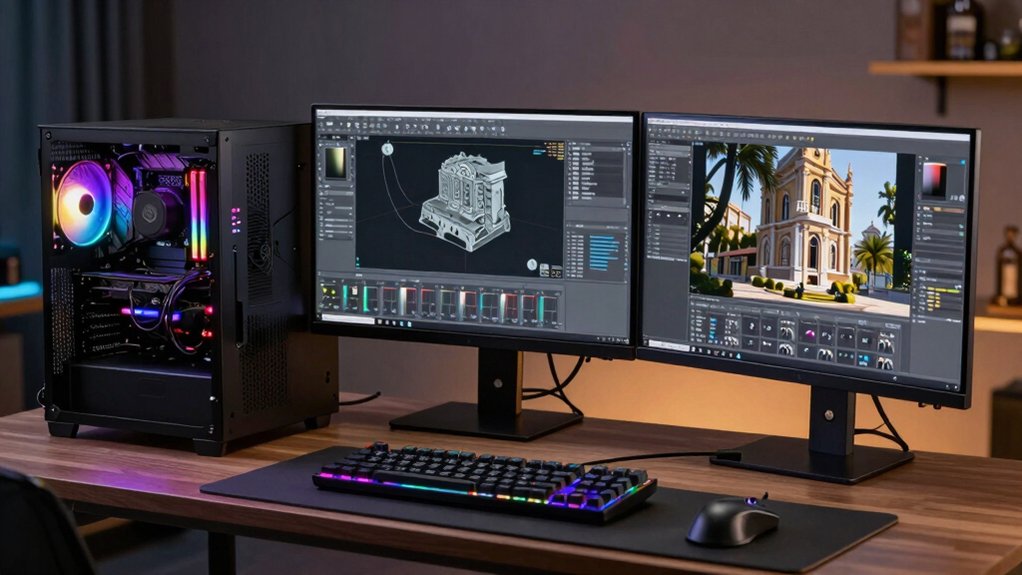

You’re selecting a workstation for CAD and GPU rendering work, and your choice directly affects your project output and efficiency. You’ll need to evaluate multi-core processors, RAM capacity, professional GPUs, and ISV certifications specific to your software. Understanding these core specifications helps you avoid underpowered systems and costly mistakes. To find the right fit for your needs, you’ll want to examine how each option performs under your actual workloads—which is where we break down the leading choices available.
| PCSP Precision 5820 Tower Workstation Xeon Refurbished |

| Entry-Level Professional | GPU Memory: NVIDIA Quadro P2000 5GB | System RAM: 32GB DDR4 | Storage Configuration: 1TB NVMe SSD | VIEW LATEST PRICE | Read Our Analysis |
| PCSP Precision 7920 Tower Workstation Intel Xeon |

| Dual-CPU Powerhouse | GPU Memory: NVIDIA Quadro P2000 5GB | System RAM: 384GB DDR4 | Storage Configuration: 1TB NVMe + 4TB HDD | VIEW LATEST PRICE | Read Our Analysis |
| Dell Precision Workstation PC with NVIDIA P620 GPU |

| Compact Workstation | GPU Memory: NVIDIA Quadro P620 2GB | System RAM: 32GB DDR4 | Storage Configuration: 500GB NVMe + 1TB SSD | VIEW LATEST PRICE | Read Our Analysis |
| Dell Precision 7920 Tower Workstation Computer |

| High-Performance Dual-Xeon | GPU Memory: NVIDIA Quadro P2000 5GB | System RAM: 192GB DDR4 ECC | Storage Configuration: 2x1TB SSD + 2x4TB HDD | VIEW LATEST PRICE | Read Our Analysis |
| Lenovo ThinkStation P3 Tower Workstation Intel Ultra 9 |
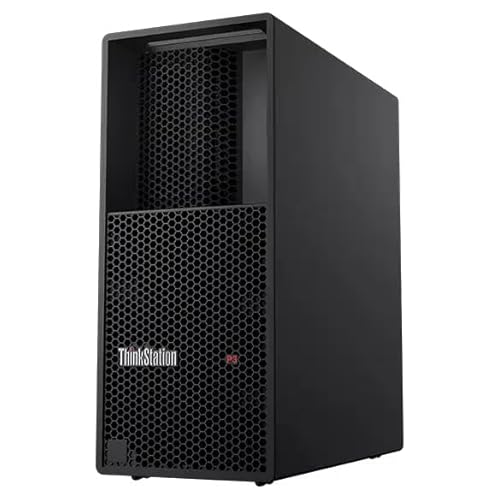
| Modern Performance Leader | GPU Memory: NVIDIA RTX 4000 Ada 20GB | System RAM: 128GB DDR5 | Storage Configuration: 2TB SSD M.2 PCIe Gen4 | VIEW LATEST PRICE | Read Our Analysis |
| NOVATECH AI Workstation Desktop PC Intel Core i9-14900K |

| AI & Deep Learning | GPU Memory: NVIDIA RTX PRO 6000 96GB | System RAM: 192GB DDR5 | Storage Configuration: 10TB NVMe SSD | VIEW LATEST PRICE | Read Our Analysis |
| Dell Precision 7920 Tower Workstation (Renewed) |
| Balanced Workstation Pro | GPU Memory: NVIDIA Quadro P1000 4GB | System RAM: 192GB DDR4 | Storage Configuration: 2x1TB SSD + 2x4TB HDD | VIEW LATEST PRICE | Read Our Analysis |
| Sentinel Threadripper PRO 9995WX 96-Core Workstation PC |
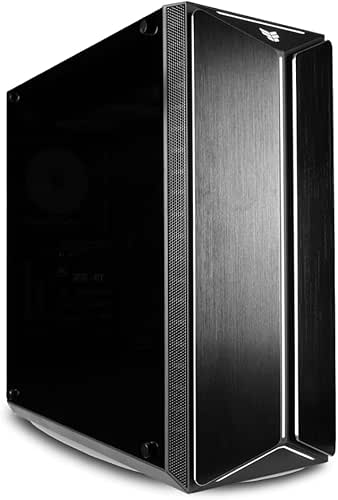
| Ultimate Rendering Beast | GPU Memory: NVIDIA RTX PRO 6000 96GB | System RAM: 384GB DDR5 ECC | Storage Configuration: 4TB NVMe Gen5 SSD + 10TB HDD | VIEW LATEST PRICE | Read Our Analysis |
| HP Workstation PC Desktop Computer with NVIDIA Quadro GPU |

| Budget CAD Workstation | GPU Memory: NVIDIA Quadro K1200 4GB | System RAM: 32GB DDR4 | Storage Configuration: 1TB SSD + 4TB HDD | VIEW LATEST PRICE | Read Our Analysis |
| PCSP Z440 Workstation Tower Desktop PC (Renewed) |

| Affordable Starter System | GPU Memory: Quadro K620 2GB | System RAM: 64GB DDR4 | Storage Configuration: 512GB NVMe SSD | VIEW LATEST PRICE | Read Our Analysis |
More Details on Our Top Picks
PCSP Precision 5820 Tower Workstation Xeon Refurbished
Are you looking for a refurbished workstation that won’t drain your budget while you’re handling CAD projects and GPU rendering tasks? The PCSP Precision 5820 delivers solid performance with its Intel Xeon W-2125 processor, 32 GB DDR4 RAM, and 1 TB NVMe SSD. You’ll get dependable GPU rendering through the NVIDIA Quadro P2000, which supports 4K displays via DisplayPort. Windows 11 Pro 64-bit comes pre-installed with security features like Windows Defender and encryption. This refurbished tower includes a 950 W power supply and expansion bays for future upgrades. The certification guarantees performance matching new units, making it a practical choice for design and engineering work without premium pricing.
- GPU Memory:NVIDIA Quadro P2000 5GB
- System RAM:32GB DDR4
- Storage Configuration:1TB NVMe SSD
- Processor Type:Intel Xeon W-2125 (4-core)
- Operating System:Windows 11 Pro 64-bit
- Display Outputs:4x DisplayPort 1.4
- Additional Feature:Front Flex Bays hot-swap
- Additional Feature:950W power supply included
- Additional Feature:Intel Xeon W-2125 processor
PCSP Precision 7920 Tower Workstation Intel Xeon
If you’re handling intensive CAD projects, GPU rendering, or AI modeling tasks that demand sustained multi-core performance, the PCSP Precision 7920 delivers the processing power you’ll need. Dual Intel Xeon Platinum 8160 CPUs provide 48 cores and 96 threads, supporting heavy multitasking without slowdowns. Configure up to 1.5 TB DDR4 RAM for complex simulations. The 1 TB NVMe SSD handles active projects while the 4 TB HDD stores archives. NVIDIA Quadro P2000 graphics accelerate rendering workflows. Four DisplayPort outputs let you monitor multiple viewports simultaneously, essential for design iteration and real-time feedback during professional work.
- GPU Memory:NVIDIA Quadro P2000 5GB
- System RAM:384GB DDR4
- Storage Configuration:1TB NVMe + 4TB HDD
- Processor Type:Dual Intel Xeon Platinum 8160 (48-core)
- Operating System:Windows 11 Pro 64-bit
- Display Outputs:4x DisplayPort
- Additional Feature:Dual Xeon Platinum 8160
- Additional Feature:Up to 1.5TB RAM expandable
- Additional Feature:1400W 80 Plus Gold
Dell Precision Workstation PC with NVIDIA P620 GPU
For professionals working with CAD applications and needing reliable GPU rendering on a budget, the Dell Precision 3431 with NVIDIA P620 delivers three essential capabilities: dedicated graphics processing, sufficient memory for complex projects, and multi-monitor support. You’ll get a refurbished Intel Core i5-9500 system with 32GB DDR4 RAM, enabling you to handle moderate-complexity designs without lag. The 2GB NVIDIA Quadro P620 GPU processes 3D models and rendering tasks efficiently. Your 1.5TB total storage accommodates large design files. Built-in WiFi and remote desktop access let you work from multiple locations. The included 2K webcam and wireless peripherals create a functional setup for client meetings and collaborative sessions without purchasing additional equipment.
- GPU Memory:NVIDIA Quadro P620 2GB
- System RAM:32GB DDR4
- Storage Configuration:500GB NVMe + 1TB SSD
- Processor Type:Intel Core i5-9500 (6-core)
- Operating System:Windows 11 Pro
- Display Outputs:Multi-monitor support
- Additional Feature:Built-in WiFi and Bluetooth
- Additional Feature:Wireless keyboard and mouse included
- Additional Feature:2K webcam bundle included
Dell Precision 7920 Tower Workstation Computer
The Dell Precision 7920 Tower delivers the processing power you’ll need if you’re tackling complex CAD projects, 3D rendering, or GPU-intensive workflows. You’ll benefit from dual Intel Xeon Gold 6130 processors with 32 cores running up to 3.7GHz, paired with 192GB DDR4 ECC RAM expandable to 1.5TB. The NVIDIA Quadro P2000 GPU with 5GB GDDR5 supports four DisplayPort outputs for multi-monitor setups at 4K resolution. Storage includes 2TB SSD and 8TB HDD capacity, expandable to 136TB total. The 1450W power supply handles demanding rendering tasks efficiently, while Windows 11 Pro ensures professional software compatibility.
- GPU Memory:NVIDIA Quadro P2000 5GB
- System RAM:192GB DDR4 ECC
- Storage Configuration:2x1TB SSD + 2x4TB HDD
- Processor Type:Dual Intel Xeon Gold 6130 (32-core)
- Operating System:Windows 11 Pro 64-bit
- Display Outputs:4x DisplayPort
- Additional Feature:Hot-swap FlexBays storage expansion
- Additional Feature:Up to 136TB storage capacity
- Additional Feature:Dual Intel Xeon Gold
Lenovo ThinkStation P3 Tower Workstation Intel Ultra 9
Looking to handle demanding CAD projects and GPU-intensive rendering tasks without compromise? The Lenovo ThinkStation P3 Tower delivers the processing power you need. The Intel Core Ultra 9 285 vPro processor features P-cores reaching 5.40 GHz and E-cores up to 4.60 GHz, handling complex calculations efficiently. You’ll get 128 GB DDR5 memory for smooth multitasking and the NVIDIA RTX 4000 Ada with 20 GB GDDR6 for accelerated rendering. Storage includes a 2 TB PCIe Gen4 SSD for fast file access. Windows 11 Pro comes preinstalled. The tower measures 415 mm H × 180 mm W × 370 mm D and weighs 13.61 kg, fitting standard workspaces. One-year Lenovo warranty covers hardware issues, ensuring reliable performance.
- GPU Memory:NVIDIA RTX 4000 Ada 20GB
- System RAM:128GB DDR5
- Storage Configuration:2TB SSD M.2 PCIe Gen4
- Processor Type:Intel Core Ultra 9 285 vPro (16-core)
- Operating System:Windows 11 Pro
- Display Outputs:DisplayPort (quantity not specified)
- Additional Feature:NVIDIA RTX 4000 Ada
- Additional Feature:Intel Core Ultra 9 vPro
- Additional Feature:1-year Lenovo warranty included
NOVATECH AI Workstation Desktop PC Intel Core i9-14900K
If you’re running intensive AI, machine learning, or 3D rendering projects, you’ll want a workstation that handles massive computational loads without breaking stride. The NOVATECH AI Workstation delivers with its Intel Core i9-14900K processor (24 cores, 6 GHz), NVIDIA RTX PRO 6000 GPU (96 GB memory), and 192 GB DDR5 RAM. This configuration processes deep learning models, renders CAD designs, and edits 4K/8K video efficiently. The 10 TB NVMe storage handles large datasets quickly. Liquid cooling maintains performance stability during extended work sessions. Assembled in the USA with rigorous testing, this machine includes lifetime technical support and a three-year hardware warranty, ensuring dependable operation for professional workflows.
- GPU Memory:NVIDIA RTX PRO 6000 96GB
- System RAM:192GB DDR5
- Storage Configuration:10TB NVMe SSD
- Processor Type:Intel Core i9-14900K (24-core)
- Operating System:Windows 11 Pro
- Display Outputs:DisplayPort + HDMI
- Additional Feature:Quiet liquid cooling system
- Additional Feature:Assembled in USA
- Additional Feature:Lifetime technical support included
Dell Precision 7920 Tower Workstation (Renewed)
Professionals working with demanding applications like VR development, 3D rendering, AI modeling, and 4K video editing will find the Dell Precision 7920 Tower Workstation an excellent fit for handling complex workloads without compromise. You’ll benefit from dual Intel Xeon Gold 6130 processors with 16 cores each, delivering 2.1 GHz base performance that turbos to 3.7 GHz for intensive tasks. The system comes equipped with 192 GB DDR4 memory, expandable to 1.5 TB if your projects demand additional capacity. Storage includes two 1 TB SSDs for fast file access and two 4 TB HDDs for archival purposes, all housed in removable hot-swap bays. The Nvidia Quadro P1000 GPU handles graphics rendering efficiently. Running Windows 11 Pro, this renewed workstation offers certified refurbished reliability at professional-grade specifications.
- GPU Memory:NVIDIA Quadro P1000 4GB
- System RAM:192GB DDR4
- Storage Configuration:2x1TB SSD + 2x4TB HDD
- Processor Type:Dual Intel Xeon Gold 6130 (32-core)
- Operating System:Windows 11 Pro 64-bit
- Display Outputs:DisplayPort (quantity not specified)
- Additional Feature:Hot-swap removable drive bays
- Additional Feature:Dual Intel Xeon Gold
- Additional Feature:Nvidia Quadro P1000 graphics
Sentinel Threadripper PRO 9995WX 96-Core Workstation PC
The Sentinel Threadripper PRO 9995WX 96-Core Workstation PC delivers exceptional performance for demanding professional workloads—but which users’ll benefit most from its capabilities? This system combines a 96-core processor, 384GB RAM, and an RTX PRO 6000 GPU to handle CAD, 3D rendering, and deep learning tasks simultaneously. You get 4TB Gen5 SSD storage for fast file access plus 10TB secondary drive capacity. The workstation includes Windows 11 Pro, lifetime technical support, and a 3-year hardware warranty. Assembly occurs in the USA with stress-testing before shipment. Choose this system if you’re running complex simulations, rendering large projects, or managing multiple professional applications at once.
- GPU Memory:NVIDIA RTX PRO 6000 96GB
- System RAM:384GB DDR5 ECC
- Storage Configuration:4TB NVMe Gen5 SSD + 10TB HDD
- Processor Type:AMD Ryzen Threadripper PRO 9995WX (96-core)
- Operating System:Windows 11 Pro x64
- Display Outputs:1x DisplayPort + 1x HDMI
- Additional Feature:AMD Threadripper PRO 96-core
- Additional Feature:384GB DDR5 ECC RAM
- Additional Feature:Lifetime diagnostic support included
HP Workstation PC Desktop Computer with NVIDIA Quadro GPU
Looking for a workstation that balances solid performance with affordability for design and rendering tasks? This HP model delivers practical capabilities through its Intel Hexa-Core i5 processor and 32GB DDR4 RAM, handling photo editing, video work, and 3D design efficiently. The NVIDIA Quadro K1200 GPU supports ISV-certified software like Adobe and AutoCAD. You’ll access 1TB SSD storage for fast boot times plus 4TB HDD for project files. Multiple USB ports, DisplayPort connections, and Ethernet connectivity enable seamless workflow integration. The renewed condition designation means you’re purchasing a refurbished unit at reduced cost. This workstation suits designers and engineers seeking reliable performance without premium pricing.
- GPU Memory:NVIDIA Quadro K1200 4GB
- System RAM:32GB DDR4
- Storage Configuration:1TB SSD + 4TB HDD
- Processor Type:Intel Core i5 8th Gen (6-core)
- Operating System:Windows 11 Pro
- Display Outputs:2x DisplayPort + 1x VGA
- Additional Feature:5 USB 3.0 and 2.0
- Additional Feature:ISV-certified software compatibility
- Additional Feature:1 USB Type-C port
PCSP Z440 Workstation Tower Desktop PC (Renewed)
If you’re working with tight budgets while needing solid CAD performance, the PCSP Z440 Workstation Tower Desktop PC (Renewed) delivers practical value through its Intel Xeon E5-1650 v3 processor, which handles multi-threaded rendering tasks with 6 cores running at 3.5 GHz base and up to 3.8 GHz turbo speeds. You’ll get 64 GB DDR4 RAM for handling large assemblies and complex models without slowdowns. The 512 GB PCIe NVMe M.2 SSD accelerates file access and application launches. The Quadro K620 2 GB GPU supports CAD viewport performance with DisplayPort and DVI connectivity options. A 700 W power supply at 90% efficiency ensures stable operation while minimizing energy waste. This renewed unit balances affordability with professional-grade specifications for budget-conscious professionals.
- GPU Memory:Quadro K620 2GB
- System RAM:64GB DDR4
- Storage Configuration:512GB NVMe SSD
- Processor Type:Intel Xeon E5-1650 v3 (6-core)
- Operating System:Not specified
- Display Outputs:DisplayPort + DVI
- Additional Feature:Intel Xeon E5-1650 v3
- Additional Feature:700W 90% efficiency PSU
- Additional Feature:Quadro K620 2GB graphics
Factors to Consider When Choosing a Workstation for CAD and GPU Rendering
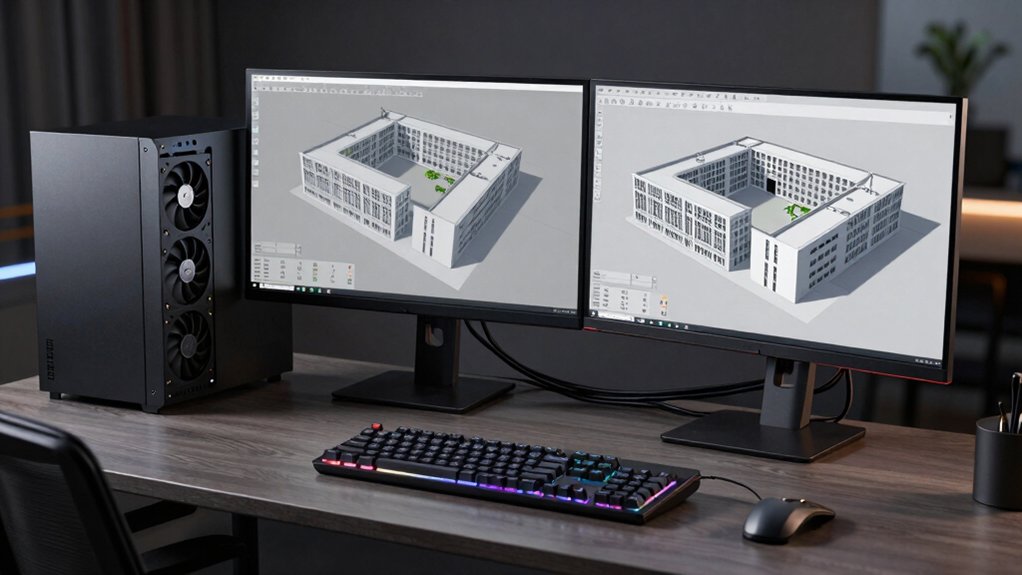
When you’re selecting a workstation for CAD and GPU rendering, you’ll need to evaluate five critical specifications: GPU memory (which determines how large your models can be), CPU core count (which affects processing speed for complex calculations), RAM capacity (which supports multitasking and large file handling), storage speed standards (which influence how quickly you can load and save projects), and thermal management systems (which keep your hardware stable during intensive work). Start by identifying your project requirements—check what GPU memory your software demands, count how many cores your rendering tasks typically use, and calculate the RAM needed based on your file sizes. Then compare workstations against these specifications to find the model that matches your workflow without overspending on unnecessary features.
GPU Memory Requirements
How much GPU memory do you actually need for your CAD and rendering workstation? Start by evaluating your typical project scope. For basic CAD work and small assemblies, 4 GB to 5 GB VRAM suffices, though you’ll face limitations with modern workflows. Move to 8 GB if you regularly handle complex models or 4K textures—this capacity supports mid-range projects without bottlenecks. Choose 16 GB or more for heavy-duty work involving large assemblies, GPU-based denoising, or RTX-accelerated rendering. Beyond capacity, consider memory bandwidth and type. GDDR6 or GDDR7 memory transfers data faster than GDDR5, directly improving frame rates and render times. Match your VRAM investment to your project demands and timeline requirements for optimal performance.
CPU Core Count Importance
While GPU memory handles your rendering pipeline, your CPU determines how fast you can prepare models, manage scenes, and support parallel processing across multiple tasks. Aim for 8–16+ cores with strong single-core performance to balance interactive design work and rendering speed. Higher core counts reduce render times on complex scenes and improve multi-threaded CAD performance. Dual-processor workstations boost core counts further, outperforming single-CPU systems in heavy simulations. Beyond core count, check sustained turbo boost frequency and CPU cache size—these factors maintain performance during long rendering sessions and large assemblies. Higher-core CPUs prove more beneficial for future-proof GPU-accelerated workflows, as software optimizations and licensing increasingly scale with core availability.
RAM Capacity Considerations
Just how much RAM do you actually need for your CAD and rendering workstation? Start by evaluating your typical file sizes and project complexity. For standard CAD work, 32 GB handles most tasks adequately. If you’re running GPU rendering workflows with complex scenes and textures, jump to 128 GB or higher to avoid system slowdowns from memory swapping. For large-scale simulations, heavy virtualization, or managing multiple projects simultaneously, consider 192 GB to 1.5 TB RAM. Beyond capacity, prioritize speed and latency—DDR4 or DDR5 at higher MHz improves data throughput for CPU-intensive operations. Specify ECC RAM for professional workstations to reduce data corruption risks during extended rendering sessions. Match your RAM investment directly to your workload demands and project scale.
Storage Speed Standards
Storage speed directly impacts how quickly your workstation loads CAD files, streams textures during rendering, and manages large asset libraries. Prioritize NVMe PCIe SSDs over SATA drives for significantly faster read/write speeds. Choose Gen4 or Gen5 NVMe drives to sustain higher throughput and lower latency during heavy GPU rendering tasks. Evaluate sequential read/write performance and I/O queue depth to ensure consistent data transfer during complex renders and multi-file operations. For large CAD models and 4K projects, install at least 1 TB NVMe capacity to optimize boot times and asset management. Consider a combined storage approach: use NVMe for active projects and reserve HDD or SATA SSD for archival storage to balance performance and cost effectively.
Thermal Management Systems
How does your workstation stay cool under the intense heat of sustained GPU rendering and high-core-count CPU loads? You’ll need a robust cooling strategy that matches your hardware’s thermal design power (TDP). Choose between liquid cooling or advanced air cooling with multiple fans to dissipate heat from both CPU and GPU simultaneously. Evaluate your chassis airflow design—hot-swap drive bays and high-capacity power supplies reduce hotspots by improving component ventilation. Verify that your power supply’s capacity aligns with your CPU and GPU requirements to prevent thermal throttling during long CAD modeling sessions. Install well-designed heat sinks on all major components, then test sustained performance under typical workloads to confirm stable temperatures throughout your rendering projects.
Display Output Capability
Once you’ve confirmed your workstation stays cool during demanding renders, you’ll need to assess its display output capability to match your multi-monitor CAD workflows. Check how many DisplayPorts and HDMI connections your GPU offers—systems with 4 DisplayPorts support 3840×2160 resolution across multiple monitors. Verify that your GPU model, whether it’s a certified professional unit like Quadro or P4000+, can handle your intended display configuration. Confirm the maximum resolution each port supports, as this determines your 4K rendering readiness. Finally, certify your workstation’s PCIe bandwidth accommodates stable multi-monitor output at your target resolution. Professional-grade GPUs provide better driver support and ISV certification for CAD software, making them the reliable choice for consistent multi-display performance.
Power Supply Specifications
Why does your power supply matter more than you’d think? Your PSU directly determines whether your workstation stays stable under intense CAD and rendering loads. Start by calculating your total component power draw, then add 20–30% headroom for safety. For single-GPU setups, a 750–850W unit typically suffices. Dual-GPU or dual-CPU systems require 1000–1400W minimum. Choose 80 Plus Gold certification or better to maintain stable voltage rails and reduce heat during extended rendering sessions. Select modular or semi-modular PSUs to improve cable management and airflow, both critical for thermal performance. Higher wattage and efficiency ratings prevent voltage drops during peak workloads, protecting your expensive components and ensuring reliable operation during long jobs.
Expandability For Future Upgrades
When you’re investing in a workstation, you’ll want it to grow with your projects rather than force you into a complete rebuild in two or three years. Look for cases with hot-swap drive bays that let you add storage without shutting down your system. Check for multiple PCIe expansion slots so you can install additional GPUs or cards as your rendering demands increase. Verify the motherboard supports modern PCIe Gen 3, 4, or 5 standards to handle fast NVMe storage and future hardware. Confirm the system allows flexible RAM upgrades—scalable memory configurations let you expand from 64GB to 256GB or beyond without replacing existing modules. These expandability features protect your investment by enabling gradual upgrades rather than forcing costly platform changes.
Final Thoughts
You’ll want to match your workstation to your specific needs. First, determine your budget and required performance level. Next, compare CPU cores, RAM capacity, and GPU options across models. Then, verify ISV certifications for your CAD software. Finally, check warranty coverage and support options. Consider refurbished models for cost savings, but confirm they meet your reliability standards before purchasing.

Meet Ry, “TechGuru,” a 36-year-old technology enthusiast with a deep passion for tech innovations. With extensive experience, he specializes in gaming hardware and software, and has expertise in gadgets, custom PCs, and audio.
Besides writing about tech and reviewing new products, he enjoys traveling, hiking, and photography. Committed to keeping up with the latest industry trends, he aims to guide readers in making informed tech decisions.