
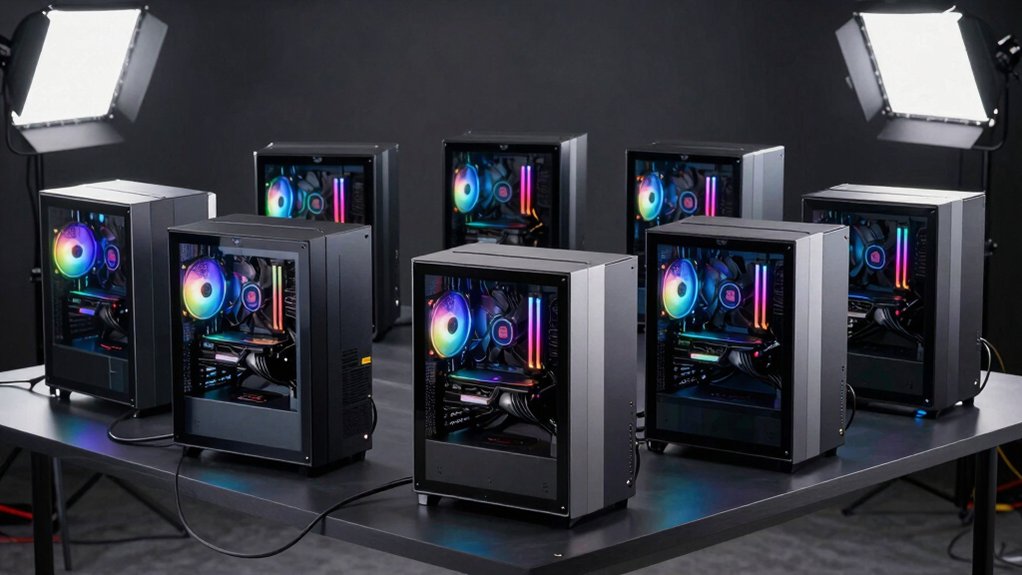

You’re facing a critical choice when you set up a deep learning workstation. You need a machine that handles massive computations without bottlenecks, manages enormous datasets efficiently, and maintains stability through long training cycles. The right workstation combines powerful GPUs, multi-core processors, substantial RAM, and robust cooling systems. But which specific configuration matches your project demands?
| GEEKOM A9 Mega AI Workstation Desktop PC |

| Most Compact | GPU Memory: 96GB VRAM (Radeon 8060S) | System RAM: 128GB LPDDR5X | Storage Capacity: Up to 8TB (2TB standard) | VIEW LATEST PRICE | Read Our Analysis |
| Sentinel Threadripper PRO 9965WX Workstation PC RTX 5070 |

| Best Overall | GPU Memory: 12GB GDDR7 (NVIDIA RTX 5070) | System RAM: 64GB ECC RDIMM DDR5 | Storage Capacity: 5TB total (2TB NVMe + 3TB HDD) | VIEW LATEST PRICE | Read Our Analysis |
| Corsair AI Workstation 300 Desktop PC AMD Ryzen |

| Best Value | GPU Memory: Up to 48GB vRAM (Radeon 8050S iGPU) | System RAM: 64GB LPDDR5X | Storage Capacity: 1TB M.2 SSD | VIEW LATEST PRICE | Read Our Analysis |
| NOVATECH AI Workstation Desktop PC Intel Core i9-14900K |

| Professional Grade | GPU Memory: 96GB GDDR7 (NVIDIA RTX PRO 6000) | System RAM: 192GB DDR5 | Storage Capacity: 10TB NVMe SSD | VIEW LATEST PRICE | Read Our Analysis |
| NOVATECH Apex AI Workstation Gaming PC RTX 5090 |
| Best Performance | GPU Memory: 32GB VRAM (RTX 5090) | System RAM: 96GB DDR5 | Storage Capacity: 5TB total (1TB OS + 4TB NVMe) | VIEW LATEST PRICE | Read Our Analysis |
| NOVATECH Apex WS9995X AI Workstation Gaming PC |

| Enterprise PowerHouse | GPU Memory: 96GB GDDR7 (RTX PRO 6000) | System RAM: 512GB DDR5 ECC | Storage Capacity: 10TB NVMe SSD | VIEW LATEST PRICE | Read Our Analysis |
| Lenovo ThinkStation P3 Tiny Workstation Desktop |

| Best Portable | GPU Memory: 4GB (NVIDIA T400) | System RAM: 32GB DDR5 | Storage Capacity: 1TB SSD (dual 512GB NVMe) | VIEW LATEST PRICE | Read Our Analysis |
More Details on Our Top Picks
GEEKOM A9 Mega AI Workstation Desktop PC
The GEEKOM A9 Mega is the best choice for developers and data scientists who need local AI model development without sacrificing desk space. This compact 2-liter workstation delivers 126 TOPS of AI compute through its AMD Ryzen AI Max+ 395 processor and Radeon 8060S GPU with 96GB dedicated VRAM. You get 128GB system memory, dual 2.5G networking, and storage expandable to 8TB across two M.2 slots. The IceBlast 5.0 cooling system manages peak 140W loads reliably. Connect up to four 8K displays via HDMI 2.1 and USB4 ports. Windows 11 Pro supports local LLM development, 8K rendering, and data science workflows. A 3-year warranty covers your investment.
- GPU Memory:96GB VRAM (Radeon 8060S)
- System RAM:128GB LPDDR5X
- Storage Capacity:Up to 8TB (2TB standard)
- Processor Cores:16 cores (AMD Ryzen AI Max+)
- Operating System:Windows 11 Pro
- Warranty:3-year limited warranty
- Additional Feature:126 TOPS AI compute
- Additional Feature:8K quad display support
- Additional Feature:Compact 2L form factor
Sentinel Threadripper PRO 9965WX Workstation PC RTX 5070
Are you running complex AI models, machine learning workflows, or deep learning projects that demand serious processing power? The Sentinel Threadripper PRO 9965WX delivers 24 cores and 48 threads with boost speeds reaching 5.4 GHz, handling intensive computations efficiently. You’ll benefit from 64GB ECC RAM, which ensures data accuracy during lengthy training sessions. The RTX 5070 GPU with 12GB GDDR7 memory accelerates neural network processing substantially. You get 2TB NVMe Gen5 storage for fast data access and a 3TB HDD for archival purposes. This system supports multi-monitor setups for managing multiple workflows simultaneously. Assembly in the USA includes stress-testing before delivery, and you receive lifetime technical support for ongoing assistance.
- GPU Memory:12GB GDDR7 (NVIDIA RTX 5070)
- System RAM:64GB ECC RDIMM DDR5
- Storage Capacity:5TB total (2TB NVMe + 3TB HDD)
- Processor Cores:24 cores/48 threads (Threadripper PRO 9965WX)
- Operating System:Windows 11 Pro x64
- Warranty:3-year hardware warranty with lifetime diagnostic support
- Additional Feature:24 cores/48 threads
- Additional Feature:5 PCIe expansion slots
- Additional Feature:Lifetime diagnostic support
Corsair AI Workstation 300 Desktop PC AMD Ryzen
If you’re running local large language models or developing AI applications on your own hardware, Corsair’s AI Workstation 300 delivers substantial processing power in a remarkably compact 4.4-liter chassis. The system features an AMD Ryzen AI Max+ 395 processor paired with a Radeon 8050S iGPU offering up to 48GB of dedicated vRAM. You’ll access 64GB of unified LPDDR5X memory running at 8000MHz, enabling smooth multitasking across AI workloads. The XDNA 2 NPU architecture provides up to 50 TOPS of AI acceleration, supporting efficient local LLM inference and creative applications. Built-in security protections safeguard your work from chip-level threats. The included CORSAIR AI Software Suite connects you to development tools, engineering resources, and creative applications, streamlining your workflow immediately upon setup.
- GPU Memory:Up to 48GB vRAM (Radeon 8050S iGPU)
- System RAM:64GB LPDDR5X
- Storage Capacity:1TB M.2 SSD
- Processor Cores:Up to 16 cores (Ryzen AI Max+)
- Operating System:Windows 11 Pro
- Warranty:Not specified
- Additional Feature:50 TOPS NPU acceleration
- Additional Feature:Integrated CORSAIR AI software suite
- Additional Feature:Compact 4.4L chassis
NOVATECH AI Workstation Desktop PC Intel Core i9-14900K
Looking to tackle intensive deep learning projects without bottlenecks? The NOVATECH AI Workstation pairs an Intel Core i9-14900K processor with an NVIDIA RTX PRO 6000 GPU, delivering 24 cores and 96GB of dedicated graphics memory for accelerated neural network training. You’ll get 192GB of DDR5 RAM and 10TB of NVMe storage, enabling you to process massive datasets efficiently. The system includes liquid cooling, a 1000W power supply, and runs Windows 11 Pro. Built and stress-tested in the USA with lifetime technical support, this workstation handles data science, real-time visualization, and 4K video editing simultaneously without performance degradation.
- GPU Memory:96GB GDDR7 (NVIDIA RTX PRO 6000)
- System RAM:192GB DDR5
- Storage Capacity:10TB NVMe SSD
- Processor Cores:24 cores (Intel i9-14900K)
- Operating System:Windows 11 Pro
- Warranty:3-year limited hardware warranty with lifetime technical support
- Additional Feature:96GB RTX PRO graphics
- Additional Feature:10TB NVMe SSD storage
- Additional Feature:Liquid cooling system
NOVATECH Apex AI Workstation Gaming PC RTX 5090
The NOVATECH Apex AI Workstation Gaming PC RTX 5090 is built for professionals who need to run computationally intensive deep learning models without compromise. You’ll benefit from the AMD Ryzen 9 9950X3D processor paired with an RTX 5090 GPU featuring 32GB VRAM, ideal for training neural networks efficiently. The 96GB DDR5 memory handles large datasets simultaneously, while 5TB storage accommodates multiple project files. Liquid cooling maintains optimal performance during extended workloads. Windows 11 Pro comes pre-installed, and you’re covered by lifetime technical support plus a three-year warranty, ensuring reliable operation for professional deep learning tasks.
- GPU Memory:32GB VRAM (RTX 5090)
- System RAM:96GB DDR5
- Storage Capacity:5TB total (1TB OS + 4TB NVMe)
- Processor Cores:16 cores (AMD Ryzen 9 9950X3D)
- Operating System:Windows 11 Pro
- Warranty:3-year limited hardware warranty with lifetime technical support
- Additional Feature:32GB RTX 5090 GPU
- Additional Feature:7 expansion slots
- Additional Feature:5TB total storage capacity
NOVATECH Apex WS9995X AI Workstation Gaming PC
For professionals running enterprise-level AI training, large-scale data science projects, and complex neural network computations, the NOVATECH Apex WS9995X delivers the processing power you need without compromise. The 96-core AMD Ryzen Threadripper PRO 9995WX processor handles intensive workloads efficiently, while the Nvidia RTX PRO 6000 with 96 GB VRAM accelerates deep learning tasks. You’ll also benefit from 512 GB DDR5 ECC memory and 10 TB NVMe Gen 5 storage for managing substantial datasets. The system supports 4K/8K content creation and arrives fully assembled with a 3-year warranty, making it a reliable investment for demanding AI and data science applications.
- GPU Memory:96GB GDDR7 (RTX PRO 6000)
- System RAM:512GB DDR5 ECC
- Storage Capacity:10TB NVMe SSD
- Processor Cores:96 cores/192 threads (Threadripper PRO 9995WX)
- Operating System:Windows 11 Pro
- Warranty:3-year limited hardware warranty
- Additional Feature:96 cores/192 threads
- Additional Feature:512GB DDR5 ECC memory
- Additional Feature:4 PCIe expansion slots
Lenovo ThinkStation P3 Tiny Workstation Desktop
Need a workstation that fits in tight spaces without sacrificing performance for deep learning tasks? The Lenovo ThinkStation P3 Tiny delivers. You get an Intel Core i7-14700 processor with 20 cores running up to 5.4 GHz paired with an NVIDIA T400 graphics card. The system includes 32GB DDR5 RAM split across two 512GB NVMe SSDs for stability during intensive computations. Connect up to five displays using DisplayPort 1.4 and HDMI 2.1 ports for multitask monitoring. Windows 11 Pro handles your deep learning frameworks efficiently. At 3.01 pounds, you’ll transport this workstation between locations easily while maintaining professional-grade performance for your projects.
- GPU Memory:4GB (NVIDIA T400)
- System RAM:32GB DDR5
- Storage Capacity:1TB SSD (dual 512GB NVMe)
- Processor Cores:20 cores (Intel i7-14700)
- Operating System:Windows 11 Pro 64-bit
- Warranty:3-year warranty (Lenovo + upgraded component coverage)
- Additional Feature:Up to 5 display support
- Additional Feature:96% smaller form factor
- Additional Feature:ISV certifications (AutoCAD, SOLIDWORKS, etc.)
Factors to Consider When Choosing a Workstation PC for Deep Learning
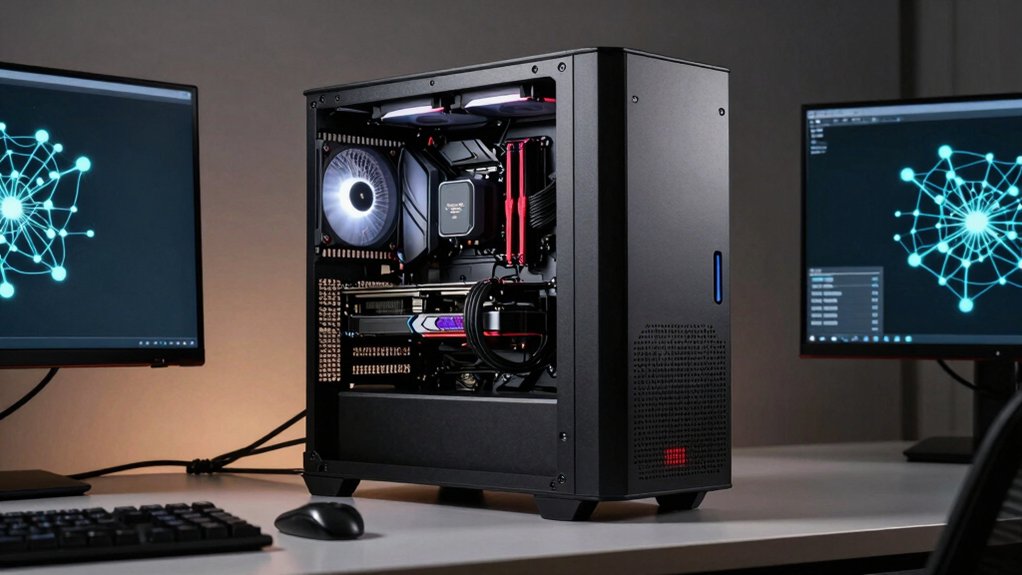
When selecting a workstation PC for deep learning, you’ll need to evaluate five critical hardware components: GPU memory and bandwidth determine how quickly your model processes data, CPU core count and speed handle preprocessing tasks and orchestration, thermal management solutions prevent hardware throttling during extended training sessions, storage and I/O performance affect how fast you load datasets, and power supply capacity ensures stable operation under full computational load. Start by matching your GPU memory to your largest model size, then verify your CPU has enough cores to feed data to the GPU without bottlenecks. Finally, confirm your cooling system and power supply can sustain peak performance without shutdowns or performance degradation.
GPU Memory and Bandwidth
How much GPU memory do you actually need for your deep learning workstation? Start by matching VRAM to your model size. Larger models require more memory—calculate your parameter count and multiply by 4 bytes per parameter for single-precision storage. Add 20–30% extra for activations and gradients. Next, consider your minibatch size. Bigger batches stabilize training but demand more memory. Aim for 8–16GB minimum for standard tasks; use 24GB+ for complex networks or large datasets. Finally, evaluate memory bandwidth. Faster bandwidth (measured in GB/s) accelerates data transfer to GPU cores, improving throughput. Check specifications: high-end GPUs offer 500+ GB/s, while budget options provide 300 GB/s. Match bandwidth to your model’s layer operations for optimal performance.
CPU Core Count and Speed
While GPU memory handles the heavy lifting for model computations, your CPU’s core count and speed determine how quickly you can prepare data, load models, and manage system operations. You’ll want a processor with at least 8 cores to handle parallel data processing during training. Higher clock speeds—typically 3.5 GHz or above—improve single-threaded tasks like preprocessing. Aim for CPUs offering strong IPC (instructions per cycle) performance, which delivers better throughput than core count alone. Large L3 caches (16 MB or more) reduce memory bottlenecks when processing large batches. Check turbo frequency consistency across cores to ensure stable, predictable training times. Balance these specifications according to your specific workload requirements rather than maximizing any single metric.
Thermal Management Solutions
Three key cooling strategies’ll keep your deep learning workstation stable during extended training runs: advanced air cooling with multiple high-velocity fans, liquid cooling loops, or hybrid systems combining both approaches. You’ll want to maintain GPU temperatures below 85–90°C under full load to prevent throttling during long sessions. Align your CPU and GPU thermal design power with your cooling hardware to avoid heat-induced bottlenecks during parallel computations. Install 360° intake configurations with multi-angle exhaust setups to distribute cooling evenly across components in compact enclosures. Use modular radiators or heat exchangers for flexible thermal management. Finally, monitor real-time sensor data for core temperatures, voltages, and fan speeds so you can dynamically adjust cooling performance and preserve hardware longevity throughout intensive deep learning tasks.
Storage and I/O Performance
Beyond keeping your hardware cool, you’ll need storage and I/O performance that matches the scale of your deep learning work. Prioritize high-capacity NVMe storage with PCIe Gen4 or Gen5 interfaces and multiple M.2 slots to hold large datasets and trained models. Ensure your system’s storage bandwidth and I/O throughput align with your dataset size and model parallelism needs. Look for multiple USB-C or USB4 ports to support data transfer and peripherals without bottlenecks. Combine fast NVMe SSDs for active data with larger HDDs for archival storage to balance performance and cost. Pair this with 64GB or more of fast RAM to maintain steady data streams to your AI accelerators, preventing storage from becoming your performance limit.
Power Supply and Cooling
How do you keep a deep learning workstation running at full capacity without risking hardware damage? You need a power supply rated 1000 W or higher with 80+ Gold efficiency or better to handle peak AI workloads without throttling. Check that the PSU delivers stable 12V output across all rails for consistent GPU and accelerator performance. For cooling, install multi-fan arrangements and large heatsinks to reduce thermal throttling during training. Consider liquid cooling systems for superior heat management. Position intake fans at the front and exhaust fans at the rear to maintain steady airflow. Set dynamic fan curves that adjust speed based on temperature, keeping your system cool without excessive noise during extended training sessions.
Final Thoughts
You’ll need to prioritize GPU power, CPU cores, and RAM when selecting your workstation. Check each model’s FP16/TFLOPS ratings, verify it has 64GB+ memory, and confirm cooling capacity handles sustained loads. Compare PCIe Gen4/5 bandwidth and NVMe speed across options. Match your budget to performance requirements, then confirm warranty coverage supports extended training runs before purchasing.

Meet Ry, “TechGuru,” a 36-year-old technology enthusiast with a deep passion for tech innovations. With extensive experience, he specializes in gaming hardware and software, and has expertise in gadgets, custom PCs, and audio.
Besides writing about tech and reviewing new products, he enjoys traveling, hiking, and photography. Committed to keeping up with the latest industry trends, he aims to guide readers in making informed tech decisions.