
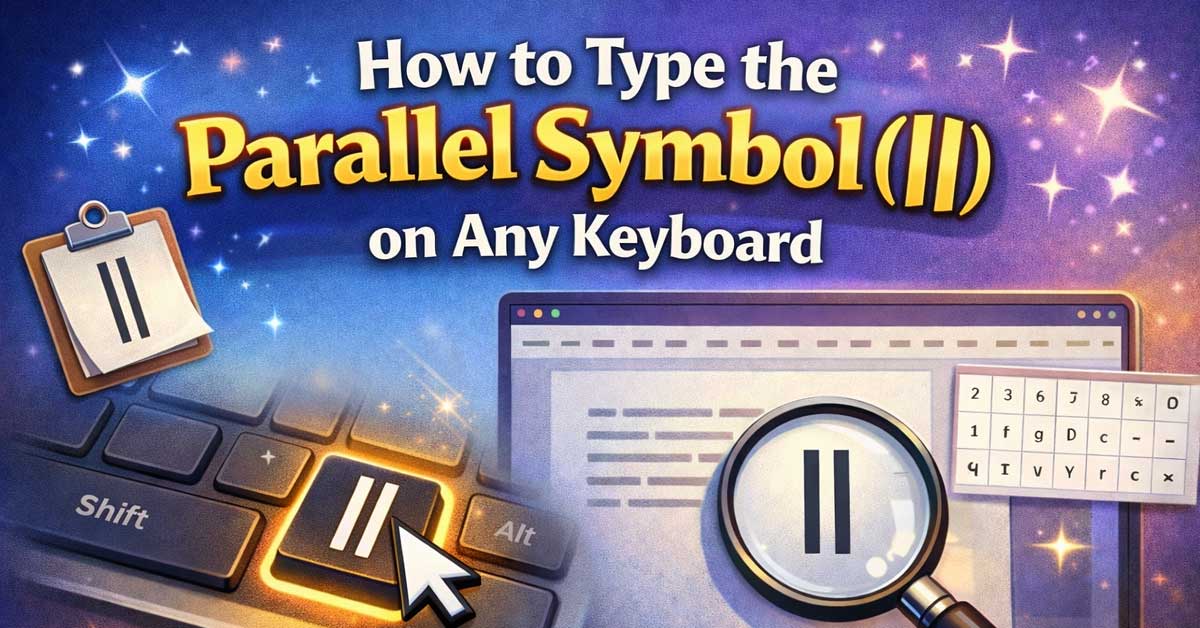

The parallel symbol ∥ is a mathematical and geometric notation used to indicate that two lines, segments, or planes run parallel to one another — never intersecting regardless of how far they extend. Whether you’re writing geometry proofs, engineering notes, technical documentation, or academic papers, this guide covers every way to type the parallel symbol on any device and platform.
What Is the Parallel Symbol?
In geometry, the parallel symbol ∥ is placed between two lines or expressions to indicate they are parallel. For example, AB ∥ CD means line AB is parallel to line CD. It is one of the most fundamental notations in Euclidean geometry and appears regularly in mathematics, physics, engineering, and architecture.
The symbol consists of two vertical lines of equal height — distinct from similar-looking characters that are often mistakenly substituted for it.
There are several variants and closely related symbols worth knowing:
| Symbol | Name | Unicode | Common Use |
|---|---|---|---|
| ∥ | Parallel to | U+2225 | Geometry, math notation |
| ∦ | Not parallel to | U+2226 | Negated parallel |
| ⊥ | Perpendicular to | U+22A5 | Lines at 90° |
| ∣ | Divides / vertical bar | U+2223 | Number theory |
| || | Double pipe (ASCII) | U+007C x2 | Programming, informal use |
| ‖ | Double vertical line | U+2016 | Norm notation, music |
Important distinction: The two most commonly confused characters are ∥ (U+2225, the true parallel symbol) and ‖ (U+2016, the double vertical line used in mathematical norms and music notation). They look nearly identical but are different Unicode characters with different meanings. For geometry and parallel notation, always use ∥ (U+2225).

Math Geometry design. The bold "Geometry" text sits in the middle, drawing attention to the mathematical theme of the design. The design features a variety of geometric...
How to Type the Parallel Symbol on Windows
Method 1: Copy and Paste
The fastest and most reliable method on any platform — copy ∥ directly from this page and paste it wherever you need it. Works in every browser, app, and text editor.
Method 2: Alt Code
- Make sure Num Lock is on
- Hold Alt and type 8741 on the numeric keypad
- Release Alt — ∥ appears
If Alt + 8741 doesn’t work in your application, try the Unicode input method in Word or fall back to copy-paste. Alt code behavior can vary between programs.
Method 3: Unicode Input (Microsoft Word)
- Type 2225
- Immediately press Alt + X
- Word converts it to ∥
For the not-parallel symbol:
- Type 2226
- Press Alt + X → ∦
Method 4: Character Map
- Open Start and search “Character Map”
- Search for “parallel” in the search box
- Select ∥
- Click Select, then Copy
- Paste into your document
Method 5: Windows Emoji Panel
- Press Windows key + . (period)
- Go to the Symbols tab
- Search for “parallel”
- Click to insert if available — note that the parallel symbol may not appear in all versions of the emoji panel, in which case use Character Map or copy-paste
Unframed Math Prints: Just a friendly reminder, these are unframed math posters! They're not printed on wood, stone, or any fancy material; just high-quality paper. These high school math posters for classroom are perfect for framing.

Mr. Pen geometry kit contains 3 compasses, 2 triangles, a 6-inch ruler, a protractor, and 2 pencils, ensuring you have all the tools you need for precise geometric work.
How to Type the Parallel Symbol on Mac
Method 1: Character Viewer (Most Reliable)
- Press Control + Command + Space
- Search for “parallel”
- Double-click ∥ to insert it
This is the most straightforward method on macOS and works across every app.
Method 2: Unicode Hex Input
- Enable Unicode Hex Input under System Settings > Keyboard > Input Sources
- Switch to the Unicode Hex Input keyboard
- Hold Option and type 2225
- Releases as ∥
Method 3: Create a Text Replacement Shortcut
Mac doesn’t have a dedicated key shortcut for ∥, but you can build one:
- Go to System Settings > Keyboard > Text Replacements
- Click +
- In Replace, type something like
para|| - In With, paste ∥
- Click Add
Now typing para|| in any macOS app will auto-suggest ∥.

Students take turns drawing match cards and using mental math.


Package include: This pack comes with a math symbols bulletin board set with a size of 150x150cm/59x59inch, with a total of 50 cutouts, including 11pcs ”Math Symbols” title cutouts, 18pcs bulletin borders, 21pcs math signs vocabulary symbol cutouts, and 4 sheets adhesive dots. Adequate quantity is provided for you to decorate your back to school bulletin board, door or classroom wall.
How to Type the Parallel Symbol on iPhone and Android
The parallel symbol is not available on standard mobile keyboards. The most practical approach on both platforms is copy-paste combined with a saved shortcut for repeated use.
iPhone (iOS)
Set up a text replacement for quick access:
- Go to Settings > General > Keyboard > Text Replacement
- Tap +
- In Phrase, paste ∥
- In Shortcut, type something like
para - Tap Save
Typing para will now auto-suggest ∥ as a replacement anywhere on iOS.
Android (Gboard)
- Go to Gboard Settings > Dictionary > Personal Dictionary
- Select your language
- Tap +
- Add ∥ as the word and
paraas the shortcut - Tap the checkmark to save
Gboard will suggest ∥ whenever you type para.
Alternative: Math Keyboard Apps
If you frequently type mathematical notation on mobile, consider a dedicated math keyboard app:
- MathKey (iOS) — Designed specifically for mathematical symbols and LaTeX input
- Math Keyboard (Android) — Provides a full panel of math symbols including geometric notation
- Mathpix (iOS & Android) — Scan handwritten math and convert to digital notation
How to Type the Parallel Symbol in Microsoft Word
Method 1: Alt + X (Fastest in Word)
Type 2225 then press Alt + X — Word instantly converts it to ∥.
Method 2: Equation Editor
For formal mathematical documents, Word’s built-in equation editor handles parallel notation cleanly:
- Go to Insert > Equation
- Click Symbols in the equation toolbar
- Select Mathematical Operators from the dropdown
- Find and click ∥
Or within the equation editor, type \parallel followed by Space — Word will convert it to ∥ automatically.
Method 3: AutoCorrect Setup
- Go to File > Options > Proofing > AutoCorrect Options
- In Replace, type something like
(para) - In With, paste ∥
- Click Add, then OK
Now typing (para) anywhere in Word auto-produces ∥.
Method 4: Insert > Symbol
- Go to Insert > Symbol > More Symbols
- Set from to Unicode (hex)
- Type 2225 in the Character code box
- Click Insert
How to Type the Parallel Symbol in Google Docs
Method 1: Insert > Special Characters
- Go to Insert > Special Characters
- Search for “parallel”
- Click ∥ to insert it directly
Method 2: Copy and Paste
Copy ∥ from this article and paste directly into your Google Doc — no additional steps required.
Method 3: Equation Editor
Google Docs supports LaTeX-style math input:
- Go to Insert > Equation
- Type
\parallel - Press Space or Enter
- Google Docs renders it as ∥
This is the cleanest method for math-heavy documents as it keeps notation inside a proper equation block.
Method 4: Substitutions
- Go to Tools > Preferences > Substitutions
- In Replace, type
(para) - In With, paste ∥
- Click OK
Parallel Symbol in HTML and CSS
For web developers and publishers, here are all the correct ways to render the parallel symbol in code:
| Method | Code | Result |
|---|---|---|
| HTML numeric (hex) | ∥ | ∥ |
| HTML numeric (decimal) | ∥ | ∥ |
| Not parallel (hex) | ∦ | ∦ |
| CSS content property | content: "\2225"; | ∥ |
| LaTeX | \parallel | ∥ |
| Direct UTF-8 | paste ∥ directly | ∥ |
Note: The parallel symbol does not have a named HTML entity like
€or†. Always use the numeric hex form∥for best compatibility.
CSS example:
css
.parallel-notation::after {
  content: "\2225";
  margin: 0 4px;
  font-family: "Segoe UI", "Arial Unicode MS", sans-serif;
}
Font support note: As with many mathematical symbols, ∥ may not render in all fonts. Use a fallback stack that includes Segoe UI, Arial Unicode MS, or DejaVu Sans to ensure reliable display across browsers and operating systems.
The Parallel Symbol in LaTeX
For anyone writing academic papers, scientific documents, or math-heavy content, LaTeX is the standard tool — and it handles the parallel symbol elegantly.
Basic Parallel Notation
latex
AB \parallel CDRenders as: AB ∥ CD
Not Parallel
latex
AB \nparallel CDRenders as: AB ∦ CD
Inside an Equation Environment
latex
\begin{equation}
  \overline{AB} \parallel \overline{CD}
\end{equation}
Parallel in Text Mode
If you need the symbol inline within regular text rather than inside a math block:
latex
Lines $AB$ and $CD$ are parallel ($AB \parallel CD$).Package note: The
\parallelcommand is available in standard LaTeX without any additional packages. For extended geometric notation, theamssymbandtxfontspackages offer additional symbol options.
How the Parallel Symbol Is Used in Practice
Understanding context helps you use the symbol correctly across different fields.
Geometry & Mathematics
The most common use — indicating two lines, rays, or line segments run in the same direction and never intersect:
- AB ∥ CD — Line AB is parallel to line CD
- ℓ₁ ∥ ℓ₂ — Line 1 is parallel to line 2
- m ∥ n — Lines m and n are parallel
Physics & Engineering
In physics, ∥ is used to denote components of a vector parallel to a reference direction, as opposed to ⊥ for perpendicular components:
- v∥ — The component of velocity parallel to the surface
- F∥ — Force component parallel to the incline
In electrical engineering, ∥ is sometimes used to represent resistors in parallel:
- R₁ ∥ R₂ — Resistors R1 and R2 connected in parallel
Music Notation
In traditional music theory, parallel motion between voices is annotated with ∥ to flag parallel fifths or octaves — a notation used in counterpoint analysis.
Programming
In most programming languages, || (double pipe, two ASCII vertical bars) is used as the logical OR operator — this is distinct from the mathematical parallel symbol ∥ and should not be confused with it in technical writing.
Parallel vs. Similar-Looking Symbols: Know the Difference
The parallel symbol is frequently substituted with characters that look similar but mean something different. Here’s a clear breakdown:
| Symbol | Unicode | Name | Correct Use |
|---|---|---|---|
| ∥ | U+2225 | Parallel to | Geometric parallel notation |
| ‖ | U+2016 | Double vertical line | Norm in math (‖v‖), music |
| || | U+007C x2 | Two ASCII pipes | Programming logical OR |
| ∣ | U+2223 | Divides | Number theory (a ∣ b) |
| | | U+007C | Vertical bar / pipe | Programming, ASCII art |
| ⊥ | U+22A5 | Perpendicular | Lines at right angles |
For geometry homework, textbooks, and formal mathematical writing, always use ∥ (U+2225). The ASCII || workaround is acceptable in casual digital writing but is technically incorrect in formal notation.
Related Geometric Symbols
If you work with parallel notation, these related geometric and mathematical symbols are worth having in your toolkit:
| Symbol | Name | Unicode | Mac (Char Viewer) | Windows Alt Code |
|---|---|---|---|---|
| ∥ | Parallel to | U+2225 | Search “parallel” | Alt + 8741 |
| ∦ | Not parallel to | U+2226 | Search “not parallel” | — |
| ⊥ | Perpendicular | U+22A5 | Search “perpendicular” | Alt + 8869 |
| ∠ | Angle | U+2220 | Search “angle” | Alt + 8736 |
| △ | Triangle | U+25B3 | Search “triangle” | — |
| ≅ | Congruent to | U+2245 | Search “congruent” | Alt + 8773 |
| ∼ | Similar to | U+223C | Search “similar” | — |
| π | Pi | U+03C0 | Search “pi” | Alt + 227 |
| ° | Degree | U+00B0 | Search “degree” | Alt + 0176 |
| √ | Square root | U+221A | Search “radical” | Alt + 251 |
Quick Reference: Parallel Symbol Cheat Sheet
| ∥ | ∦ | |
|---|---|---|
| Name | Parallel to | Not parallel to |
| Unicode | U+2225 | U+2226 |
| HTML numeric | ∥ | ∦ |
| Windows Alt code | Alt + 8741 | — |
| Word (Alt+X) | Type 2225 + Alt+X | Type 2226 + Alt+X |
| Mac (Viewer) | Ctrl+Cmd+Space, search “parallel” | ← same |
| Mac (Unicode) | Option + 2225 | Option + 2226 |
| LaTeX | \parallel | \nparallel |
| Google Docs | Insert > Equation > \parallel | Insert > Equation > \nparallel |
| Mobile | Copy/paste or text replacement | Copy/paste |
| CSS escape | \2225 | \2226 |
Final Thoughts
The parallel symbol is one of those characters that looks simple but hides a lot of nuance — particularly around the distinction between ∥ (U+2225) and the visually similar ‖ (U+2016) and ASCII ||. For geometry and formal math writing, always use the true parallel symbol U+2225. Word users have the cleanest path with the Alt + X method (type 2225 + Alt+X), while Mac users can pull it up quickly through the Character Viewer. In LaTeX, \parallel handles everything neatly. For everyone else — students, writers, casual users — a copy-paste of ∥ from this page is always the fastest route.


COMPREHENSIVE LEARNING TOOL - The 14 educational middle school math posters offer a guide for students to learn essential topics in geometry. These vibrant geometry posters offer a clear and concise reference tool for students during lessons.

Meet Ry, “TechGuru,” a 36-year-old technology enthusiast with a deep passion for tech innovations. With extensive experience, he specializes in gaming hardware and software, and has expertise in gadgets, custom PCs, and audio.
Besides writing about tech and reviewing new products, he enjoys traveling, hiking, and photography. Committed to keeping up with the latest industry trends, he aims to guide readers in making informed tech decisions.