
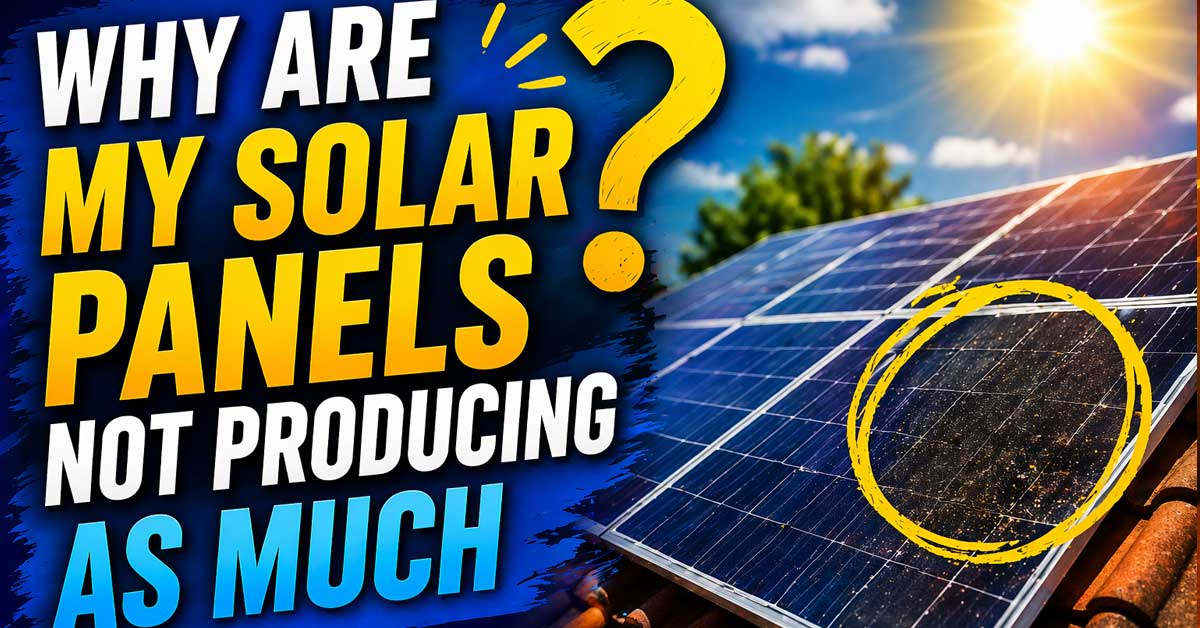

Usually shading, soiling, seasonal changes, or equipment issues — here’s how to find the cause
Solar panels producing less power than expected — lower output than your monitoring system shows they should produce, less generation than the same period last year, or a noticeable drop that appeared recently — has specific, diagnosable causes.
Some production loss is normal and seasonal. Some indicates a fixable problem. Some points to equipment that needs professional attention.
Here’s how to identify which category your situation falls into and what to do about it.
Check Whether the Drop Is Normal First
Before troubleshooting, establish whether the reduced production is actually abnormal or whether it’s expected for current conditions.
Seasonal variation is the biggest factor. Solar panel output varies dramatically by season — a system that produces 30 kWh per day in June may produce only 8 to 12 kWh per day in December. Shorter days, lower sun angles, and more cloud cover all reduce output. Comparing winter production to summer production and concluding something is wrong is the most common misinterpretation of solar data.
Compare the same period year over year. If your monitoring system has historical data, compare this week or month to the same week or month last year. A 10 to 20 percent reduction from the same period last year warrants investigation. A 50 percent reduction in December compared to July doesn’t.
Check the weather. Overcast days, smoke from wildfires, and unusual cloud cover all reduce production. A week of cloudy weather explains lower output without any equipment issue.
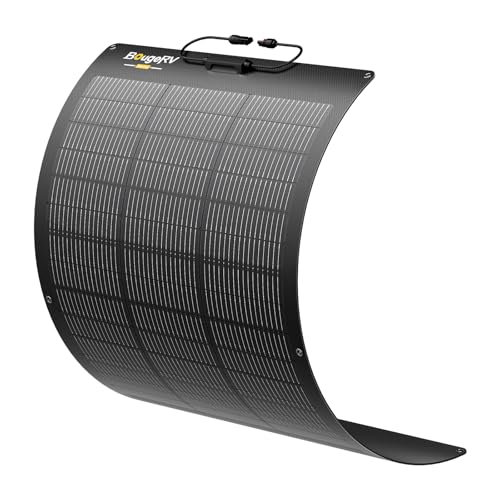
More Stable Output: Say goodbye to unstable energy output with BougeRV Arch Pro Solar Panel. Upgraded bypass diode technology captures more energy even in low-light conditions or partial shading, ensuring stable power output at all times

ShadowFlux Anti-Shading Technology - Renogy shadowflux technology delivers enhanced power generation even in shaded areas caused by buildings, plants, or stains. This solar panel innovative ShadowFlux anti-shading tech significantly reduces hot-spot risks, ensuring reliable power output and peace of mind.
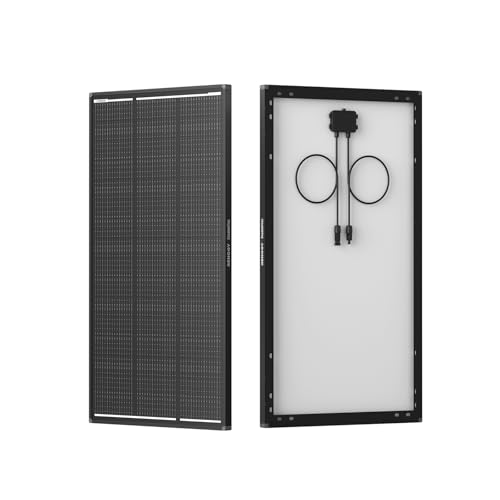
ShadowFlux Anti-Shading Technology - Renogy shadowflux technology delivers enhanced power generation even in shaded areas caused by buildings, plants, or stains. This 120w solar panel innovative shadowflux anti-shading tech significantly reduces hot-spot risks, ensuring reliable power output and peace of mind.
Shading Is the Most Common Cause of Unexpected Drops
Shading is the single most impactful and most commonly overlooked cause of reduced solar production. Even partial shading of a small portion of a panel can disproportionately reduce output — depending on how panels are wired, shading one panel can reduce the output of an entire string of panels.
New shading sources appear over time:
Trees that weren’t a problem when the system was installed have grown and now cast shadows across panels during part of the day. A neighboring building, pergola, fence, or structure was added. A TV antenna, satellite dish, or other rooftop fixture now casts shadows at certain sun angles. Seasonal sun angle changes mean a tree or structure that didn’t shade panels in summer now shades them in winter.
How to check for shading:
Observe the roof at different times of day — particularly mid-morning and mid-afternoon when the sun is at lower angles. Use a drone or binoculars to check for any shadows crossing the panel array at peak production hours.
If tree growth is the cause, trimming the relevant branches is the fix. If a new structure is the cause, repositioning panels may be necessary — consult your installer.

Lightweight & powerful – effortless to lift, effortless to install: Our electric spin solar panel cleaning brush and pole combines strength and ease in one tool. Made with aerospace-grade aluminum, it weighs only 2 lbs but handles like a pro. Unlike bulky tools, this solar panel cleaning brush kit is simple to assemble—no complex setup, just attach and start cleaning. Whether it’s for your solar panel cleaning roller brush and pole or window washing kit with extension pole, you’ll feel the difference from the first use.

EFFORTLESS SOLAR PANEL CLEANING. Includes a 5-20ft water-fed extension pole with a soft brush and soap dispenser, making solar panel cleaning safe and easy to clear snow, dirt, bird droppings and ash to maintain panel shine and performance

No.1 CLEANER FOR SOLAR PANELS: This ultra concentrated value formula is the best way to restore photovoltaic efficiency for solar panels.
Dirty or Soiled Panels
Dust, pollen, bird droppings, leaves, and pollution accumulate on panel surfaces and reduce the amount of light reaching the solar cells. A thin layer of dust that’s barely visible can reduce output by 5 to 10 percent. Heavy soiling — thick dust, bird droppings covering a significant portion of a panel, or a layer of pollen — can reduce output by 20 to 30 percent or more.
How often panels need cleaning depends on:
Your local environment — dusty areas, high pollen regions, and areas with many birds need more frequent cleaning. Whether you get regular rain — rain naturally cleans panels in most cases, though it doesn’t remove all soiling. Panel tilt angle — low-tilt or flat panels accumulate more dirt than steeply angled ones because rain doesn’t wash them as effectively.
To check whether soiling is the cause:
Look at the panels from ground level or through binoculars. Bird droppings, thick dust, or visible debris on the surface are obvious. A uniformly dull appearance compared to the glass-like shine of clean panels indicates general soiling.
Cleaning panels:
In most cases, hosing panels down with water from ground level is sufficient — avoid high-pressure washers which can damage seals. Clean in the early morning or evening, not during peak sun when panels are hot. Never use abrasive materials or harsh detergents. If panels are difficult to access safely, professional panel cleaning services are widely available and relatively inexpensive.

100W solar panel kits ideal for 12v battery charging, designed for RVs, cabins, homes, boats, caravan s, back-up and remote power use. This kits include 4pcs Z mounting...
Inverter Issues
The inverter converts DC power from the panels into AC power for your home — it’s the most failure-prone component in a solar system and inverter problems are a common cause of reduced or zero production.
Signs of inverter issues:
Error codes or fault lights on the inverter display. Most inverters have LED indicators and display screens showing fault codes. Check the inverter for any red or amber lights, error messages, or fault codes. Look up the specific code in your inverter’s manual or the manufacturer’s website.
The inverter is off or not running. Check that the inverter is powered on and running — some inverters shut down automatically during grid outages, during extreme temperatures, or after faults. Some require manual reset after a fault.
Partial output. If a string inverter has one of its MPPT inputs failing, output from that string drops while the other continues normally.
Inverter display shows production but home monitoring shows nothing. A communication failure between the inverter and monitoring system can make production appear lower than it is without affecting actual output.
What to do:
Note any error codes and check the manufacturer’s documentation. Many error codes indicate conditions the inverter recovers from automatically — grid voltage issues, frequency faults, temperature shutdowns. Try powering the inverter off and back on if error codes suggest a recoverable fault. If the inverter is continuously faulting, contact your installer or the inverter manufacturer’s support line.
Microinverter or Optimizer Issues
Systems with microinverters or power optimizers (Enphase, SolarEdge, and similar) have individual electronics on each panel rather than a single string inverter. This allows panel-level monitoring that makes diagnosing production issues significantly easier.
Log into your monitoring platform — Enphase Enlighten, SolarEdge monitoring portal, or your system’s app. Look for any panels showing lower production than their neighbors, or showing as offline entirely.
A panel producing significantly less than its neighbors — while others produce normally — indicates a microinverter or optimizer failure on that specific panel rather than a shading or soiling issue affecting the whole array.
A failed microinverter or optimizer requires replacement by a qualified installer. These components typically carry 25-year warranties — contact your installer or the manufacturer for warranty service if a unit has failed.
Panel Degradation
Solar panels gradually lose efficiency over their lifetime — this is normal and expected, not a defect. Most panels degrade at approximately 0.5 to 0.8 percent per year, meaning a panel rated at 400W when new might produce 392W after two years and 380W after five years.
Most manufacturers warrant panels to produce at least 80 percent of their rated output after 25 years — roughly 0.8 percent degradation per year as the worst acceptable case.
Degradation is rarely the cause of a noticeable sudden drop — it’s gradual and consistent. If production dropped sharply over weeks or months rather than declining slowly over years, degradation isn’t the cause.
For very old systems — 15 to 20 years — cumulative degradation can account for a meaningful reduction in output. Compare current output to the system’s original production data to quantify how much degradation has occurred.
Hot Weather Reducing Output
Solar panels are less efficient at high temperatures — counterintuitively, very hot sunny days can produce less power than slightly cooler sunny days. Solar cells have a temperature coefficient — typically around -0.3 to -0.4 percent per degree Celsius above 25°C (77°F). A panel operating at 65°C on a hot summer day produces roughly 15 percent less than it would at 25°C.
This is why spring and autumn days — bright sun but moderate temperatures — sometimes produce more power than peak summer days. If your system shows lower production on very hot days despite full sun, temperature derating is a normal physical phenomenon rather than a fault.
There’s no fix for temperature derating — it’s a fundamental characteristic of silicon solar cells. Ensuring adequate airflow under the panels helps keep them cooler — panels mounted flat against the roof with no air gap run hotter than racked panels with ventilation underneath.
Grid or Utility Issues
Grid-tied solar systems shut down automatically during grid outages — this is a safety requirement called anti-islanding protection, designed to protect utility workers from panels energizing lines they’re working on. If your utility has had outages or grid instability in your area, your system may have shut down repeatedly without you realizing it.
Check your inverter log for any grid fault events. Also contact your utility if you suspect grid voltage or frequency issues in your area — out-of-range grid conditions cause inverters to shut down even without a full outage.
Check Your Monitoring System
Sometimes the panels are producing correctly but the monitoring data is wrong — a communication fault between the inverter and the monitoring system makes production appear lower than it is.
Check whether your monitoring system’s data matches what the inverter’s own display shows. The inverter’s built-in display typically shows real-time production directly — this is more reliable than data that’s been transmitted through a communication gateway to a cloud monitoring platform.
If the inverter shows normal production but the monitoring app shows low or zero production, the communication gateway, the router, or the monitoring software has an issue rather than the panels or inverter.
Reset the monitoring gateway if your system has one — typically a small box connected to the inverter that transmits data to the cloud. Power cycling it often restores monitoring connectivity.
Wiring and Connection Issues
Loose connections, corroded terminals, or damaged wiring in a solar system cause resistance that reduces power output. Connections can loosen over time due to thermal expansion and contraction cycles — panels heat up during the day and cool at night, and this repeated expansion and contraction gradually loosens MC4 connectors and terminal connections.
Signs of wiring issues:
Gradual rather than sudden production decline. Production that’s lower than expected but with no obvious fault codes. Panels that produce significantly less than similar panels elsewhere on the roof.
Do not attempt to inspect or repair solar wiring yourself unless you’re a qualified electrician. Solar panels generate dangerous DC voltage even in low light and cannot be turned off by the system’s disconnect switches — the panels themselves are always live when exposed to light. Wiring inspection and repair requires a qualified solar installer or electrician.
Roof or Mounting Issues
Panels that have shifted, tilted, or partially detached from their mounting hardware produce less power because they’re no longer optimally angled. Wind damage, settling, or mounting hardware failure can alter panel angle.
Inspect the array from ground level for any panels that look misaligned, tilted differently from their neighbors, or partially lifted at an edge. Any visible mounting issue requires a qualified installer to safely inspect and correct — do not go on the roof to check panels without proper safety equipment and training.
A Quick Checklist
Work through these before calling your installer:
- Compare to same period last year — confirm the drop is abnormal for the season
- Check current weather — cloud cover and smoke explain short-term drops
- Check for new shading — trees, structures, or rooftop additions
- Inspect panels for soiling — bird droppings, dust, pollen, debris
- Clean panels if visibly dirty — hose down from ground level
- Check inverter display for error codes or fault indicators
- Log into monitoring platform to identify specific underperforming panels
- Check inverter is powered on and hasn’t shut down from a fault
- Reset monitoring gateway if inverter shows normal output but app shows low
- Check for grid outages in your area that may have triggered shutdowns
- Contact installer for wiring issues, microinverter failures, or persistent faults
The Bottom Line
Reduced solar production is most commonly caused by shading from tree growth, soiled panels, seasonal sun angle changes, or an inverter fault. Checking for new shading and cleaning the panels together address two of the most impactful and most fixable causes without requiring professional involvement.
For panel-level monitoring systems like Enphase or SolarEdge, the monitoring app is the most powerful diagnostic tool available — a single underperforming panel immediately visible in the data points directly at a microinverter or optimizer that needs replacement.
Solar panels produce less when something is blocking the light, absorbing it before it reaches the cells, or when the electronics converting it have a fault — find which of those three things is happening and the fix becomes clear.

Enhanced PV Tester: The FROGBRO 1800W Solar Panel Tester can measure solar panels with output power ranging from 5W to 1800W, voltages from 20V to 120V, and currents up to 60A. This makes it suitable for a wide range of solar applications, including residential and commercial systems.

Find Perfect Angle for Solar Panels: The solar angle guide helps you determine the optimal angle for your solar panels to maximize energy output and efficiency. By using the solar angle guide, you can ensure that your solar panels are operating at maximum efficiency, saving you time and helping a lot for your outdoor time.


Meet Ry, “TechGuru,” a 36-year-old technology enthusiast with a deep passion for tech innovations. With extensive experience, he specializes in gaming hardware and software, and has expertise in gadgets, custom PCs, and audio.
Besides writing about tech and reviewing new products, he enjoys traveling, hiking, and photography. Committed to keeping up with the latest industry trends, he aims to guide readers in making informed tech decisions.