
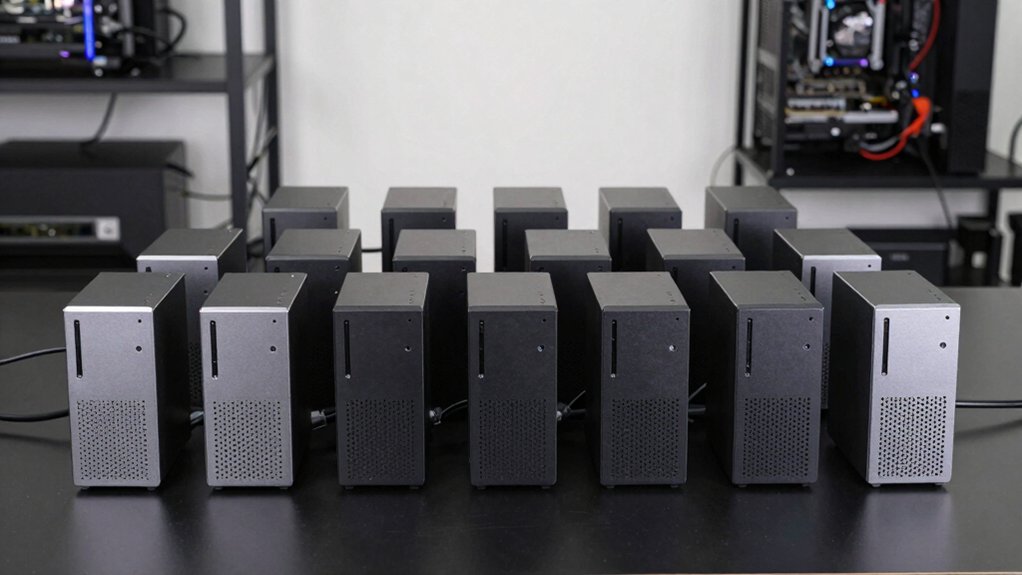

You’re evaluating 13 budget mini PCs for a homelab. Start by listing each model’s CPU, RAM, and storage, then check upgrade paths and cooling. Compare networking options (Gigabit vs 2.5G, Wi‑Fi inclusion), display support, and port availability. Next, verify RAM/SSD upgrade ease, BIOS/VM readiness, and vendor support. Create a short decision matrix to match each unit to your workload, power, and budget, and note any gaps to fill with accessories, then decide which to purchase first and why.
| BOSGAME E5 Mini PC: Ryzen 3 16GB 1TB PCIe |

| Best Overall | CPU Family: Ryzen 5 5300U | RAM Capacity: 16GB | Storage Capacity (M.2/SSD): 1TB PCIe SSD (up to 4TB) | VIEW LATEST PRICE | Read Our Analysis |
| MINISFORUM MS-01-S1260 Mini PC Barebone with i5-12600H |

| Enterprise-Ready Barebone | CPU Family: Intel Core i5-12600H | RAM Capacity: Up to 96GB (DDR5) | Storage Capacity (M.2/SSD): Up to three M.2 NVMe SSD slots (up to 24TB total with config) | VIEW LATEST PRICE | Read Our Analysis |
| MINISFORUM MS-02 Ultra Workstation Barebone PC |
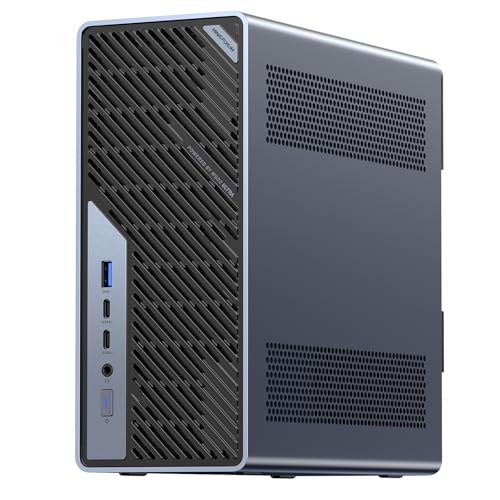
| GPU-Ready Workstation | CPU Family: Intel Core Ultra 5 235HX | RAM Capacity: N/A (barebone) | Storage Capacity (M.2/SSD): N/A (barebone) | VIEW LATEST PRICE | Read Our Analysis |
| KAMRUI Hyper H1 Mini Gaming PC (Ryzen 7) |

| Gaming Powerhouse | CPU Family: Ryzen 7 7735HS | RAM Capacity: 24GB | Storage Capacity (M.2/SSD): 1TB NVMe SSD (plus 2x M.2 slots up to 4TB total) | VIEW LATEST PRICE | Read Our Analysis |
| MINISFORUM MS-01 Mini PC Barebone with Intel Core i9-13900H |

| Premium Modular | CPU Family: Intel Core i9-13900H | RAM Capacity: Up to 96GB | Storage Capacity (M.2/SSD): Up to 24TB with multiple slots | VIEW LATEST PRICE | Read Our Analysis |
| KAMRUI P1 Mini PC with Ryzen 4300U 16GB/512GB |

| All‑In‑One Value | CPU Family: Ryzen 4300U | RAM Capacity: 16GB (upgradable to 64GB) | Storage Capacity (M.2/SSD): 512GB SSD (expandable) | VIEW LATEST PRICE | Read Our Analysis |
| Beelink Mini PC S12 N95 Quad-Core 4K UHD |

| Dual‑Display Pro | CPU Family: Intel 12th Gen N95 (N95) | RAM Capacity: 8GB or 16GB (listed inconsistencies; commonly 8GB) | Storage Capacity (M.2/SSD): 256GB SSD (HTPC/office focus) | VIEW LATEST PRICE | Read Our Analysis |
| BOSGAME Mini PC E3 Neo: 16GB/512GB 4K Display |

| 4K Media Pro | CPU Family: Intel 12th Gen N95 | RAM Capacity: 16GB | Storage Capacity (M.2/SSD): 512GB SSD (with 2.5-inch HDD bay option) | VIEW LATEST PRICE | Read Our Analysis |
| GeeekPi DeskPi RackMate TT Mini Server Cabinet |

| Rack‑Ready Mini | CPU Family: N/A (barebone rack cabinet) | RAM Capacity: N/A | Storage Capacity (M.2/SSD): N/A | VIEW LATEST PRICE | Read Our Analysis |
| MINISFORUM AI X1-255 Mini PC (Ryzen 7) |
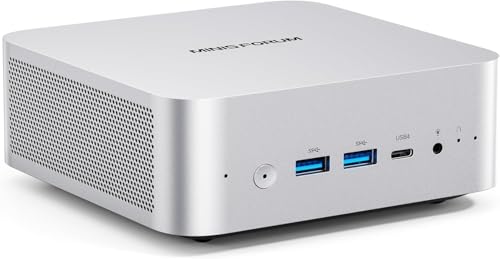
| AI/Heavy Workhorse | CPU Family: AMD Ryzen 7 255 | RAM Capacity: Up to 64GB | Storage Capacity (M.2/SSD): Dual M.2 up to 8TB total (each up to 4TB) | VIEW LATEST PRICE | Read Our Analysis |
| GMKtec M5 Plus Gaming Mini PC with Ryzen 7 |

| High‑Performance Build | CPU Family: AMD Ryzen 7 5825U | RAM Capacity: 32GB | Storage Capacity (M.2/SSD): 1TB PCIe M.2 SSD (up to 4TB per slot, two slots) | VIEW LATEST PRICE | Read Our Analysis |
| KAMRUI Hyper H2 Mini PC with 32GB/1TB PCIe4.0 |

| HX‑Class Power | CPU Family: Intel Core i7 14650HX | RAM Capacity: 32GB | Storage Capacity (M.2/SSD): 1TB NVMe SSD (dual M.2 slots up to 4TB each) | VIEW LATEST PRICE | Read Our Analysis |
| Getorli Mini PC with Dual LAN Ryzen 5 7430U |

| Dual‑LAN Power Saver | CPU Family: AMD Ryzen 5 7430U | RAM Capacity: 16GB | Storage Capacity (M.2/SSD): 512GB SSD (ROM expandable to 4TB) | VIEW LATEST PRICE | Read Our Analysis |
More Details on Our Top Picks
BOSGAME E5 Mini PC: Ryzen 3 16GB 1TB PCIe
The BOSGAME E5 Mini PC is a solid pick if you need reliable multitasking on a budget, thanks to its Ryzen 5 5300U chip, 16GB of RAM, and a fast 1TB PCIe SSD. You choose the device for three displays and solid storage. Steps: verify CPU model, confirm RAM and SSD size, and check PCIe slot for expansion to 4TB. Connect HDMI, DP, and USB-C for 4K at 60Hz. Use 16GB RAM for multitasking, run design apps, and store project files on the 1TB SSD. Enable Wi‑Fi 5 and Bluetooth 5.0 for peripherals. Schedule updates and backups regularly.
- CPU Family:Ryzen 5 5300U
- RAM Capacity:16GB
- Storage Capacity (M.2/SSD):1TB PCIe SSD (up to 4TB)
- Graphics Capabilities:Radeon Graphics (integrated)
- Display Outputs / Multi-Monitor:HDMI 2.0, DP, USB-C 4K@60
- Network Connectivity:1Gb LAN x2; Wi-Fi 5 + Bluetooth 5.0
- Additional Feature:Triple display support
- Additional Feature:4K@60Hz outputs
- Additional Feature:Lifetime after-sales service
MINISFORUM MS-01-S1260 Mini PC Barebone with i5-12600H
If you need a compact, enterprise-ready barebone that can handle heavy workloads and rapid storage expansion, the MINISFORUM MS-01-S1260 with an i5-12600H stands out. This system uses a 12th‑Gen Core i5-12600H with 12 cores and 16 threads, delivering strong multi‑thread performance. It supports DDR5 up to 96 GB and includes PCIe 4.0 slots for GPUs, storage, or network cards. It offers up to three M.2 NVMe SSDs, RAID0 or RAID1, and a total max of 24 TB. Two 10 Gbps SFP+ ports back fast fiber links, plus two 2.5 Gbps RJ45 ports. This barebone requires your RAM and drives.
- CPU Family:Intel Core i5-12600H
- RAM Capacity:Up to 96GB (DDR5)
- Storage Capacity (M.2/SSD):Up to three M.2 NVMe SSD slots (up to 24TB total with config)
- Graphics Capabilities:Intel Iris Xe Graphics
- Display Outputs / Multi-Monitor:HDMI/DP/USB-C supporting multi-display
- Network Connectivity:Two 10Gb SFP+ Ethernet; two 2.5GbE RJ45
- Additional Feature:PCIe 4.0 x16 slot
- Additional Feature:Up to 24TB total storage
- Additional Feature:Intel vPRO hardware security
MINISFORUM MS-02 Ultra Workstation Barebone PC
Consider the MINISFORUM MS-02 Ultra Workstation Barebone PC when you need a high-core-count mini PC that can handle AI workloads and GPU expansion. You upgrade RAM with up to 256GB across four DDR5 SO-DIMM slots, and you choose storage later on the barebone. Install a desktop-class GPU via the PCIe x16 slot for acceleration. Configure cooling with the 6-heatpipe radiator and dual fans to sustain high loads. Use the 10GbE and 2.5GbE ports for fast networking, plus Wi‑Fi 7. Connect up to three displays with HDMI 2.1 and Type-C. Ensure OS compatibility and plan for RAM/SSD options.
- CPU Family:Intel Core Ultra 5 235HX
- RAM Capacity:N/A (barebone)
- Storage Capacity (M.2/SSD):N/A (barebone)
- Graphics Capabilities:PCIe x16 GPU expansion (desktop-class GPU)
- Display Outputs / Multi-Monitor:HDMI 2.1 and USB-C for up to 3 displays
- Network Connectivity:10GbE LAN + 2.5GbE
- Additional Feature:PCIe x16 GPU upgrade
- Additional Feature:10GbE + 2.5GbE networking
- Additional Feature:8× DDR5 SO-DIMM slots
KAMRUI Hyper H1 Mini Gaming PC (Ryzen 7)
KAMRUI’s Hyper H1 with Ryzen 7 target is clear: it’s a compact, capable workstation that balances CPU power, memory, and fast storage for a homelab on a budget. You configure it by confirming 8-core, 16-thread Ryzen 7 7735HS, 24GB LPDDR5 memory at 5500MHz, and a 1TB NVMe SSD, with two additional M.2 slots for up to 4TB more. Connect four displays via DP1.4, HDMI 2.0, and USB-C, enabling triple-screen setups. Use Gigabit Ethernet or WiFi 6, add Wake On LAN, and enable Auto Power On. This model ships with a VESA mount for space efficiency.
- CPU Family:Ryzen 7 7735HS
- RAM Capacity:24GB
- Storage Capacity (M.2/SSD):1TB NVMe SSD (plus 2x M.2 slots up to 4TB total)
- Graphics Capabilities:Integrated Radeon Graphics
- Display Outputs / Multi-Monitor:DP1.4, HDMI 2.0, USB-C
- Network Connectivity:Gigabit Ethernet; Wi-Fi 6
- Additional Feature:4K@60Hz via DP1.4
- Additional Feature:Auto Power On / Wake On LAN
- Additional Feature:2× M.2 slots (up to 4TB)
MINISFORUM MS-01 Mini PC Barebone with Intel Core i9-13900H
The MINISFORUM MS-01 Mini PC Barebone with Intel Core i9-13900H stands out for users who need top-tier processing in a compact box. You install memory and storage yourself, then configure PCIe slots. Choose up to 96GB DDR5 RAM in dual-channel mode, and add up to three M.2 NVMe SSDs, each up to 2TB. Use the PCIe 4.0 x16 slot for an external GPU or additional card, and rely on PCIe 4.0 x8 compatibility for upgrades. Pair two 10 Gbps SFP+ ports with two 2.5 Gbps RJ45 ports for fast networking. Enable vPRO for hardware security and virtualization.
- CPU Family:Intel Core i9-13900H
- RAM Capacity:Up to 96GB
- Storage Capacity (M.2/SSD):Up to 24TB with multiple slots
- Graphics Capabilities:Integrated Intel Iris Xe Graphics
- Display Outputs / Multi-Monitor:HDMI/DP/USB4 with multi-monitor
- Network Connectivity:Two 10Gb SFP+ + two 2.5GbE RJ45
- Additional Feature:Two 10GbSFP+ Ethernet ports
- Additional Feature:RAID0/RAID1 storage options
- Additional Feature:Intel vPRO hardware support
KAMRUI P1 Mini PC with Ryzen 4300U 16GB/512GB
If you need a compact, budget-friendly machine for multitasking and basic productivity, the KAMRUI P1 Mini PC with Ryzen 4300U, 16GB RAM, and 512GB SSD stands out. You connect it, power it on, and note the Ryzen 4300U completes standard tasks quickly. Upgrade memory to dual-channel DDR4-3200 up to 64GB if needed, and expand storage up to 4TB with an M.2 SSD. Use the 6× USB 3.2 ports for peripherals and connect displays via USB-C, HDMI 2.0, or DisplayPort 1.4. Enable wired Gigabit Ethernet or 802.11ac Wi‑Fi. Mount on a VESA, run preinstalled OS, and follow warranty guidelines.
- CPU Family:Ryzen 4300U
- RAM Capacity:16GB (upgradable to 64GB)
- Storage Capacity (M.2/SSD):512GB SSD (expandable)
- Graphics Capabilities:Integrated graphics (AMD Vega? implied)
- Display Outputs / Multi-Monitor:USB-C and other outputs; triple display capability implied
- Network Connectivity:Gigabit Ethernet; Wi-Fi (unspecified)
- Additional Feature:VESA mount compatibility
- Additional Feature:2300RPM active cooling
- Additional Feature:16GB RAM upgradeable to 64GB
Beelink Mini PC S12 N95 Quad-Core 4K UHD
Look for a compact, capable dual-monitor setup in a single box with Windows 11 preinstalled. You get the Beelink Mini PC S12 N95 Quad-Core, 4K UHD, with 8GB RAM and a 256GB SSD. It supports 4K playback, dual HDMI outputs, and dual Wi‑Fi/Gigabit Ethernet, so you can run two displays and stable networking. Install Windows 11 Home if needed, update drivers, and confirm Dual HDMI 2.0 output works for two monitors. Use Wake On LAN and PXE Boot for remote access. For server or DIY use, consider Linux support and verify RAM consistency as advertised. Evaluate ports: USB 3.2 Gen2, RJ45, and audio for peripherals.
- CPU Family:Intel 12th Gen N95 (N95)
- RAM Capacity:8GB or 16GB (listed inconsistencies; commonly 8GB)
- Storage Capacity (M.2/SSD):256GB SSD (HTPC/office focus)
- Graphics Capabilities:Intel UHD Graphics
- Display Outputs / Multi-Monitor:Dual HDMI 2.0
- Network Connectivity:2.5GbE LAN
- Additional Feature:Dual HDMI outputs
- Additional Feature:Windows 11 Pro pre-installed
- Additional Feature:Wake On LAN and PXE Boot
BOSGAME Mini PC E3 Neo: 16GB/512GB 4K Display
Choose the BOSGAME Mini PC E3 Neo when you need a compact, capable workstation that supports 4K display and multi-monitor setups without breaking the bank. This unit ships with 16GB RAM and a 512GB NVMe SSD, ready to run Windows 11 Pro. You can upgrade later if needed, and there is a 2.5-inch HDD bay for extra storage. Connect three displays via two HDMI 2.0 ports and a USB-C port for a full 4K workspace. Use the 2.5Gbps LAN and Wi‑Fi 5 for fast network access. Consider adding Linux or Windows 10 Pro if you require specific software compatibility.
- CPU Family:Intel 12th Gen N95
- RAM Capacity:16GB
- Storage Capacity (M.2/SSD):512GB SSD (with 2.5-inch HDD bay option)
- Graphics Capabilities:Integrated Intel UHD Graphics
- Display Outputs / Multi-Monitor:4K triple display support (2 x HDMI 2.0 + USB-C)
- Network Connectivity:2.5Gbps LAN; Wi-Fi 5
- Additional Feature:4K Triple Display support
- Additional Feature:24/7 lifetime technical support
- Additional Feature:2.5Gbps LAN
GeeekPi DeskPi RackMate TT Mini Server Cabinet
The GeeekPi DeskPi RackMate TT Mini Server Cabinet is a compact, open-design rack that fits 3U or 10-inch footprints and supports multiple mini PCs in a small homelab. You buy it as a flat pack and assemble with included hardware. Place it on a solid surface or mount it vertically to hold four to five mini PCs, or orient horizontally for three layers of 1U devices, swapping the handle and feet as needed. It uses translucent acrylic sides for light and dust protection, with easy access, cooling, and maintenance. Compatible with DeskPi RackMate T0/T1 accessories for expansion.
- CPU Family:N/A (barebone rack cabinet)
- RAM Capacity:N/A
- Storage Capacity (M.2/SSD):N/A
- Graphics Capabilities:N/A
- Display Outputs / Multi-Monitor:N/A
- Network Connectivity:N/A
- Additional Feature:Open rack design
- Additional Feature:Translucent acrylic sides
- Additional Feature:Vertical or horizontal mounting
MINISFORUM AI X1-255 Mini PC (Ryzen 7)
If you’re building a budget-friendly homelab and need solid multitasking power, the MINISFORUM AI X1-255 with Ryzen 7 is a strong option thanks to its 8-core/16-thread Zen 4 CPU and Radeon 780M graphics. It supports DDR5 SODIMM up to 64 GB and fast storage with two M.2 PCIe 4.0 slots, each up to 4 TB. Use 2.5G LAN and Wi‑Fi 7 for reliable networking. Connect external displays via HDMI/DP/USB4, and expand with the MINISFORUM DEG1 dock if needed. For stability, enable the 65–100W PD input and monitor cooling; expect ~45 dB under load. Avoid hot swapping.
- CPU Family:AMD Ryzen 7 255
- RAM Capacity:Up to 64GB
- Storage Capacity (M.2/SSD):Dual M.2 up to 8TB total (each up to 4TB)
- Graphics Capabilities:Radeon 780M
- Display Outputs / Multi-Monitor:HDMI/DP/USB4 with 8K/4K support
- Network Connectivity:2.5G LAN; Wi-Fi 7
- Additional Feature:OCuLink eGPU support
- Additional Feature:2× M.2 slots (each up to 4TB)
- Additional Feature:HDMI/DP/USB4 multi-display
GMKtec M5 Plus Gaming Mini PC with Ryzen 7
Opt for the GMKtec M5 Plus when you need a compact, capable homelab PC that handles heavy multitasking and 4K workloads without breaking the budget. You get an AMD Ryzen 7 5825U with 8 cores and 16 threads, turbo up to 4.5 GHz in Performance Mode, plus 32GB DDR4 RAM and 1TB PCIe SSD. Use 4K triple display support and Radeon graphics for demanding tasks; upgrade RAM to 64GB and add up to 4TB storage with dual slots. Enable WiFi 6E and 2.5GbE, connect via USB-C, HDMI, and DisplayPort. Choose BIOS Performance Mode for speed, or Power Saving for quiet operation.
- CPU Family:AMD Ryzen 7 5825U
- RAM Capacity:32GB
- Storage Capacity (M.2/SSD):1TB PCIe M.2 SSD (up to 4TB per slot, two slots)
- Graphics Capabilities:Radeon Graphics (8 CUs)
- Display Outputs / Multi-Monitor:4K triple display
- Network Connectivity:Dual NIC 2.5GbE
- Additional Feature:32GB DDR4 RAM
- Additional Feature:4K triple display
- Additional Feature:BIOS performance modes
KAMRUI Hyper H2 Mini PC with 32GB/1TB PCIe4.0
Looking for a compact machine that handles heavy multitasking without slowing down? You pick the KAMRUI Hyper H2 Mini PC with 32GB/1TB PCIe4.0. First, note its HX-Class i7 14650HX provides desktop-grade speed and sustained multi-core performance, better than many competitors. Next, set up 32GB RAM and a 1TB NVMe PCIe 4.0 SSD for fast boots and app loads. Use dual M.2 slots to expand storage up to 4TB if needed. Connect three 4K displays via HDMI and DP for multitasking. Enable WiFi 6 and Bluetooth 5.2 for reliable peripherals. Use the compact chassis with VESA mounting for space efficiency.
- CPU Family:Intel Core i7 14650HX
- RAM Capacity:32GB
- Storage Capacity (M.2/SSD):1TB NVMe SSD (dual M.2 slots up to 4TB each)
- Graphics Capabilities:Intel UHD Graphics
- Display Outputs / Multi-Monitor:HDMI/DP/USB-C triple display
- Network Connectivity:Wi-Fi 6; PD/USB4 networking
- Additional Feature:HX-Class cooling
- Additional Feature:Triple 4K display support
- Additional Feature:2× M.2 slots (up to 4TB)
Getorli Mini PC with Dual LAN Ryzen 5 7430U
The Getorli Mini PC with Dual LAN and Ryzen 5 7430U is a practical choice for a homelab that needs steady performance without breaking the bank. You set it up by confirming the dual LAN for stable networks, then install the 16GB RAM and 512GB SSD. Ensure 4K output via HDMI, DP, or Type-C for your displays. Use the Ryzen 5 7430U’s 6 cores to run multiple tasks at once, and leverage Vega 7 graphics for light gaming or video playback. Expand RAM up to 64GB or storage to 4TB with M.2 2280 when needed. Maintain cooling and update drivers for best results.
- CPU Family:AMD Ryzen 5 7430U
- RAM Capacity:16GB
- Storage Capacity (M.2/SSD):512GB SSD (ROM expandable to 4TB)
- Graphics Capabilities:Radeon Vega 7
- Display Outputs / Multi-Monitor:4K triple display (HDMI/DP/Type-C)
- Network Connectivity:2.5G LAN; Wi-Fi 6E
- Additional Feature:2.5G RJ45 LAN
- Additional Feature:4K triple display support
- Additional Feature:Aluminum honeycomb chassis
Factors to Consider When Choosing Mini PCs for Homelab
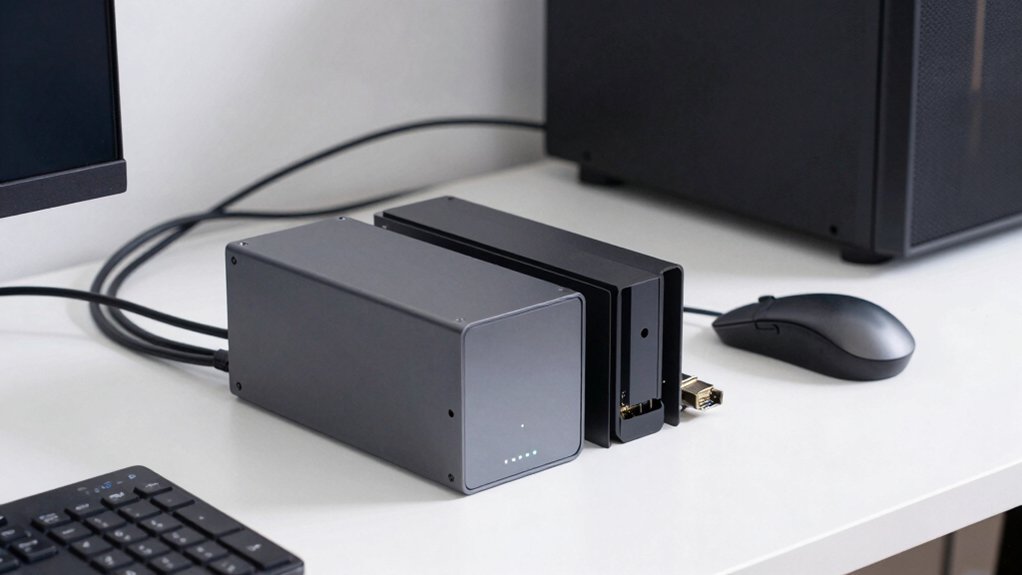
When selecting mini PCs for a homelab, start by ensuring Power and Thermals to assess your setup stays cool and efficient during 24/7 use. Next, evaluate Expandable Storage Options, Networking Capabilities, and GPU/Display Support to match your workload and future needs, listing available ports, slots, and expansion kits. Finally, check Memory and Upgrades pathways, noting RAM limits and ease of upgrading components, and compare models with upgradeable CPU/RAM to your long-term plan.
Power And Thermals
Power and thermals decide how well a mini PC holds up under sustained workloads in a homelab. Choose a CPU with high TDP capability or ensure the cooling is adequate to sustain long multi-core workloads without throttling, such as HX-class or 55W+ designs. Look for robust cooling beyond a single small fan, including dual fans, large heat pipes, or hybrid active/passive methods to keep clocks stable under load. Prioritize devices with clear thermal goals, like sustained multi-core performance benchmarks and temperature diagrams, to gauge real-world stability. Consider power delivery and efficiency, seeking high-efficiency input ranges and PD-based power supplies to minimize heat. For network-heavy or GPU tasks, ensure the chassis and cooling handle extra thermals from peripherals without compromising stability.
Expandable Storage Options
Choose your storage layout based on how you’ll use the mini PC in a homelab. Check how many M.2 NVMe slots the unit offers, and note if you also have 2.5-inch drive bays. If you need speed for boot and VMs, prioritize PCIe 4.0 slots and leftmost M.2 ports with around 7000 MB/s. Consider models with dual M.2 NVMe and a 2.5-inch bay for a mix of fast and bulk storage. Decide if RAID fits your needs; RAID0 increases capacity, RAID1 protects data. Verify if RAID is supported in barebone configurations, and confirm switching options in the BIOS. If you plan external storage, inspect PCIe x16/x8 slots for cards that add high-speed storage or controllers. Plan future expansion and ensure cabling and cooling won’t throttle performance.
Networking Capabilities
Prioritize networking options that scale with your needs. Start by choosing a mini PC with multi-port Ethernet at higher speeds, such as 2.5 Gbps or 10 Gbps, to maximize internal network throughput and reduce bottlenecks. Check for dual LAN or SFP+/fiber capabilities to enable segmentation, link aggregation, and secure isolated management networks for virtualization hosts. Consider integrated Wi‑Fi 6/6E and Bluetooth for flexible wireless access, but rely on wired connections for lower latency and higher reliability on servers and storage nodes. Look for PCIe expansion slots (PCIe 4.0 x16/x8) to add NICs as your lab grows. Verify hardware virtualization features like vPro to enhance security and performance in virtualized workloads and containerized environments.
GPU And Display Support
If you’re planning a homelab, start by evaluating GPU and display options that fit your workloads and space. First, check multi‑monitor support and how many outputs exist: HDMI, DisplayPort, and USB‑C can drive 4K at 60Hz across several screens. Look for models with PCIe expansion slots or external GPU compatibility to upgrade to desktop GPUs when needed. Consider integrated graphics headroom; Radeon Graphics and Intel Iris Xe vary in video output and GPU‑accelerated tasks, so test your applications. Review display bandwidth and output formats—HDMI 2.0/2.1, DP 1.4, USB‑C DP—to confirm max resolutions and refresh rates across multiple displays, including potential 8K support on select ports. Factor VESA mounting and compact form factors for tight spaces, ensuring your setup remains stable and scalable.
Memory And Upgrades
Start by checking memory support in the mini PC: confirm it uses DDR5 and supports dual-channel operation to maximize bandwidth for virtualization and multiple VMs. Look for expandable RAM, ideally up to 64GB or more, to handle growing homelab needs and memory-hungry apps. Check the number and type of RAM slots—SO-DIMM or standard DIMM—and note whether modules are user-upgradable or soldered onboard. Assess upgrade paths, including ease of adding sticks later and total capacity after expansion. Consider models that pair RAM with high-capacity NVMe storage, since large RAM caches improve caching and data-intensive tasks. Verify RAM speed support, such as DDR5-5600, and confirm the system runs at rated speeds under sustained workloads. Favor configurable options that allow future upgrades without replacing the unit.
OS And Software Ready
OS readiness determines how quickly you can start testing and deploying in your homelab. Some mini PCs arrive with pre-installed Windows 11 Pro or Linux, while others are barebone and require you to supply OS, RAM, and storage. Check what’s included before purchase to avoid delays. OS readiness affects immediate usability, as models shipping with Windows 11 Pro reduce setup time for initial testing. Review compatibility notes to see whether the unit supports Windows, Linux, or both, since this influences driver availability and virtualization capabilities. Look for hybrid or multi-OS readiness indicators, such as PCIe expansion and external GPU support, which enable diverse software environments. Always verify pre-installed OS or license details and whether drivers and system utilities are provided for your chosen OS.
Final Thoughts
To choose, compare CPUs, RAM, and storage upgrades first. Pick a model with at least 16GB and expandability to 32GB, plus dual NVMe slots if you plan VMs or containers. Check networking: Gigabit is fine, but 2.5G helps. Ensure BIOS supports virtualization and easy RAM/SSD upgrades. Prioritize quiet cooling and reasonable power. If you need heavy workloads, choose the i9/Ryzen 7 options; for lighter tasks, the Ryzen 3/5 builds suffice. Decide based on your budget and growth plan.

Meet Ry, “TechGuru,” a 36-year-old technology enthusiast with a deep passion for tech innovations. With extensive experience, he specializes in gaming hardware and software, and has expertise in gadgets, custom PCs, and audio.
Besides writing about tech and reviewing new products, he enjoys traveling, hiking, and photography. Committed to keeping up with the latest industry trends, he aims to guide readers in making informed tech decisions.