
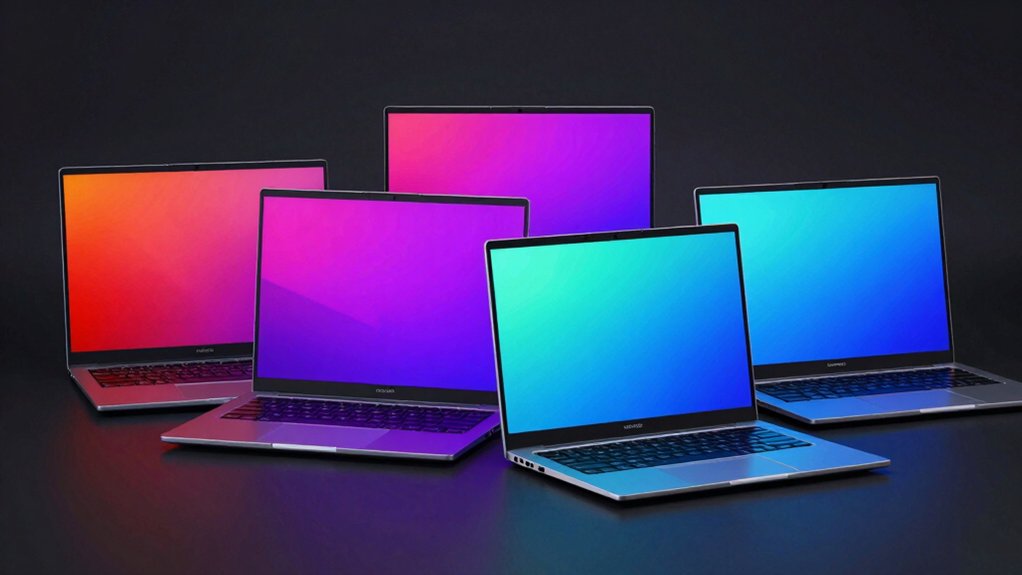

When you’re shopping for a new laptop, display quality directly affects your daily experience. OLED screens deliver true blacks and exceptional contrast that standard displays can’t match. You’ll notice sharper images, richer colors, and better performance for creative tasks. Five standout models combine OLED technology with powerful processors and AI features. But which one fits your needs and budget?
| ASUS Zenbook Duo Laptop Dual OLED Display (UX8406CA) |

| Best Dual-Screen Innovation | Display Size: Dual 14″ OLED displays | Processor Type: Intel Core Ultra 9 285H | RAM: 32GB LPDDR5x | VIEW LATEST PRICE | Read Our Analysis |
| HP OmniBook 5 14 inch OLED AI PC (14-he0099nr) |

| Best Battery Life | Display Size: 14″ OLED display | Processor Type: Snapdragon X Plus X1P-42-100 | RAM: 16GB | VIEW LATEST PRICE | Read Our Analysis |
| ASUS 15.5″ FHD OLED Lightweight Laptop Intel i3 |

| Budget-Friendly Pick | Display Size: 15.5″ OLED display | Processor Type: Intel Core i3 (up to 3.79 GHz) | RAM: 8GB | VIEW LATEST PRICE | Read Our Analysis |
| ASUS Zenbook 14 AI PC OLED Touchscreen Laptop |

| Best Overall | Display Size: 14″ OLED touchscreen | Processor Type: Intel Core Ultra 9 285H | RAM: 32GB DDR5 | VIEW LATEST PRICE | Read Our Analysis |
| Acer Swift Go 14 Intel Evo OLED Laptop |

| Best for Creators | Display Size: 14″ OLED display | Processor Type: Intel Core Ultra 5 125H | RAM: 16GB LPDDR5X | VIEW LATEST PRICE | Read Our Analysis |
More Details on Our Top Picks
ASUS Zenbook Duo Laptop Dual OLED Display (UX8406CA)
Ever wonder how you’d work if you had two screens instead of one? The ASUS Zenbook Duo delivers exactly that with dual 14″ Lumina OLED displays offering 2880 x 1800 resolution and 120Hz refresh rates. You’ll switch between Dual Screen, Desktop, Sharing, and Laptop modes to match your tasks. The Ultra 9 285H processor with Intel AI Boost NPU handles demanding applications effortlessly. You get 32GB RAM and 1TB storage for multitasking. At 3.64 pounds with 0.57″ thickness, you’ll carry this portable workstation anywhere. The 75Wh battery provides up to 16 hours in Laptop mode. Two Thunderbolt 4 ports enable fast charging and connectivity. Military-grade durability ensures reliability across work and travel environments.
- Display Size:Dual 14″ OLED displays
- Processor Type:Intel Core Ultra 9 285H
- RAM:32GB LPDDR5x
- Storage:1TB SSD
- Battery Life:Up to 16 hours (Laptop mode); up to 9 hours (Dual Screen mode)
- Weight/Portability:3.64 lb; 0.57″ thin
- Additional Feature:Dual 14″ OLED displays
- Additional Feature:Detachable Bluetooth keyboard
- Additional Feature:Military-grade durability certified
HP OmniBook 5 14 inch OLED AI PC (14-he0099nr)
Looking for an AI laptop that won’t drain your battery by mid-afternoon? The HP OmniBook 5 delivers up to 34 hours of battery life through its Snapdragon X Plus processor, enabling extended work sessions without charging. The 14-inch 2K OLED display renders sharp visuals at 1920×1200 resolution with 0.2 ms response time, making it suitable for content creation and multimedia tasks. You’ll access on-device AI features via the Copilot+ PC integration and HP AI Companion app for productivity enhancement. The laptop includes 16GB RAM and 1TB storage for multitasking. HP Fast Charge delivers 50% battery in approximately 30 minutes. Built with ocean-bound plastic, recycled metal, and sustainable materials, this model combines performance with environmental responsibility.
- Display Size:14″ OLED display
- Processor Type:Snapdragon X Plus X1P-42-100
- RAM:16GB
- Storage:1TB PCIe Gen4 NVMe M.2 SSD
- Battery Life:Up to 34 hours
- Weight/Portability:Lightweight (specific weight not specified)
- Additional Feature:Up to 34 hours battery
- Additional Feature:HP Fast Charge technology
- Additional Feature:Ocean-bound recycled materials
ASUS 15.5″ FHD OLED Lightweight Laptop Intel i3
If you need a portable laptop that doesn’t compromise on display quality, the ASUS 15.5″ FHD OLED model delivers vibrant color and sharp visuals in a lightweight design. The Intel i3 processor handles everyday tasks efficiently, while 8GB RAM supports multitasking. You’ll get 256GB SSD storage for documents and files. The OLED display produces superior contrast and color accuracy compared to standard screens. Connectivity options include USB Type-C, two USB Type-A ports, HDMI, and headphone jack. Windows 11 comes preinstalled. This renewed unit offers excellent value for users prioritizing display quality and portability.
- Display Size:15.5″ OLED display
- Processor Type:Intel Core i3 (up to 3.79 GHz)
- RAM:8GB
- Storage:256GB SSD
- Battery Life:Not specified
- Weight/Portability:Lightweight design (specific weight not specified)
- Additional Feature:15.5″ FHD OLED display
- Additional Feature:Renewed/refurbished condition
- Additional Feature:Lightweight portable design
ASUS Zenbook 14 AI PC OLED Touchscreen Laptop
The ASUS Zenbook 14 AI PC OLED Touchscreen Laptop stands out as the ideal choice for professionals and students who demand both portability and processing power. This 14-inch model features an Intel Core Ultra 9 285H processor with 32GB RAM and 1TB SSD storage, delivering fast performance for multitasking and demanding applications. The FHD OLED touchscreen displays vibrant colors at 500 nits brightness with 100% DCI-P3 coverage, making it excellent for designers and content creators. Wi-Fi 7 connectivity and dual Thunderbolt 4 ports enable rapid data transfers and external monitor support. The integrated NPU AI accelerates AI-based applications, while Windows 11 Pro includes Copilot functionality for enhanced productivity across work, education, and creative projects.
- Display Size:14″ OLED touchscreen
- Processor Type:Intel Core Ultra 9 285H
- RAM:32GB DDR5
- Storage:1TB PCIe NVMe M.2 SSD
- Battery Life:Extended-life battery (duration not specified)
- Weight/Portability:Ultraportable (specific weight not specified)
- Additional Feature:OLED touchscreen display
- Additional Feature:Three external monitor support
- Additional Feature:Three-year upgraded SSD warranty
Acer Swift Go 14 Intel Evo OLED Laptop
Want a laptop that delivers stunning color accuracy without sacrificing portability? The Acer Swift Go 14 Intel Evo combines a 2.8K OLED display with Intel’s latest Core Ultra 5 processor. You’ll get vivid colors and deep blacks ideal for creative work like photo editing and video production. The 16GB LPDDR5X memory and 512GB SSD handle demanding tasks smoothly. Weighing just 2.91 pounds, you can carry it anywhere. Windows 11 Home includes AI features like Copilot and enhanced editing tools. The Killer Wi-Fi 6E connection keeps you linked, while the 1440p webcam with noise reduction supports professional video calls. Battery life reaches nine hours, covering your workday.
- Display Size:14″ OLED display
- Processor Type:Intel Core Ultra 5 125H
- RAM:16GB LPDDR5X
- Storage:512GB PCIe Gen 4 SSD
- Battery Life:Up to 9 hours
- Weight/Portability:2.91 lb; 0.59″ thin
- Additional Feature:2.8K OLED 90Hz display
- Additional Feature:AI-powered camera features
- Additional Feature:Intel Evo certified
Factors to Consider When Choosing Laptops With OLED Displays
When you’re selecting an OLED laptop, you’ll need to evaluate display resolution and brightness levels to match your work requirements, check battery life expectations since OLED screens consume power differently than traditional displays, and confirm the processor performance meets your tasks. You should also assess color accuracy standards if you’re doing design or photo work, and consider the laptop’s portability and weight since you’ll be carrying it between locations. Each of these factors directly affects whether the laptop will serve your specific needs effectively.
Display Resolution And Brightness
Sharp visuals and strong brightness levels are two critical specs you’ll want to evaluate when comparing OLED laptops. Resolution directly affects image sharpness and detail. Look for options like 2880×1800 or 1920×1200, which deliver crisp text and graphics across your screen. Higher resolutions benefit detailed work such as photo editing or document review.
Brightness matters equally for visibility and HDR performance. OLED models reach up to 500 nits peak brightness, enabling vivid visuals and strong contrast in HDR content. This brightness level ensures you can work comfortably in various lighting conditions without straining your eyes.
Compare both specs side-by-side across models you’re considering. Prioritize the resolution and brightness combination that matches your primary use case, whether that’s creative work, general productivity, or media consumption.
Battery Life Expectations
How does OLED display technology affect your laptop’s battery life? OLED screens consume more power than standard LCD panels, so you’ll notice shorter runtime on most models. Battery life varies significantly—some laptops deliver over 34 hours under light use, while others manage only 9–16 hours with typical workloads. Several factors influence your actual battery endurance. High-refresh-rate OLED displays (90–120 Hz) drain batteries faster than 60 Hz screens. AI features and on-device processing also impact power consumption based on your usage patterns. Brightness settings matter too; running your display at maximum brightness reduces uptime considerably. Check manufacturer benchmarks carefully, as they’re often measured during video playback or idle periods. Real-world mixed-use results depend on your specific brightness, workload, and application activity.
Processor Performance Requirements
Your laptop’s processor works hand-in-hand with the OLED display to determine how smoothly your system handles everyday tasks and intensive workloads. Consider your primary use case first. For basic browsing and document editing, an Intel i3 or i5 suffices. If you’re editing videos, running AI applications, or managing large projects, opt for processors with higher core counts—such as a 14-core Ultra 9—to handle parallel processing demands. Check clock speeds and turbo boost capabilities measured in GHz; faster speeds improve single-threaded performance for UI responsiveness and code compilation. Look for integrated NPU capabilities on newer CPUs, which accelerate on-device AI features without draining discrete GPU resources. Finally, verify that your chosen processor pairs well with the OLED display’s power demands to maintain sustained performance during extended use.
Color Accuracy Standards
What makes color accuracy matter when you’re choosing an OLED laptop? You’ll want to verify that your display meets professional color standards. Check for 100% DCI-P3 color gamut coverage, which ensures vibrant, cinema-quality colors. Look for Pantone validation certification, confirming the laptop’s color rendering matches industry benchmarks. Examine the delta-E rating—values below 2 indicate excellent accuracy for color-critical work. Confirm the panel supports 10-bit color depth to prevent banding in gradients. Review factory calibration documentation to understand baseline performance. Consider peak HDR brightness of at least 500 nits, which enhances color perception in high-contrast scenes. Compare these specifications across models before purchasing to ensure your OLED laptop meets your color accuracy requirements.
Portability And Weight
Once you’ve confirmed your OLED laptop meets color accuracy standards, consider how its physical characteristics will affect your daily use. Check the weight first: models under 3 pounds offer maximum portability for daily carry and travel, while 3–4 pound laptops balance portability with larger screens. Next, examine thickness. Ultra-thin designs around 0.5 inches fit easily into bags, whereas thicker builds provide additional ports and features. Evaluate battery life, since lighter devices sometimes sacrifice screen brightness or size for efficiency. Avoid dual-screen or foldable OLED models if portability matters most—they add significant bulk. Ultrabook-class laptops typically deliver optimal balance, achieving sub-3.5 pound weights through lighter materials and compact chassis while maintaining performance and screen quality.
Budget And Value
How much should you spend on an OLED laptop? Start by setting your budget range—OLED models typically fall into mid to high price brackets. Next, identify your core needs: basic tasks require 8–16 GB RAM and 256–512 GB storage, while multitasking demands 16–32 GB RAM and 512 GB–1 TB SSD. These upgrades extend laptop longevity without replacing the display. Then evaluate refresh rates and HDR brightness up to 500 nits, which improve visuals but increase cost and reduce battery life. Consider renewed or refurbished models for lower entry prices while keeping OLED benefits, though verify warranty terms carefully. Finally, weigh AI-enabled processors and features against your productivity needs—they boost cost but may justify the investment through improved performance.
Thermal Management Considerations
Because OLED panels generate significant heat during high-brightness operation, you’ll need to prioritize thermal management when selecting your laptop. Check the cooling system specifications: look for active cooling with multiple fans and copper heat pipes that route heat away from the display hinges. Verify sustained performance by reviewing thermal benchmarks under heavy workloads, not just peak performance numbers. For dual-display models, confirm the second GPU has dedicated cooling pathways. Test battery longevity claims—aggressive thermal throttling reduces sustained runtime. Examine fan noise levels at full load; some designs sacrifice quiet operation for adequate cooling. Compare chassis materials; aluminum conducts heat better than plastic. Finally, ensure the keyboard design allows sufficient airflow around the main components without creating hotspots.
Final Thoughts
To choose your OLED laptop, first identify your needs: dual screens for multitasking, portability, or screen size. Next, compare specs like refresh rate, resolution, and processor. Then, evaluate budget constraints and check battery life ratings. Finally, read reviews for real-world color accuracy and brightness performance. Test models in-store if possible before purchasing to confirm the display quality meets your requirements.

Meet Ry, “TechGuru,” a 36-year-old technology enthusiast with a deep passion for tech innovations. With extensive experience, he specializes in gaming hardware and software, and has expertise in gadgets, custom PCs, and audio.
Besides writing about tech and reviewing new products, he enjoys traveling, hiking, and photography. Committed to keeping up with the latest industry trends, he aims to guide readers in making informed tech decisions.