
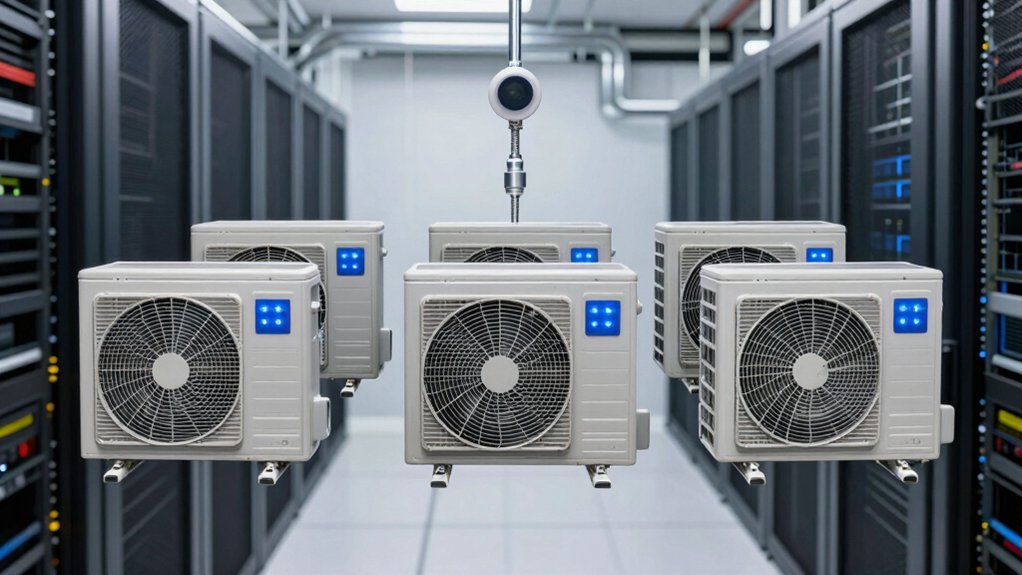

When you’re managing a data center, you need cooling equipment that matches your specific setup and capacity demands. You’ll find several solid options—from spot coolers like the Tripp Lite SRCOOL12KE to portable units with heating features—each offering different BTU ratings and installation flexibility. Understanding what separates these models and which factors matter most for your space will help you make the right choice. Here’s what you should know.
| Tripp Lite SRCOOL12KE Spot Cooler for Server Racks |

| Best for Enterprise | Cooling Capacity: 13,000 BTU (3.8 kW) | Installation Type: Portable, compact self-contained unit | Refrigerant Type: Low GWP R32 | VIEW LATEST PRICE | Read Our Analysis |
| WMC-2500 10000 BTU Portable Industrial Spot Cooler |

| Best Budget Option | Cooling Capacity: 10,000 BTU (0.8-ton) | Installation Type: Portable, rack-mountable, hanging, or stacked | Refrigerant Type: Eco-friendly R-410A | VIEW LATEST PRICE | Read Our Analysis |
| AC Infinity AIRFRAME T7 High-Airflow Cooling Fan System |

| Best Supplemental Cooling | Cooling Capacity: 200 CFM airflow | Installation Type: Exhaust fan system (wall/enclosure mount) | Refrigerant Type: Not specified (fan only) | VIEW LATEST PRICE | Read Our Analysis |
| Whynter Portable Air Conditioner 14,000 BTU (ARC-14S) |

| Best Portable Flexibility | Cooling Capacity: 14,000 BTU (9,500 SACC) | Installation Type: Portable with window kit | Refrigerant Type: R-32 | VIEW LATEST PRICE | Read Our Analysis |
| Midea Duo 14,000 BTU Portable Air Conditioner with Heat |

| Best Smart Features | Cooling Capacity: 14,000 BTU (12,000 SACC) | Installation Type: Portable with window kit | Refrigerant Type: Not specified | VIEW LATEST PRICE | Read Our Analysis |
More Details on Our Top Picks
Tripp Lite SRCOOL12KE Spot Cooler for Server Racks
How do you cool a single hot rack or small server room without installing a full building-wide system? The Tripp Lite SRCOOL12KE spot cooler delivers 13,000 BTU of cooling capacity in a compact, self-contained unit. You position the 71-inch flexible hose to direct cool air at hot spots, then use the included exhaust kit to vent heat outside. The built-in evaporator eliminates plumbing and water drainage requirements. You’ll benefit from dehumidification and air filtering features. For monitoring, you can add the optional SRCOOLNETLXE network card to track temperatures, receive alerts, and control settings remotely. This unit maintains 100% duty cycle operation without downtime.
- Cooling Capacity:13,000 BTU (3.8 kW)
- Installation Type:Portable, compact self-contained unit
- Refrigerant Type:Low GWP R32
- Noise Level:Not specified
- Smart/Remote Control:Optional network card with SNMP, web, SSH, Telnet control
- Power Requirements:Not specified
- Additional Feature:71-inch flexible hose attachment
- Additional Feature:Built-in evaporator eliminates plumbing
- Additional Feature:Optional network monitoring card
WMC-2500 10000 BTU Portable Industrial Spot Cooler
When you need flexible cooling solutions that adapt to your server room’s changing layout, the WMC-2500 delivers four installation options to match your setup. You can position it portably on castors for temporary needs, mount it on racks for permanent installations, hang it from the ceiling to save floor space, or stack multiple units for increased capacity. The unit provides 10,000 BTU/hour cooling using eco-friendly R-410A refrigerant and operates on standard 115V power. Its robust industrial construction handles continuous operation in demanding environments like data centers and server rooms. Remote control operation lets you adjust settings without leaving your workstation.
- Cooling Capacity:10,000 BTU (0.8-ton)
- Installation Type:Portable, rack-mountable, hanging, or stacked
- Refrigerant Type:Eco-friendly R-410A
- Noise Level:Not specified
- Smart/Remote Control:Remote control operation
- Power Requirements:115V, 15A, 1-phase
- Additional Feature:Four installation configuration options
- Additional Feature:Ceiling-mountable hanging design
- Additional Feature:Mobile castors for portability
AC Infinity AIRFRAME T7 High-Airflow Cooling Fan System
The AC Infinity AIRFRAME T7 is your best choice if you’re cooling an AV equipment room, server closet, or large enclosure where you need reliable heat removal without excessive noise. This exhaust fan system delivers 200 CFM airflow while operating at just 26 DBA, making it suitable for noise-sensitive environments. The programmable thermostat automatically adjusts fan speed based on temperature, eliminating manual oversight. Premium anodized aluminum construction with CNC machining ensures durability. Dual ball bearings support consistent performance. The included detachable nylon-mesh filter blocks dust from entering your space and equipment. At 16.5 x 6.5 x 2.3 inches, it fits compact installations. Backup memory preserves your settings through power interruptions.
- Cooling Capacity:200 CFM airflow
- Installation Type:Exhaust fan system (wall/enclosure mount)
- Refrigerant Type:Not specified (fan only)
- Noise Level:26 DBA
- Smart/Remote Control:Programmable thermostat with automated speed control
- Power Requirements:Not specified
- Additional Feature:Programmable thermostat with automation
- Additional Feature:Premium anodized aluminum construction
- Additional Feature:Detachable nylon-mesh dust filter
Whynter Portable Air Conditioner 14,000 BTU (ARC-14S)
If you’re cooling a server room or data center space up to 500 square feet, the Whynter ARC-14S delivers 14,000 BTU of cooling capacity with a dual-hose system designed to minimize hot air recirculation. The unit operates at 51 dBA on low speed, keeping noise manageable in working environments. You’ll get three fan speeds, adjustable temperature settings between 61°F and 89°F, and dehumidification capability at 71 pints daily. The built-in auto drain exhausts condensate automatically, eliminating manual drainage in most conditions. Installation requires the included window kit with extendable hoses up to 60 inches. The activated carbon filter plus washable pre-filter maintain air quality throughout operation.
- Cooling Capacity:14,000 BTU (9,500 SACC)
- Installation Type:Portable with window kit
- Refrigerant Type:R-32
- Noise Level:51 DBA at low speed
- Smart/Remote Control:Remote control included
- Power Requirements:1,300 watts; 115V / 60 Hz / 1-phase
- Additional Feature:71 pints/day dehumidification capacity
- Additional Feature:Built-in auto drain system
- Additional Feature:Dual carbon/washable pre-filters
Midea Duo 14,000 BTU Portable Air Conditioner with Heat
For server rooms that need both cooling and heating across moderate square footage, Midea’s dual-hose design delivers balanced air circulation without drawing hot outside air into your space. The inverter technology reduces energy consumption by over 40% compared to federal standards, making it cost-effective for continuous operation. You’ll achieve cooling speeds twice as fast as traditional units through the optimized air duct system. The heat pump functions between 41°F and 86°F, covering seasonal temperature adjustments. Control the unit remotely or through the SmartHome App via Alexa and Google Assistant. The package includes a window kit and remote control requiring two AAA batteries for immediate setup and operation.
- Cooling Capacity:14,000 BTU (12,000 SACC)
- Installation Type:Portable with window kit
- Refrigerant Type:Not specified
- Noise Level:Ultra quiet (specific dB not specified)
- Smart/Remote Control:App control, voice assistant compatible (Alexa/Google), remote control included
- Power Requirements:Not specified
- Additional Feature:Innovative dual hose-in-hose design
- Additional Feature:40% energy savings technology
- Additional Feature:Voice control via Alexa/Google
Factors to Consider When Choosing Server Room Air Conditioners
When you’re selecting a server room air conditioner, you’ll need to evaluate five key factors: cooling capacity requirements that match your data center’s heat output, installation flexibility options that fit your physical space and infrastructure, energy efficiency ratings that reduce your operating costs, noise level considerations for your work environment, and remote monitoring capabilities that let you track performance from anywhere. Start by calculating your cooling needs in BTUs based on your equipment’s power consumption, then compare how each unit’s installation method works with your existing setup. Finally, cross-reference energy efficiency ratings, decibel levels, and smart monitoring features to find the model that balances all your priorities within your budget.
Cooling Capacity Requirements
How do you determine the right cooling capacity for your server room? Start by calculating your total heat load in BTU per hour. Measure your room’s square footage and equipment density, then multiply by the watts generated per square foot. Most server rooms need 10,000–14,000 BTU/Hr units for standard deployments, but denser setups require higher ratings.
Next, consider your equipment layout. If you’re managing hot spots, choose units with adjustable airflow and directed cooling options like ducts or hoses. These target problem areas without cooling the entire room.
Finally, balance capacity against efficiency. Higher BTU ratings remove heat faster, but check SEER ratings and energy usage per hour to avoid excessive operating costs. Match your unit’s specifications precisely to your room’s actual requirements.
Installation Flexibility Options
Where you place your air conditioning unit directly affects how well it cools your server room and how easily you can adapt to future changes. You can choose from several installation options based on your space and needs. Portable units on castors let you move equipment quickly for spot cooling during upgrades. Rack-mountable designs integrate directly into your IT infrastructure without requiring enclosure modifications. Ceiling-hanging installations save floor space and work well for temporary or changing layouts. Stacking setups maximize vertical space in confined areas. Some models feature dual-hose or multi-install configurations that optimize intake and exhaust paths, improving efficiency in tight closets. Evaluate your current layout and future expansion plans to select the option that best supports your operational workflow.
Energy Efficiency Ratings
Once you’ve selected your installation method, you’ll need to evaluate the energy efficiency ratings of your cooling options to control operational costs over time. Check the SEER rating or kW per ton specifications—higher values mean lower energy consumption. Inverter or variable-speed models adjust compressor speed to match cooling demand, delivering significant savings compared to fixed-speed units. Review the power requirements, such as 115V and 15A ratings, alongside the rated cooling capacity in BTU/Hr to calculate operational expenses. Consider additional efficiency features like auto drain, dehumidification modes, and smart controls that optimize runtime and temperature setpoints. Multi-hose designs reduce indoor-to-outdoor air leakage, improving overall performance. Compare these specifications across your top choices to identify the most cost-effective option for your server room’s specific cooling needs.
Noise Level Considerations
Why does noise matter when you’re selecting a server room air conditioner? Excessive noise disrupts work in nearby occupied spaces and can interfere with sensitive equipment operation. Server room coolers typically produce 26 to 51 dB, depending on model and load. You should prioritize units with lower dB ratings when proximity to offices is unavoidable. Check specifications for low-speed or idle operation noise levels—these indicate quieter performance during partial loads. Higher-capacity spot coolers often run louder at full cooling due to increased compressor and fan activity. Consider dual-hose or high-flow designs, which enable efficient cooling with less compressor cycling, potentially reducing peak noise. Select models offering controllable fan speeds to balance cooling demands with acceptable noise levels for your facility.
Remote Monitoring Capabilities
How can you manage server room temperatures effectively when you’re not physically present? Remote monitoring capabilities provide the answer. You’ll view real-time temperatures, receive alerts when thresholds are breached, and review historical logs through a centralized interface. Optional network cards enable monitoring via SNMP, web browser, SSH, Telnet, or command line, allowing integrated control from your location. Configure alerts to notify technicians immediately of temperature spikes or system faults, enabling quick response. Access historical data to analyze cooling performance and identify hotspots over time. Note that remote management features vary by model. Some units offer only basic monitoring, while others provide full networked management. Evaluate your facility’s needs and select equipment with appropriate monitoring capabilities for your operation.
Refrigerant Environmental Impact
When selecting a server room air conditioner, you’ll want to evaluate the refrigerant type because it directly affects your facility’s environmental footprint and regulatory compliance. R-32 refrigerant offers a low global warming potential compared to traditional options, making it an environmentally responsible choice. Some units use R-410A, which has a different environmental impact profile you should compare against R-32. Review the product specifications to identify which refrigerant your unit contains. Dual-hose portable models reduce indoor heat load, lowering energy consumption and refrigerant cycling stress. Inverter-based systems further decrease overall energy use, indirectly reducing environmental impact linked to refrigerant pressure. Check certifications and standards documentation to confirm refrigerant type disclosures and verify compliance with current regulations before purchasing.
Maintenance and Drainage Systems
What drainage setup’ll work best for your server room depends on the air conditioner’s built-in features and your facility’s infrastructure. Units with auto drain systems exhaust condensate directly, eliminating manual tank management and reducing overflow risks. If you choose a model requiring manual drainage, you’ll need to empty water tanks regularly to prevent damage to your equipment. Consider units offering dehumidification, as they reduce overall condensate production and simplify drainage requirements. Self-contained systems work well for facilities lacking existing plumbing infrastructure, avoiding costly installation. Evaluate your server room’s heat output and humidity levels to determine drainage demands. High-heat areas generate more condensate, making auto drain features essential. Review maintenance schedules for each unit’s drainage components to prevent blockages and ensure consistent cooling performance.
Warranty and Technical Support
Why you’ll want to prioritize warranty coverage and support options depends on your facility’s cooling demands and long-term maintenance strategy. Most spot coolers include a 2-year limited manufacturer warranty. Verify what’s actually covered and check available support channels—phone, email, and web options differ by brand. Confirm whether expert assistance comes included or requires separate payment. Check if remote management features like SNMP, web interfaces, or SSH/Telnet access are supported, noting if you’ll need to purchase a network card separately. Request documented response times and service levels for hardware issues. Finally, ensure the manufacturer provides setup guides, diagnostic tools, and compatibility documentation for your existing server-room infrastructure. This preparation prevents costly downtime during equipment failures.
Final Thoughts
You’ll select the right server room cooler by matching BTU capacity to your space size and cooling needs. Evaluate installation flexibility, noise levels, and monitoring features. The Tripp Lite SRCOOL12KE handles spot cooling efficiently, while portable units like the Whynter ARC-14S and Midea Duo offer flexibility. For quieter operation, consider the AC Infinity AIRFRAME T7. Compare costs against performance requirements, then install your chosen unit according to manufacturer specifications.

Meet Ry, “TechGuru,” a 36-year-old technology enthusiast with a deep passion for tech innovations. With extensive experience, he specializes in gaming hardware and software, and has expertise in gadgets, custom PCs, and audio.
Besides writing about tech and reviewing new products, he enjoys traveling, hiking, and photography. Committed to keeping up with the latest industry trends, he aims to guide readers in making informed tech decisions.