
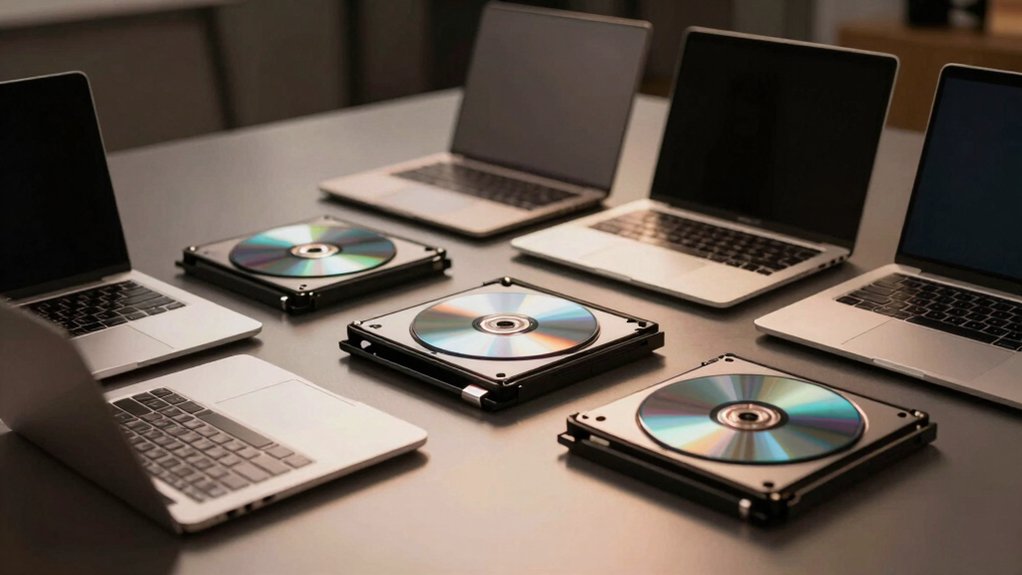

If you’re still burning CDs, installing software from discs, or backing up files to DVDs, you need a laptop that supports these tasks. Most modern laptops have ditched built-in DVD drives, leaving you stuck. But you’ve got options. You can find business laptops with integrated drives or pair a standard laptop with an external USB burner. Here’s what you need to know to make the right choice—and which models actually deliver.
| HP 17.3″ Business Laptop with Ryzen 5 & 16GB RAM |

| Best Overall | Processor Type: AMD Ryzen 5 7430U (6 cores, 12 threads) | Display Size: 17.3-inch FHD (1920 x 1080) | RAM/Memory: 16GB DDR4 | VIEW LATEST PRICE | Read Our Analysis |
| HP Student Business Laptop 14″ Intel 4-Core 16GB |
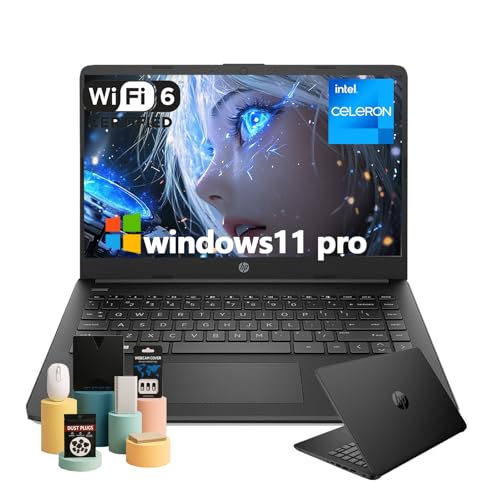
| Best Budget Pick | Processor Type: Intel Celeron N4120 (4 cores) | Display Size: 14-inch HD (1366 x 768) | RAM/Memory: 16GB DDR4 | VIEW LATEST PRICE | Read Our Analysis |
| External CD/DVD Drive USB 3.0 Portable Burner |

| Best External Drive | Processor Type: External CD/DVD Drive (N/A) | Display Size: N/A (External drive) | RAM/Memory: N/A (External drive) | VIEW LATEST PRICE | Read Our Analysis |
| External DVD Drive USB 3.0 CD Burner Portable |

| Most Versatile Drive | Processor Type: External DVD Drive (N/A) | Display Size: N/A (External drive) | RAM/Memory: N/A (External drive) | VIEW LATEST PRICE | Read Our Analysis |
| HP 17.3″ FHD Laptop AMD Ryzen 5 32GB RAM |

| Best Performance | Processor Type: AMD Ryzen 5 7430U (6 cores) | Display Size: 17.3-inch FHD (1920 x 1080) | RAM/Memory: 32GB RAM | VIEW LATEST PRICE | Read Our Analysis |
| Dell Latitude E6530 15.6in Notebook Intel Core I7 |
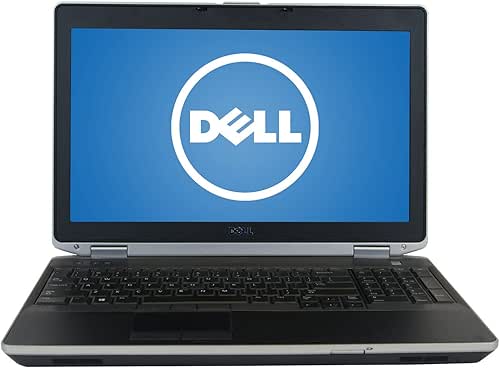
| Best Refurbished Value | Processor Type: Intel Core i7-3520M (2 cores) | Display Size: 15.6-inch (1366 x 768) | RAM/Memory: 8GB DDR3 | VIEW LATEST PRICE | Read Our Analysis |
More Details on Our Top Picks
HP 17.3″ Business Laptop with Ryzen 5 & 16GB RAM
If you’re a mobile professional or content creator who regularly works with physical media, the HP 17.3″ Business Laptop with Ryzen 5 & 16GB RAM delivers the performance and connectivity you need without sacrificing practicality. The AMD Ryzen 5 7430U processor handles multitasking efficiently with six cores and up to 4.3GHz turbo speed. You’ll appreciate the 17.3″ FHD display for detailed work, while 16GB RAM and 512GB SSD ensure smooth operations. The included external DVD drive lets you access physical media directly. Windows 11 Pro and lifetime Microsoft Office Pro come pre-installed, eliminating setup delays. Multiple ports—USB Type-A, Type-C, and HDMI—connect peripherals and external displays easily. Wi-Fi 6 and Bluetooth 5.3 provide reliable wireless connectivity for remote work and presentations.
- Processor Type:AMD Ryzen 5 7430U (6 cores, 12 threads)
- Display Size:17.3-inch FHD (1920 x 1080)
- RAM/Memory:16GB DDR4
- Storage Capacity:512GB SSD
- Operating System:Windows 11 Pro
- Optical Drive Inclusion:External CD/DVD drive included
- Additional Feature:Lifetime Microsoft Office Pro
- Additional Feature:Wireless mouse included
- Additional Feature:AMD Radeon Graphics
HP Student Business Laptop 14″ Intel 4-Core 16GB
The HP 14-inch Student Business Laptop delivers reliable performance for anyone balancing coursework, remote meetings, and daily productivity tasks without draining your budget. Its Intel Celeron N4120 processor handles multitasking efficiently, while 16GB RAM and 128GB storage manage documents, presentations, and applications smoothly. The 14-inch HD display provides clear visuals for extended study sessions, and the anti-glare coating reduces eye strain. You’ll benefit from up to 11.5 hours of battery life, keeping you productive throughout your day. Two USB-A ports, USB-C, HDMI, and a media card reader give you flexible connectivity options for peripherals and external displays. The included DVD drive lets you access optical media when needed.
- Processor Type:Intel Celeron N4120 (4 cores)
- Display Size:14-inch HD (1366 x 768)
- RAM/Memory:16GB DDR4
- Storage Capacity:128GB eMMC
- Operating System:Windows 11 Pro
- Optical Drive Inclusion:External CD/DVD drive (some listings)
- Additional Feature:Up to 11.5 hours battery
- Additional Feature:Lightweight 3.16 lb design
- Additional Feature:HP Fast Charge (45 min)
External CD/DVD Drive USB 3.0 Portable Burner
Need a reliable way to read, write, and burn CDs and DVDs on your laptop without built-in optical hardware? The External CD/DVD Drive USB 3.0 Portable Burner connects via USB with no drivers or power adapter required. It supports CD-ROM/R/RW and DVD-ROM/R±RW formats, working with Windows, macOS, and Linux systems. Simply plug it into any USB port—use rear ports on desktops for optimal performance. The drive features USB 3.0 speeds up to 5 Gbps with backward USB 2.0 compatibility, copper mesh technology for stable data transmission, and a physical eject button for safe disc removal. It won’t work with ChromeOS, Blu-ray, or 4K discs.
- Processor Type:External CD/DVD Drive (N/A)
- Display Size:N/A (External drive)
- RAM/Memory:N/A (External drive)
- Storage Capacity:N/A (External drive)
- Operating System:Windows 11/10/8.1/7/Vista/XP, macOS 10.16+, Linux
- Optical Drive Inclusion:Built-in drive (standalone external)
- Additional Feature:Copper mesh stable transmission
- Additional Feature:Physical eject button safety
- Additional Feature:Embedded cable design storage
External DVD Drive USB 3.0 CD Burner Portable
Want to add disc-reading and burning capability to your laptop without installing internal hardware? Connect this external DVD drive directly to your computer’s USB or Type-C port. The drive supports DVD and CD formats, reading DVDs at 8x speed and CDs at 24x speed. It works with Windows, macOS, and Linux systems across most laptop brands. Connect the drive to your computer’s rear USB port for optimal power and stable operation. Avoid USB hubs or extension cables. The drive recognizes standard discs automatically, though you’ll need compatible burning software for creating new discs.
- Processor Type:External DVD Drive (N/A)
- Display Size:N/A (External drive)
- RAM/Memory:N/A (External drive)
- Storage Capacity:N/A (External drive)
- Operating System:Windows 11/10/8.1/7, macOS, Linux
- Optical Drive Inclusion:Built-in drive (standalone external)
- Additional Feature:Dual USB 3.0/Type-C interfaces
- Additional Feature:Anti-shock error correction technology
- Additional Feature:8x DVD/24x CD speed
HP 17.3″ FHD Laptop AMD Ryzen 5 32GB RAM
If you’re balancing professional work with creative projects or gaming on a larger screen, this HP laptop delivers the processing power and display quality you need. The AMD Ryzen 5 7430U processor with six cores handles multitasking efficiently, reaching speeds up to 4.3 GHz when you need extra performance. The 17.3-inch Full HD display provides ample workspace for detailed projects and multimedia content. With 32GB of RAM, you’ll run multiple applications simultaneously without slowdowns. Windows 11 Pro offers BitLocker encryption for secure file storage. The built-in webcam includes a privacy shutter for video calls. Wi-Fi 6 and Bluetooth 5.3 ensure reliable connectivity for work and entertainment.
- Processor Type:AMD Ryzen 5 7430U (6 cores)
- Display Size:17.3-inch FHD (1920 x 1080)
- RAM/Memory:32GB RAM
- Storage Capacity:Not specified
- Operating System:Windows 11 Pro
- Optical Drive Inclusion:Not specified
- Additional Feature:Privacy Shutter webcam protection
- Additional Feature:BitLocker encryption security feature
- Additional Feature:32GB RAM capacity
Dell Latitude E6530 15.6in Notebook Intel Core I7
The Dell Latitude E6530 works best for professionals who need a refurbished business laptop with reliable performance and a built-in DVD drive. This 15.6-inch notebook features an Intel Core i7-3520M processor running up to 3.6 GHz with 8GB DDR3 RAM and a 240GB SSD for quick boot times. You’ll appreciate the multiple ports: two USB 3.0, two USB 2.0, HDMI, VGA, and eSATA connectivity. The integrated Intel graphics handle standard business applications without strain. Weighing 5.2 pounds, it remains portable for office or travel use. Windows 10 Pro 64-bit comes pre-installed, and a 90-day warranty protects your investment in this certified refurbished machine.
- Processor Type:Intel Core i7-3520M (2 cores)
- Display Size:15.6-inch (1366 x 768)
- RAM/Memory:8GB DDR3
- Storage Capacity:240GB SSD
- Operating System:Windows 10 Pro 64-bit
- Optical Drive Inclusion:Built-in DVD drive
- Additional Feature:Certified Refurbished condition
- Additional Feature:Docking connector capability
- Additional Feature:90-day limited warranty
Factors to Consider When Choosing a Laptop With a DVD Drive
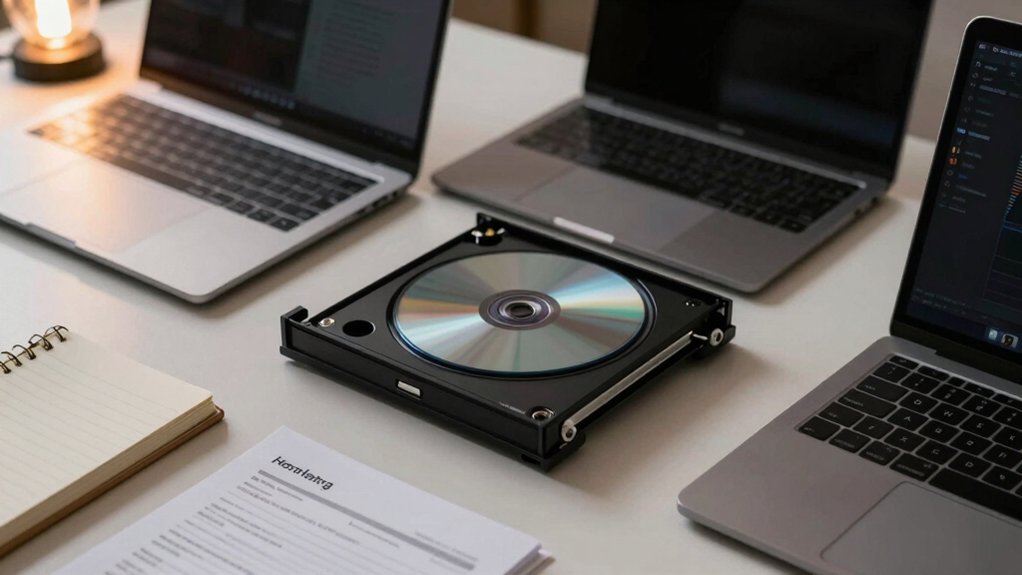
When you’re selecting a laptop with a DVD drive, you’ll need to evaluate several key factors: display size and resolution for comfortable viewing, processor power and performance for handling your tasks, memory and storage capacity for running applications smoothly, port selection and connectivity options for your peripherals, and build quality and portability for your work environment. Start by determining what screen size works best for your needs—typically 13 to 15 inches—then check the processor specs and RAM to ensure they match your workload requirements. Finally, verify that the laptop includes the ports you need, assess its durability and weight for your mobility needs, and confirm it has a functioning DVD drive before making your purchase.
Display Size And Resolution
How much screen space do you actually need when watching DVDs or working with documents on your laptop? Consider these two primary factors. First, evaluate display size: 17.3-inch screens provide significantly more viewing area than 14-inch models, improving comfort during extended media sessions. Second, assess resolution quality. Full HD (1920 x 1080) delivers sharper text and clearer video playback compared to HD (1366 x 768), making it the better choice for DVD content. Additionally, prioritize panel type and screen treatment. IPS panels offer wider viewing angles and more accurate colors for multimedia work. Anti-glare screens reduce reflections from ambient light, enhancing readability in various lighting conditions. Balance portability against viewing comfort when selecting your specifications.
Processor Power And Performance
Prioritize processor specifications that match your intended workload, since CPU performance directly impacts how smoothly your laptop handles DVD playback, document editing, and multitasking. Look for at least a 6-core processor with turbo boost reaching 4.0 GHz or higher, which delivers better multitasking capability than lower-core models. Check the base clock speed—2.3 GHz or higher ensures consistent performance during sustained tasks. Verify the integrated graphics capabilities, as they handle video playback and lightweight design work alongside the processor. Compare models at similar price points; a 6-core CPU typically outperforms a 2-core option for rendering, compilation, and heavy multitasking. Modern power-efficient processors offer improved performance-per-watt, extending battery life while maintaining processing power for media and design tasks.
Memory And Storage Capacity
What role should memory and storage play in your laptop selection? They’re essential for handling DVD-derived files without system slowdowns. First, prioritize an SSD of at least 256 GB to store ripped discs and software installations. Next, choose 16 GB of RAM minimum to enable smooth multitasking during disc reads and writes. This combination prevents performance drops when processing large files from optical media. Third, check whether your laptop supports storage upgrades—either internal SSD expansion or external HDD/SSD connections. This flexibility lets you increase capacity after burning or ripping discs. Finally, verify your DVD drive’s burning capabilities across formats like CD-R and DVD-R at speeds up to 24x and 8x respectively. These specs ensure your system handles your typical disc usage efficiently.
Port Selection And Connectivity
Once you’ve secured adequate storage and memory, you’ll need to examine your laptop’s port configuration to ensure smooth interaction with optical media. Look for USB 3.0, 3.1 Gen 1, or USB-C ports, which provide the fast data transfer speeds necessary for reading and burning discs efficiently. Verify your device has at least one USB-A port for external optical drives. If you’re connecting multiple peripherals, confirm your laptop includes additional ports like HDMI or DisplayPort for external displays. Check whether your external drive requires direct USB connection rather than hub connection to maintain reliable power delivery. Finally, confirm your operating system—Windows, macOS, or Linux—supports the drive with plug-and-play functionality or if you’ll need to install drivers beforehand.
Build Quality And Portability
How much are you willing to compromise on portability for optical drive functionality? Built-in DVD drives add weight and thickness to laptops, so you’ll need to weigh your priorities. Laptops with integrated drives typically feature reinforced metal chassis and sturdy hinges to support the optical bay, which increases durability but reduces thinness. If portability matters most, consider an external DVD drive instead—you’ll attach it only when needed. For moderate solutions, some manufacturers use compact optical modules with embedded cable designs that minimize bulk while maintaining functionality. Certified refurbished models often provide robust metal construction rather than plastic builds found in budget options. Evaluate your travel frequency and optical drive usage before deciding whether a built-in drive justifies the added weight and thickness.
Final Thoughts
You’ve reviewed six laptop options with DVD drive support. Choose an HP 17.3” model if you need maximum performance and storage for multitasking. Select the 14″ Student Business laptop for portability. Consider external USB 3.0 DVD drives for flexibility and cost savings. Evaluate your specific needs—software installation, media burning, or archival work—then match them to the laptop’s specs, ports, and build quality before purchasing.

Meet Ry, “TechGuru,” a 36-year-old technology enthusiast with a deep passion for tech innovations. With extensive experience, he specializes in gaming hardware and software, and has expertise in gadgets, custom PCs, and audio.
Besides writing about tech and reviewing new products, he enjoys traveling, hiking, and photography. Committed to keeping up with the latest industry trends, he aims to guide readers in making informed tech decisions.