
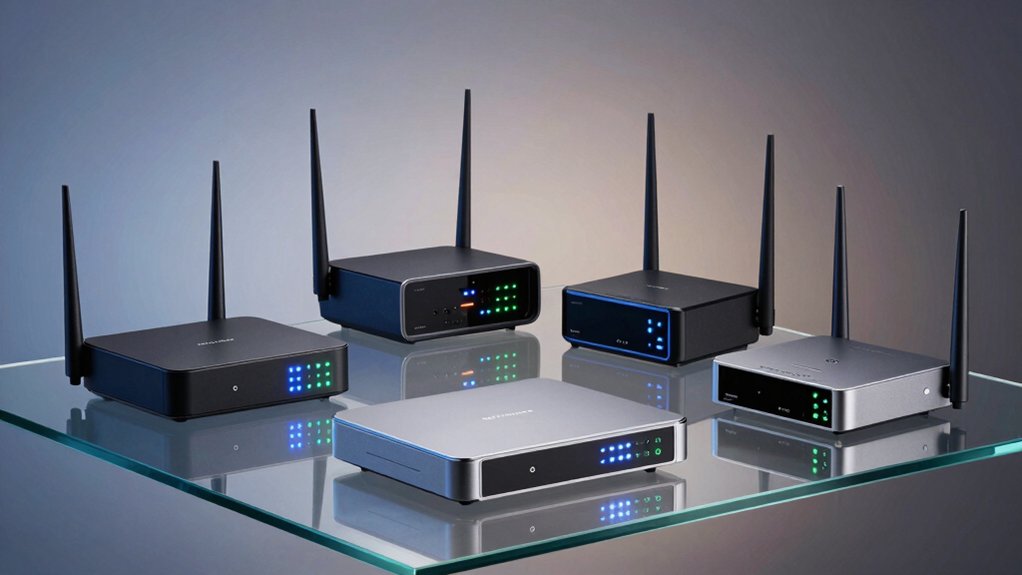

You need a home firewall WiFi router that actually shields your network from threats. Standard routers don’t cut it—you require devices with VPN support, WPA3 encryption, and real-time threat detection. The right router blocks intrusions, prevents attacks, and protects your IoT devices automatically. But which models deliver genuine security without draining your budget? We’ll examine five routers that combine performance with protection, then show you what features matter most.
| TP-Link Archer AX21 WiFi 6 Router Dual Band |

| Best for Beginners | Security Architecture: WPA/WPA2/WPA3 protocols, advanced security core, CISA Secure-by-Design pledge | VPN Support: OpenVPN Server, PPTP VPN Server | Ethernet Ports: 5 Gigabit Ethernet ports | VIEW LATEST PRICE | Read Our Analysis |
| TP-Link BE6500 WiFi 7 Router (BE400) |

| Best Future-Ready | Security Architecture: TP-Link HomeShield, advanced security core, CISA Secure-by-Design pledge | VPN Support: VPN client/server support with simultaneous VPN and regular internet | Ethernet Ports: 1×2.5 Gbps WAN/LAN, 1×2.5 Gbps LAN, 3×1 Gbps LAN ports | VIEW LATEST PRICE | Read Our Analysis |
| TP-Link ER605 V2 Gigabit VPN Router |

| Best for Business | Security Architecture: SPI Firewall, DoS defense, IP/MAC/URL filtering, VPN pass-through | VPN Support: Up to 20 IPsec, 16 OpenVPN, 16 L2TP, 16 PPTP tunnels | Ethernet Ports: 1 Gigabit WAN, 2 Gigabit WAN/LAN, 2 Gigabit LAN ports (plus USB WAN) | VIEW LATEST PRICE | Read Our Analysis |
| NETGEAR Nighthawk WiFi 7 Router (BE9300) |

| Best Overall Performance | Security Architecture: NETGEAR Armor security suite with 30-day trial | VPN Support: VPN-ready capability | Ethernet Ports: 2.5 Gigabit internet port | VIEW LATEST PRICE | Read Our Analysis |
| ASUS ExpertWiFi EBG15 Gigabit VPN Router |

| Best Enterprise Security | Security Architecture: AiProtection Pro with IPS features and deep packet inspection | VPN Support: VPN protection and safe browsing features | Ethernet Ports: 1 Gigabit WAN, 2 Gigabit WAN/LAN ports with load balancing | VIEW LATEST PRICE | Read Our Analysis |
More Details on Our Top Picks
TP-Link Archer AX21 WiFi 6 Router Dual Band
The TP-Link Archer AX21 works well for newcomers to home network security. This Wi-Fi 6 router delivers up to 1.8 Gbps across dual bands: 1200 Mbps on 5 GHz and 574 Mbps on 2.4 GHz. You’ll get WPA3 encryption, VPN server support, and parental controls built in. The four high-gain antennas provide extended coverage while beamforming focuses your signal. Setup takes minutes using the included Ethernet cable and power adapter. TP-Link’s 24/7 support team backs you with a two-year warranty, and you can manage everything through the Tether app for firmware updates and ongoing security.
- Security Architecture:WPA/WPA2/WPA3 protocols, advanced security core, CISA Secure-by-Design pledge
- VPN Support:OpenVPN Server, PPTP VPN Server
- Ethernet Ports:5 Gigabit Ethernet ports
- Multi-Device Support:OFDMA technology for simultaneous device communication
- Mesh Networking:Easy Mesh compatible for mesh setup expansion
- Parental Controls:Parental controls included
- Additional Feature:Wi-Fi 6 (802.11ax) technology
- Additional Feature:4 high-gain antennas
- Additional Feature:Works with all ISPs
TP-Link BE6500 WiFi 7 Router (BE400)
Looking to future-proof your home network? The TP-Link BE6500 delivers Wi-Fi 7 technology with Multi-Link Operation for enhanced throughput and lower latency. You’ll get up to 5764 Mbps on 5GHz and support for 90 devices simultaneously across 2,400 square feet. The router includes 2.5 Gbps wired connections and HomeShield protection with parental controls and real-time IoT security. You can expand coverage using EasyMesh-compatible devices and set everything up through the Tether app. VPN client/server support lets your home devices access remote servers while maintaining regular internet access, providing comprehensive network protection.
- Security Architecture:TP-Link HomeShield, advanced security core, CISA Secure-by-Design pledge
- VPN Support:VPN client/server support with simultaneous VPN and regular internet
- Ethernet Ports:1×2.5 Gbps WAN/LAN, 1×2.5 Gbps LAN, 3×1 Gbps LAN ports
- Multi-Device Support:Supports up to 90 devices simultaneously
- Mesh Networking:EasyMesh compatibility for full-home mesh coverage
- Parental Controls:Parental controls within HomeShield
- Additional Feature:Multi-Link Operation (MLO) tech
- Additional Feature:Supports 90+ devices simultaneously
- Additional Feature:2.5 Gbps wired connectivity
TP-Link ER605 V2 Gigabit VPN Router
Need a wired router that handles multiple internet connections simultaneously? The ER605 V2 provides up to three WAN ports plus a USB port for mobile broadband, enabling load balancing across connections. You’ll get five Gigabit ports total: one dedicated WAN, two configurable WAN/LAN ports, and two LAN ports. For security, it includes an SPI firewall, DoS defense, and IP/MAC/URL filtering. The router supports 20 LAN-to-LAN IPsec tunnels, 16 OpenVPN connections, and equivalent L2TP/PPTP capacity. Omada SDN integration lets you manage your network from a centralized dashboard. The device weighs 12.64 oz and measures 6.22″ × 3.98″ × 0.98″. You’ll receive a power adapter, installation guide, and Ethernet cable. It carries a five-year manufacturer warranty.
- Security Architecture:SPI Firewall, DoS defense, IP/MAC/URL filtering, VPN pass-through
- VPN Support:Up to 20 IPsec, 16 OpenVPN, 16 L2TP, 16 PPTP tunnels
- Ethernet Ports:1 Gigabit WAN, 2 Gigabit WAN/LAN, 2 Gigabit LAN ports (plus USB WAN)
- Multi-Device Support:Multi-WAN load balancing capability
- Mesh Networking:Omada SDN integrated network management
- Parental Controls:Speed test and content filtering via firewall policies
- Additional Feature:Multi-WAN with load balancing
- Additional Feature:USB WAN mobile broadband
- Additional Feature:Up to 20 IPsec connections
NETGEAR Nighthawk WiFi 7 Router (BE9300)
Want top-tier wireless performance for your entire home? The NETGEAR Nighthawk WiFi 7 Router delivers 9.3Gbps speeds across a tri-band design, covering 2,500 square feet and supporting up to 100 devices simultaneously. You’ll need a separate cable modem to connect to your internet service, as this unit functions as a router only. Once installed, you can manage your network through the Nighthawk app for straightforward setup and control. The built-in NETGEAR Armor security suite protects against hackers and malware, with a 30-day trial included. Its 2.5 Gigabit internet port handles multi-gig speeds, making it ideal for gaming, streaming, and video conferencing.
- Security Architecture:NETGEAR Armor security suite with 30-day trial
- VPN Support:VPN-ready capability
- Ethernet Ports:2.5 Gigabit internet port
- Multi-Device Support:Supports up to 100 devices
- Mesh Networking:Expandable (separate devices required)
- Parental Controls:Included with security suite
- Additional Feature:9.3 Gbps wireless speed
- Additional Feature:Tri-Band design
- Additional Feature:2,500 sq. ft. coverage
ASUS ExpertWiFi EBG15 Gigabit VPN Router
The ASUS ExpertWiFi EBG15 delivers enterprise-grade security features for small business networks and demanding home users. You’ll access the router through a web browser or mobile app with Bluetooth setup for convenience. The device includes three gigabit WAN ports—one dedicated WAN port and two combination WAN/LAN ports with load balancing. You can assign each port to specific VLAN IDs for network segmentation. AiProtection Pro provides free subscription security with deep packet inspection and virtual patching to block threats. A USB backup WAN port lets you connect a mobile hotspot for failover protection. These features support VPN protection, multi-broadband optimization, and secure remote management for reliable business-class network protection.
- Security Architecture:AiProtection Pro with IPS features and deep packet inspection
- VPN Support:VPN protection and safe browsing features
- Ethernet Ports:1 Gigabit WAN, 2 Gigabit WAN/LAN ports with load balancing
- Multi-Device Support:Multi-line broadband optimization with load balancing
- Mesh Networking:App-based remote management capability
- Parental Controls:Safe browsing features included
- Additional Feature:Bluetooth setup capability
- Additional Feature:VLAN port assignment
- Additional Feature:USB backup WAN connectivity
Factors to Consider When Choosing a Home Firewall Wifi Router
When selecting a home firewall WiFi router, you’ll want to evaluate five key factors: Wi-Fi standard and speed determine how quickly your devices connect, security features and protocols protect your data from threats, device capacity and coverage ensure all your equipment works smoothly throughout your home, network port configuration affects how you connect wired devices, and VPN support with encryption shields your online activity. Start by assessing your current needs—count your connected devices, measure your home’s square footage, and identify which security protocols your devices require. Then compare routers based on these specifications to find the model that matches your requirements without paying for unnecessary features.
Wi-Fi Standard And Speed
How do you know which Wi-Fi standard and speed rating actually matter for your network security and device performance?
Wi-Fi 7 routers deliver faster speeds and lower latency than Wi-Fi 6 models, using features like Multi-Link Operation and wider channels. Check the total advertised speed—for example, BE6500 combines performance across 2.4 GHz and 5 GHz bands. Verify your devices support the standard you’re buying; older equipment won’t access full speeds.
Count the streams your router offers. Higher stream counts (such as 6-Stream versus 4-Stream) and technologies like MU-MIMO improve performance when multiple devices connect simultaneously. Real-world speeds depend on signal strength, distance from the router, and interference from walls or neighboring networks. Match your router’s capabilities to your household’s actual device count and usage patterns.
Security Features And Protocols
What security features should you prioritize when selecting a home firewall router? First, verify WPA3 encryption support with WPA2 fallback for device compatibility. Second, confirm the router includes SPI firewall, DoS protection, and IP/MAC/URL filtering capabilities. Third, check VPN options available—OpenVPN, L2TP, or PPTP—and verify throughput meets your needs. Fourth, review parental controls and security suites like HomeShield for real-time IoT protection and threat detection. Finally, assess advanced features such as VPN pass-through, multi-WAN support, and IPsec routing if you need remote access or network redundancy. Each feature strengthens your network against different threat types. Match these capabilities to your household’s specific security requirements and device count.
Device Capacity And Coverage
Most modern homes now contain far more connected devices than routers were built to handle even a decade ago, making device capacity and coverage critical factors in your router selection. Check your router’s device capacity rating—typically found in specifications—to ensure it matches your household’s needs. Wi-Fi 6 and Wi-Fi 7 routers handle more simultaneous connections than older standards. Evaluate coverage area in square feet against your home’s layout, accounting for walls and interference. Multi-user technologies like OFDMA and MU-MIMO allow devices to share bandwidth efficiently without slowdowns. Consider tri-band designs for homes with 50+ devices. Mesh systems extend coverage across larger spaces where single routers fall short. Match your router’s specifications to your device count and square footage for optimal performance.
Network Port Configuration
Beyond handling multiple devices across your home, your router’s physical ports determine how you’ll connect to the internet and wire devices for maximum speed and reliability. You’ll want at least two Gigabit Ethernet WAN ports for load-balancing or failover protection between internet connections. Check if your router offers USB WAN ports to add mobile hotspot backup. Verify that LAN ports support Gigabit speeds (1 Gbps minimum) for fast wired connections to computers and smart devices. Some models feature 2.5 Gbps or multi-gig ports for even higher throughput. Confirm port labeling—WAN, WAN/LAN, or LAN only—since this affects how you configure your network topology and internet access. VLAN-capable ports let you segment traffic for added security.
VPN Support And Encryption
How secure is your remote access to your home network? VPN support lets you connect safely from outside your home using protocols like OpenVPN, IPsec, or L2TP. Choose a router offering both VPN client and server capabilities so you can access your network remotely and allow others to connect securely.
Encryption standards matter significantly. WPA3 provides the strongest protection, while WPA2 offers solid security. Avoid legacy WEP encryption entirely. Your router’s CPU power and memory directly affect VPN performance, influencing speed and latency during encrypted connections.
Look for additional features including simultaneous VPN connections for multiple users, split tunneling to control which traffic uses the VPN, and firewall integration. These features enhance both security and flexibility for your specific needs.
Mesh Compatibility And Expandability
Your router’s ability to expand beyond a single unit determines whether you can maintain strong WiFi coverage throughout your entire home. Look for routers supporting EasyMesh or proprietary mesh standards that let you add nodes seamlessly. When you expand your network, verify the system preserves uniform coverage without performance drops. Check that your mesh setup supports roaming between nodes with a consistent SSID and automatic handoff to prevent disconnects. Confirm compatibility with your existing modem, switches, and VLAN configurations so security and management features remain intact. Multi-device handling technologies like OFDMA or Multi-Link Operation maintain stable speeds as you add more nodes. These features ensure your firewall protections extend across your entire mesh network without compromise.
Setup Ease And Management
What separates a frustrating router experience from a seamless one often comes down to how straightforward the initial setup process is and how easily you can manage your network afterward. Look for routers offering dedicated mobile apps or web interfaces that guide you through configuration with step-by-step wizards and auto-detection of your ISP settings. This reduces manual input and saves time during installation. For ongoing management, choose models with centralized app-based control, remote management capabilities, and intuitive parental controls or guest network features. EasyMesh compatibility lets you expand coverage without complex reconfigurations as you add devices. Finally, evaluate documentation quality and available support options, including firmware updates and troubleshooting guides, which directly impact long-term usability and network reliability.
Warranty And Technical Support
When evaluating warranty and technical support options, you’re fundamentally protecting your investment against both manufacturing failures and unexpected issues down the road. Compare warranty lengths across models—they typically range from 2 to 5 years, directly affecting your long-term repair and replacement coverage. Check what each warranty covers: most include manufacturing defects but exclude misuse or unauthorized modifications. Next, examine technical support availability. You’ll find options including 24/7 phone lines, chat, and email support. Faster response times matter significantly if your network goes down. Finally, consider extended warranty options or firmware update commitments some manufacturers offer. For business use, verify whether dedicated enterprise support plans exist. These details determine how quickly you’ll resolve issues and how protected your investment remains.
Final Thoughts
You’ll want to evaluate each router based on your specific needs. Compare VPN capabilities, encryption standards, and threat protection features across models. Check CPU performance and RAM to handle multiple simultaneous connections. Review warranty length and firmware update schedules. Test mesh compatibility if you need coverage expansion. Match your budget with the security features you require, then purchase from authorized retailers offering return policies.

Meet Ry, “TechGuru,” a 36-year-old technology enthusiast with a deep passion for tech innovations. With extensive experience, he specializes in gaming hardware and software, and has expertise in gadgets, custom PCs, and audio.
Besides writing about tech and reviewing new products, he enjoys traveling, hiking, and photography. Committed to keeping up with the latest industry trends, he aims to guide readers in making informed tech decisions.