
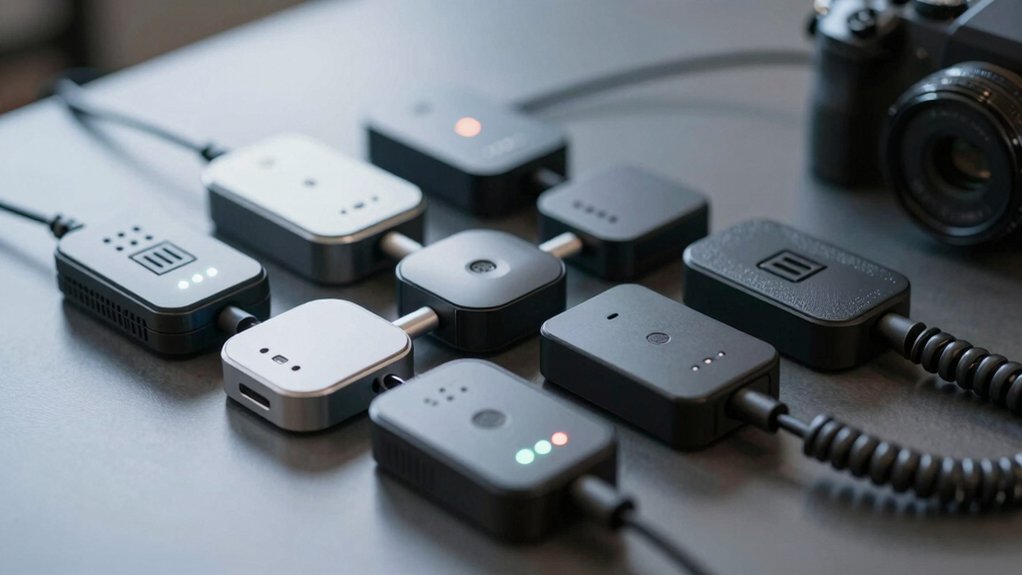

You’re choosing an Analog Telephone Adapter by matching ports, security, and fax support to your SMB or home office. Start with Grandstream HT802 V2 or HT812 V2 for 2 FXS ports, T.38 fax and TLS/SRTP, plus TR-069 provisioning. Consider HT801 for a single port, or PAP2T for a compact gateway. Add FWR8101 for Wi‑Fi, and the Analog Splitter for budget multi‑line use. Compare provisioning options, then pick the model that fits your PBX and network. More details ahead.
| Grandstream HT802 V2 2 FXS Port Aanalog Telephone Adapter (HT802-V2) |

| Best Overall Business ATA | Type: Analog Telephone Adapter (HT802) | Ports: 2 FXS ports | SIP Profiles / Support: 2 SIP profiles | VIEW LATEST PRICE | Read Our Analysis |
| magicJack VOIP Phone Adapter with magicIN/magicOUT Service |

| Unlimited Calling Champion | Type: VOIP Phone Adapter (magicJack) | Ports: 2 SIP profiles; uses broadband/ATA for phones (no explicit FXS count) | SIP Profiles / Support: Not explicitly stated (service-based, works with magicJack ecosystem) | VIEW LATEST PRICE | Read Our Analysis |
| Grandstream HT812 V2 VoIP ATA 2-FXS Port (HT812-V2) |

| Reliable 2-Port Pro | Type: Analog Telephone Adapter (HT812) | Ports: 2 FXS ports | SIP Profiles / Support: 2 SIP profiles | VIEW LATEST PRICE | Read Our Analysis |
| FLYINGVOICE FWR8101 VoIP Adapter with Wi-Fi |

| Business-Grade Fax Ready | Type: VoIP ATA (FWR8101) | Ports: 1 FXS port | SIP Profiles / Support: SIP/VoIP compatible (SIP Line) | VIEW LATEST PRICE | Read Our Analysis |
| Grandstream HT801 Single-Port Analog Telephone Adapter |

| Trusted Provider Classic | Type: Analog Telephone Adapter (HT801) | Ports: 1 FXS port | SIP Profiles / Support: 1 SIP profile | VIEW LATEST PRICE | Read Our Analysis |
| RJ11 to RJ45 Ethernet Adapter for Landline Battle |

| Specialty Phone Adapter | Type: RJ11 to RJ45 Adapter | Ports: 0 traditional ports (adapter cable kit) – RJ11/phone line interface implied | SIP Profiles / Support: Not applicable (adapter for landline, not SIP) | VIEW LATEST PRICE | Read Our Analysis |
| VOIP Phone Adapter with 2 Ports (PAP2T) |

| Dual-Port Flexibility | Type: VoIP Phone Adapter (PAP2T) | Ports: 2 ports | SIP Profiles / Support: SIP V2 protocol | VIEW LATEST PRICE | Read Our Analysis |
| CELL2JACK: Cellphone to Landline Dialer Adapter |

| Cell-to-Landline Bridge | Type: Cellphone-to-Landline Dock (Cell2jack) | Ports: 1 landline port (via adapter dock) | SIP Profiles / Support: Not SIP-focused (cell to landline bridge) | VIEW LATEST PRICE | Read Our Analysis |
| Analog Telephone Adapter Splitter for Calls (2-Pack) |

| Recording-Ready Splitter | Type: Analog Telephone Adapter Splitter | Ports: 2 RJ11 ports (dual) | SIP Profiles / Support: Not SIP-focused (splitter for recording/handset) | VIEW LATEST PRICE | Read Our Analysis |
More Details on Our Top Picks
Grandstream HT802 V2 2 FXS Port Aanalog Telephone Adapter (HT802-V2)
If you need a simple, two-port solution for upgrading your office telephony, the Grandstream HT802 V2 2 FXS Port adapter is a solid choice. You configure two SIP profiles via the two FXS ports, using the 10/100 Mbps single WAN link. Enable TLS and SRTP to encrypt calls and accounts. Use automated provisioning with TR-069 or XML files, or zero configuration when pairing with a Grandstream UCM IP PBX. Check status with POWER, NET, PHONE1, and PHONE2 LEDs. If a primary server fails, the device can switch to a secondary, supporting T.38 Fax and various caller ID formats. Update to latest v1.0.19.11+.
- Type:Analog Telephone Adapter (HT802)
- Ports:2 FXS ports
- SIP Profiles / Support:2 SIP profiles
- Fax Support:T.38 Fax supported
- Encryption / Security:TLS and SRTP
- Provisioning / Setup:Automated provisioning (TR-069, XML); zero config with UCM
- Additional Feature:Auto provisioning via TR-069
- Additional Feature:3-way voice conferencing
- Additional Feature:Failover SIP servers
magicJack VOIP Phone Adapter with magicIN/magicOUT Service
magicJack VOIP Phone Adapter with magicIN/magicOUT Service stands out for unlimited calling with no monthly bills, making it a strong choice for users who want predictable costs and simple setup. You set up by plugging into high-speed internet and a phone, then install the included ethernet cord, USB extension, and power adapter. Use the magicJack app for on-the-go calls and texts to U.S. numbers, syncing with your home line. Port your number for a one-time $19.95 fee, or buy new for a guaranteed working unit. Take advantage of free magicJack-to-magicJack calls and 1-year warranty.
- Type:VOIP Phone Adapter (magicJack)
- Ports:2 SIP profiles; uses broadband/ATA for phones (no explicit FXS count)
- SIP Profiles / Support:Not explicitly stated (service-based, works with magicJack ecosystem)
- Fax Support:Not specified (consumer VOIP, no explicit fax note)
- Encryption / Security:Not specified (cloud/mobile service; security not detailed)
- Provisioning / Setup:Easy setup; step-by-step instructions included
- Additional Feature:Unlimited calling to US/Canada/etc
- Additional Feature:Free mobile app for calls
- Additional Feature:Buy new for working unit
Grandstream HT812 V2 VoIP ATA 2-FXS Port (HT812-V2)
The HT812-V2 stands out for its two FXS ports, which let you connect two traditional telephones or faxes to a modern VoIP setup with ease. You configure two SIP profiles, one for each line, then connect phones to the FXS jacks. Use the built-in NAT router to manage your network traffic and guarantee stable calls. For security, enable AES encryption and apply the unit-specific security certificate. For voice quality, rely on wideband codecs and the option for 3-way conferencing per port. If you need fax, enable T.38 Fax-over-IP for reliable transmission.
- Type:Analog Telephone Adapter (HT812)
- Ports:2 FXS ports
- SIP Profiles / Support:2 SIP profiles
- Fax Support:T.38 Fax supported
- Encryption / Security:AES encryption; unit certificate
- Provisioning / Setup:Automated provisioning implied; standard ATA setup
- Additional Feature:3-way per-port conferencing
- Additional Feature:T.38 Fax for Fax-over-IP
- Additional Feature:High NAT router performance
FLYINGVOICE FWR8101 VoIP Adapter with Wi-Fi
The FLYINGVOICE FWR8101 VoIP Adapter with Wi-Fi stands out for businesses that need a reliable FXS-to-SIP connection plus flexible networking. You install the unit with one FXS port and one SIP line to connect a traditional phone to VoIP. Use the AP mode to create a 2.4 GHz, 300 Mbps mini-network in hotels or temporary offices, or switch to the Flexible Repeater to extend wireless coverage. Fax works with T.30 and T.38 over SIP when PBX/ISP is registered. It targets IT pros and enterprises needing dependable VoIP adapters for mixed environments.
- Type:VoIP ATA (FWR8101)
- Ports:1 FXS port
- SIP Profiles / Support:SIP/VoIP compatible (SIP Line)
- Fax Support:T.30 & T.38 Fax supported
- Encryption / Security:Not specified
- Provisioning / Setup:AP mode and reusable network modes; PBX/SIP registration
- Additional Feature:AP Mode 2.4 GHz Wi‑Fi
- Additional Feature:Built-in repeater mode
- Additional Feature:T.38 and T.30 Fax support
Grandstream HT801 Single-Port Analog Telephone Adapter
Choose the Grandstream HT801 Single-Port Analog Telephone Adapter when you need a proven, enterprise-grade solution for a single-line voice setup. You connect a corded phone to the HT801’s FXS port, then link the 10/100 Mbps Ethernet port to your network. Configure one SIP profile for your service and apply TLS or SRTP to protect calls and accounts. Use automated provisioning options, TR-069, or XML config files to deploy settings across devices. This adapter is trusted, used by large providers, and supports 3-way voice conferencing. Consider it for a straightforward, secure single-line setup with solid performance.
- Type:Analog Telephone Adapter (HT801)
- Ports:1 FXS port
- SIP Profiles / Support:1 SIP profile
- Fax Support:Not specified
- Encryption / Security:TLS and SRTP
- Provisioning / Setup:Automated provisioning (TR-069, XML)
- Additional Feature:1 SIP profile
- Additional Feature:3-way voice conferencing
- Additional Feature:XML config/TR-069 provisioning
RJ11 to RJ45 Ethernet Adapter for Landline Battle
Look for the moeverEX RJ11 to RJ45 Adapter as a practical bridge when you have Ethernet wiring in place but no traditional phone jack. This adapter lets you connect landline devices, like phones and faxes, to an existing Ethernet cable setup without changing walls. Use the 6 inch RJ11 to RJ45 cable included to link the device to the Ethernet run. Note that it supports selecting RJ45 cables for data transmission and RJ11 lines for voice as needed. Do not connect to a router’s landline port or attempt broadband transmission over telephone lines. Follow safety and compatibility notes.
- Type:RJ11 to RJ45 Adapter
- Ports:0 traditional ports (adapter cable kit) – RJ11/phone line interface implied
- SIP Profiles / Support:Not applicable (adapter for landline, not SIP)
- Fax Support:Not specified
- Encryption / Security:Not applicable
- Provisioning / Setup:Not a network device; manual usage
- Additional Feature:Landline data via Ethernet wiring
- Additional Feature:No router-use compatibility
- Additional Feature:Gold-plated contacts
VOIP Phone Adapter with 2 Ports (PAP2T)
This VOIP Phone Adapter with 2 Ports (PAP2T) stands out for its two-port design and SIP V2 compatibility, making it a solid choice if you need a compact, unblocked gateway for home or small-office use. You connect the PAP2T to a router via the included RJ45 cable. Then you plug the device into a power source and follow setup steps on your router. It requires no contract or service provider, acting as an unlocked gateway. Use it with SIP-compatible systems, especially PAP2T devices, for VoIP calls. This setup supports QoS and reliable voice codecs for clear calls.
- Type:VoIP Phone Adapter (PAP2T)
- Ports:2 ports
- SIP Profiles / Support:SIP V2 protocol
- Fax Support:Not specified
- Encryption / Security:Not specified
- Provisioning / Setup:Easy setup; router-based, no contract
- Additional Feature:SIP V2 protocol
- Additional Feature:Portable, compact design
- Additional Feature:No contract or service required
CELL2JACK: Cellphone to Landline Dialer Adapter
CELL2JACK stands out for letting you use your home landline to place and receive mobile calls, making it ideal if you want to extend cell service to any analog phone. You connect a corded or cordless phone to the adapter, then pair it with your cell via Bluetooth. Once paired, place calls on the landline like usual, and answer them through the phone. It supports rotary and big-button models, so you can keep older phones. Use Siri or Google Assistant through the landline for basic controls. Optional 5V port charges your phone during use, improving convenience.
- Type:Cellphone-to-Landline Dock (Cell2jack)
- Ports:1 landline port (via adapter dock)
- SIP Profiles / Support:Not SIP-focused (cell to landline bridge)
- Fax Support:Not specified
- Encryption / Security:Not specified
- Provisioning / Setup:Setup via pairing with cell phone; Bluetooth
- Additional Feature:Cellphone-to-landline dock
- Additional Feature:Bluetooth pairing with cell
- Additional Feature:Optional 5V charge port
Analog Telephone Adapter Splitter for Calls (2-Pack)
If you need to record both ends of a call without separate devices, the Analog Telephone Adapter Splitter for Calls (2-Pack) is a strong choice. This package includes two adapters, offering flexibility for multiple recording stations or backup. The unit is compact and portable, making storage easy. It features dual RJ11 ports to split one line, so you can connect both a telephone and a voice recorder. Use the 3.5mm audio socket to link your recording device for seamless capture. It supports single or multi-line phones, requires no external power, and excludes the actual telephone and recorder. Pack includes two adapters.
- Type:Analog Telephone Adapter Splitter
- Ports:2 RJ11 ports (dual)
- SIP Profiles / Support:Not SIP-focused (splitter for recording/handset)
- Fax Support:Not specified
- Encryption / Security:Not specified
- Provisioning / Setup:Plug-and-use, no complex installation
- Additional Feature:Dual RJ11 ports
- Additional Feature:3.5mm audio recording jack
- Additional Feature:Two-pack for backup/use
Factors to Consider When Choosing Analog Telephone Adapter
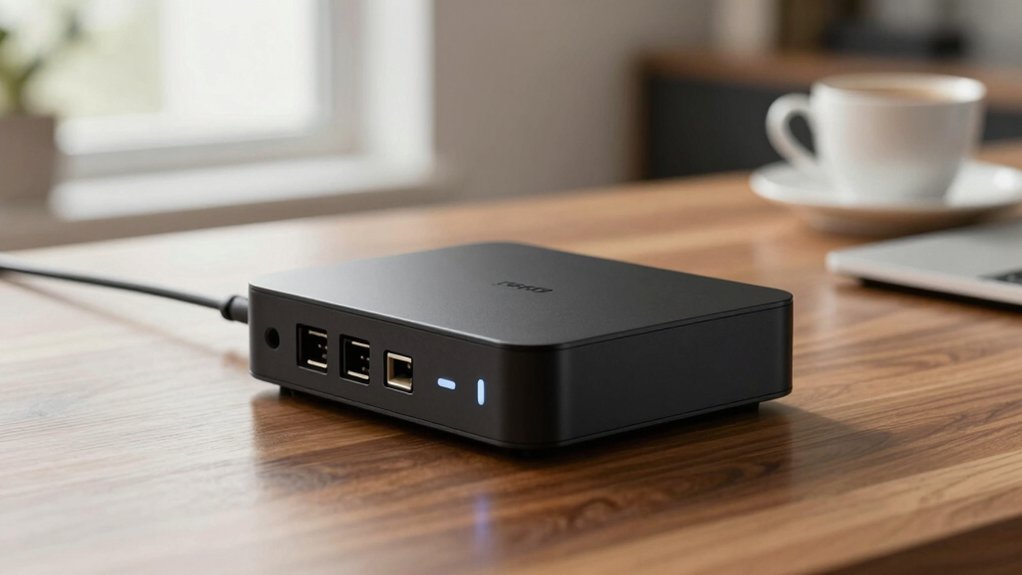
When choosing an Analog Telephone Adapter, start by reviewing key features like codec support, number of ports, and compatibility with your network. Check port availability and whether you need on-device Wi-Fi, Ethernet, or USB options, then confirm security and encryption capabilities for your environment. Finally, evaluate fax support options, provisioning methods, and step-by-step setup guidance to ensure you can deploy it with minimal hassle.
Key Features Overview
A practical way to choose an Analog Telephony Adapter (ATA) is to start with its core features and how they affect your network and users. Look for FXS ports to connect traditional phones to SIP networks, and verify the number needed for your setup. Check security: TLS and SRTP protect calls and accounts. Review provisioning options, including TR-069, XML configs, and zero-configuration support with compatible PBXs. Fax support matters when you require Fax-over-IP, so confirm T.38 and, if needed, T.30 compatibility. Assess network performance: a 10/100 Mbps WAN port, NAT traversal, and essential features like 3-way conferencing and HD wideband codecs. Ensure the device integrates with your existing SIP provider and supports easy remote management for ongoing maintenance.
Port Availability Matters
Port availability is the first thing to verify after you pick a suitable ATA. You will assess how many FXS ports you need and how many SIP profiles the device can manage at once. A typical 2-port ATA like HT802/HT812 lets two phones or fax machines register on separate SIP accounts, enabling independent lines. If you only need one device, a single-port ATA (HT801) may suffice, but it limits concurrent calls and features to one SIP profile. Some models add more line capabilities, such as 2 FXS ports plus 2 SIP profiles, supporting conferencing and multi‑line setups. When planning deployments, ensure the ATA’s FXS ports match the required active handsets and expected call concurrency.
Security And Encryption
Security should be a top consideration when selecting an analog telephone adapter. You should look for TLS support for secure signaling and SRTP for encrypted media to protect calls and accounts. Check if the device provides automated provisioning, such as TR-069 and XML config, to securely deploy settings across multiple endpoints. Verify that you can install security certificates per unit for device-level authentication and to prevent impersonation on SIP trunks. Consider fallbacks and failover features, which help maintain connection integrity if primary servers are unreachable. Ensure firmware updates are readily available and easy to apply, so vulnerabilities and encryption protocols stay current. Assess these options to balance security with ease of use and stability.
Fax Support Options
Consider whether your ATA supports T.38 Fax over IP, and verify this explicitly in the product specs. You’ll assess fax options by checking T.38 compatibility, noting that some devices rely on PSTN fallback or lack fax support. Confirm that the ATA lists T.38 Fax support and identify any required PBX or SIP server configurations before purchase. Recognize that fax over SIP with T.38 needs proper codec negotiation and bandwidth management to prevent failures on busy networks. When selecting an ATA, look for dual FXS ports with T.38 support to connect multiple fax machines. Verify firmware updates and ongoing support, noting recommended versions like v1.x or the latest for improved Fax-over-IP stability. Plan testing after setup to confirm reliable transmission.
Provisioning Methods
Provisioning methods determine how you set up and manage your ATA across devices and sites. You can use automated provisioning via TR-069 and XML config files to perform remote management and batch updates. TLS and SRTP encryption protect provisioning data and call signaling during secure setups, so enable these options for safety. Zero Configuration provisioning works when you pair ATAs with Grandstream UCM series IP PBXs, streamlining deployment with minimal manual steps. Some devices support automated firmware and config upgrades, reducing ongoing configuration work. SNMP or CLI-based management may be available on certain models, allowing status monitoring and reconfiguration pushes. Evaluate your network, security needs, and scale to choose the best provisioning mix for your setup.
Deployment Scenarios
When choosing an Analog Telephone Adapter (ATA), start by matching deployment environments to device form factors and features. For SMBs and remote offices, select compact ATAs that support VoIP lines and conference features, such as FXS ports and 3-way conferencing. Evaluate network integration capabilities; choose devices with SIP profiles, TLS/SRTP security, NAT traversal, and optional auto provisioning (TR-069/XML) for seamless deployment. Assess fax requirements; if T.38 Fax over IP is needed, pick ATAs that explicitly support T.38 and PBX/ISP registration for reliable fax transmission. Plan for compatibility with PBX ecosystems; some ATAs are designed for streamlined setup with specific IP-PBX ecosystems (e.g., UCM series) and offer failover SIP server switching. Account for scalability and management; prioritize models with easy provisioning, multiple profiles per device, and robust management features for future growth.
Voice Quality Factors
Voice quality on an Analog Telephone Adapter hinges on several concrete factors you can control. Start with codec selection and bandwidth to optimize clarity. Choose wideband codecs when your network supports them, as they deliver higher fidelity than narrowband options. Check available options per port, and ensure sufficient bandwidth to prevent jitter and dropouts. Consider 3-way conferencing per port carefully, since mixer latency and echo can reduce perceived quality; limit simultaneous conferences or disable unnecessary mixing if possible. Note T.38 Fax support uses separate signaling that can affect signaling load and reliability on voice paths; enable it only if you need fax over IP. Evaluate AES/SRTP encryption for privacy, but be aware it may add slight processing delays. Finally, configure NAT traversal and firewall handling to improve call setup time and stability.
Compatibility Considerations
To choose an ATA that fits your setup, start by matching its SIP protocol version to your PBX or service provider, such as ensuring SIP V2 support if that’s what you use. Verify the number of FXS ports to match how many traditional phones you’ll connect, noting 1 or 2 ports are common. Confirm security measures like TLS and SRTP, and check certificate handling to meet your network’s encryption needs. If you rely on Fax over IP, verify T.38 Fax compatibility and ensure the device handles T.38 and T.30 standards. Review firmware upgrade paths and provisioning options, such as TR-069, XML config, or zero-config with UCM, to keep compatibility with your deployment setup.
Final Thoughts
You should pick an adapter by identifying your setup and needs. Start by counting ports: choose two FXS for multiple phones, or a single port for one line. Check compatibility with your provider and supported codecs. Assess Wi‑Fi requirement for remote locations or a wired Ethernet link for reliability. Compare features like pass-through, security, and power. Install step by step, test each device, and document settings for future support. Follow these steps to finalize a durable choice.

Meet Ry, “TechGuru,” a 36-year-old technology enthusiast with a deep passion for tech innovations. With extensive experience, he specializes in gaming hardware and software, and has expertise in gadgets, custom PCs, and audio.
Besides writing about tech and reviewing new products, he enjoys traveling, hiking, and photography. Committed to keeping up with the latest industry trends, he aims to guide readers in making informed tech decisions.